Introduction
The Travel Desk is Keka’s centralized interface for handling all travel‑related requests. It lets admins and travel desk managers see, approve, and manage travel and accommodation that employees request under Advances or Travel policies. This keeps travel planning structured, transparent, and efficient.
TABLE OF CONTENTS
Go to Travel Desk
-
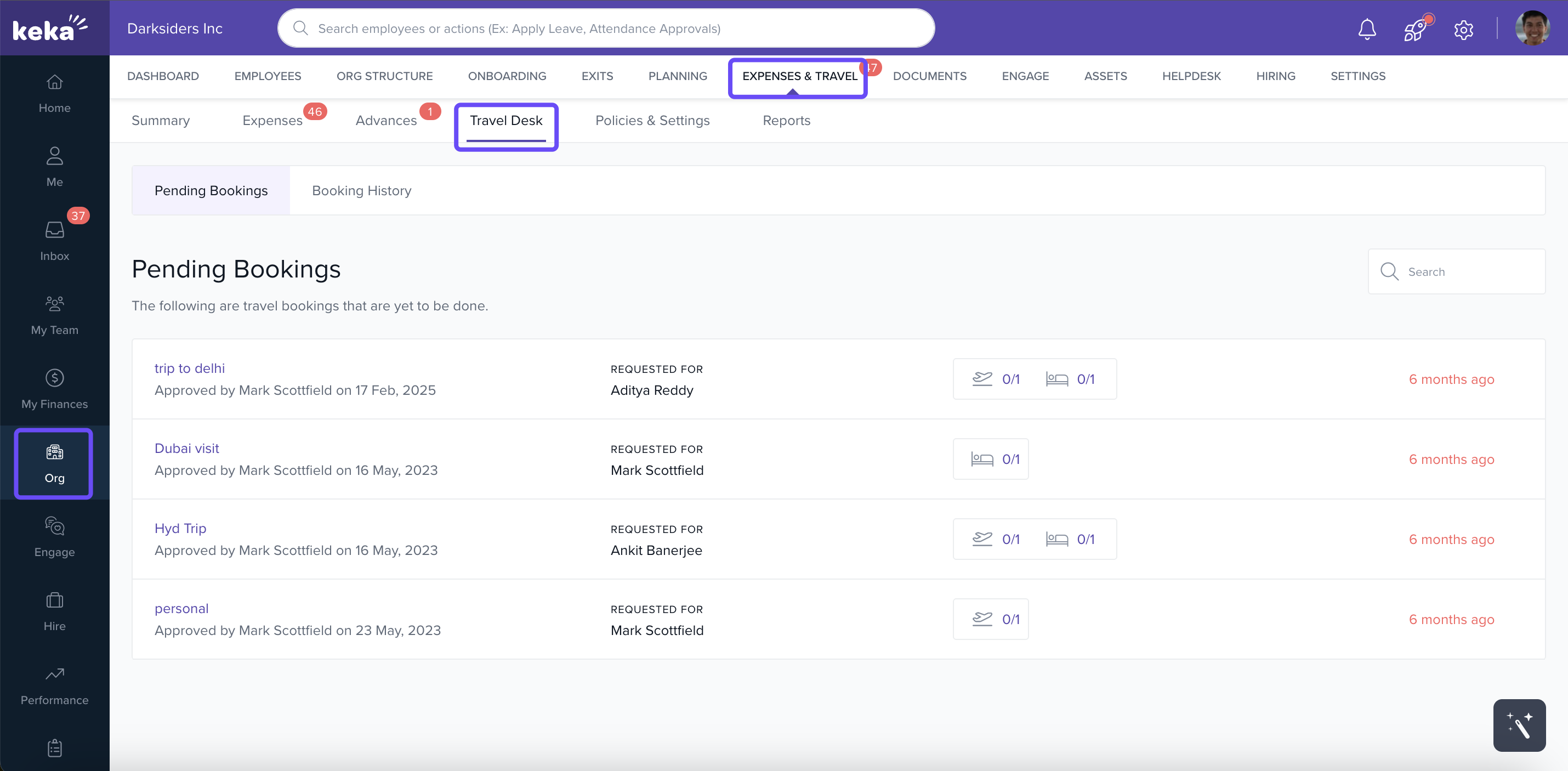
From the left navigation panel, click Org.
-
Then select Expenses & Travel, and click the Travel Desk tab.
Pending Bookings
-
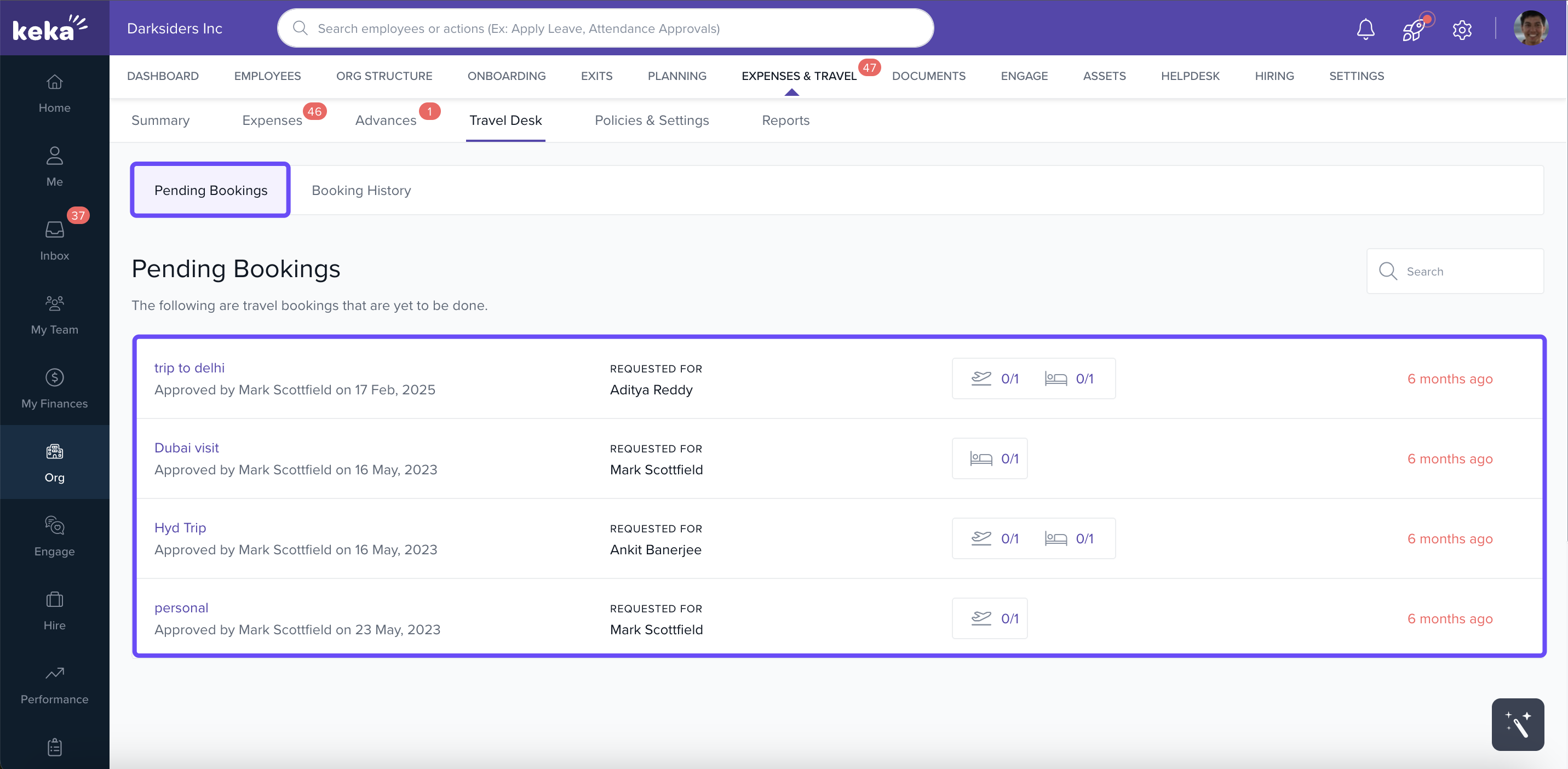
The Pending Bookings tab shows travel & accommodation requests that have been approved by managers/admins but are still awaiting final confirmation or booking.
-
You’ll see details like travel tickets, accommodation info, and who requested them.
Approving or Declining a Request
-
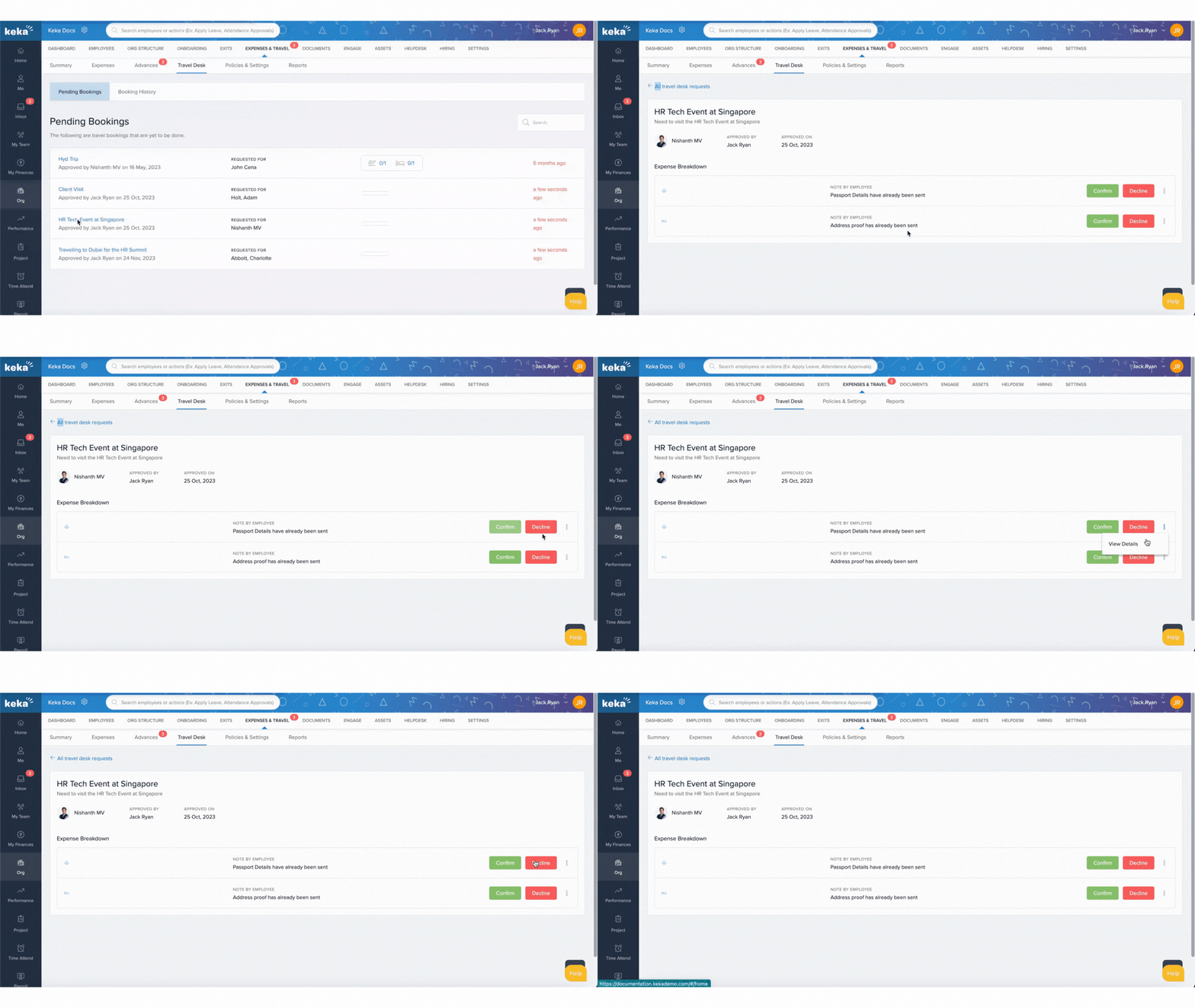
Click on any request in Pending Bookings to review it.
-
You get options to Confirm or Decline the request. If the request includes both tickets and accommodation, you can confirm or decline either part individually.
Booking History
-
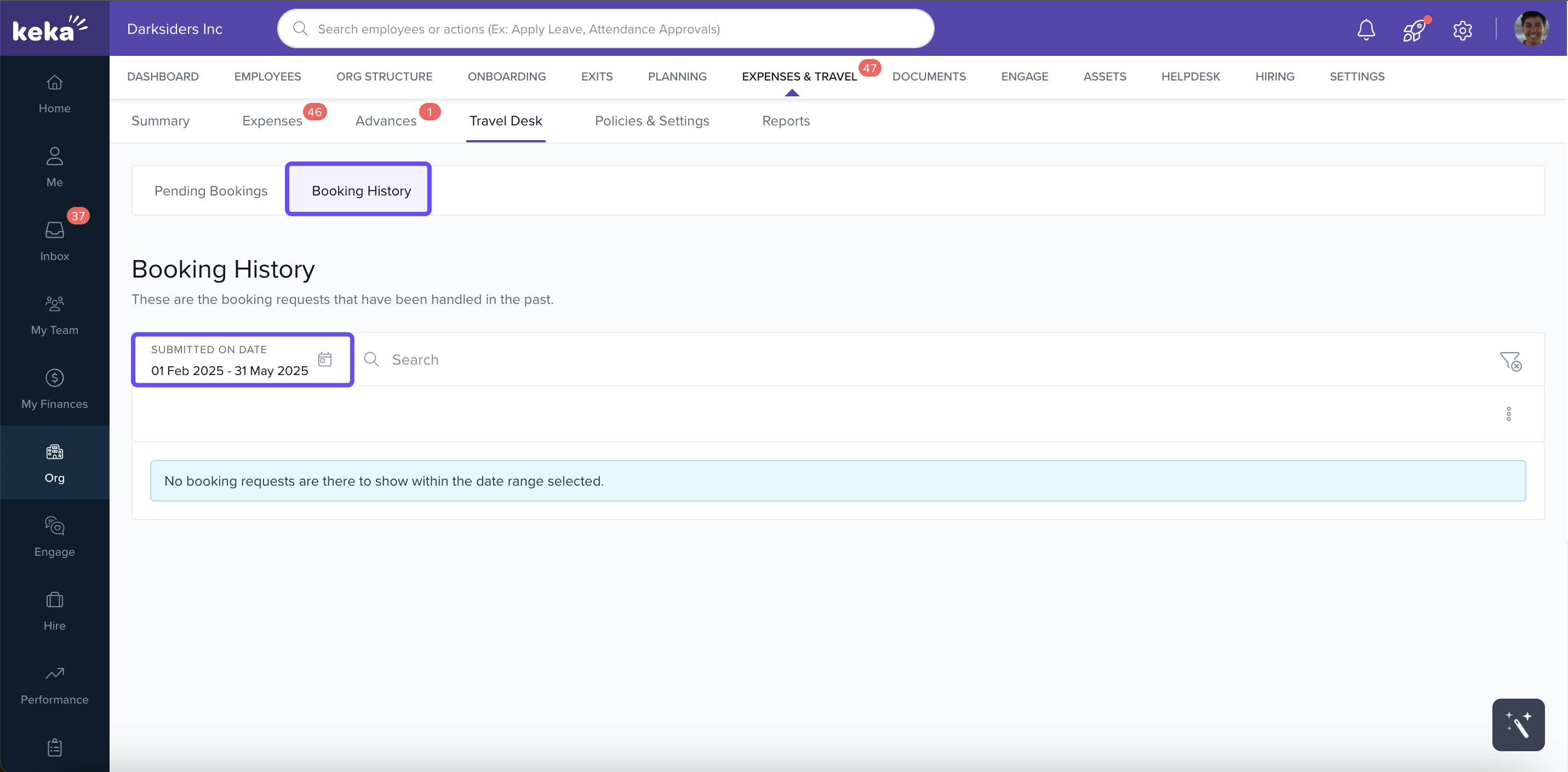
To see previous travel activities, open the Booking History tab.
-
You can filter by date range to view past bookings within a specific period.
Keka’s Travel Desk turns travel request management into a streamlined process. By clearly separating pending bookings, enabling fine‑grained approvals, and providing access to historical booking data, it helps ensure that travel is handled with speed, clarity, and accountability. Use it routinely to avoid surprises, reduce booking latency, and maintain alignment between travel plans and your company’s policies.
Comments
0 comments
Please sign in to leave a comment.