Introduction
Keka's Expense & Travel module allows organizations to define approval workflows at the expense category level, providing flexibility for varying approval processes across different categories such as Food, Travel, and Administration.
Enable Category-Level Approval Chain
To configure category-specific approval chains:
1. Navigate to Org in the left navigation pane.
2. Select Expenses & Travel.
3. Go to the Policies & Settings tab.
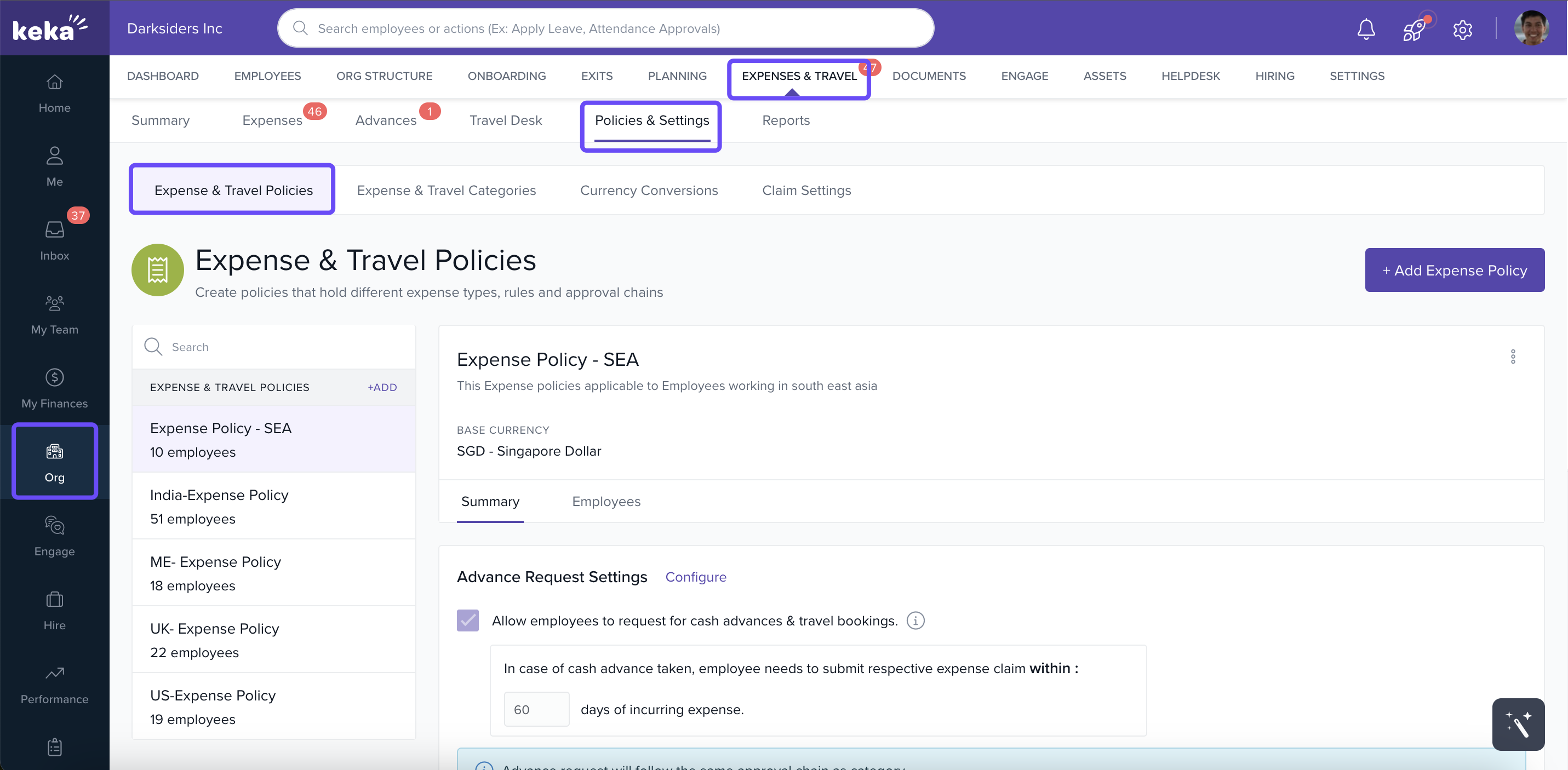
4. Either create a new expense policy by clicking + Add Expense Policy or edit an existing policy by selecting it and clicking the more options icon.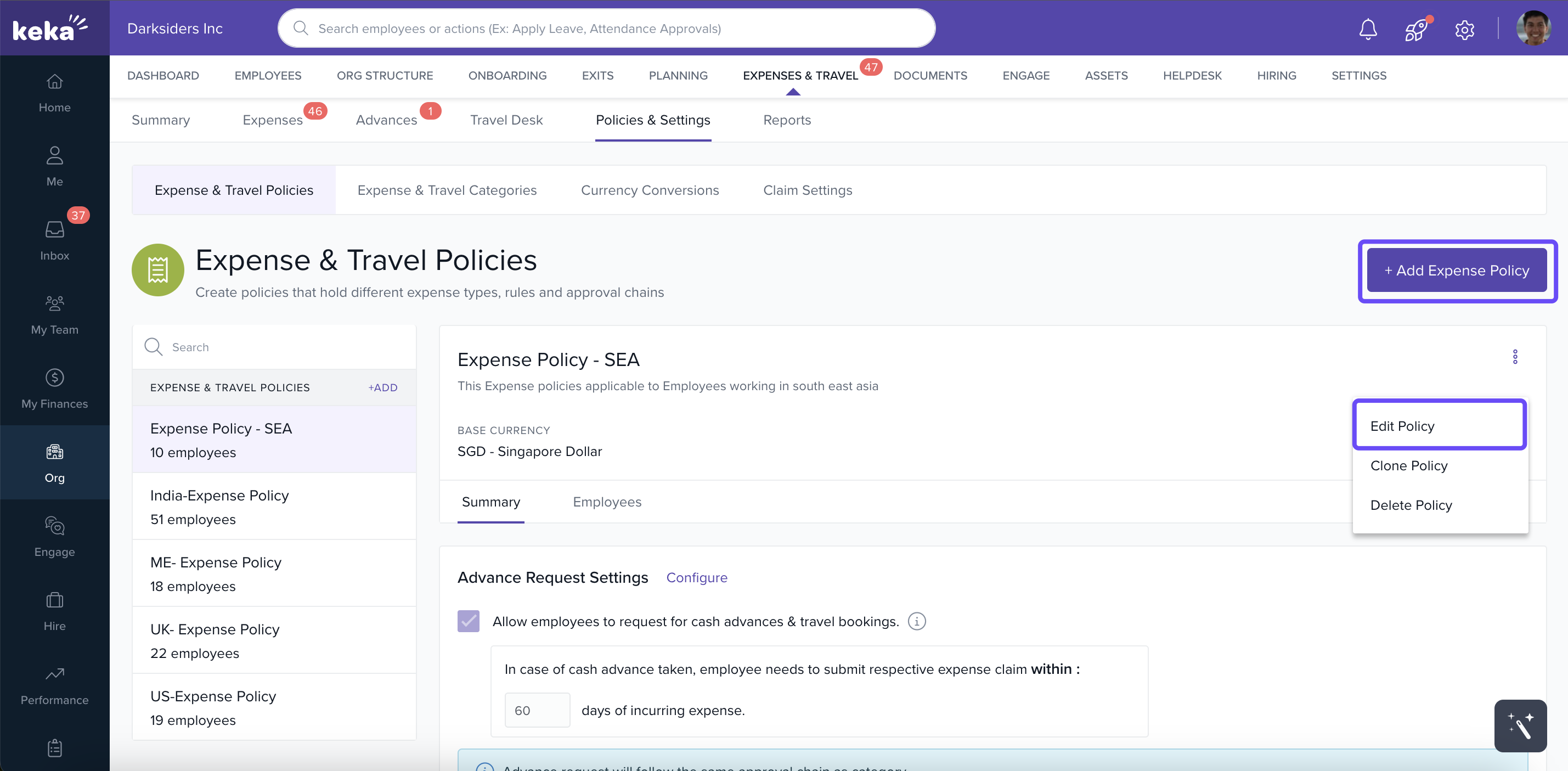
5. In the Approval Chain section, select No, Approval chain varies by expense categories. This option allows you to set different approval workflows for each expense category within the policy.
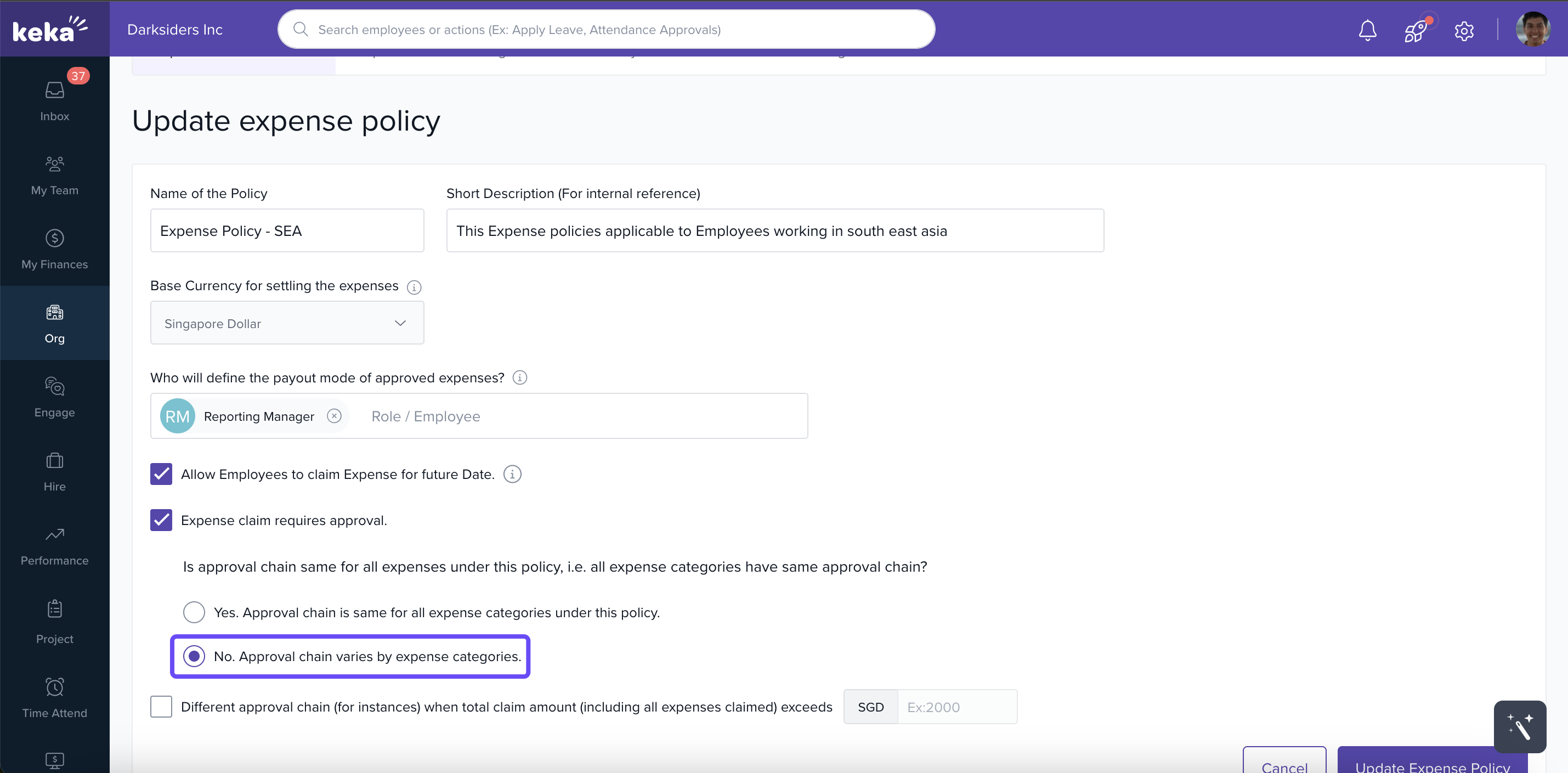
6. After saving or update existing policy, you can add expense categories to the policy and configure their respective approval chains.
Define Payout Approver
To ensure a consistent payout process:
-
Introduce a Payout Approver role who will have the final authority to determine the payout mode for all approved expenses. This role is responsible for taking action on expenses after they have been approved by others in the approval chain.
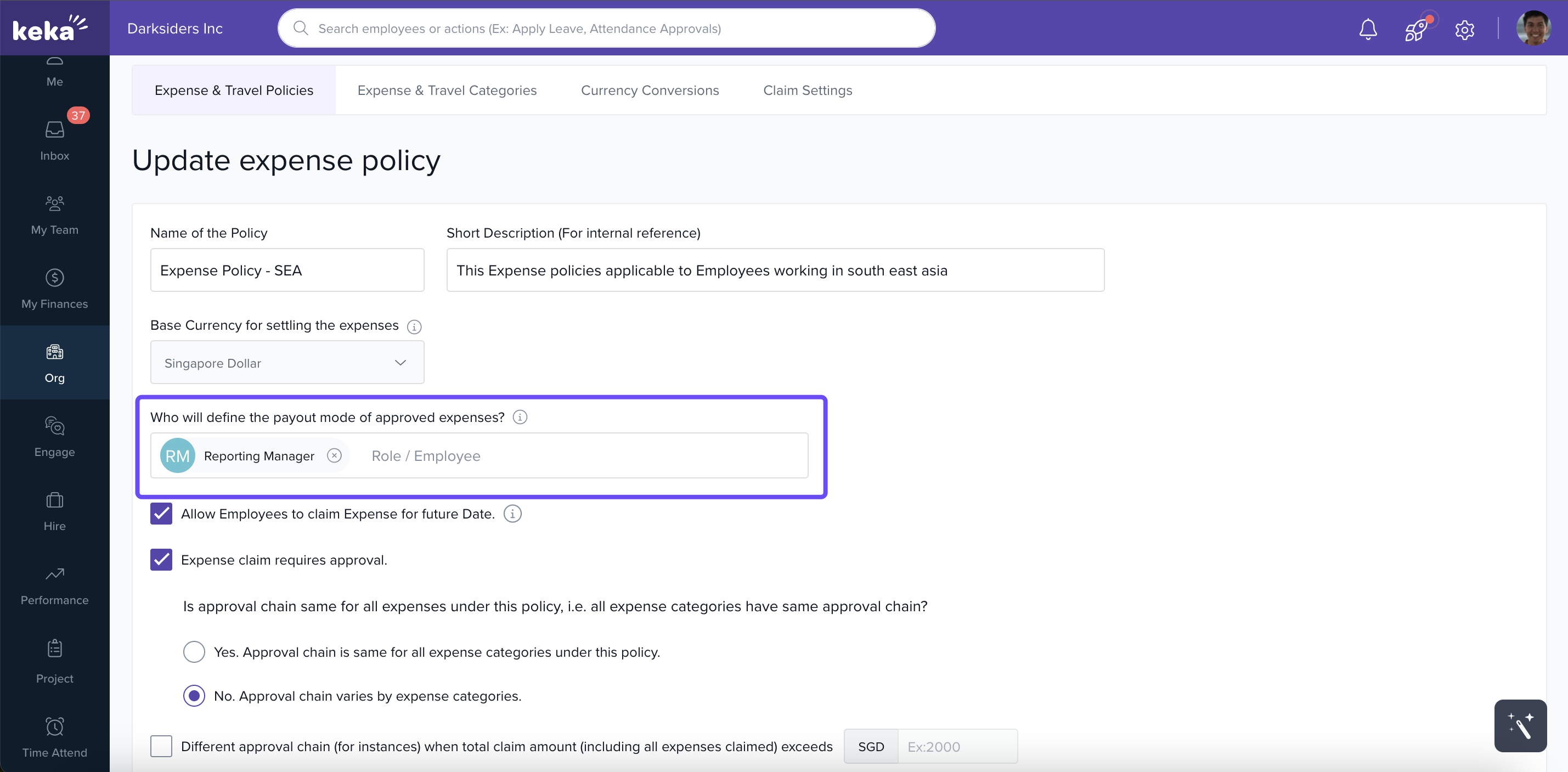
The payout approver will be responsible for taking action on expenses after they have been approved by others in the approval chain (policy/category level).
Configure Category-Level Approval Chain
To set up approval workflows for individual categories:
1. Select the expense policy you've configured.
2. Add the required categories to the policy.
3. For each category, click on Setup Rules or Update Rules to configure its approval chain.
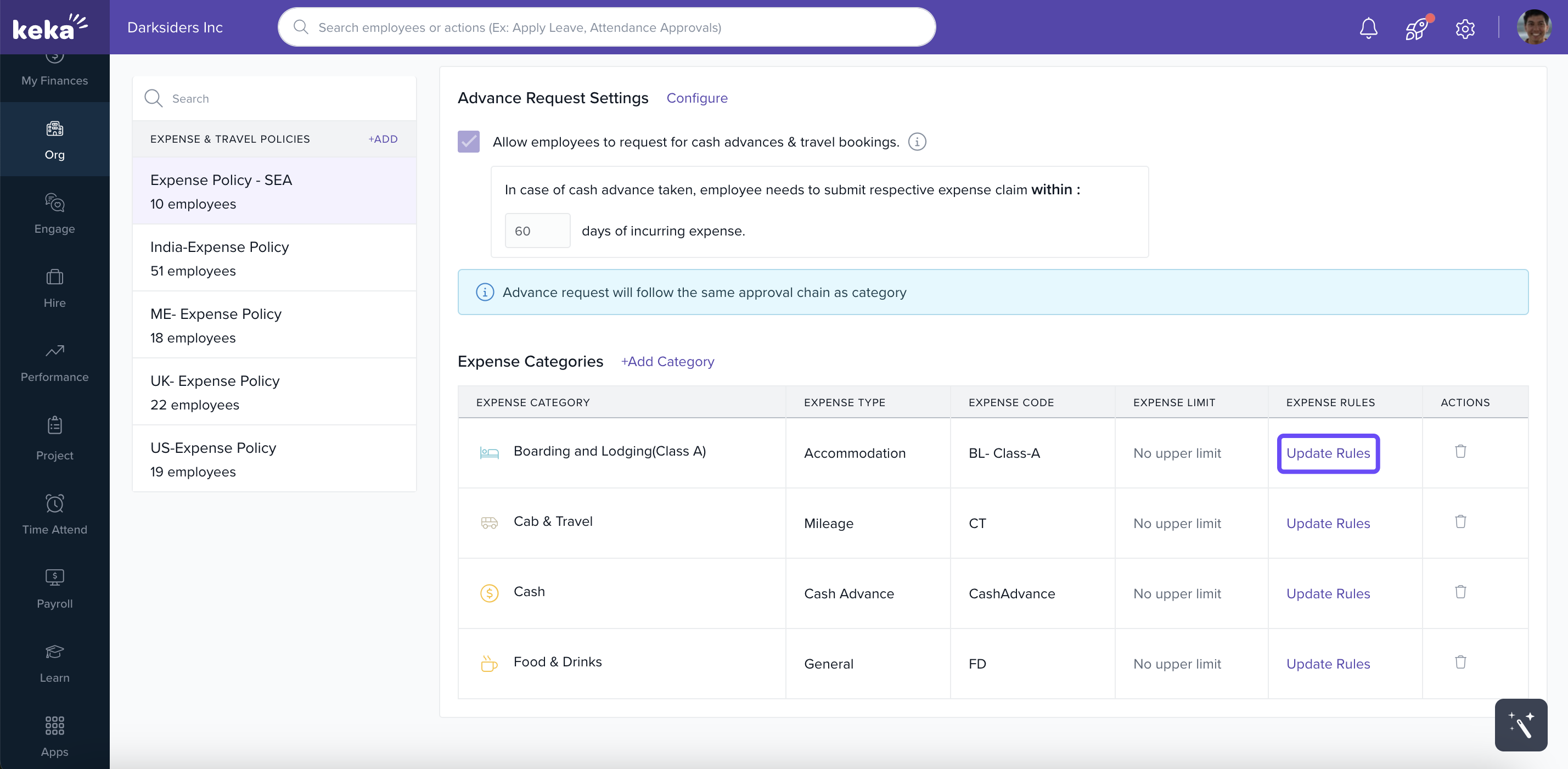
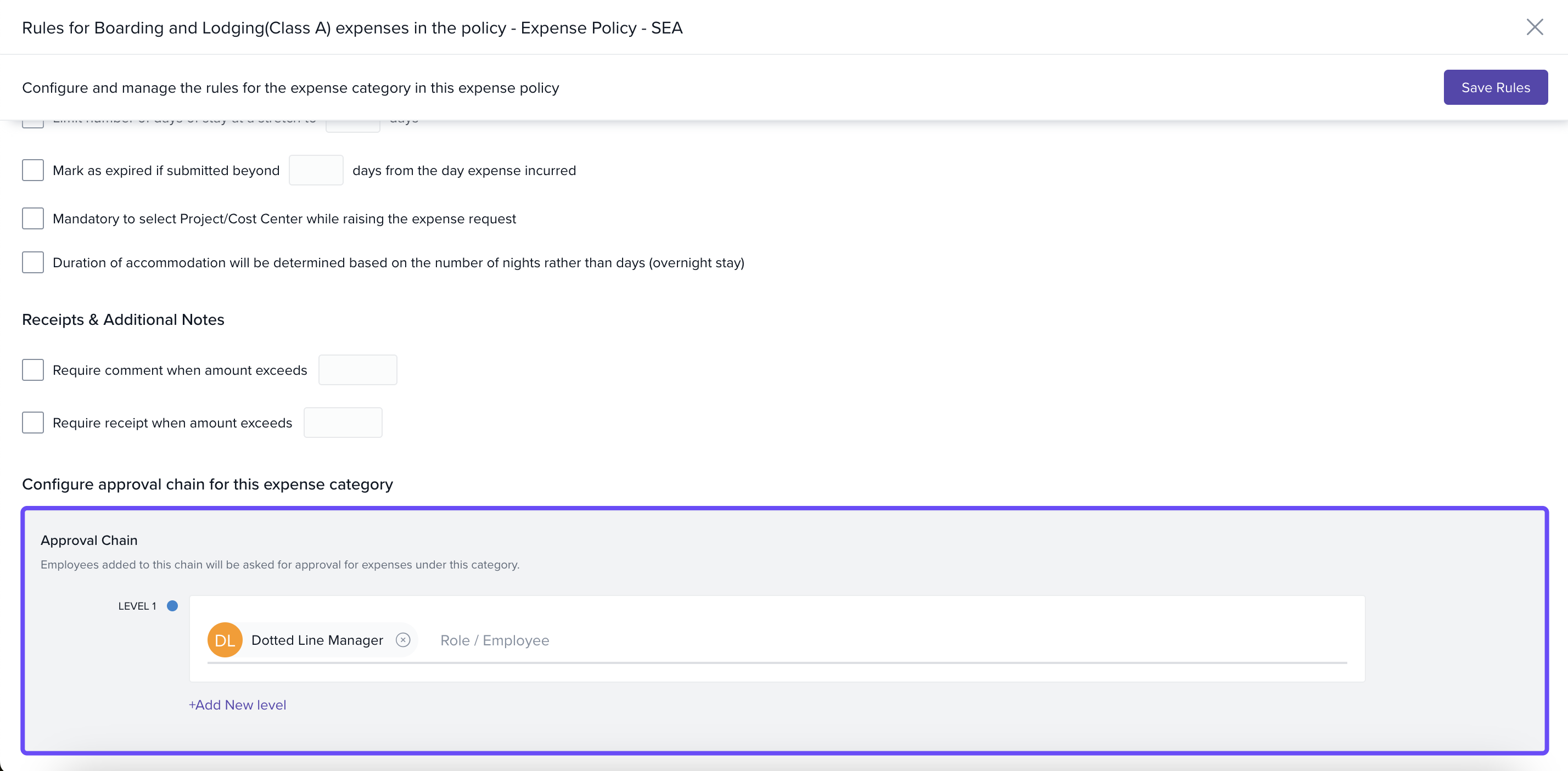
4. Define the approval levels and approvers specific to that category.
Employee Experience
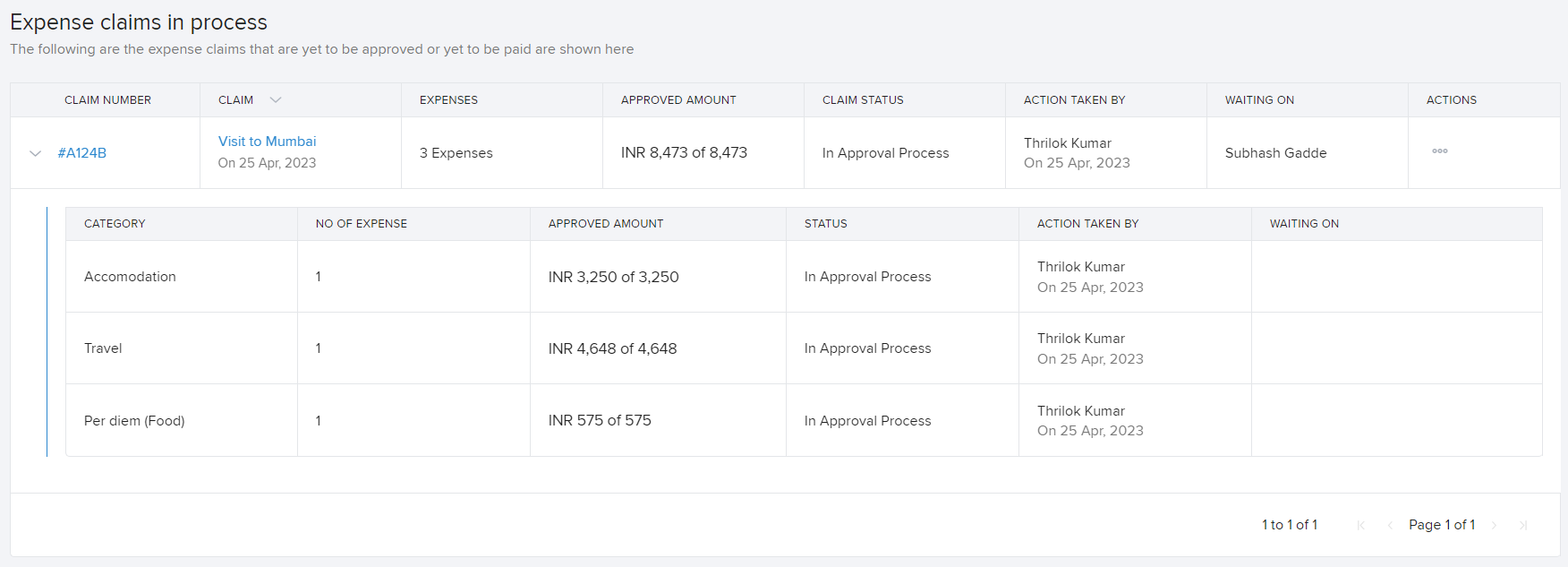
Employees will not notice any difference when adding or claiming expenses. However, once the expense is claimed, they will see the status of expenses grouped by category if category-level approval chains are enabled.
Approver Actions
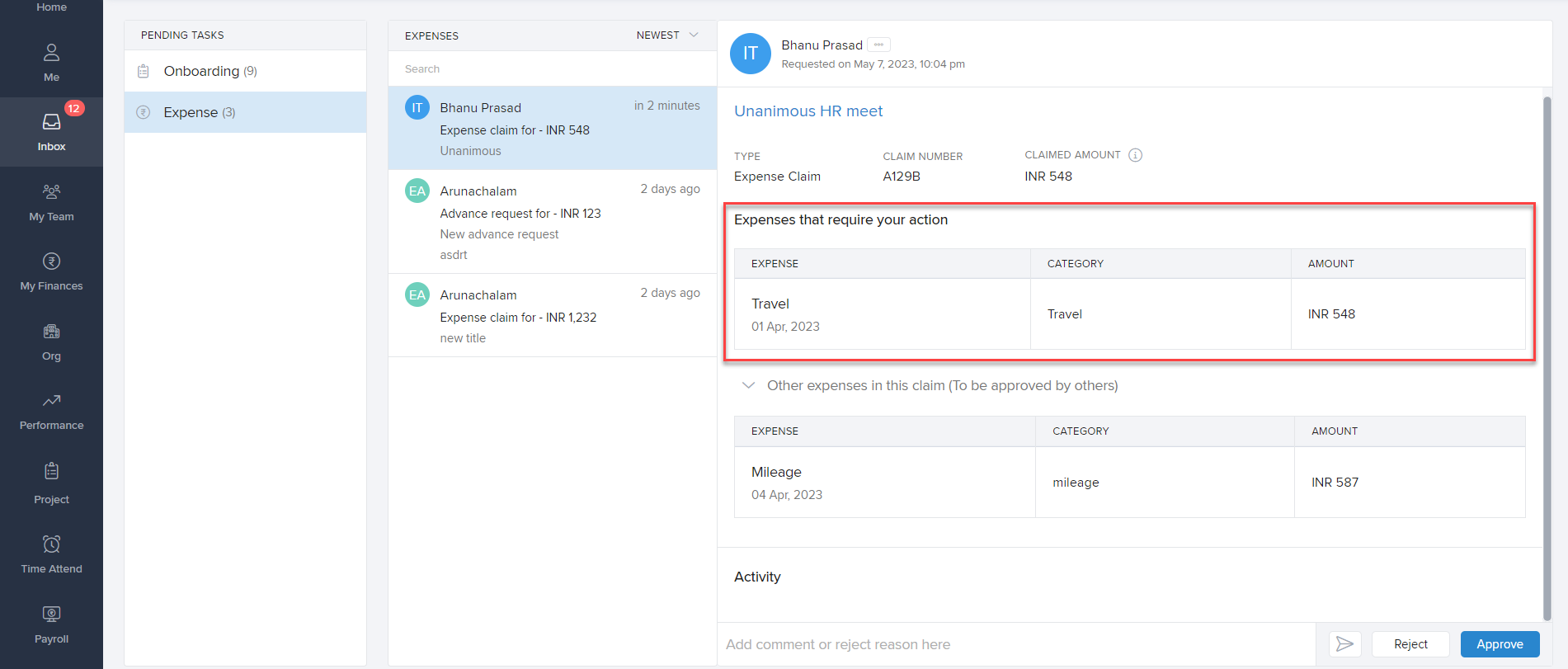
Approvers will see expenses grouped by category and will take action on them accordingly. If multiple categories have the same approver at a level, only one request will be sent to the approver with both expenses as part of the same request.
Payout Approver's Role
After all actions have been taken on the expenses in a claim, the expense claim will be sent for approval to the payout approver. Irrespective of individual categories going through different approval chains, the payout approver will get the complete expense claim as one request for approval.
Conclusion
Configuring approval chains at the expense category level in Keka provides organizations with the flexibility to tailor approval workflows to specific needs. By setting up category-specific approval processes and defining a centralized payout approver, organizations can enhance efficiency, ensure compliance, and maintain financial control over expense claims.
Comments
0 comments
Please sign in to leave a comment.