Introduction
A hiring workflow defines the steps your company follows when bringing in new employees — from posting jobs to shortlisting candidates, running interviews, and making the final decision.
In Keka Hire, you can create and customize hiring flows for different roles. Each flow can include stages like shortlisting, behavioral or technical assessments, and multiple interview rounds, giving you flexibility to match your process.
This article explains how to create a new hiring flow and edit an existing one.
Creating a Hiring Flow
Follow these steps to set up a new hiring flow:
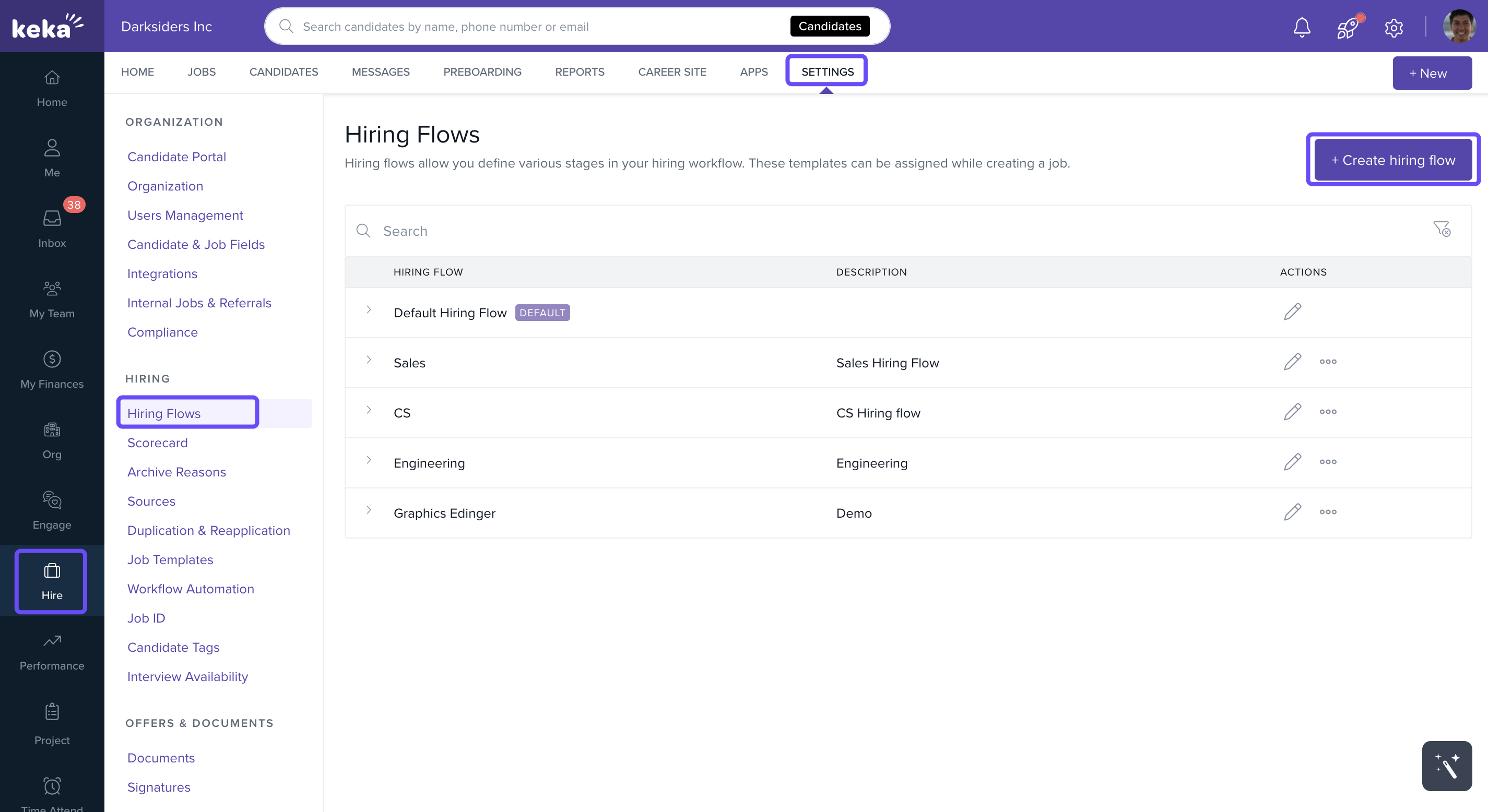
Go to Hire from the left sidebar.
Click Settings.
Under the Hiring section, select Hiring Flow.
Click +Create hiring flow.
In the Add Hiring Flow overlay:
Enter the Hiring Flow Name and Description.
Add stages under the Screening and Interview sections by clicking +Add Stage.
Enter the stage name and save it using the tick icon.
You can:
Rearrange stages by dragging them using the drag icon.
Edit or delete existing stages using the icons next to them.
Click Save when done.
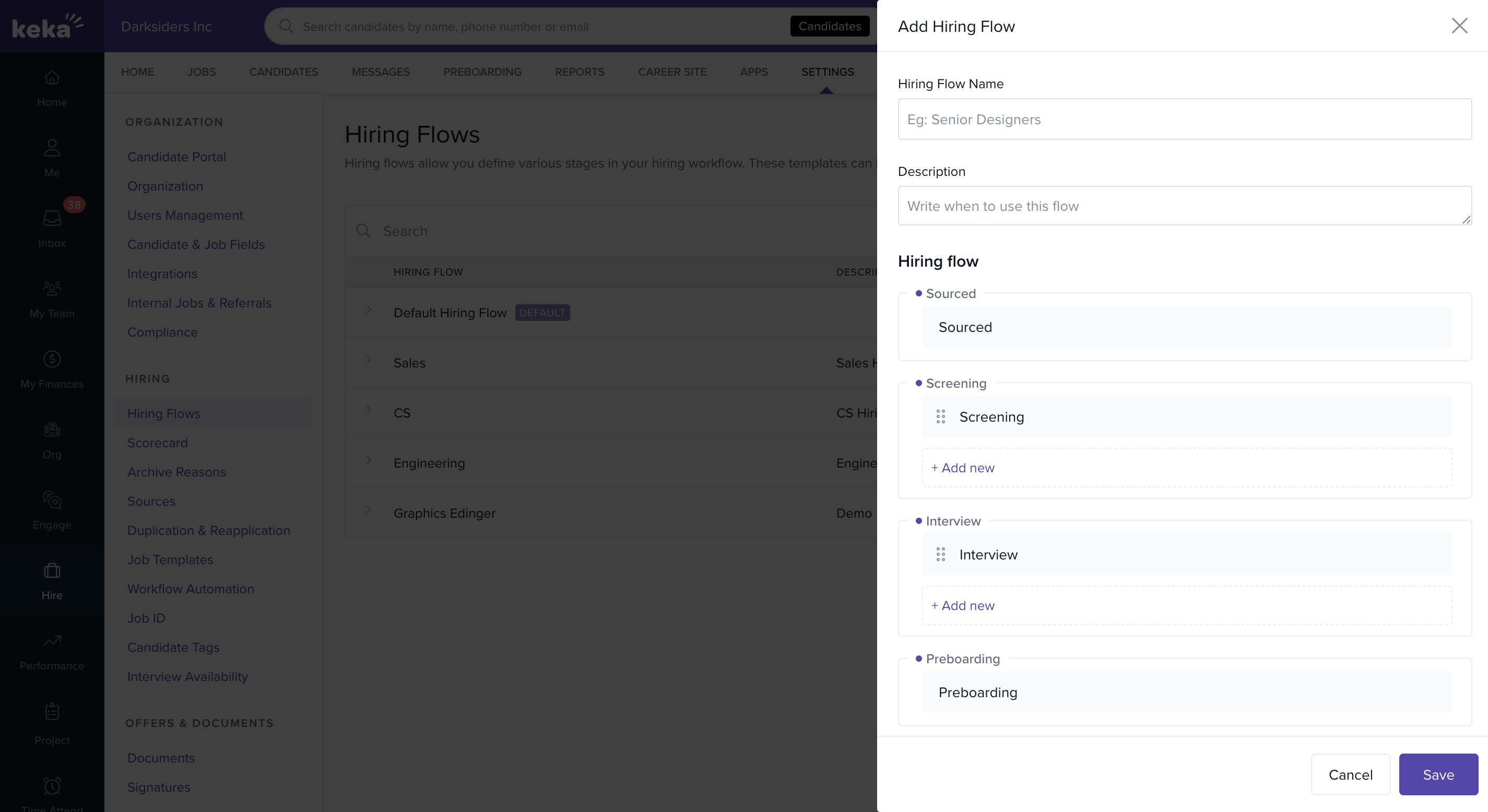
Important: The stages Sourced, Preboarding, Hired, and Archived are system-defined and cannot be changed.
Once saved, the new hiring flow will be available for use with your jobs.
Editing an Existing Hiring Flow
To modify an existing flow:
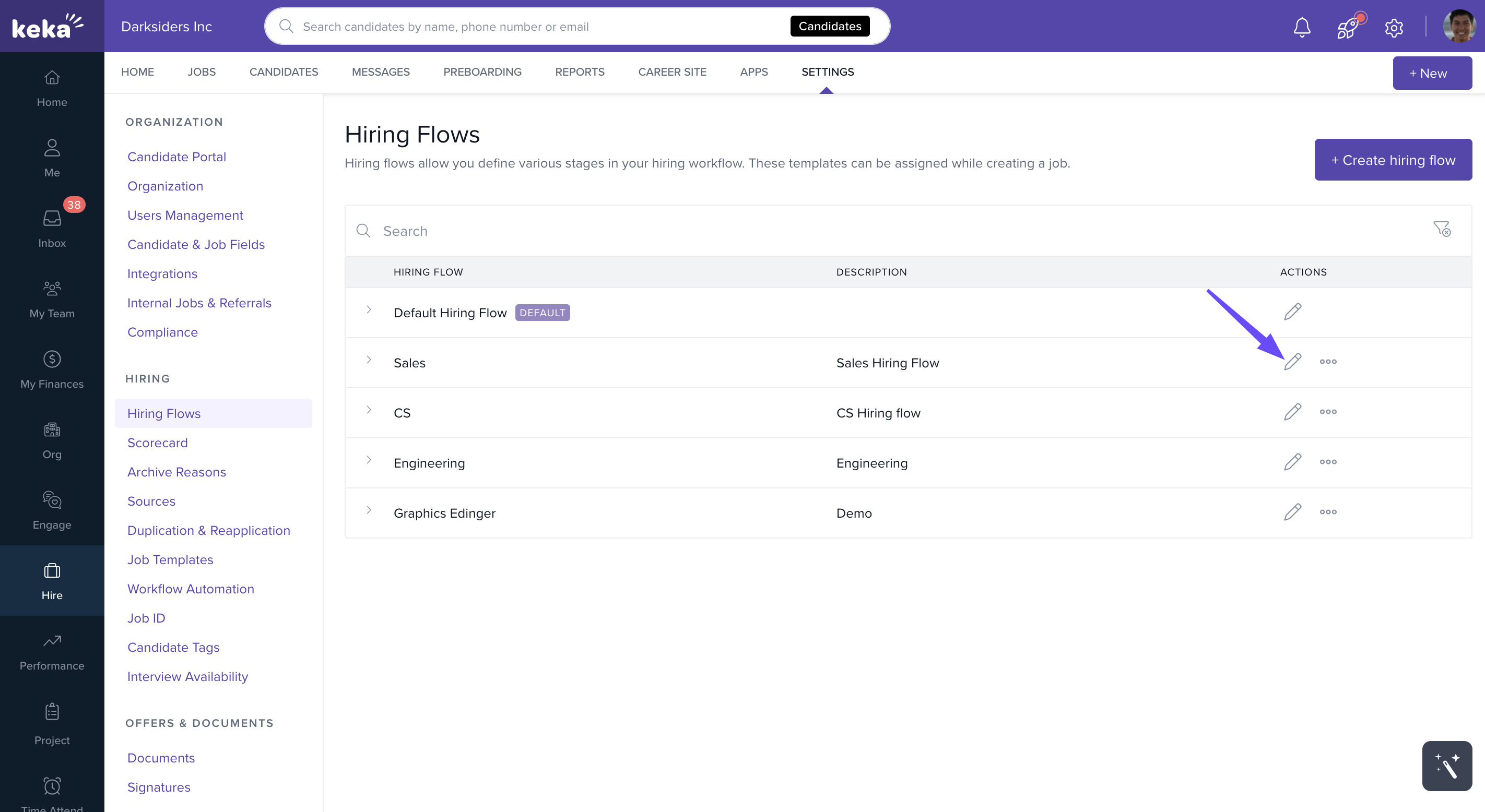
Go to Settings.
Click Hiring Flows.
Find the flow you want to edit and click the Pen icon.
You can now:
Rearrange stages by dragging the arrow sign to move a stage up or down.
Add a new stage with +Add Stage, name it, set its level, and click Update.
Remove or edit stages if needed.
Note: The Sourced, Preboarding, Hired, and Archived stages cannot be moved or edited.
Once updated, the revised flow is applied going forward.
Notes & Tips
Tip: Use descriptive stage names like Initial Screening or Managerial Interview so everyone on the hiring team understands each step.
Important: Any changes you make to a flow affect all jobs linked to it. Plan updates carefully to avoid disrupting active hiring processes.
We hope you now have a better understanding of how to create and manage hiring flows on Keka Hire. In case of further queries please feel free to reach out to our product experts!
Comments
0 comments
Please sign in to leave a comment.