Introduction
Scorecards help interviewers provide structured feedback and make consistent hiring decisions. In Keka Hire, you can customize the rating scale used in scorecards to fit your organization’s evaluation style.
This guide shows you how to update the Scorecard Rating Scale by adjusting the number of stars and adding custom labels.
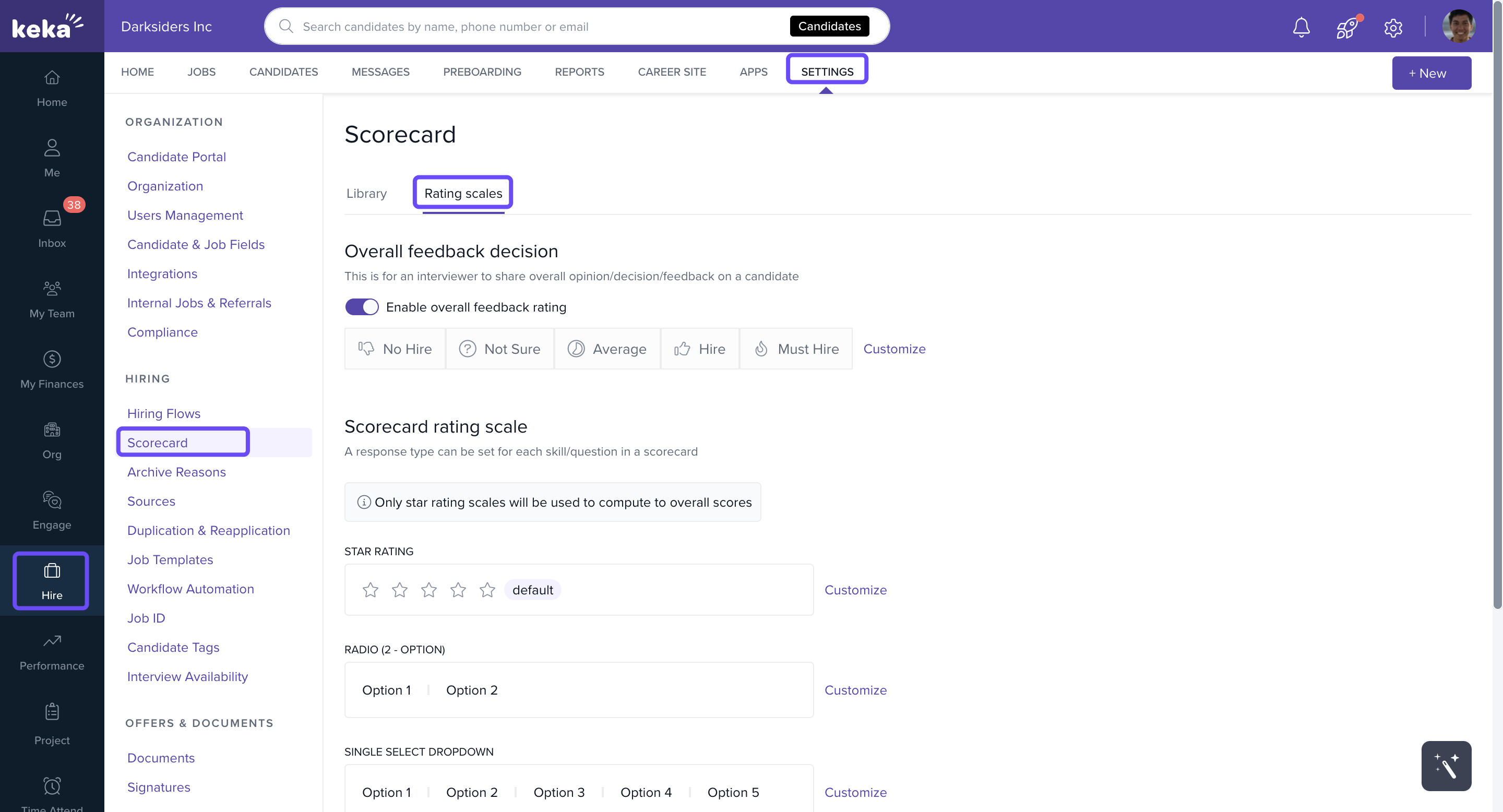
Navigate to Scorecard Settings
Go to Hire.
Select Settings.
Under the Hiring section, click Score Card.
Go to the Rating Scale tab.
Customize the Rating Scale
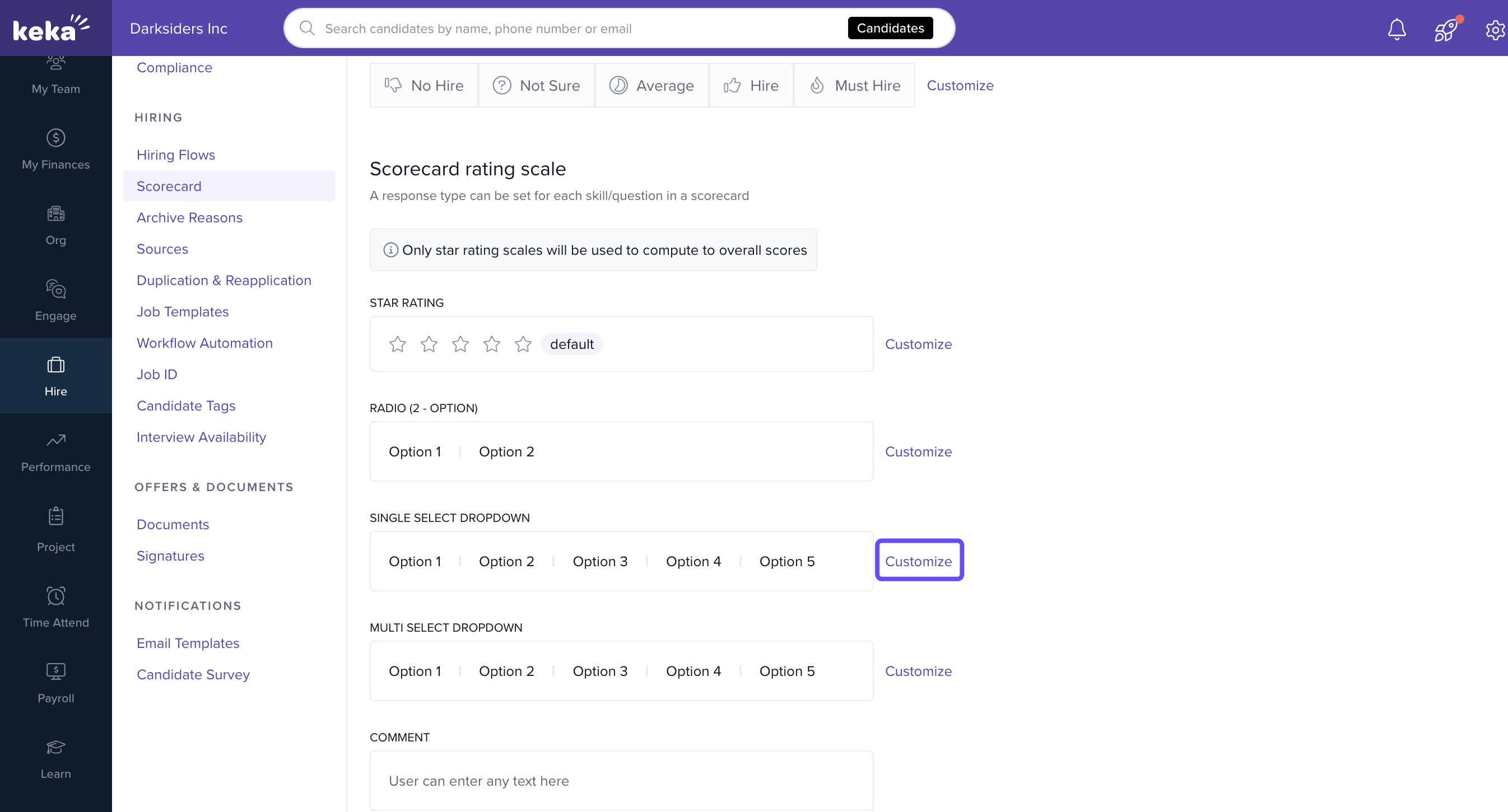
Under Scorecard rating scale, click Customize.
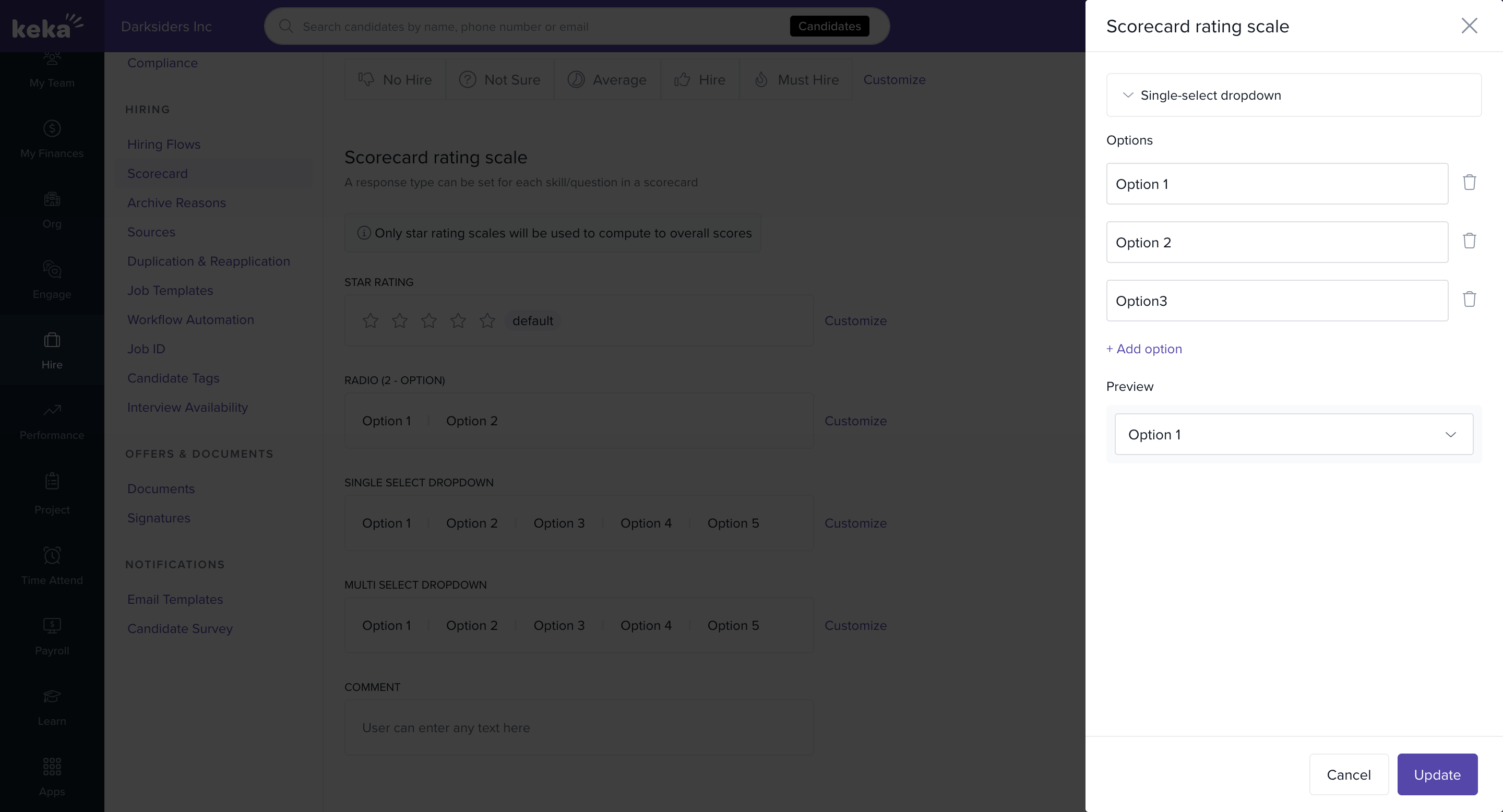
In the pop-up window make the required changes for the scorecard rating that you want to.In the pop-up window, adjust the scorecard rating settings as needed to reflect your preferred evaluation criteria.
Click Update to save your changes.
Notes & Tips
Tip: Use meaningful labels (e.g., Poor, Average, Excellent) instead of just numbers to make evaluations more consistent across interviewers.
Important: Once updated, the new scale applies to all future scorecards but does not retroactively change past evaluations.
Here’s how you can update the Scorecard rating scale in Keka Hire to match your organization’s evaluation preferences.
If you have more questions, explore our additional help articles or connect with a Keka product specialist for personalized assistance.
Comments
0 comments
Please sign in to leave a comment.