Introduction
Keka Hire gives users clear visibility into hiring efficiency with a range of charts and tables. This article focuses on understanding these analytics through the dashboards and insights sections.
Dashboard section
The Dashboard section of Keka Hire provides a concise snapshot of the hiring process and key metrics related to hiring efficiency.
- Go to the Hire section
- Select Home
- Click on Dashboard
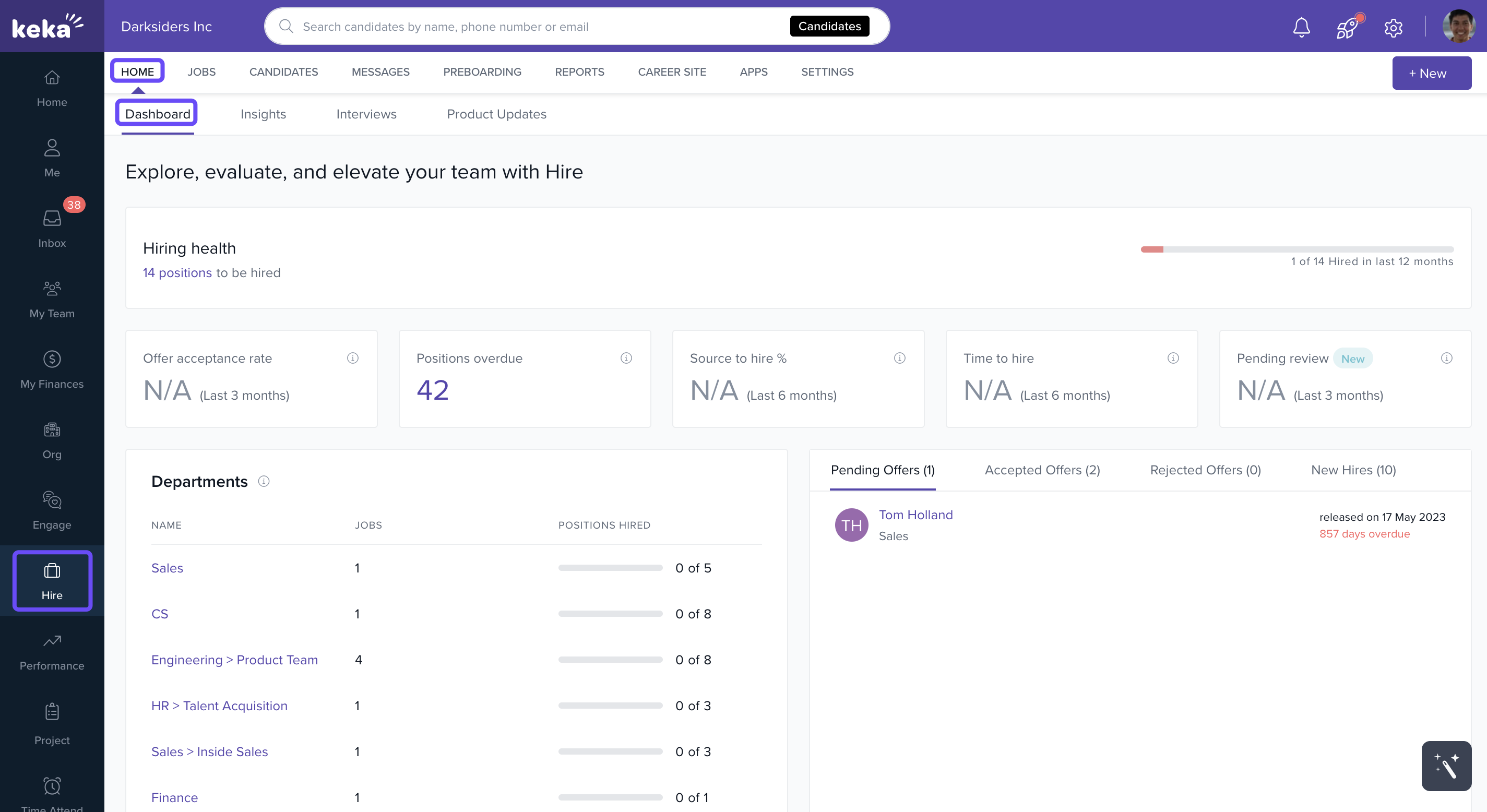
Key KPIs
- Hiring health: This indicates the overall positions that are to be yet to be closed. Keeping an eye on this will help one understand the effectiveness of the hiring team.
- Offer acceptance rate: Indicates the total offers accepted out of total offer sent. This KPI talks about hiring efficiency and brand value.
- Time to hire: Time to hire indicates efficiency of the hiring team and how fast they can move the right candidate and close a position.
- Source to hire conversion: This shows the conversion percentage for all the candidates sourced. This metric helps one plan better for upcoming hirings.
Insights section
The Insights section of Keka Hire gives a comprehensive details of hiring efficiency and key stats about hiring team spread across 19 widgets and charts. Some key KPIs that are worth attention are:
- Application from Sources
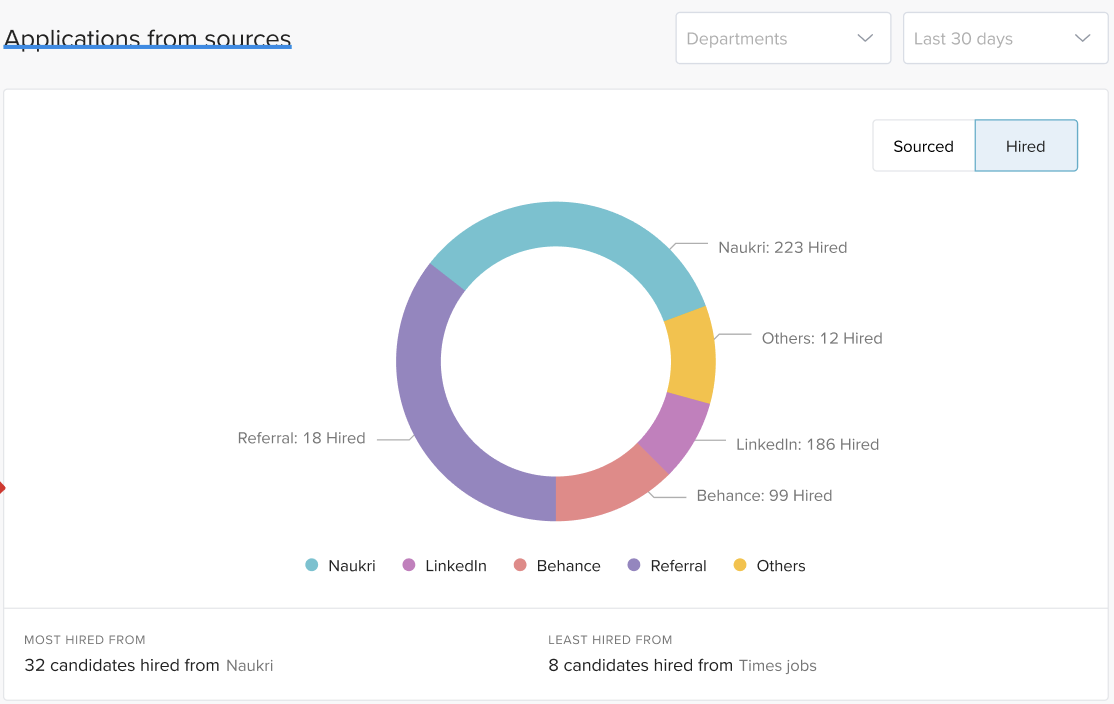
This widget gives a detailed breakdown of all sources that give most hires and sources. One can study the pattern from past to plan for future hiring plans.
- Open positions:
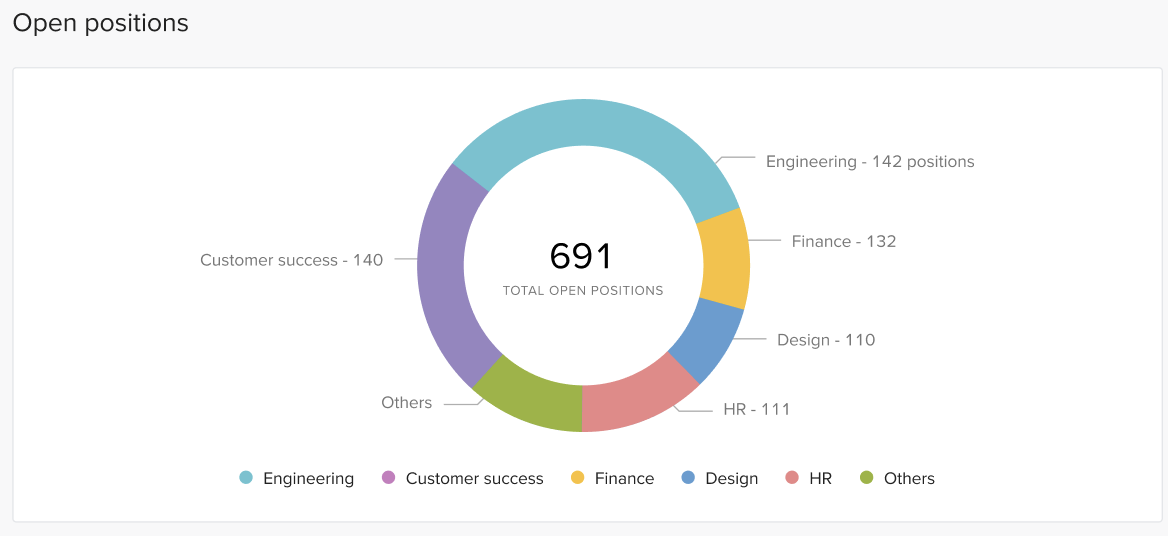
This shows the total open position across the organization, one can understand anomalies using this widget.
- Time to Hire
Previously, the Insights dashboard displayed statistics exclusively for active jobs, giving users a focused view of ongoing activity and performance metrics.
Now users can now seamlessly switch between Active and Archived jobs. Selecting a filter dynamically updates the Insights view to display statistics only for the chosen category. This enhancement provides greater flexibility and enables users to analyze both current and past job data with improved clarity and control.
- Hired positions:
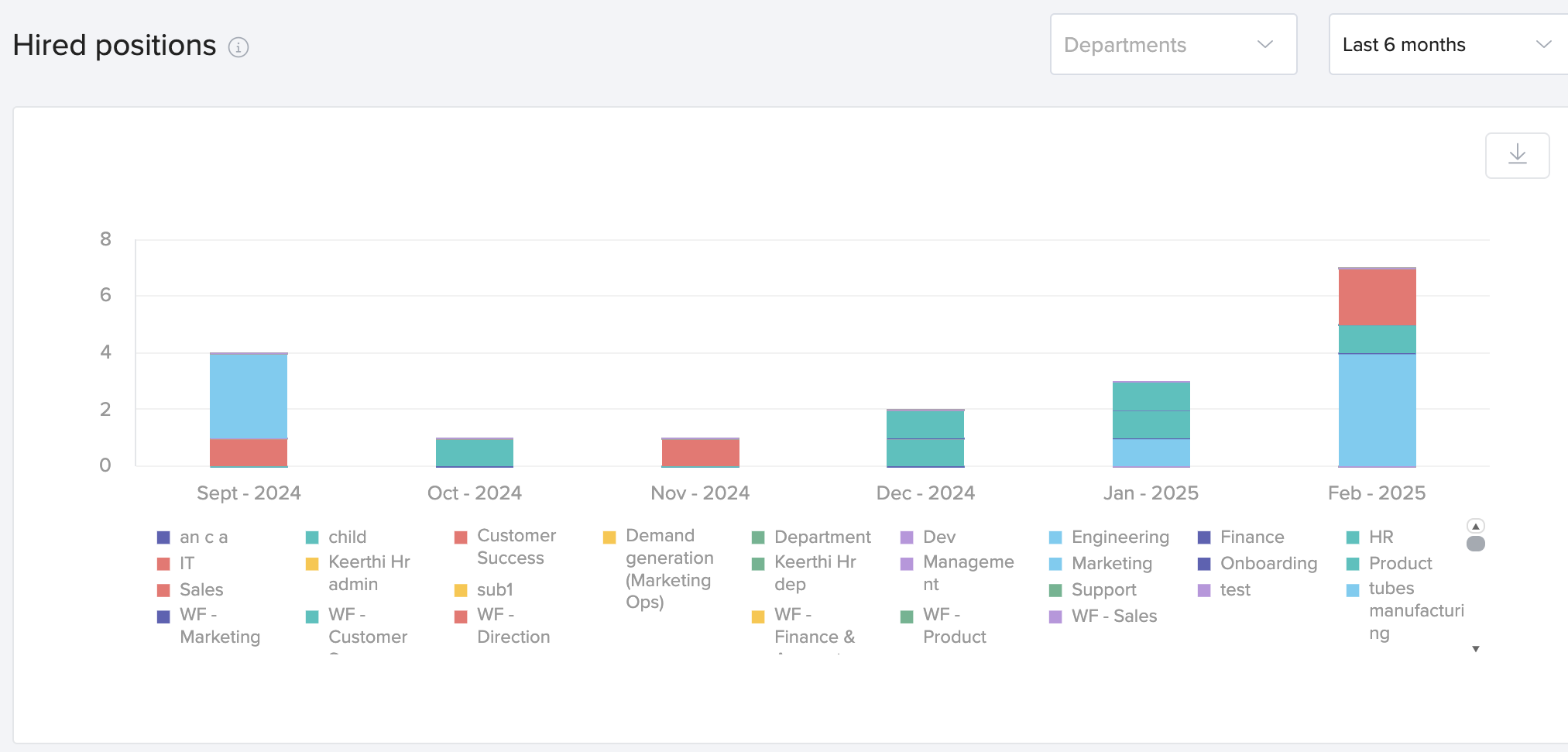
This widget shows the breakdown of most recent hires across the organizaiton.
- Offer acceptance rate:
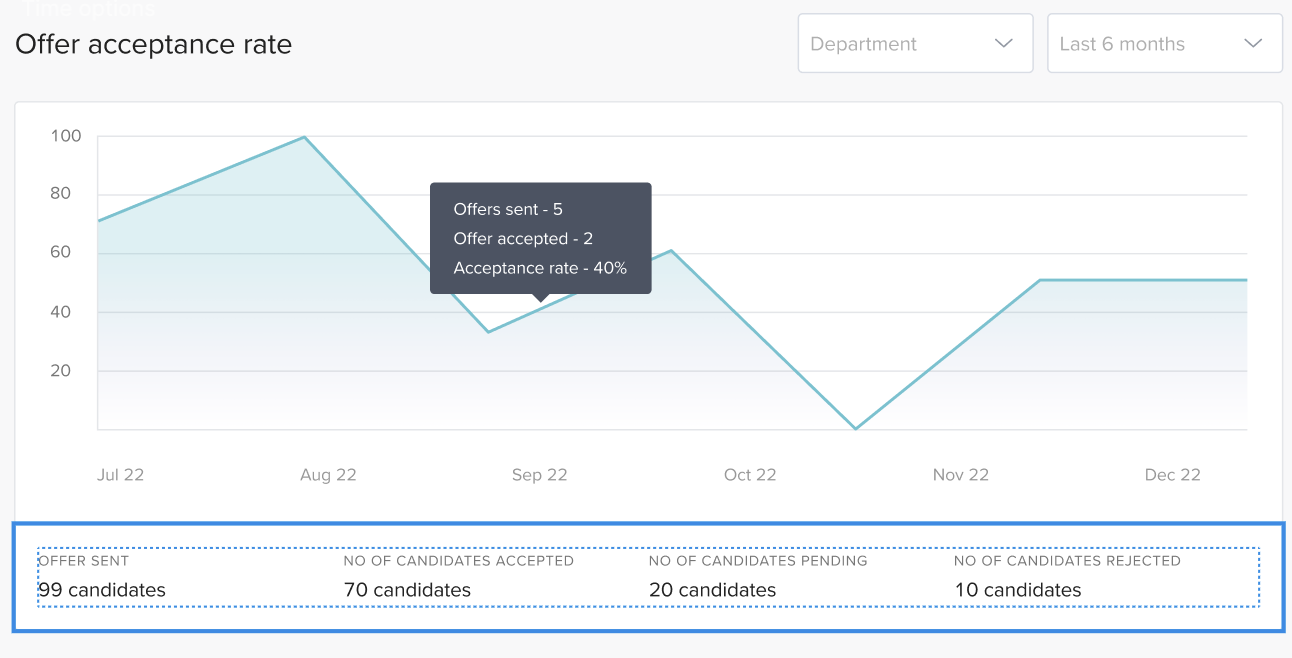
This widget shows detailed breakdown of offer acceptance rate across departments and widget.
- Candidate pipeline movement:
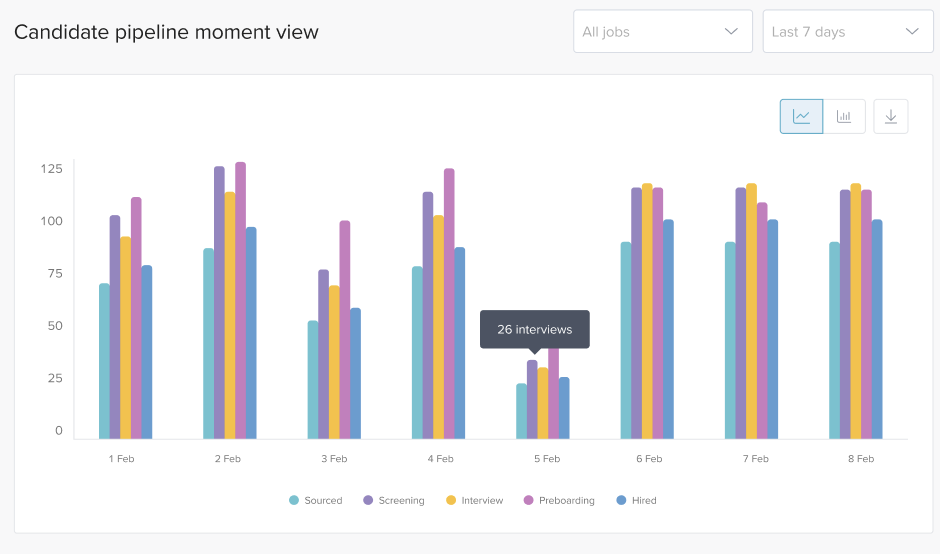
This widget shows activities of hiring team on daily basis, one can track this to understand the productivity of the team.
- Time spent on stages:
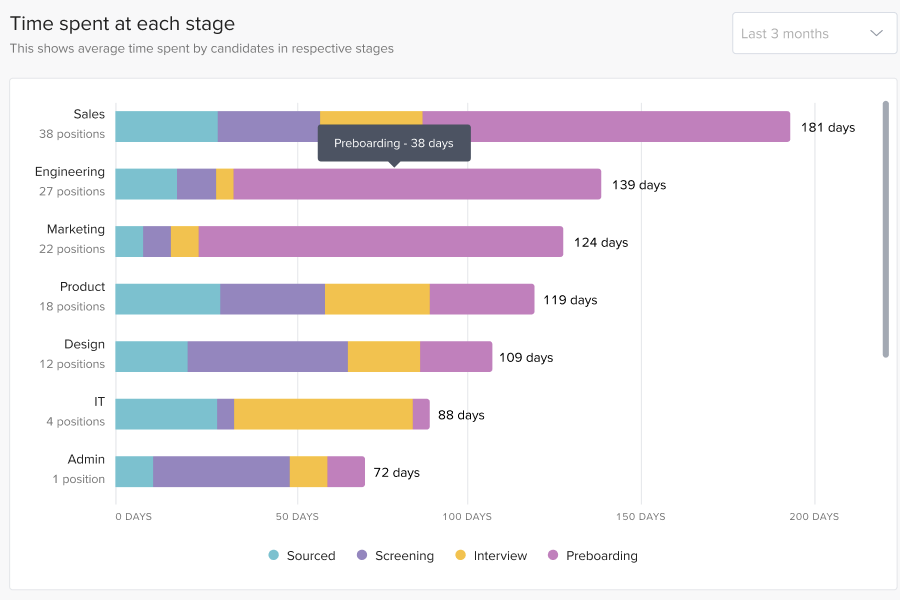
This widget is helpful in identifying bottlenecks in hiring process, it gives detail breakdown of main stages for jobs and departments.
- Individual recruiter report:
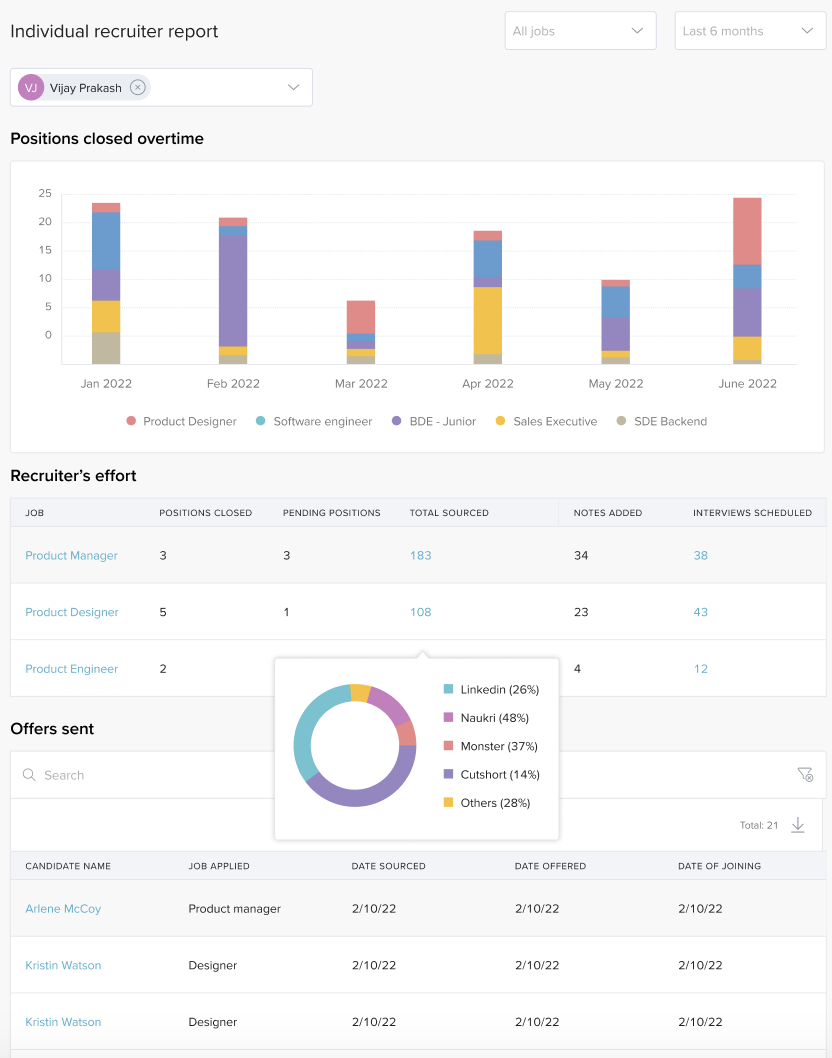
This report provides a comprehensive view of each recruiter’s performance and efficiency.
You should now have a solid understanding of hiring analytics in Keka Hire.
Comments
0 comments
Please sign in to leave a comment.