Introduction
Recruiters and Hiring Managers can now customize how interviewers provide feedback using five flexible response types in scorecards. In addition to the existing star-rating system, you can now choose from radio buttons, dropdowns, or a comment-only format—helping capture both quantitative and qualitative feedback during interviews.
This update applies across global scorecard settings and individual job-stage scorecards. No changes are made to existing feedback, and no data migration is needed.
Choose a Response Type While Setting Up a Scorecard
When creating a scorecard at the Global Settings level or for a specific Job → Stage, you can select one of the following response types for each skill:
5-star rating scale (labels customizable)
2-option radio buttons (labels customizable)
Single-select dropdown (labels customizable, up to 6 options)
Multi-select dropdown (labels customizable, up to 6 options)
Comment only
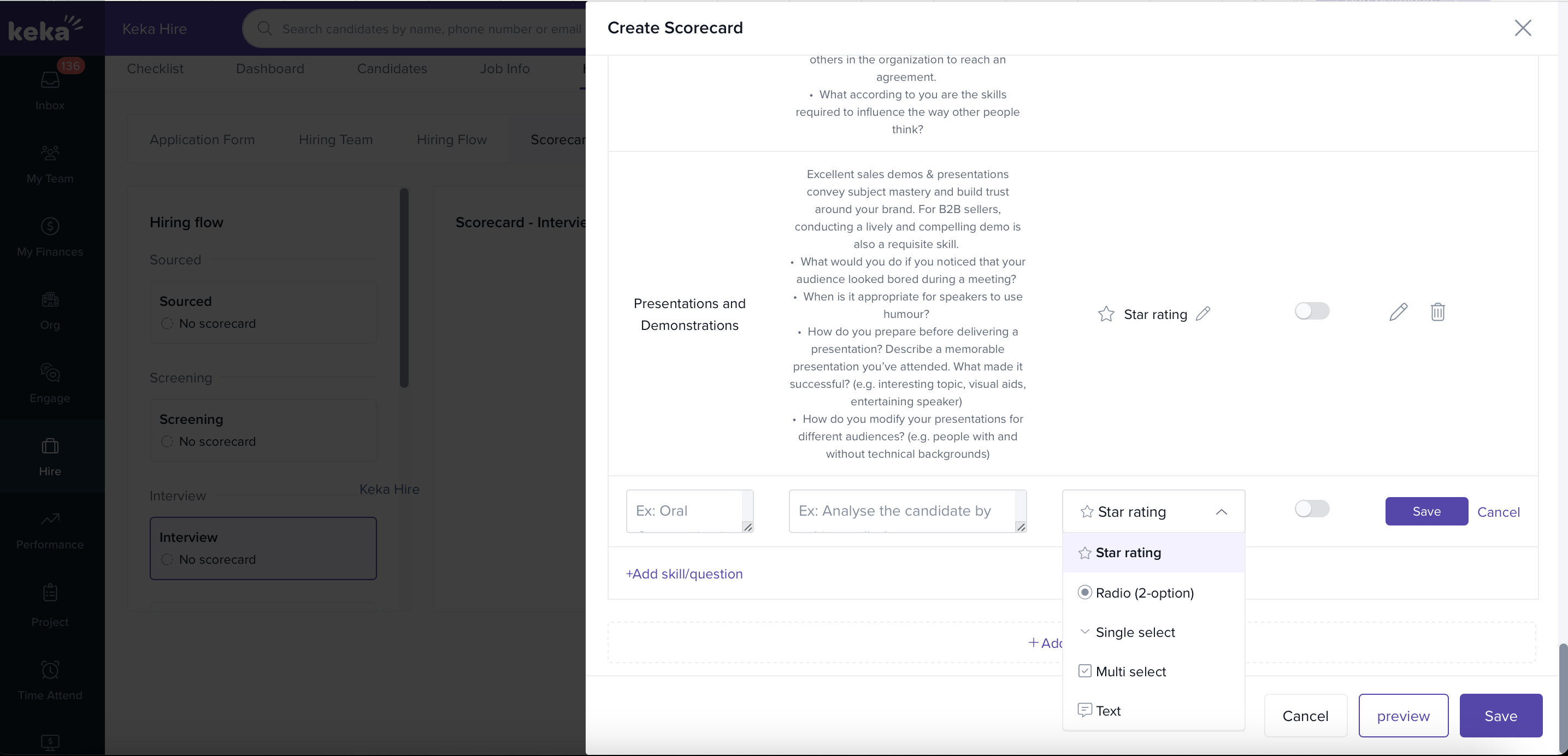
Customize Labels
Each response type allows label customization. You can tailor these labels globally or at the individual Job → Stage → Scorecard → Section → Skill level. Customizations made at the skill level apply only to that specific job-stage combination.
Enable Mandatory Responses (Optional)
You can make feedback mandatory for specific skills by toggling the Mandatory setting. When enabled, interviewers must provide a response for that skill.
Preview Your Scorecard
Users can preview response settings:
By hovering over each skill
Or directly in the edit screen
Options & Variants
Default Response Type: 5-star rating
Dropdown Options Limit: Maximum of 5 choices for single and multi-select
Comment-Only Response: When selected, the comment box is expanded by default
Mandatory Comment: If the comment-only type is marked mandatory, the interviewer must provide comments
We trust this article provides the guidance you need.
Comments
0 comments
Please sign in to leave a comment.