Introduction
Keka Hire lets you instantly create AI-generated summaries that combine multiple interviewers’ evaluation comments into a clear, concise feedback. These summaries help speed up hiring decisions, reduce manual consolidation work, and bring consistency to evaluations.
You’ll learn how to:
Generate summaries from submitted feedback
Edit or regenerate them as needed
Use them to support faster, fairer hiring decisions
Note: AI summaries are meant to complement, not replace individual feedback. Original comments remain visible against individual interviewer as-is.
Disclaimer: Always review the AI summary before saving. Edit as needed to ensure accuracy and objectivity.
Generate AI-powered summaries of interview feedback in Keka Hire
- Go to the Hire module from the main menu.
- Select the relevant Job from the list.
- Click on the Candidate you want to review.
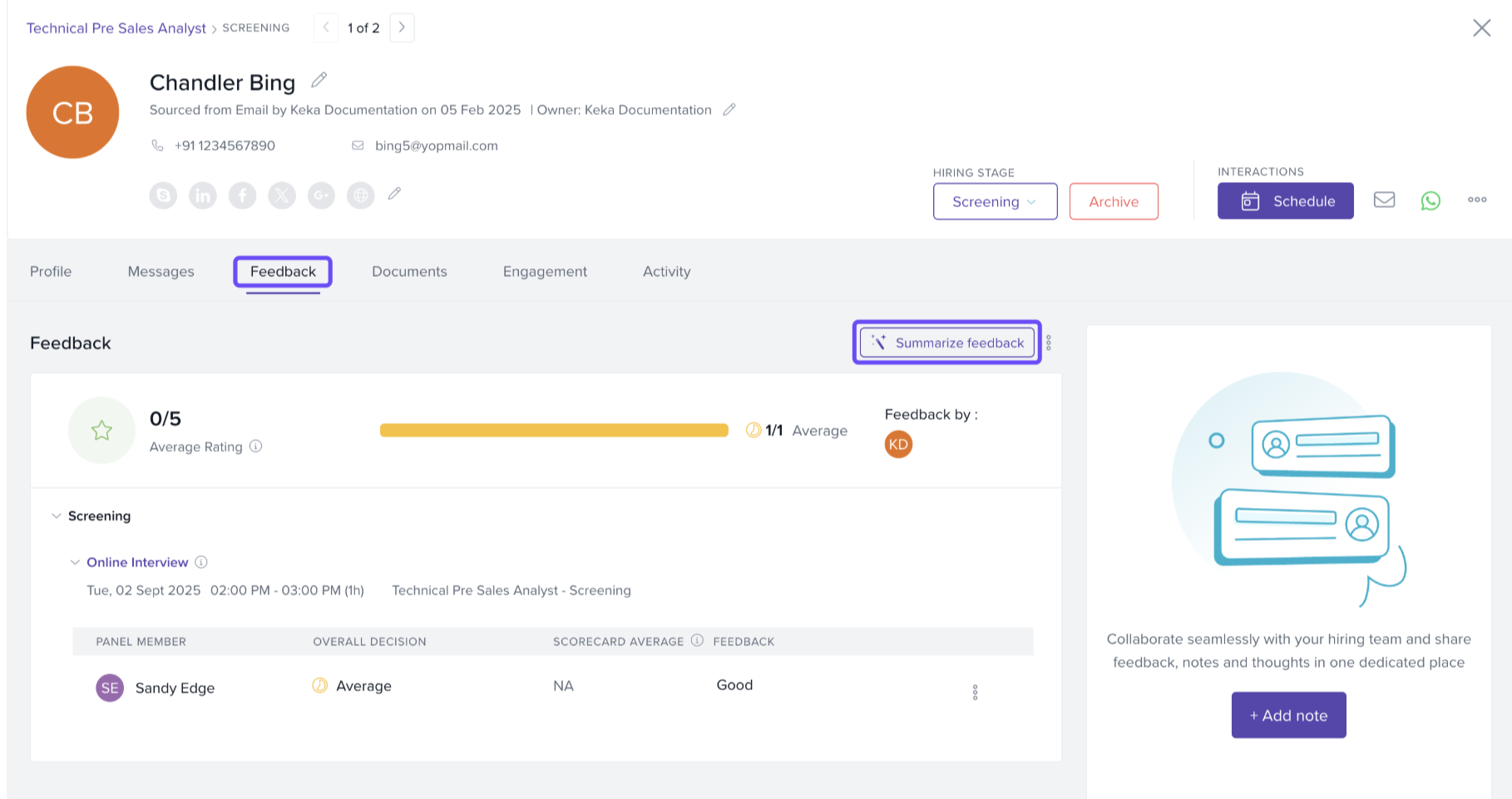
- In the candidate’s profile, open the Feedback tab.
Click Summarize Feedback to create the AI-generated summary.
Review the AI-generated draft. It includes:
Strengths
Areas for improvement
A neutral recommendation tone
7. To refresh the summary (after new feedback or for different phrasing), click Rephrase
feedback. 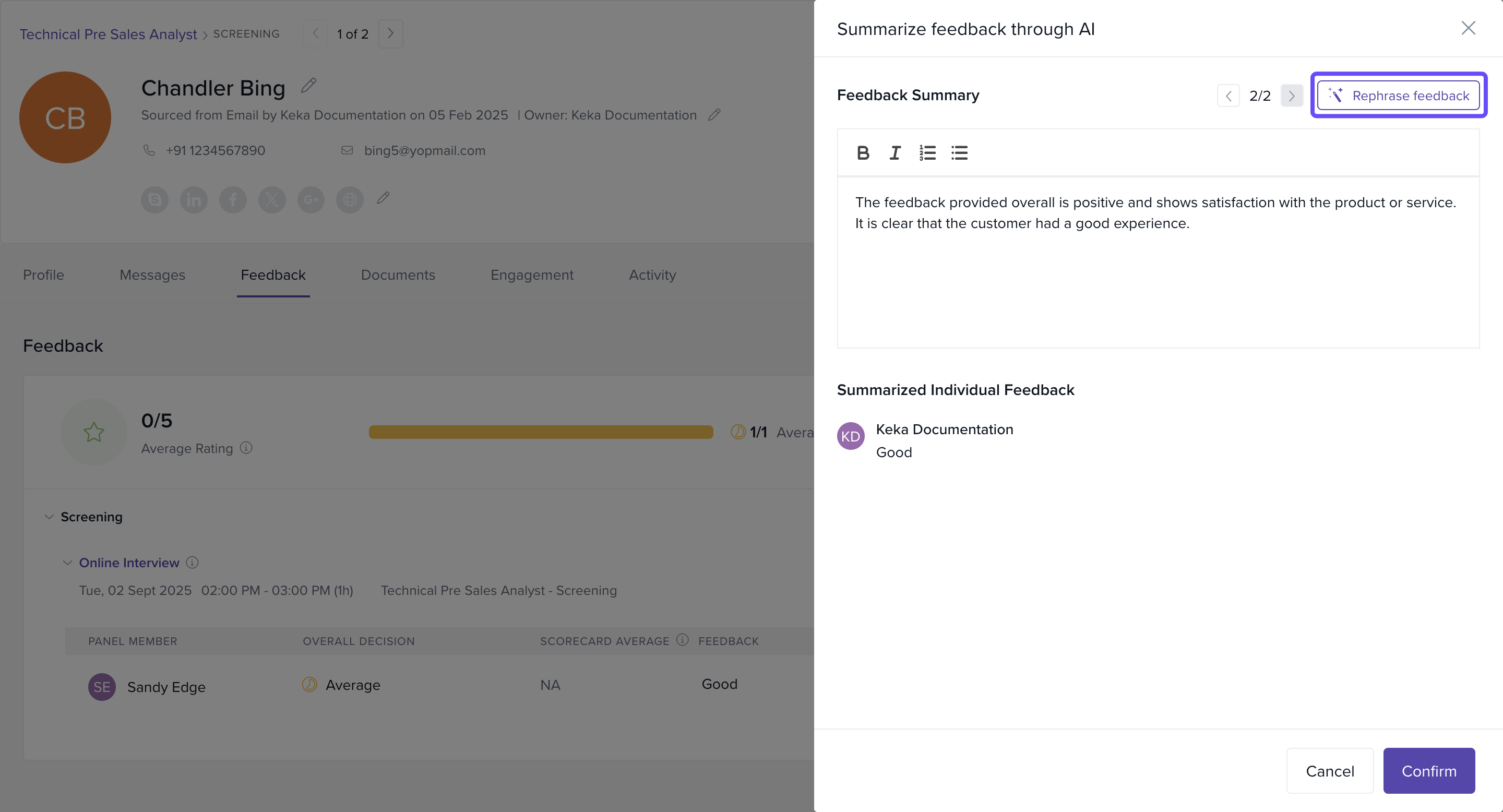
8. Click Confirm to attach the summary to the candidate's profile.
How It Works
The AI analyzes multiple feedback entries to pull out patterns, observations, and evidence.
Biased or vague language is filtered or rephrased into objective, role-related phrasing.
You can regenerate the same summary or whenever feedback is changed again by the user .
We trust this article provides valuable guidance as you utilize AI-generated summaries in Keka Hire.
Comments
0 comments
Please sign in to leave a comment.