New Scorecard Response Types, Adhoc Feedback Requests & Panel Feedback-Time Insight
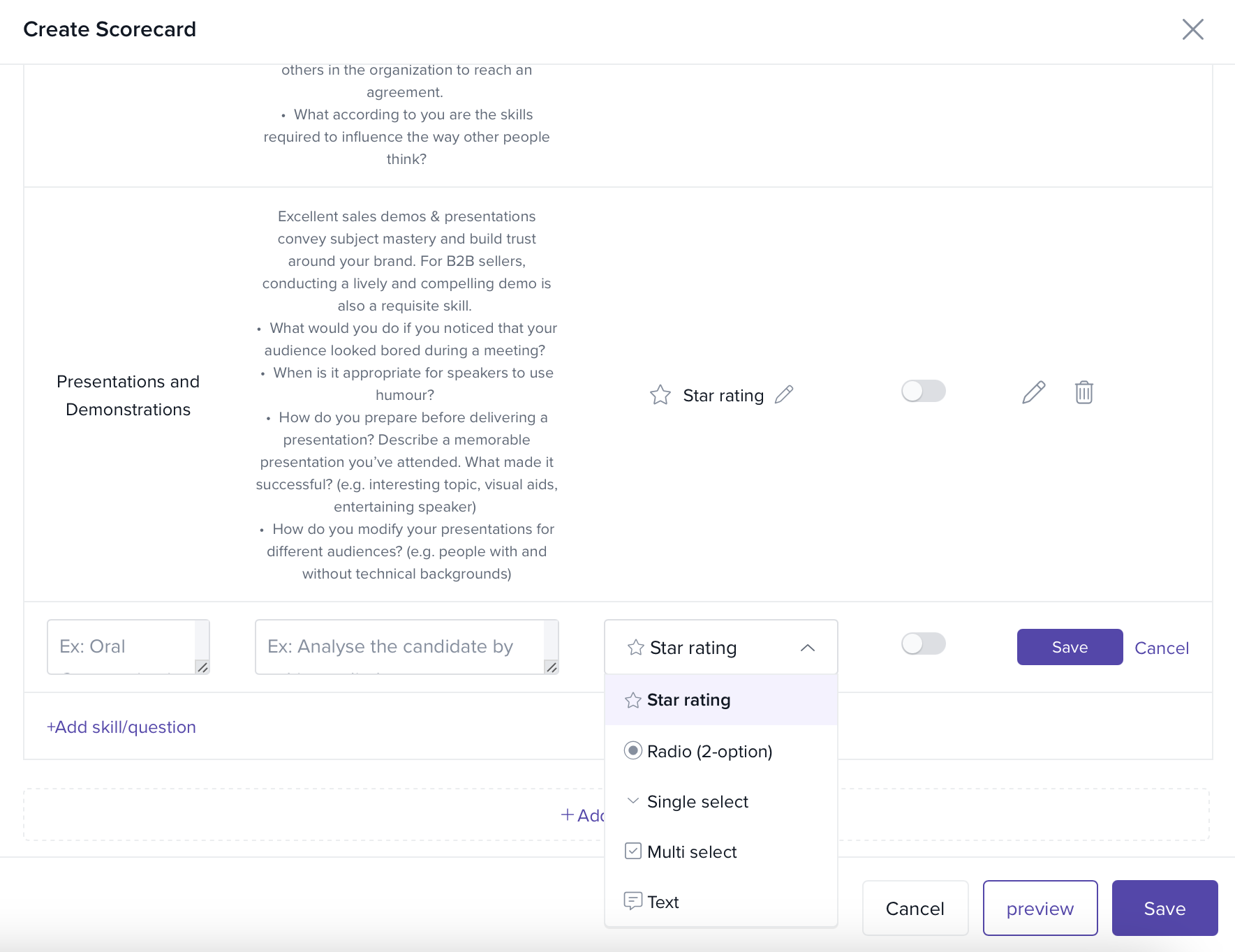
Scorecards now support radio options, single-select dropdown, multi-select dropdown, star rating, or comments-only.
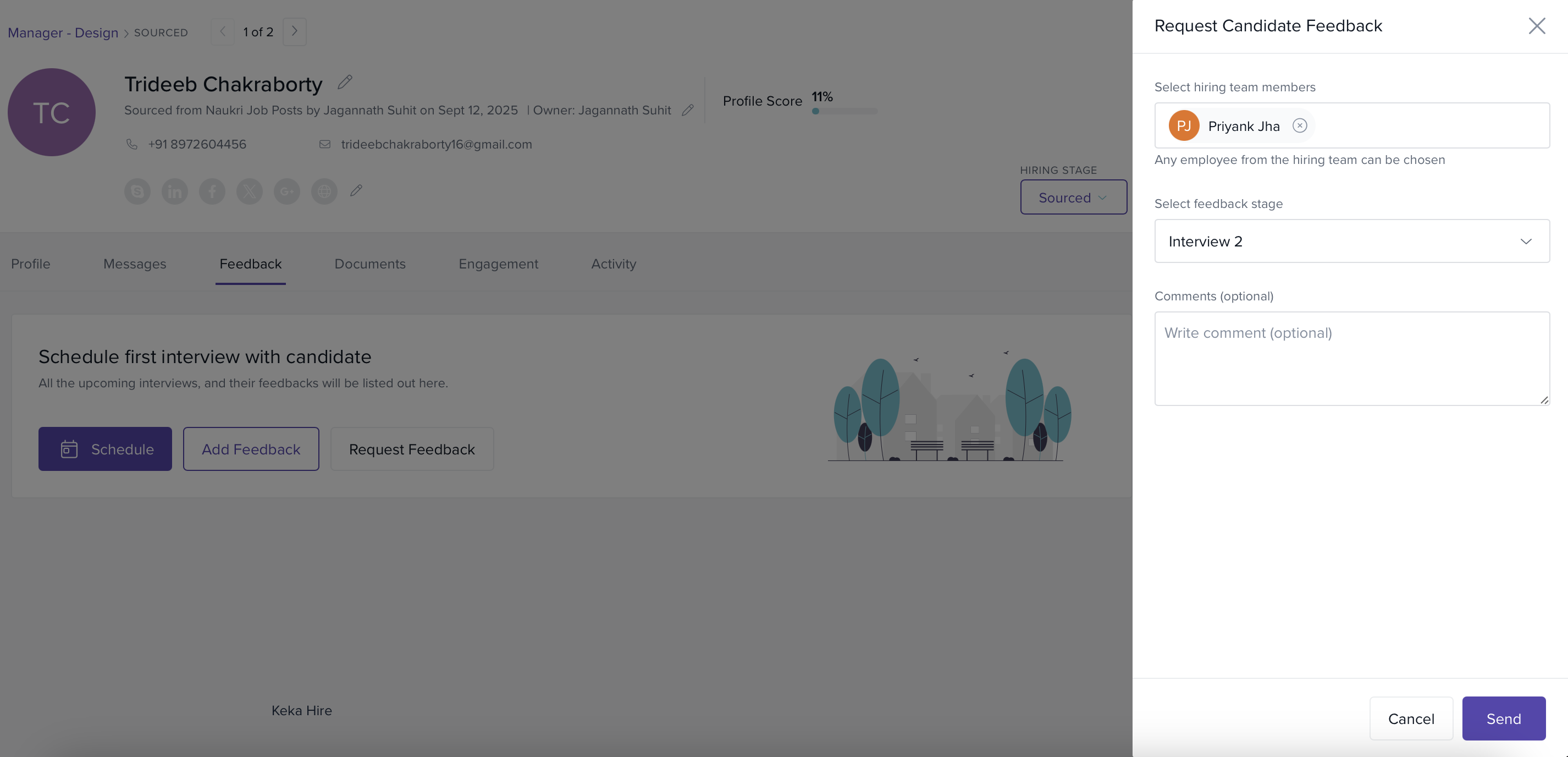
Recruiters can send Adhoc Feedback requests to capture a final Go/No-Go without scheduling an interview.
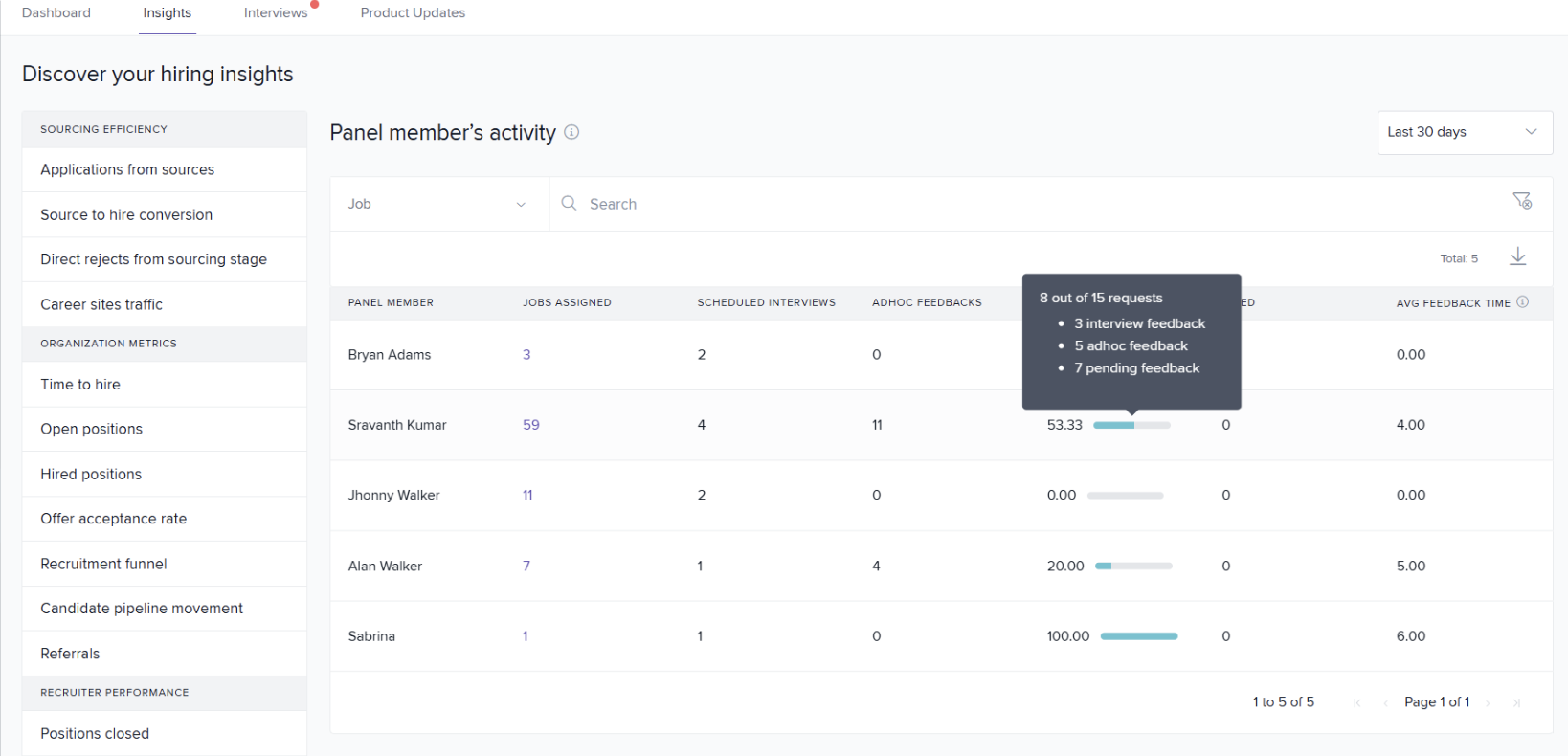
New Insight shows each panel member’s Average Feedback Time (covers interview + adhoc feedback) to spotlight bottlenecks.
Scorecard: New Response Types
What’s new
When creating or editing a scorecard, you can now choose one of five response types for each criterion:
Star Rating
Radio Options
Single-Select Dropdown
Multi-Select Dropdown
Comments-Only
Why this matters
Hiring teams can blend quantitative (ratings/selects) and qualitative (comments) inputs for sharper, comparable evaluations—especially useful for competencies with clear rubrics vs. open-ended assessments.
How it works
Open the scorecard while configuring a job or interview stage.
For each criterion, choose the Response Type and, where applicable, define the option list.
Save. Interviewers will see the specified control (stars, radio, dropdown, etc.) on their feedback form.
Adhoc Feedback Requests
What’s new
Recruiters can now solicit Adhoc Feedback from hiring team members at any time—independent of a scheduled interview.
Why this matters
Instead of chasing email/notes for a final decision, recruiters can create a trackable inbox task to capture a clear Go/No-Go (plus rationale) from the Hiring Manager or panelists.
How it works
Open the candidate profile and go to the Feedback tab.
Click Request Adhoc Feedback and select one or more assignees.
Each assignee receives a Feedback Inbox task (same experience as interview feedback).
Recorded adhoc feedback is stored alongside the candidate’s timeline and included in downstream insights.
Insight: Panel Member’s Average Feedback Time
What’s new
A new column in Panel Members Activity shows the Average Feedback Time (in days) per panelist, aggregating both interview and adhoc feedback.
Why this matters
Talent Acquisition leaders can spot and coach slow responders, rebalance interview loads, and accelerate offer decisions.
How to view
Go to Hire → Dashboard → Insights.
Open Panel Members Activity.
Review the Average Feedback Time column and apply filters (Job Department, Job Title, Panel Member, Date Range).
Please let us know if you find this article helpful.
Comments
0 comments
Please sign in to leave a comment.