Introduction
Sometimes, you might need to pause or stop progress on a candidate, job, or requisition — either before pre-boarding, during the hiring process, or even after a requisition has been raised. Keka Hire makes this easier by letting you create and manage archive reasons, so you can track why an item was archived and maintain clear records.
You can apply archive reasons at different stages of hiring to streamline decision-making and improve transparency.
Archive Types in Keka Hire
Keka Hire supports archiving at various stages:
Hiring Archive: Used when a candidate or job is put on hold during the hiring process.
Pre-boarding Archive: Used when a candidate is archived after being screened but before onboarding.
Job Archive: Used when a specific job role is temporarily paused.
Requisition Archive: Used when a manager’s requisition request is put on hold.
Archive Reasons Setup
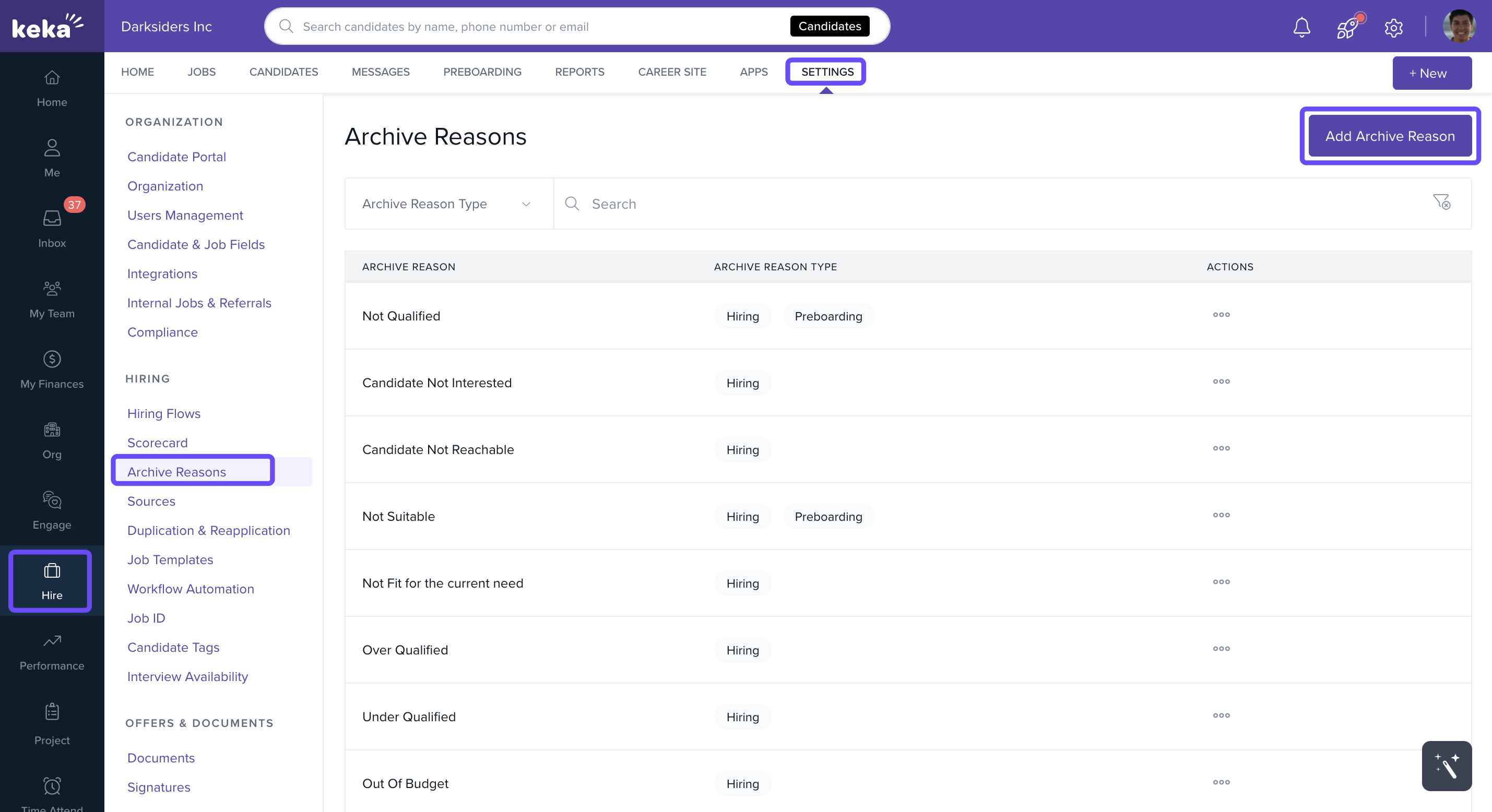
Click Hire from the left menu.
Select Settings, then click on Archive Reasons.
Click Add Archive Reason.
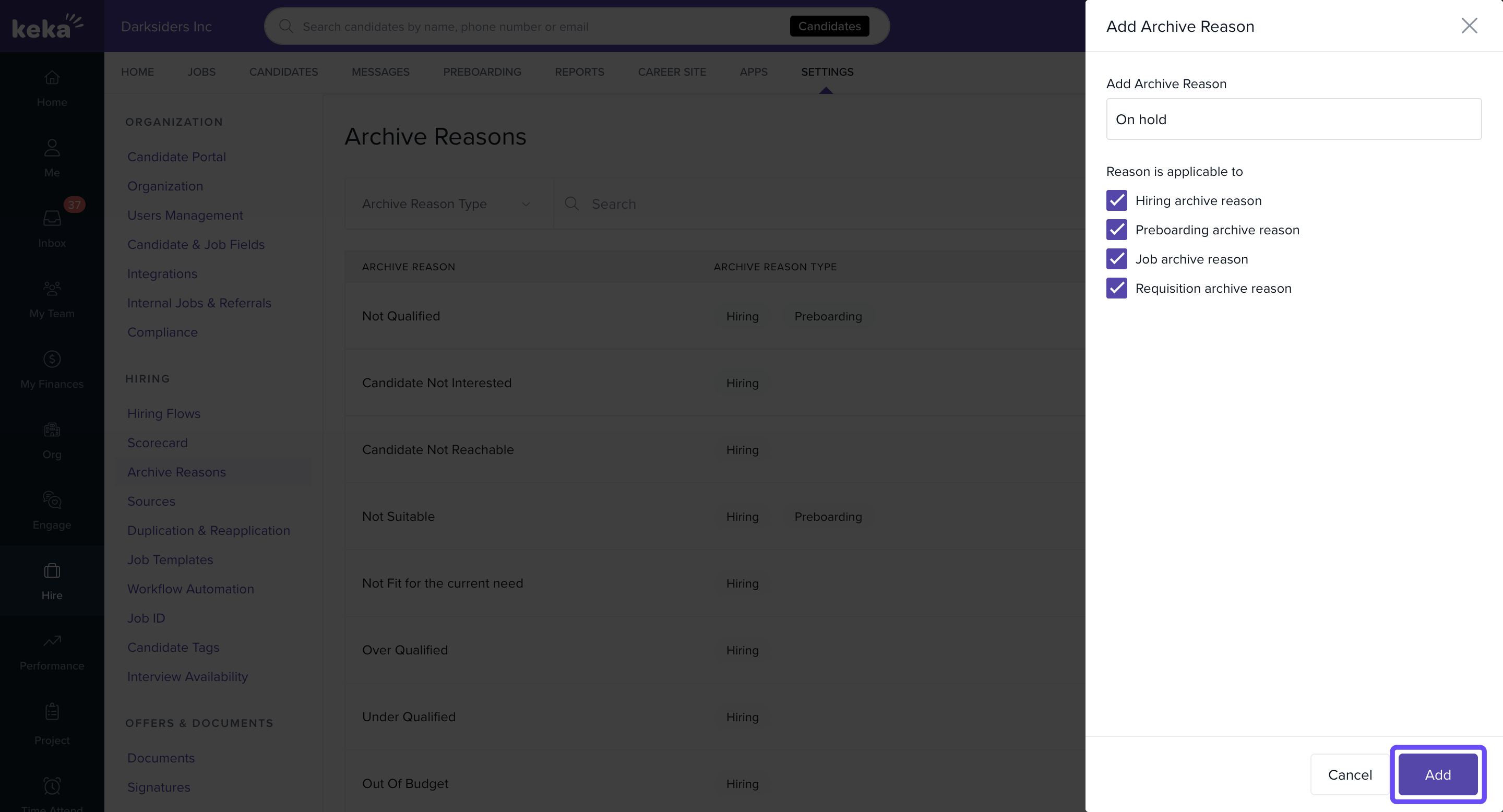
Add a New Archive Reason
-
In the Add Archive Reason screen:
Enter the reason.
Select one or more stages where this reason should be applicable.
Click Add to save the reason.
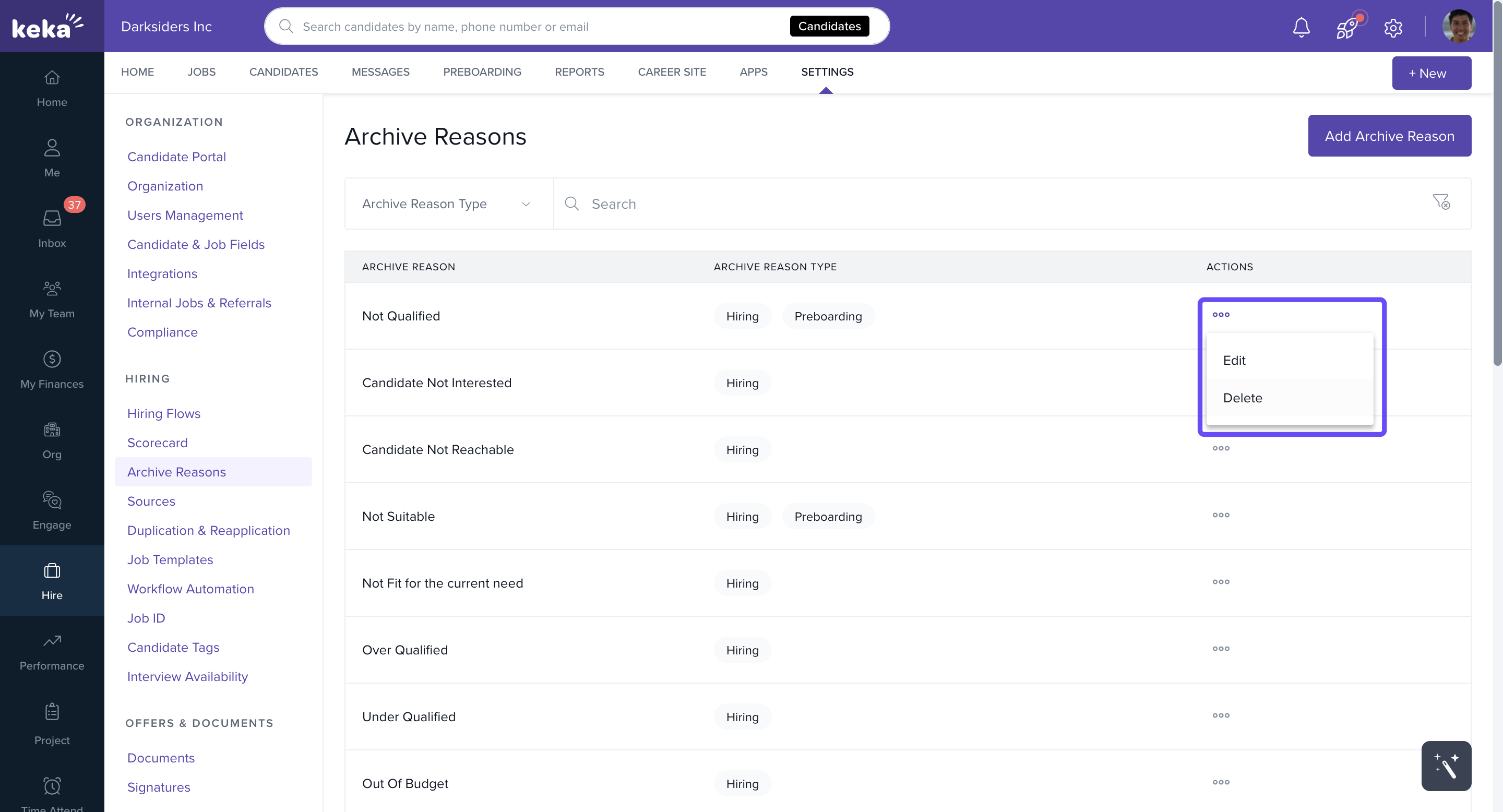
Edit or Delete an Archive Reason
-
To edit or remove a reason:
Find the reason under the Actions column.
Click the three dots menu.
Choose Edit to modify, or Delete to remove it.
Archive reasons help provide context during hiring pauses and keep your recruitment records clean and organized.
We hope you found this article helpful in explaining the use of Archive reasons. Have more questions? Contact our Product Experts right away!
Comments
0 comments
Please sign in to leave a comment.