Introduction
The Custom Report Builder in Keka Hire lets you build reports tailored to your exact hiring data needs. Unlike the default reports, which are generic, this tool gives you full control over the data points, columns, and report structure.
Whether you're preparing for MIS reporting or business reviews, you can now generate reports that reflect the exact metrics your organization tracks.
Available for: Customers on Growth and Strength HRMS plans by default.
For Startup and Foundation plans, available as an add-on.
Included for: Hire customers with an active Keka HRMS license.
To build a custom report in Hire:
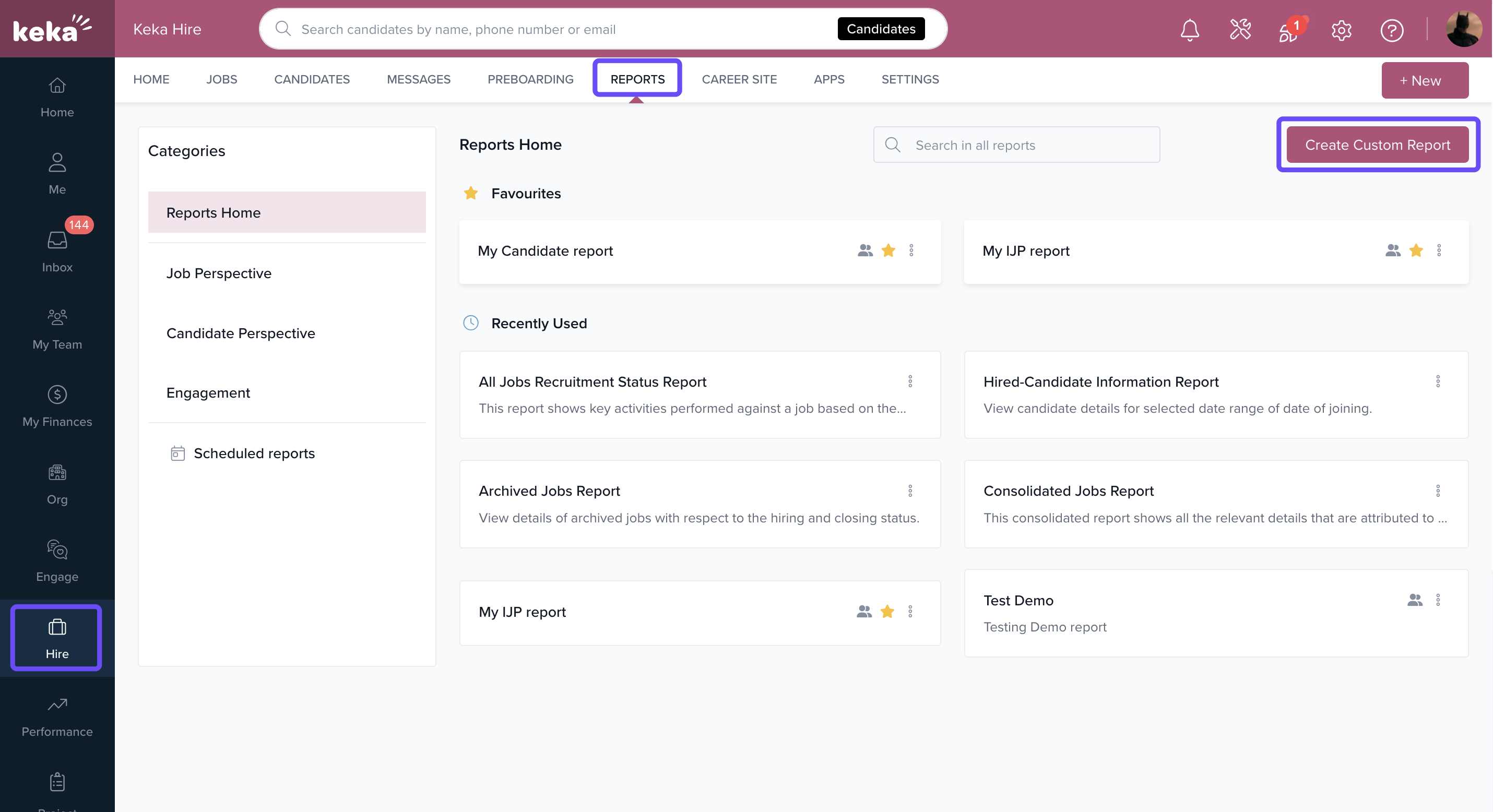
Go to Hire from the main menu.
Click Reports.
Click Create Custom Report.
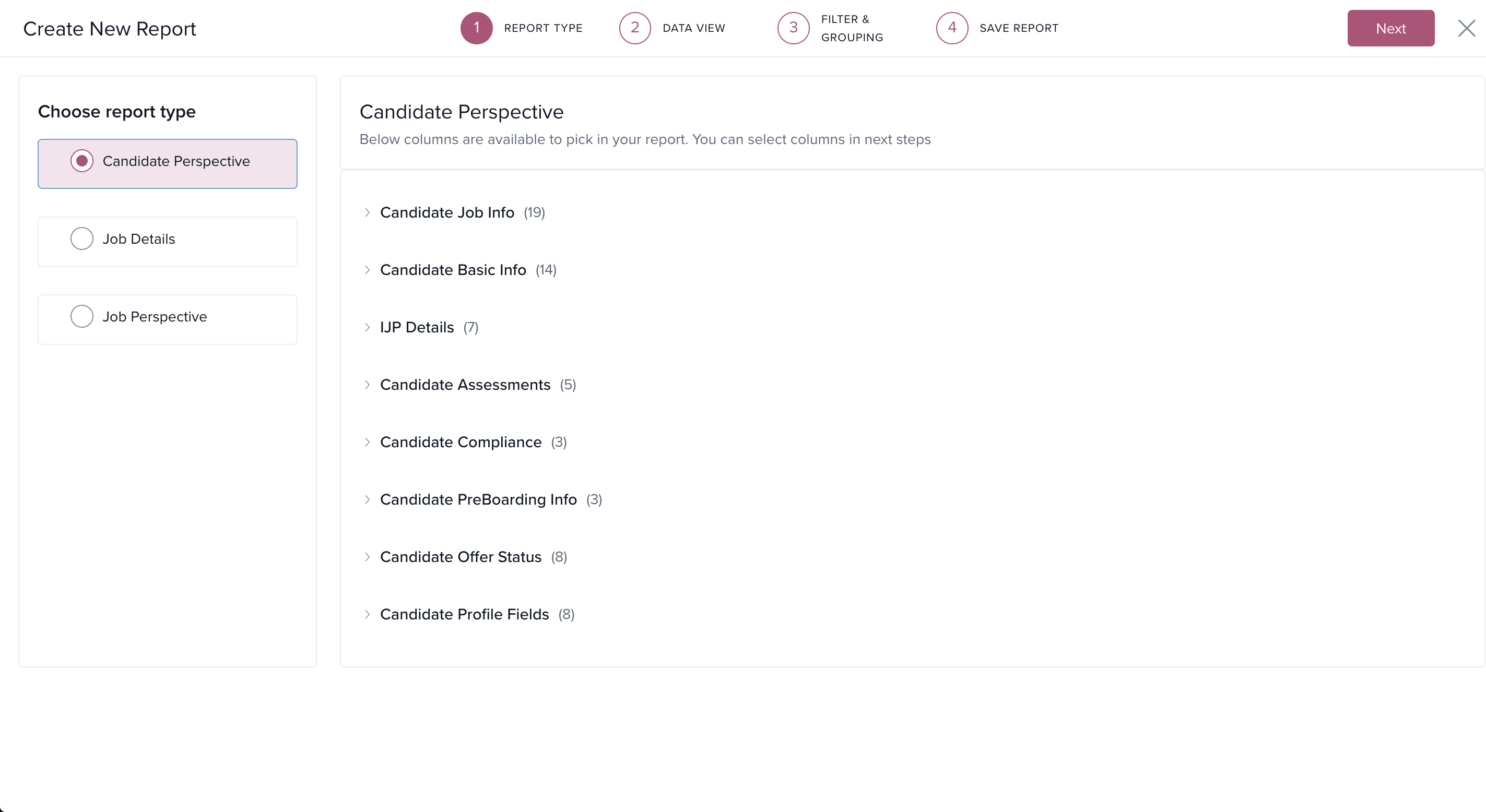
Follow the 4-step builder:
Select Report Type – Choose from predefined report types (e.g., Candidate perspective, Job details, job perspective).
Data View – Drag and drop fields/sections to move, add or remove them
Apply Filters & Grouping – Narrow down data and group by relevant fields.
Save Report – Name your report and save it for future use.
Once saved, you can download the report or schedule it for recurring exports.
Options & Variants
Custom reports can be built from:
Candidate data
Job data
Interview feedback
Offer status
Aggregate and segregated views are supported
Custom field inclusion is supported across candidate and job data
Supported Fields
Candidate Data
| Category | Fields |
|---|---|
| Basic Info | Name, Email, Gender, Phone, LinkedIn URL, Work Experience |
| Employment | Current/Previous Companies, Salary details, Locations |
| Availability | Available to Join (Days), Preferred Location |
| Compliance | Aadhar Number, Race, Veteran Status, Disability Status |
| Job Info | Job Title, Department, Stage, Source, Owner, Archived details |
| Offer Info | Offer Type, Status, CTC, Preboarding status, TAT |
| Custom Fields | All migrated text, number, dropdown, date, and URL fields |
| IJP Details | Internal job postings, tenure, current org info |
Job Data
| Category | Fields |
|---|---|
| Basic Info | Job Title, Status, Salary Range, Job Type |
| Dates | Created On, Published On, Archived Date |
| Recruitment Flow | Target Hire Date, No. of Openings, Days Overdue |
| Hiring Details | Recruiters, Interviewers, Hiring Managers |
| Publishing Channels | Naukri, LinkedIn, Indeed, Monster |
| Custom Fields | Job-specific custom attributes |
| Requisition Info | Requested/Approved By, Dates |
| Department Info | BU, Department, Parent Department, Legal Entity |
Notes, Tips, Important, Warnings
Tip: Use filters and grouping to focus reports on specific departments, recruiters, or job statuses.
Important: The Custom Report Builder in Hire uses the same interface as CRB in CoreHR. Only the available data points differ.
Note: Users on Startup or Foundation plans will need to purchase the add-on to access this feature.
Examples & Use Cases
MIS Reporting: Create a report showing hiring pipeline by recruiter with stage-wise counts.
Compliance Tracking: Track demographic data like race and veteran status for audit-ready reports.
Offer Management: Pull reports with offer status, TAT, and joining dates for preboarding follow-up.
Troubleshooting
| Symptom | Cause | Fix |
|---|---|---|
| Can’t see Custom Report Builder | Not available on current plan | Check HRMS plan and enable add-on |
| Data fields missing | Using wrong report type | Verify selected report type includes required fields |
| Report not saving | Required fields not selected | Ensure at least one field and filter is selected |
Contact Support if you need help mapping custom fields
Comments
0 comments
Please sign in to leave a comment.