Introduction
You can now customize the layout of your candidate application forms in Keka Hire. This feature allows Hire Admins and Super Recruiters to reorder both system fields (like Name, Email, Phone) and custom fields (like Internal Code, Source Details) at both the global and job level.
This update gives you full control over how fields appear, helping you streamline data collection and match your internal hiring workflows.
Available for: Hire Admins and Super Recruiters
Where: Global and Job-level application forms
To reorder candidate fields:
Go to Hire from the main menu.
Click on Settings.
Select Candidates, jobs, and field.
Click Reorder next to the form you want to customize.
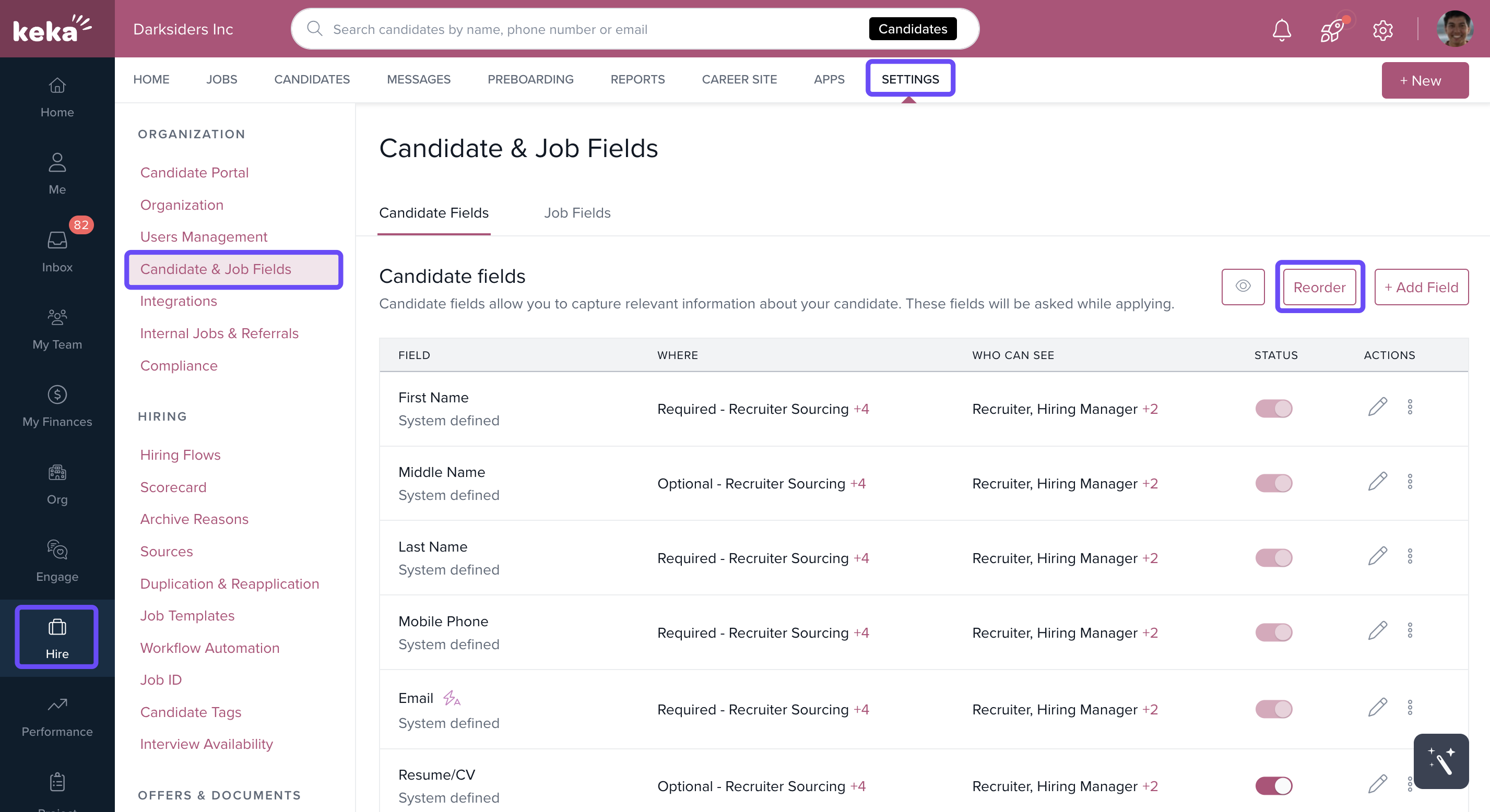
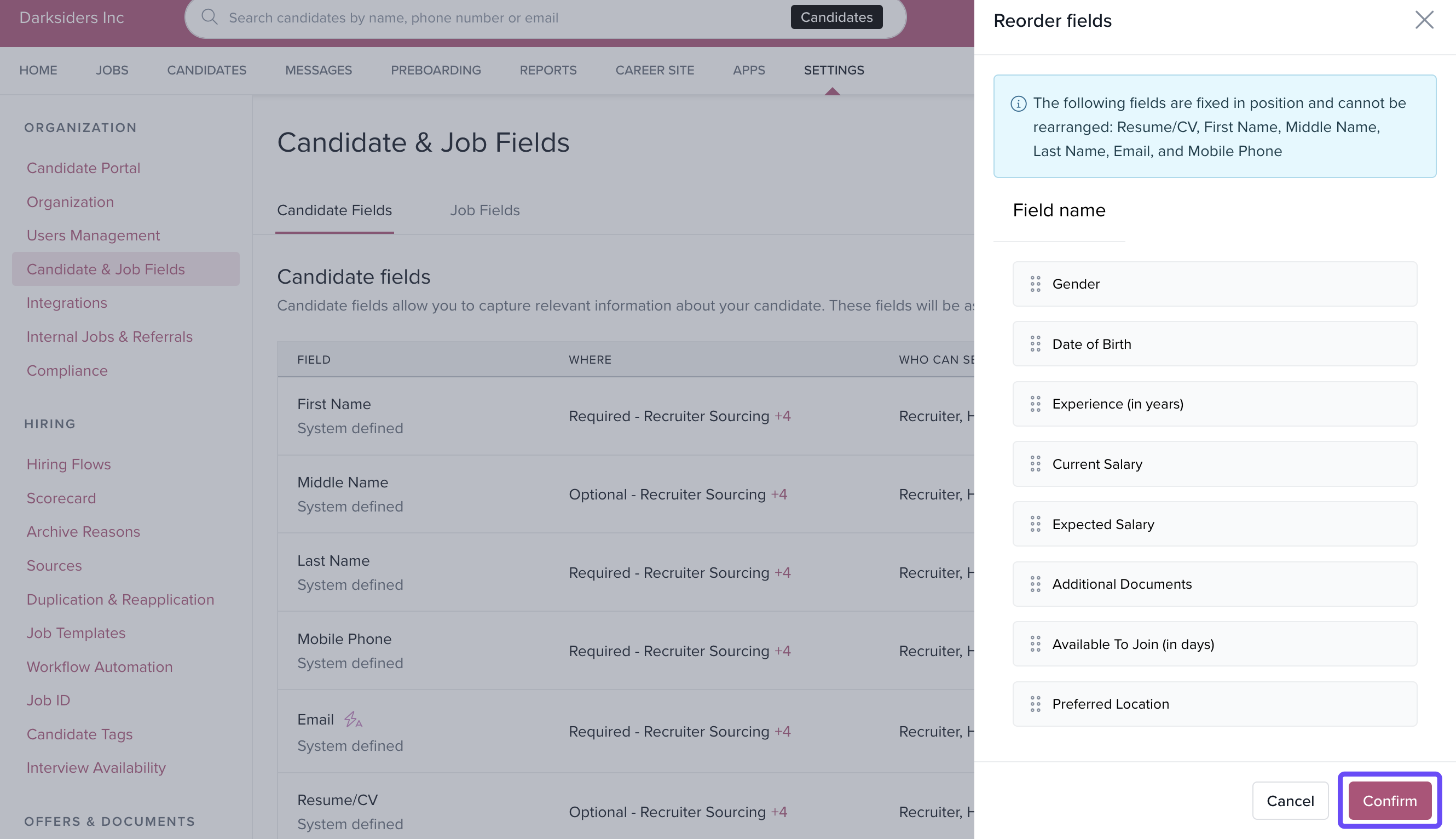
Drag and drop the fields into your preferred order.
Click Confirm to apply the new layout.
Options & Variants
You can rearrange fields:
Globally: Affects all job applications.
Per job: Customize field order for individual job roles.
Both system and custom fields can be reordered.
Fields can be grouped logically (e.g., contact details together), improving form flow.
Notes, Tips, Important, Warnings
Tip: Use logical grouping like putting State, Country, and Internal Code together to improve readability.
Important: Field order changes at the global level affect all jobs unless overridden at the job level.
Examples & Use Cases
Use case: A healthcare company like Woundtech needed candidate forms tailored to their internal review process. With this feature, they avoided churn and continued using Keka Hire.
Use case: Recruiters can now reduce time spent navigating disjointed forms by seeing related fields grouped together.
Need help? Contact our support team via chat or email.
Comments
0 comments
Please sign in to leave a comment.