Resource management in PSA just got more powerful. With the introduction of the Resource Request Approval Chain and Resource Insights, project managers now have better visibility and control over resource planning, approvals, and performance analysis.
Resource request approval chain
Project managers can now implement a structured approval process for resource requests. This ensures that every request is reviewed by authorized stakeholders before resources are assigned—enhancing planning discipline and accountability.
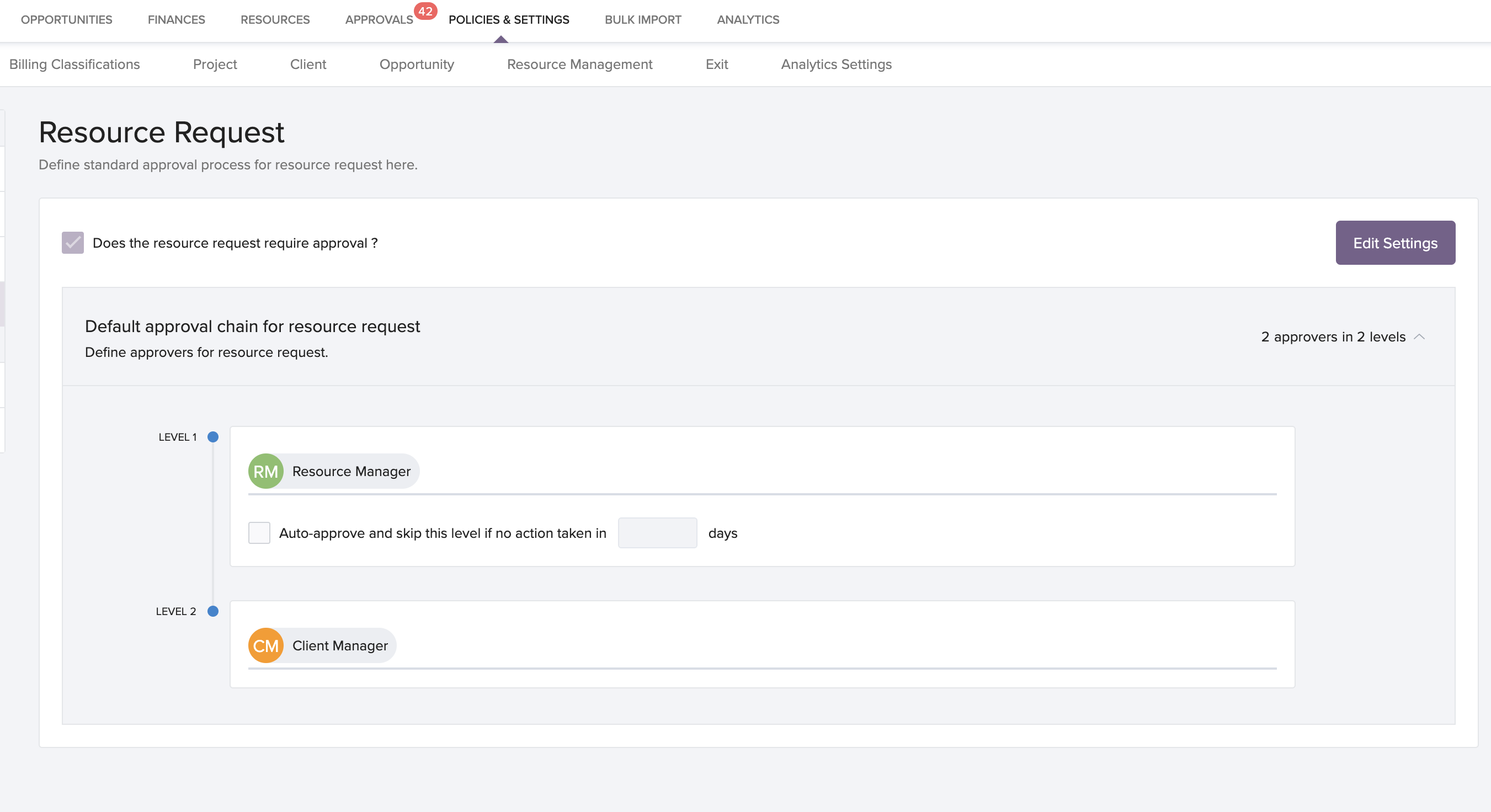
How to configure and use:
To raise a request: Go to Project >> Projects >> Select a project >> Request tab >> Raise Request.
To approve requests: Navigate to Approvals >> Resource Request >> Pending Approvals.
To set up approval process: Go to Policies and Settings >> Approval Chain >> Resource Request.
This feature helps maintain oversight while keeping the request process simple and trackable.
Resource insights
Make smarter decisions with built-in resource insights. Project managers can now access key trends in utilization, leave, and logged hours—all from the Resources > Summary tab.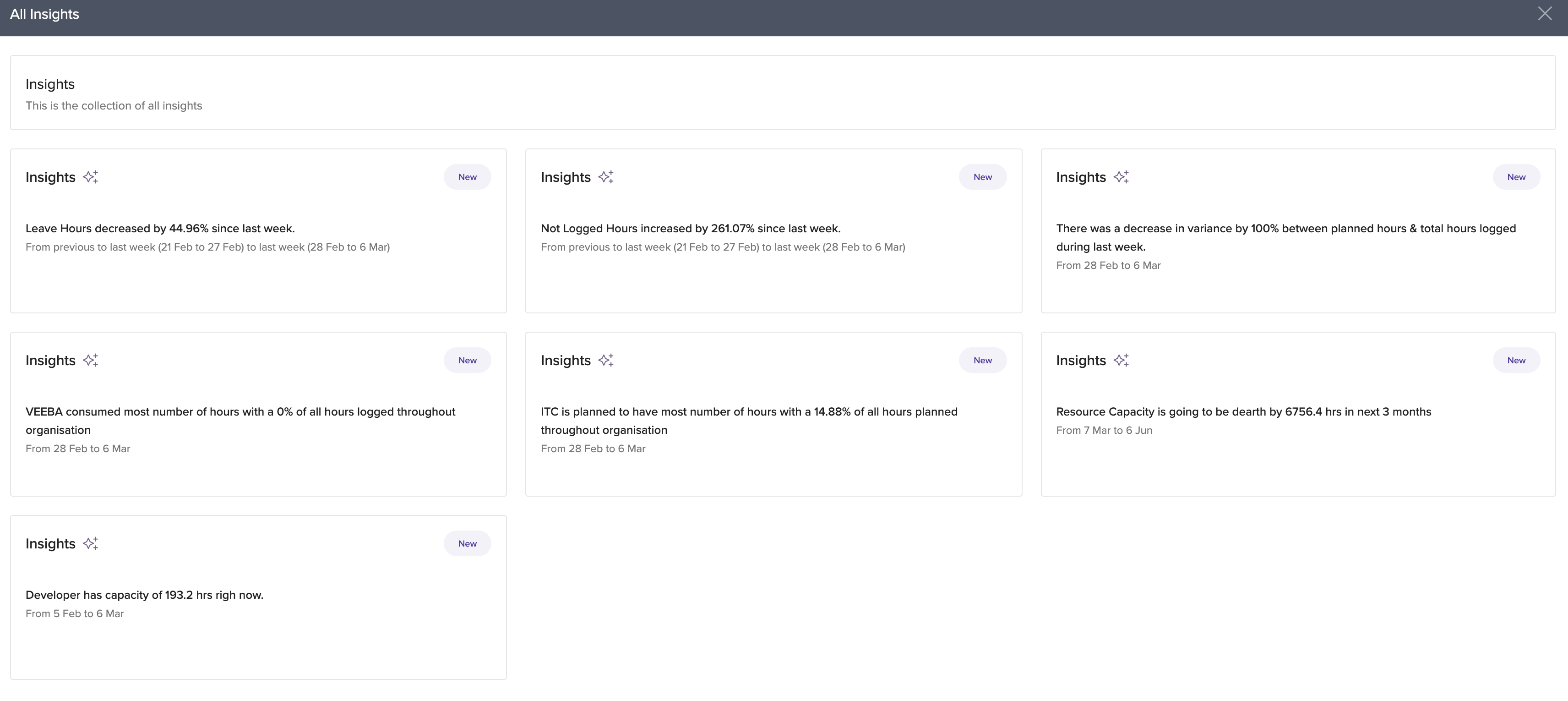
Where to find insights:
Go to Resources >> Summary tab. View visual insights located next to the charts
These insights highlight variations between planned and actual work, helping managers identify bottlenecks and optimize resource allocation.
Availability
These features are now available for all users on the Base Plan.
Related articles
Below are the help links to guide users through configuration and usage:
To know more about Resource management on Keka PSA Overview, click on:

To know more about Mastering Resource Management with Keka PSA's Configuration Settings, click on:
To know more about Empowering Resource Management with Keka PSA Dashboard, click on:
Please let us know if you find this article helpful.
Comments
0 comments
Please sign in to leave a comment.