Stay on top of your invoicing process with three key updates in Professional Services Automation (PSA). These changes aim to simplify invoice generation, reduce redundant setup, and align billing with your financial periods.
What’s new?
Client-level invoicing
Generate a single invoice for a client across multiple projects. No more handling separate invoices per project- making consolidation faster and easier.
How to use:
Go to the Finance menu and click on Charges. Select charge items from various projects under the same client. Click on Generate Invoice.
Alternatively, navigate to Client Details >> Billing and create the invoice directly from there.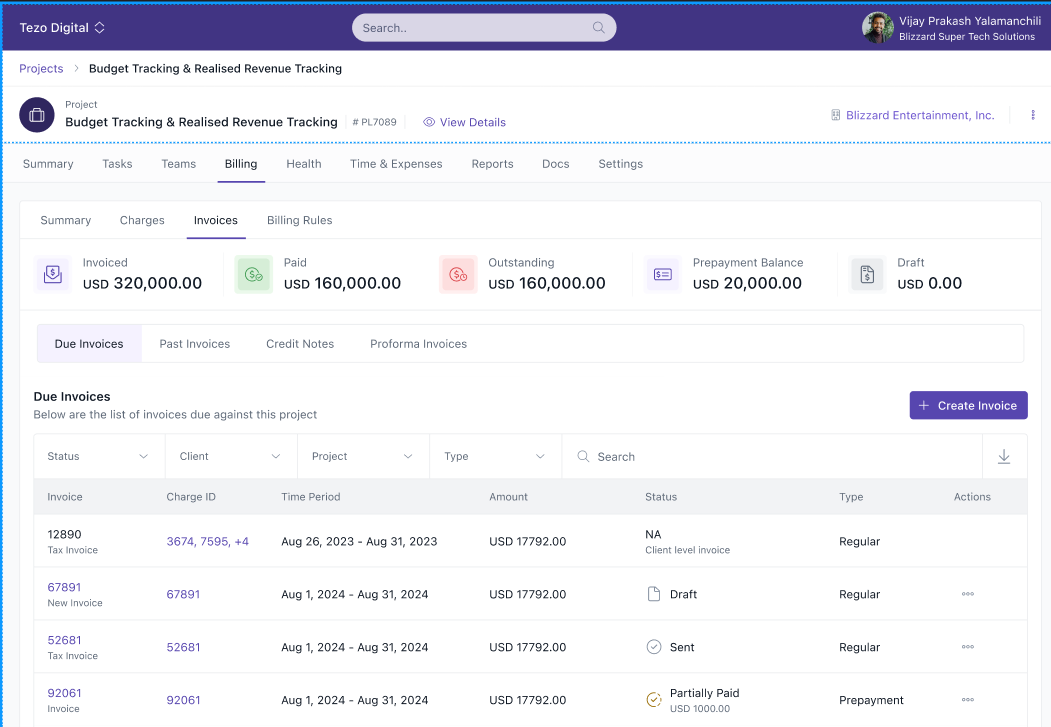
Invoice custom fields at global level
Invoice custom fields no longer need to be set up per billing entity. You can now define and manage them globally for consistency across the system.
How to use:
-
Go to Finance >> Settings >> Invoice Custom Fields.
-
Add or modify custom fields that will apply to all billing entities.
Month-end retainer billing interval
You can now select the last day of each month as the billing date for retainer invoices. This helps align your invoices with financial closing cycles.
How to use:
While setting up a retainer, choose "Last day of the month" as the billing interval.
Related articles:
To know more about Billing and Invoicing in Keka PSA: An Overview, click on:

Please let us know if you find this article helpful.
Comments
0 comments
Please sign in to leave a comment.