Keka PSA introduces two new capabilities designed to enhance project accounting and simplify time tracking: Billable and non-billable resources in billable projects and Project-level time entries. These updates enable clearer financial visibility and support time logging for roles without assigned tasks.
Billable and non-billable resources in billable projects
Project managers can now differentiate between billable and non-billable team members—even within the same billable project. This helps maintain accurate project costing while still allowing non-billable contributors to participate.
How to classify resources:
Go to Project >> Resource Management. While assigning a resource, mark them as Billable or Non-billable. Non-billable resources will not be included in project billing totals
This is especially useful for roles such as support staff or interns working on billable deliverables without affecting project invoicing.
Project-level time entries
Industries such as construction, support services, or fieldwork often involve roles without assigned tasks. With this update, users can now log time directly at the project level—removing the dependency on task creation.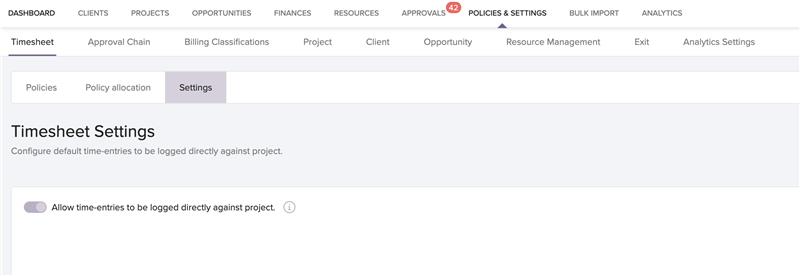
How to enable project-level time entries:
Navigate to Policies & Settings >> Timesheet >> Settings. Toggle the setting for Project-level time entries
Once enabled, a system-generated task name is created, allowing users to submit timesheets seamlessly—ideal for teams with fluid work scopes or shared responsibilities.
Who can access it?
These features are available to all users in the Base Plan and can be controlled via role-based access permissions.
Related documentation
For detailed instructions on how to configure these updates, please refer to the links provided below:
To know more about Managing Billing Frequencies in Keka PSA, click on:

To know more about Introducing Seamless Rewards Redemption via XOXOday in Keka, click on:
Please let us know if you find this article helpful.
Comments
0 comments
Please sign in to leave a comment.