1. Introduction to Bulk Importing Employee Documents
The bulk import feature in Keka allows you to upload all employee documents in one go, categorizing them by name and type. This eliminates the need for manual uploads, streamlines HR workflows, and ensures easy access to employee documents.
2. How to Access the Bulk Import Feature
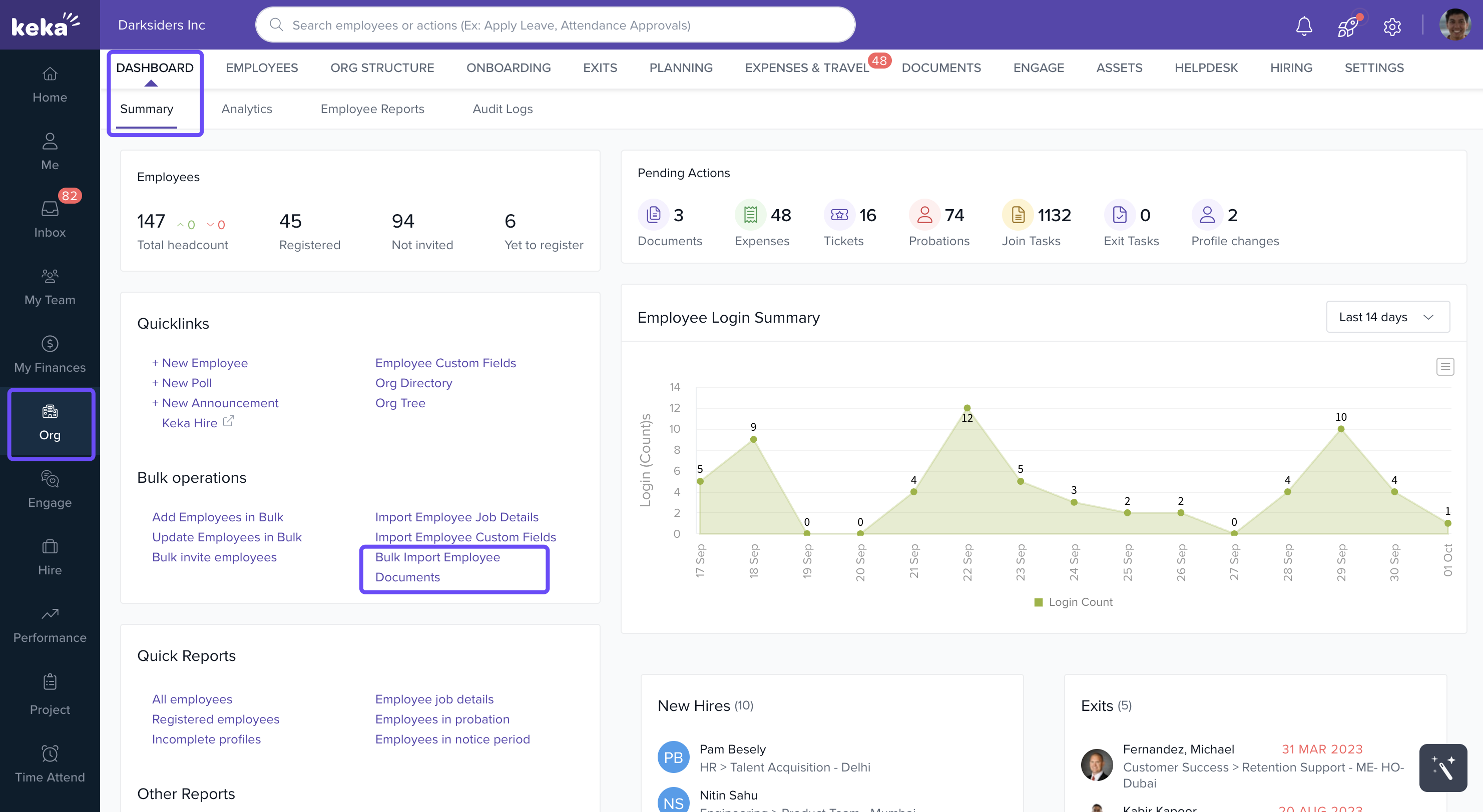
Navigate to Org from the left navigation pane.
Select Bulk Import Employee Documents from the Quicklinks section on the Dashboard tab.
You will be redirected to the Bulk Uploads tab in the Employee Documents section.
3. Uploading Documents in Bulk
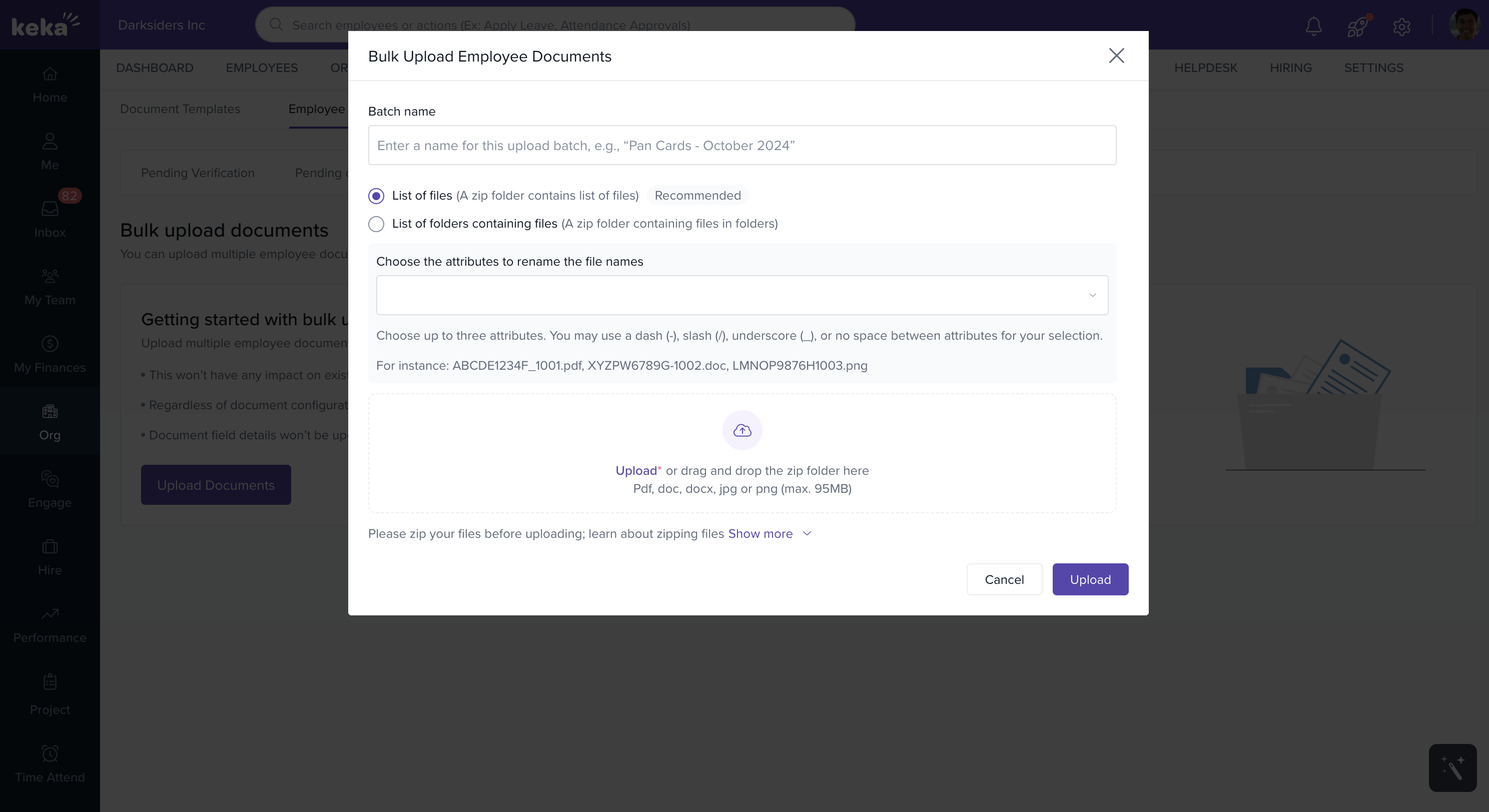
There are two options for organizing your documents during the upload:
List of Files: All documents, regardless of type, are placed into a single folder (e.g., a folder called "Documents"). This structure is useful when files are not categorized properly but need to be uploaded together.
List of Folders containing files: This structure allows you to organize documents by their types (e.g., "Aadhar Card", "PAN Card" folders). It is ideal for organized documents where you need to categorize them based on document type.
Uploading Documents in Folder or File Format
You can choose between uploading:
Documents as individual files or
Documents organized into folders by type.
Note: Learn about bulk document upload in detail
4. Steps to Complete the Upload
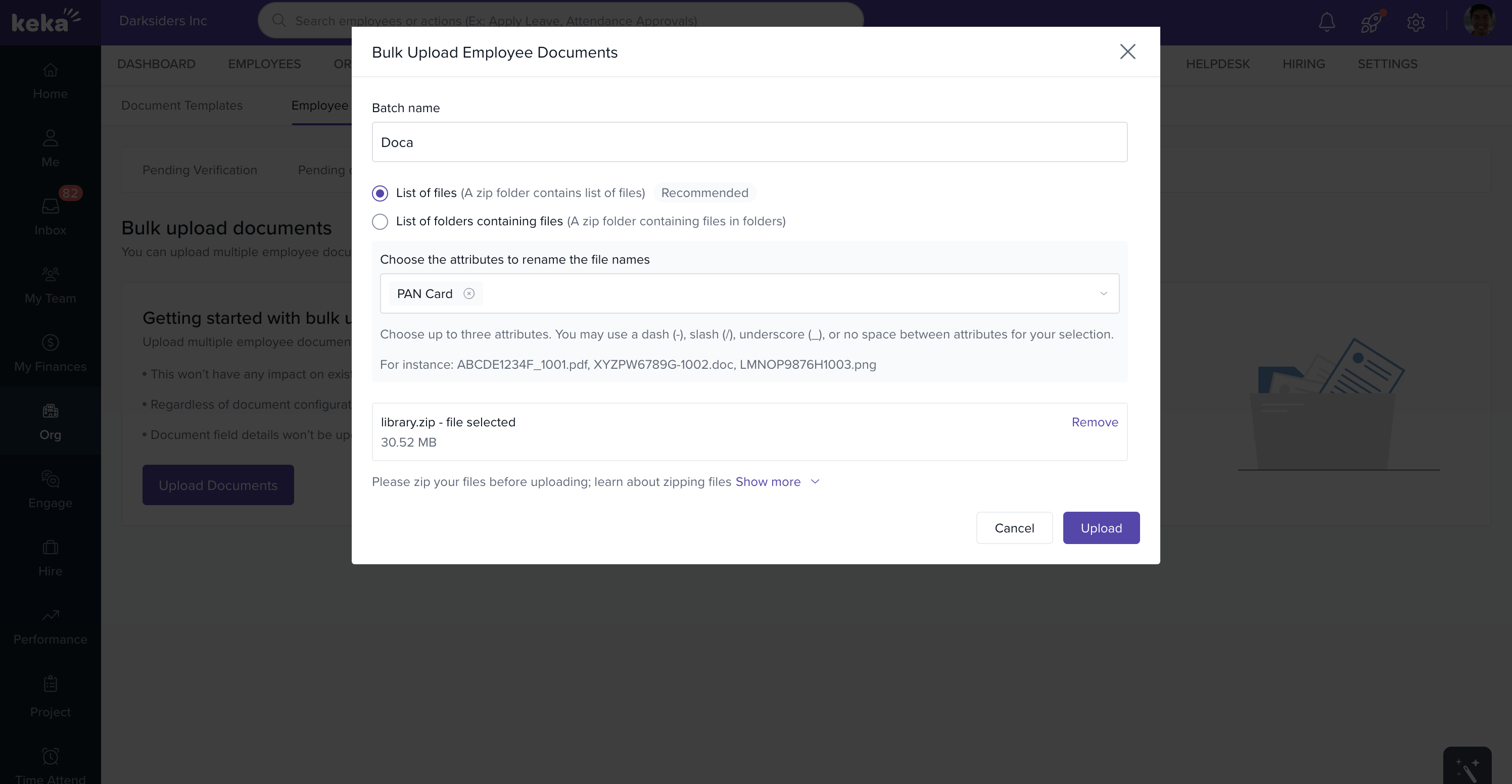
After selecting your structure, click Select Zip Folder to choose the folder that contains the employee documents.
Click Upload to begin the bulk document upload process.
-
Once the upload is completed, the documents will be available and accessible in the portal for further use.
5. Conclusion
With Keka's bulk import feature, HR teams can efficiently upload multiple employee documents, reducing time and effort spent on manual uploads. The structured organization of documents ensures better management and easier access when needed.
Comments
0 comments
Please sign in to leave a comment.