Discover how to manage organization-wide documents in Keka, including uploading, sharing, and maintaining access control for all employees.
Efficient management of organizational documents ensures smooth communication and compliance with company policies. In Keka, you can create folders, upload documents, and set access permissions to make company information easily available and secure for the right people.
Creating a Document Folder
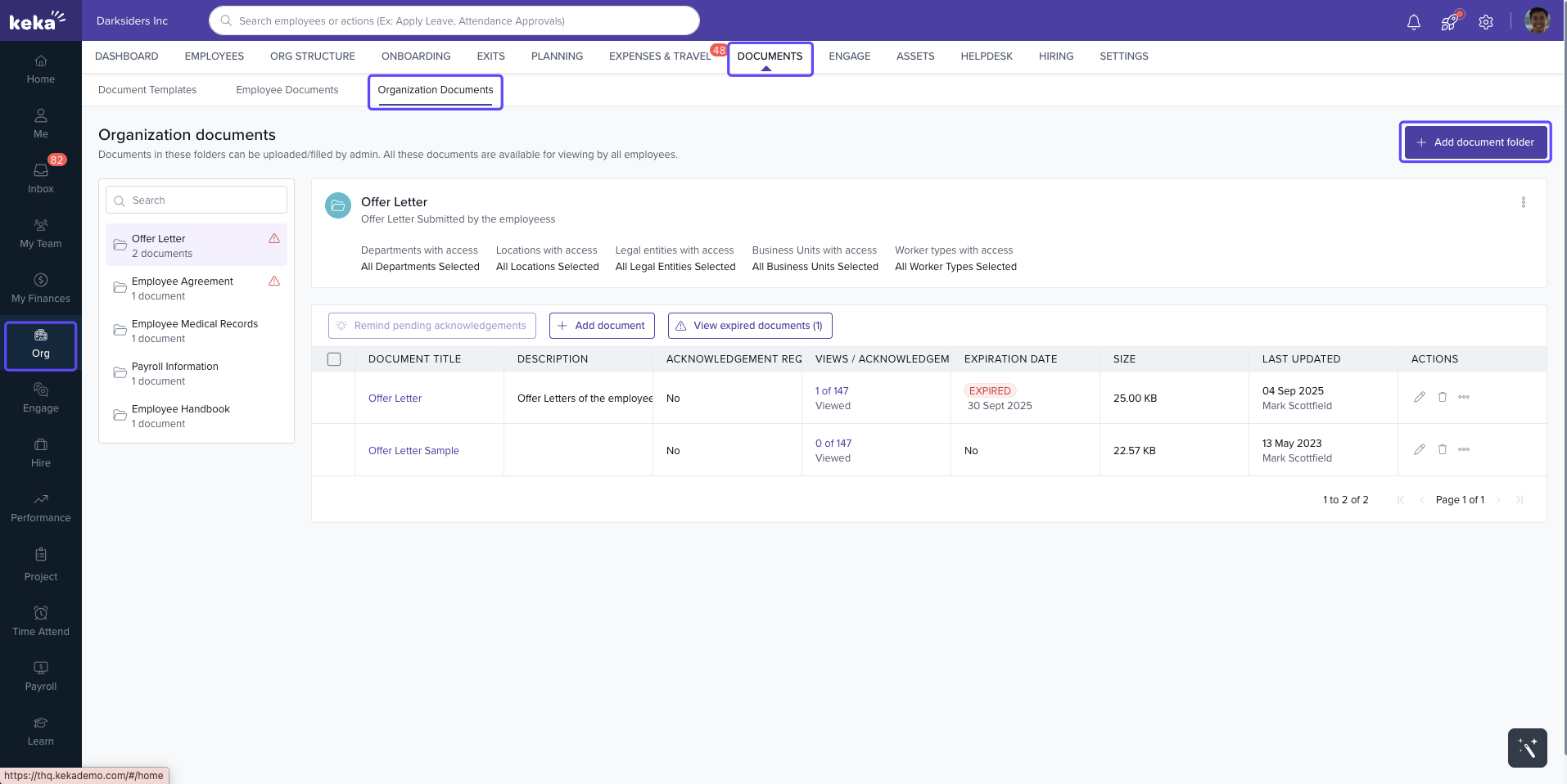
Navigate to Org > Documents > Organization Documents from the left sidebar.
-
Click + Add Document Folder at the top right corner.
-
In the Add Folder window, fill in the following details:
Folder Name – Give your folder a descriptive title.
Short Description – Briefly describe what the folder contains.
-
Set Folder Access – Choose which legal entities, business units, locations, departments, and worker types can access this folder.
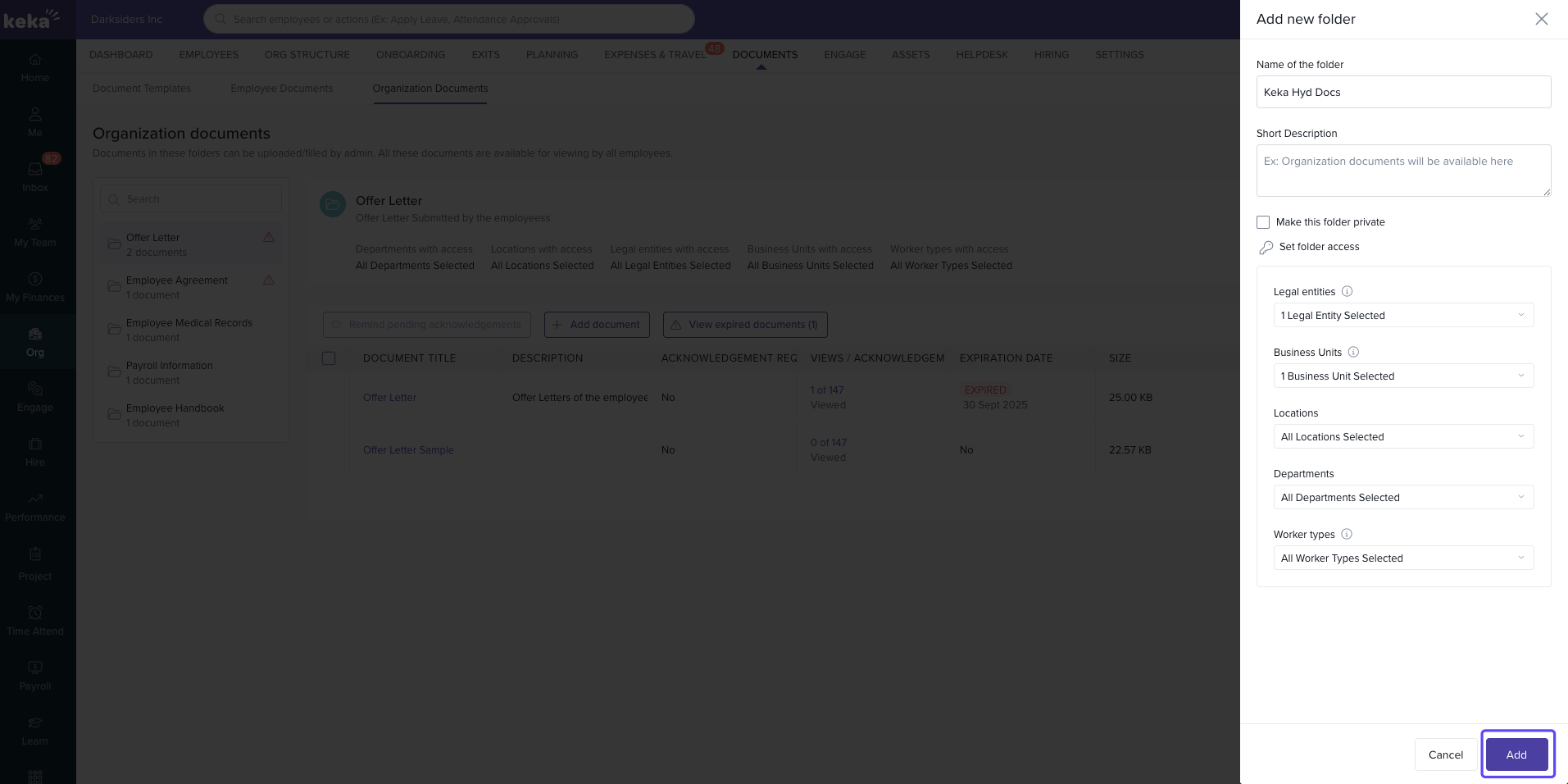
Once you’ve entered all the details, click Add to create the folder.
Adding a Document to the Folder
-
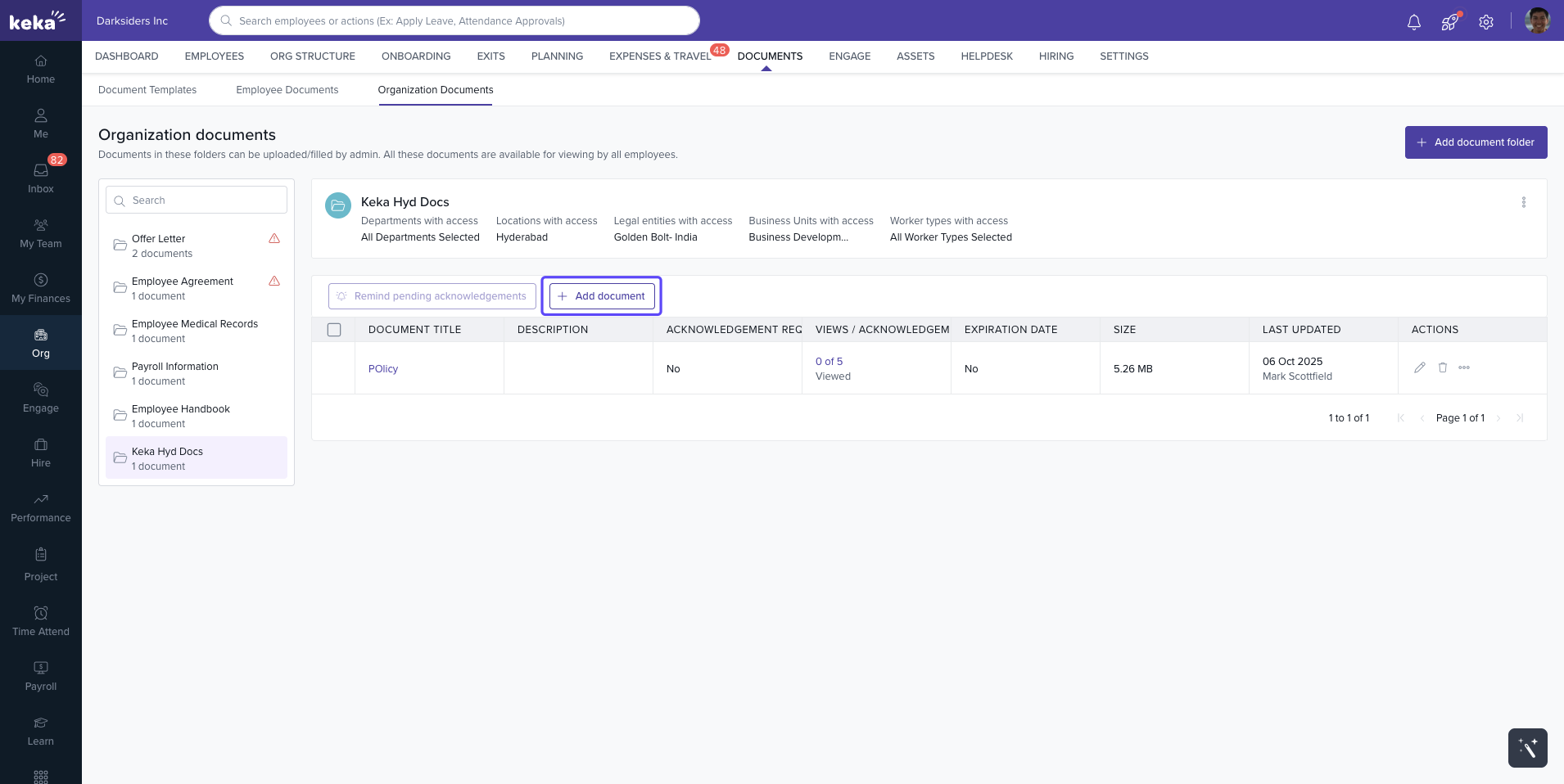
Open the desired folder and click + Add Document.
-
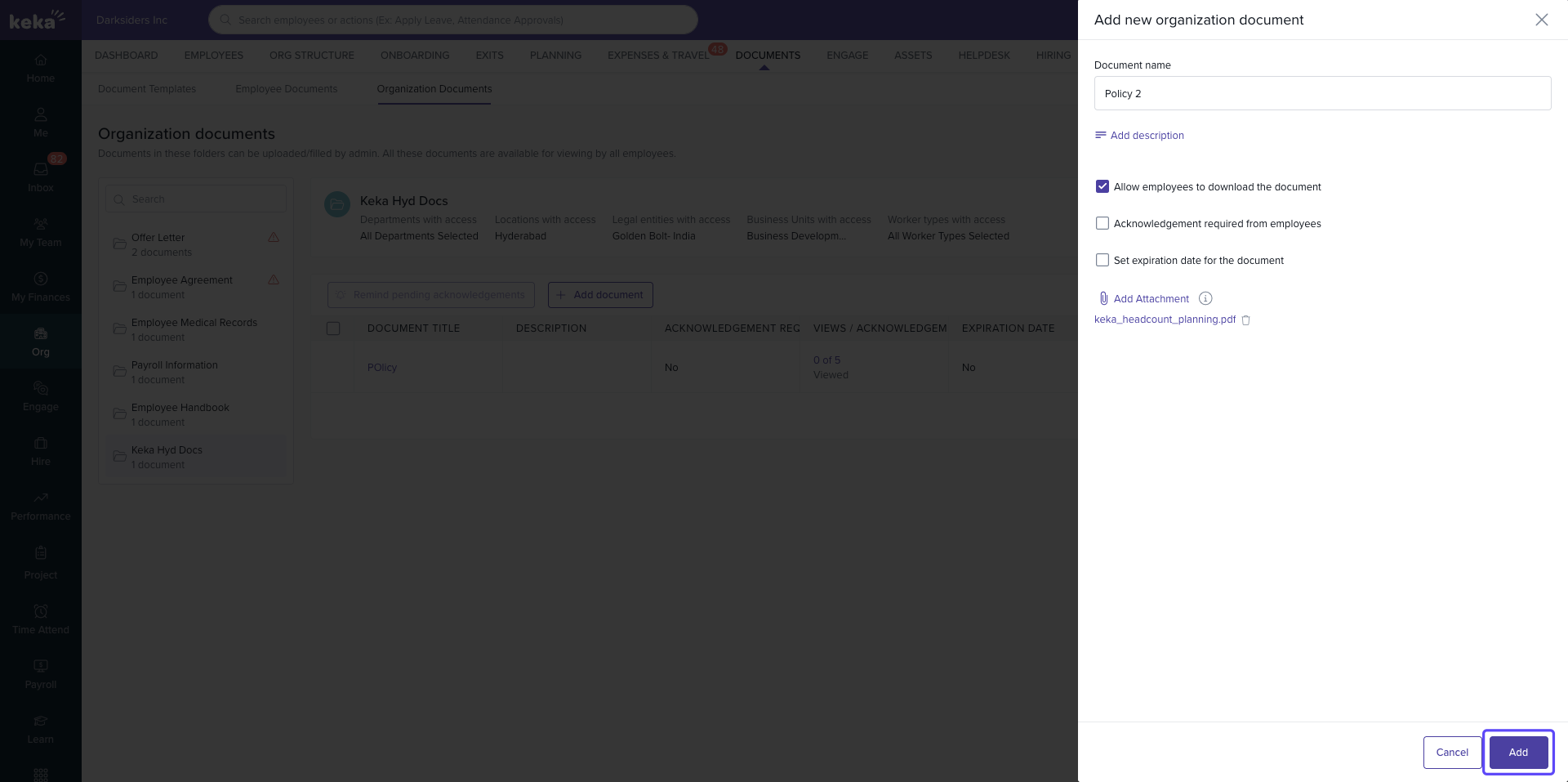
Fill in the document details:
Name of the Document – Enter the document title.
Short Description – Provide a summary of the document’s purpose.
Allow Employees to Download – Check this box if employees should be able to download the file.
Acknowledgement Required from Employees – Check this option if acknowledgment is needed. You can also enable Block Portal Access to Collect Acknowledgements to make acknowledgment mandatory.
Add Attachment – Upload the document file.
-
Click Add to upload the document.
Managing and Tracking Documents
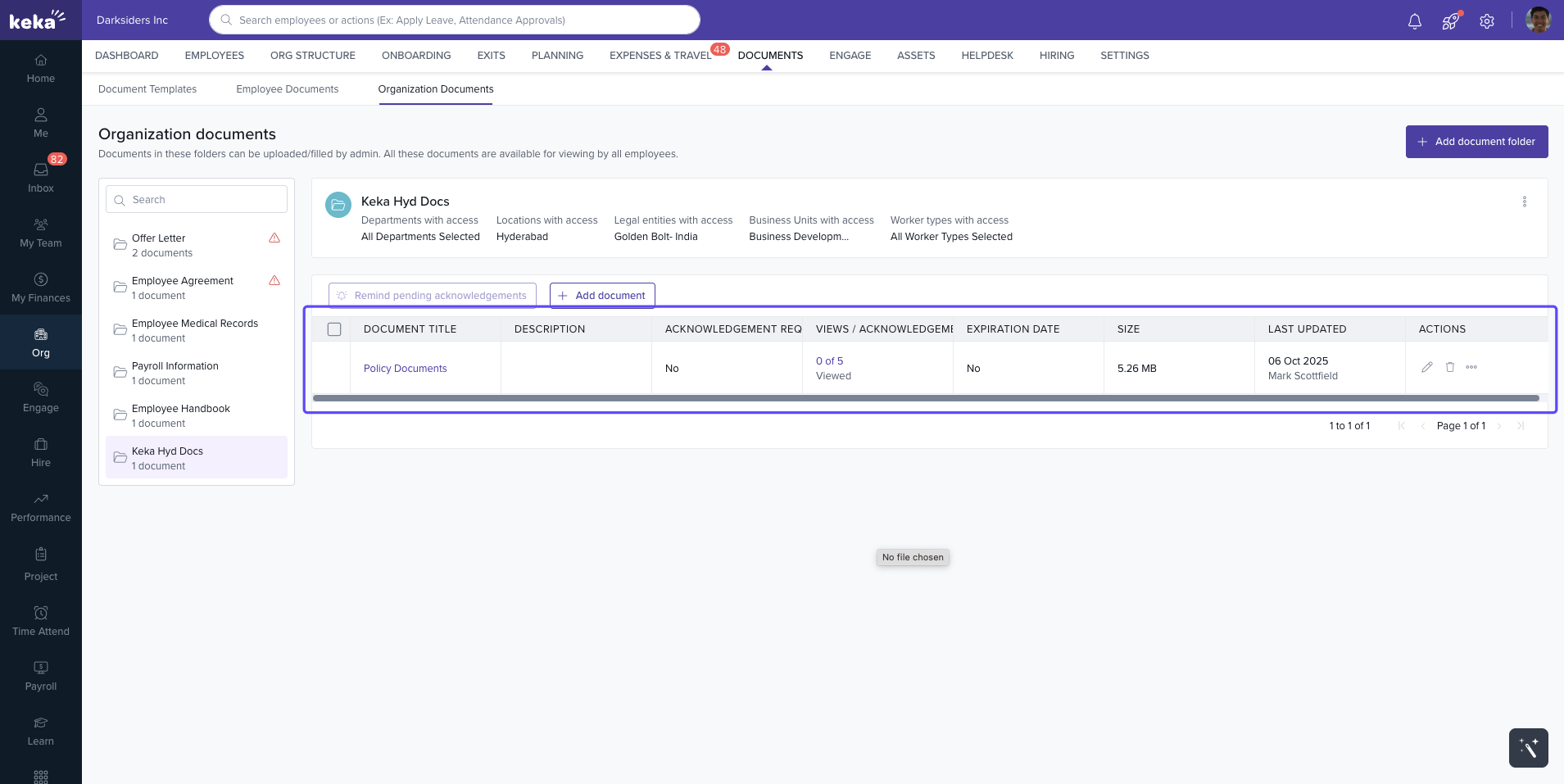
Once documents are uploaded, you can view and manage them directly from the same page:
View Documents – Displays all documents within a folder, along with details like description, upload date, and acknowledgment status.
Edit Document – Click the edit icon next to a document to update its details or replace the file.
Delete Document – Use the delete icon to remove any outdated or incorrect document.
Track Acknowledgements – Monitor which employees have viewed and acknowledged each document.
Conclusion
By organizing company policies, procedures, and updates in dedicated folders, Keka helps ensure employees have easy access to important documents while maintaining control and accountability.
To know how employee can views the organization document check out our article here.
Comments
0 comments
Please sign in to leave a comment.