Empowering teams to own tasks and automate follow-ups
Project execution becomes more agile with two new enhancements in the PSA module: Create and manage own task and Task end date event trigger. These features enable individual ownership of tasks and help automate crucial reminders—minimizing manual intervention and missed deadlines.
Create and manage own task
Team members can now create and manage their own tasks without relying on project managers. This feature fosters better accountability and accelerates task execution.
To enable this permission:
Go to Policies and Settings >> Project >> Permissions. Enable the Create and manage own task permission. Assign it to specific users along with the View Project permission.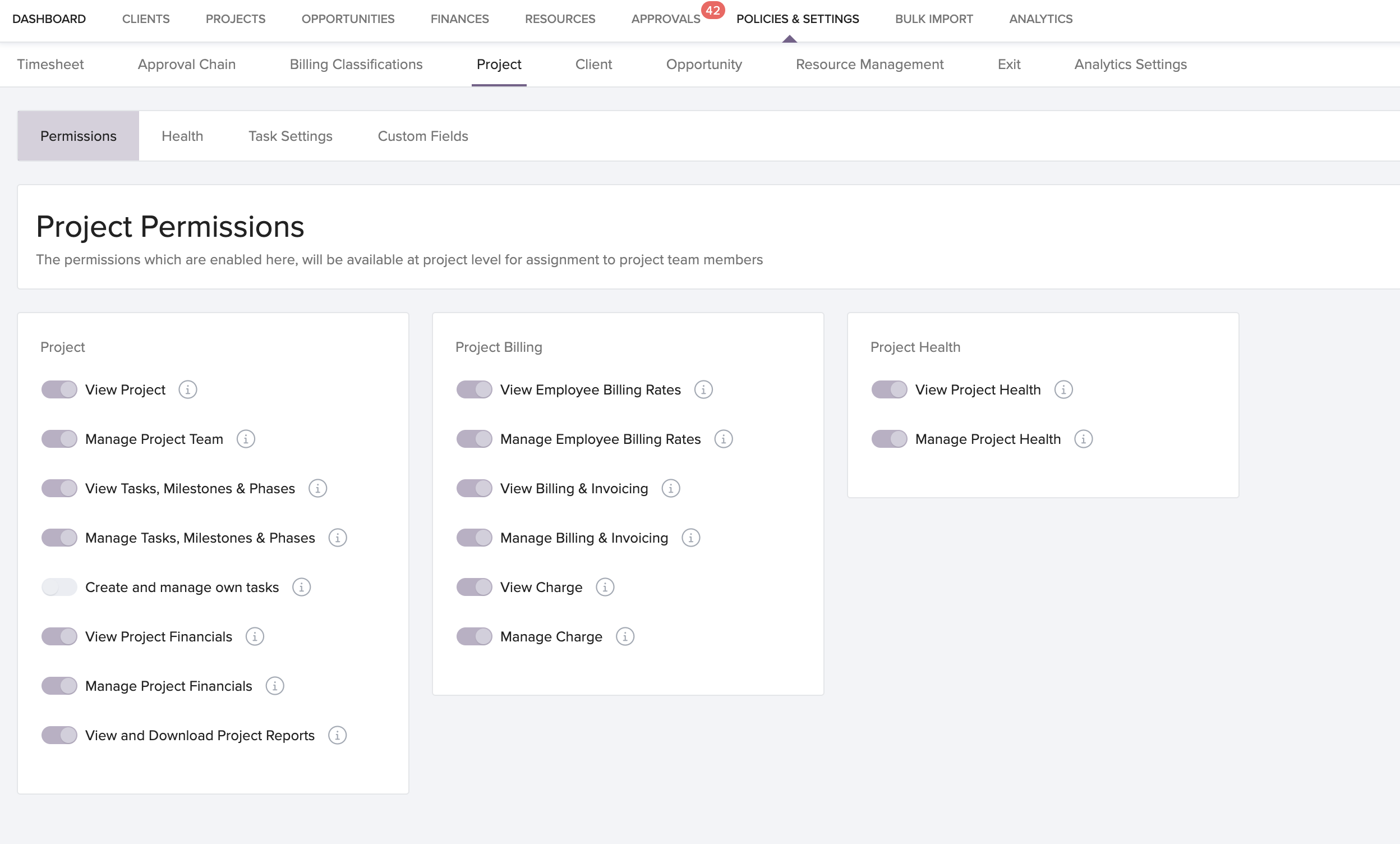
This change decentralizes task management while keeping control in the hands of project managers.
Task end date event trigger
Automate timely actions around task deadlines with this new event trigger. Configure notifications, workflows, or updates based on the task end date or a defined number of days before/after.
To set up event triggers:
Go to Global Settings >> Event Triggers >> Timesheet. Create a trigger based on the task’s end date or a custom offset (e.g., 2 days before)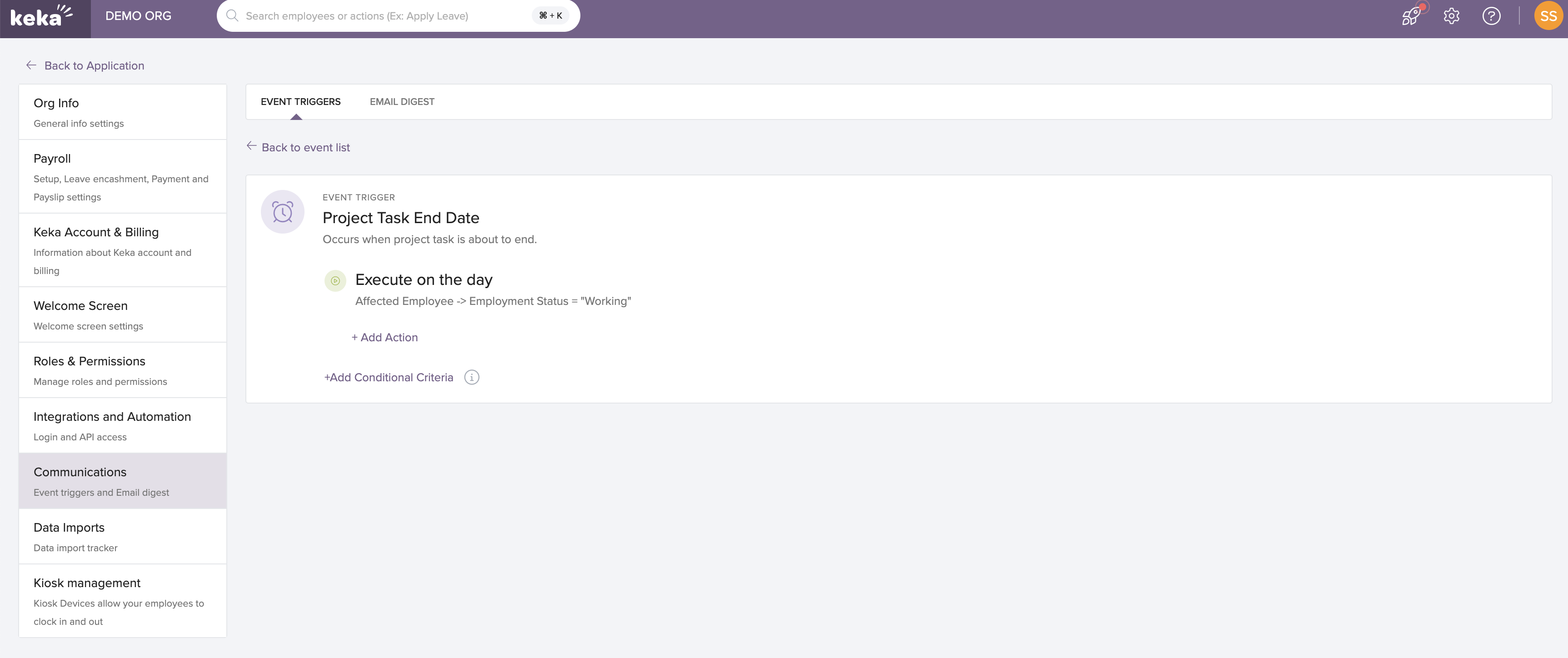
This ensures important follow-ups and escalations are never overlooked.
Who can access it?
Both features are available on the Base Plan and can be used by all PSA users with relevant permissions.
Related links
For more information on Streamline Your Project Management with Keka PSA's Enhanced Task Actions, click on:

For more details on Enhanced Task Management: Hiding Billing Status for Resources, click on:
Please let us know if you find this article helpful.
Comments
0 comments
Please sign in to leave a comment.