Introduction
Keka now integrates with Zoho Books to help you automate payroll journal entries. By connecting your Zoho Books account, you can:
Post payroll-related payments directly into your books
Generate journal vouchers (JVs) every month
Export JVs seamlessly from Keka to Zoho Books
This integration saves time and reduces errors compared to manual data entry.
Set Up Zoho Books Integration
1. Go to Payroll → Payroll Admin → Accounting
2. Under Integrations, select Zoho Books.
3. Alternatively, you can open Apps, click Configure, and you’ll be taken to the same Accounting screen.
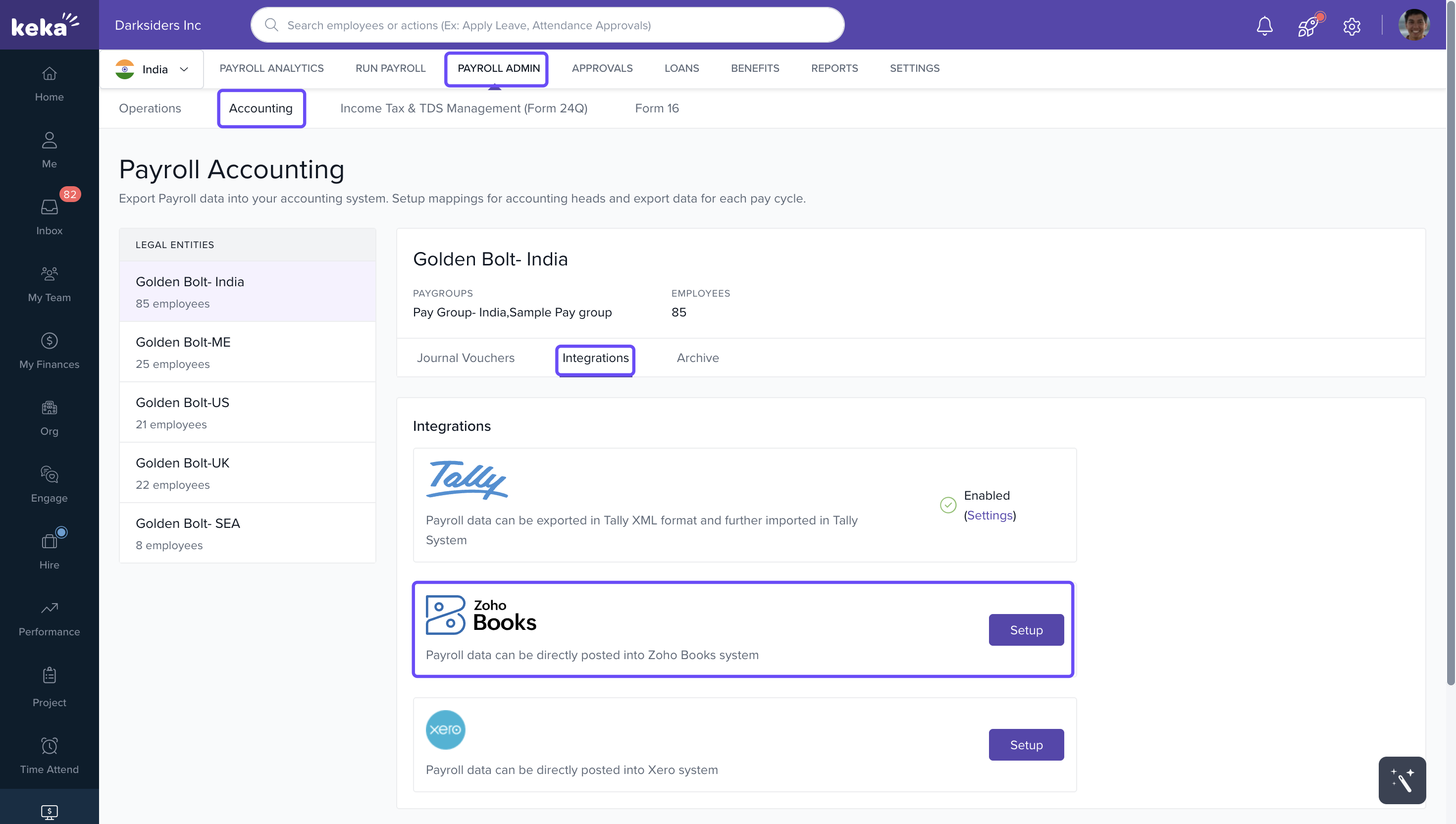
- Alternatively, you can open Apps, click Configure, and you’ll be taken to the same Accounting screen.
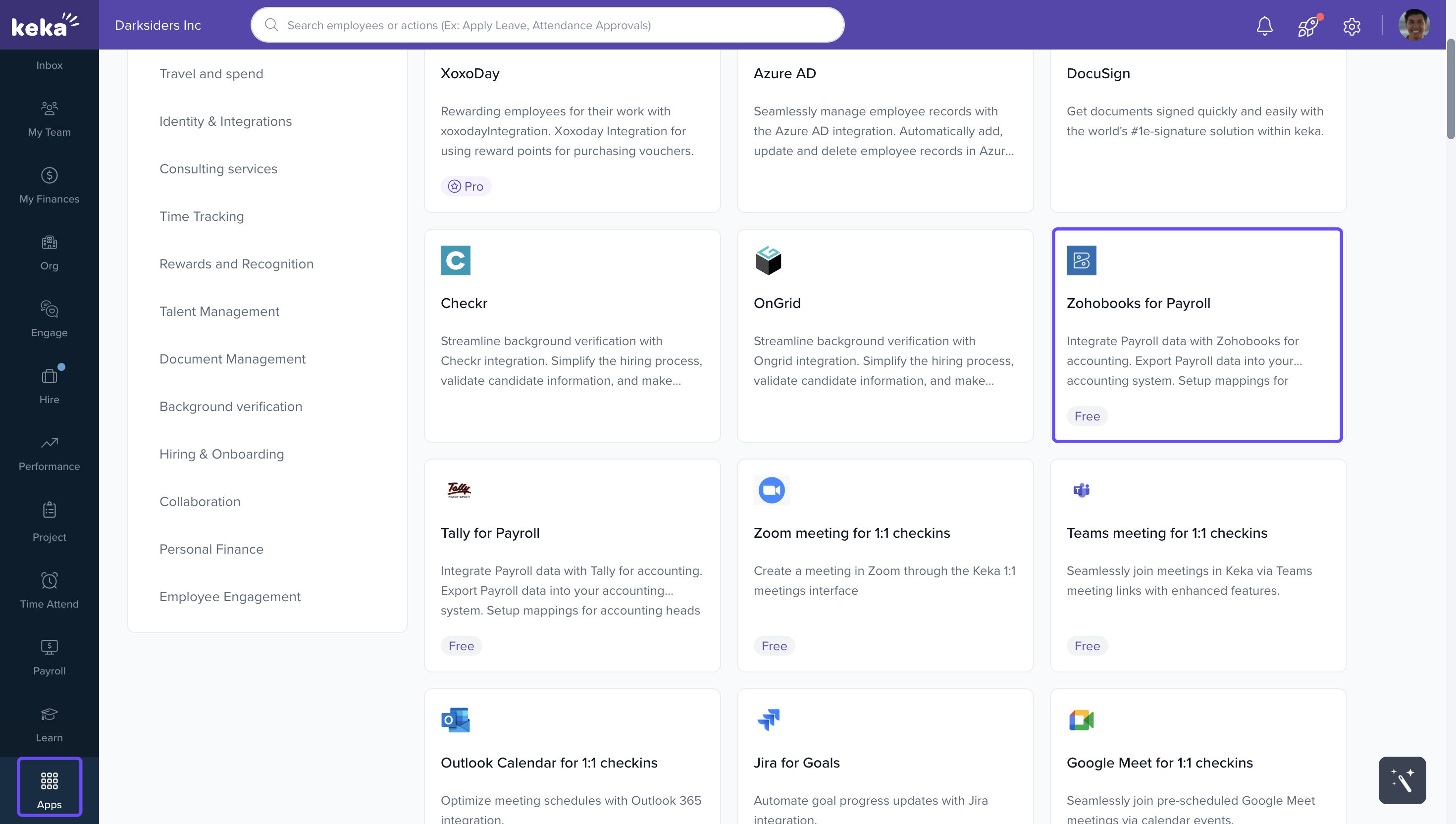
4. Click Setup.
5. On the new page, select Connect to Zoho Books.
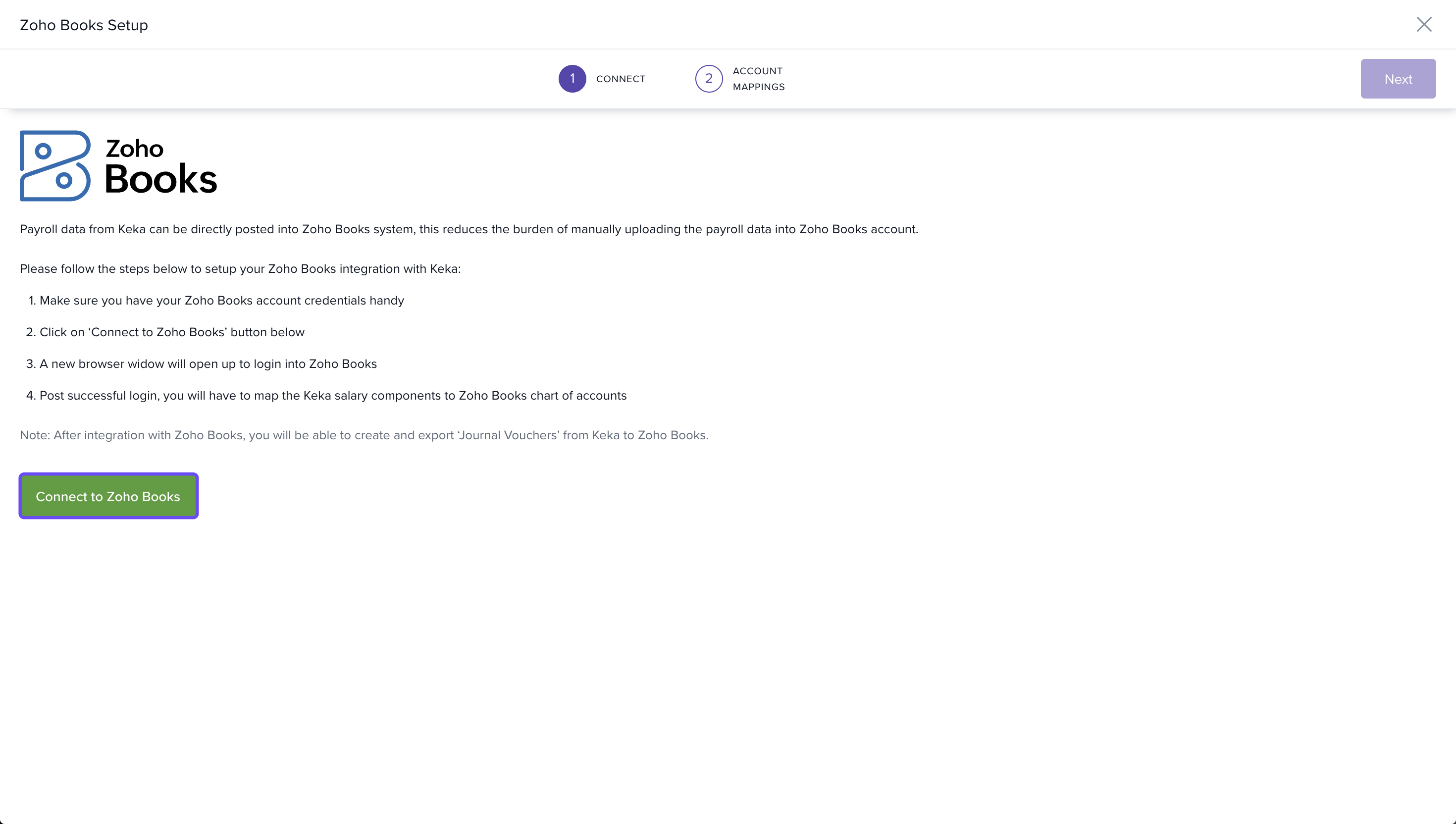
6. A new tab will open for Zoho Books login.
7. Enter your email and OTP.
8. Click Verify.
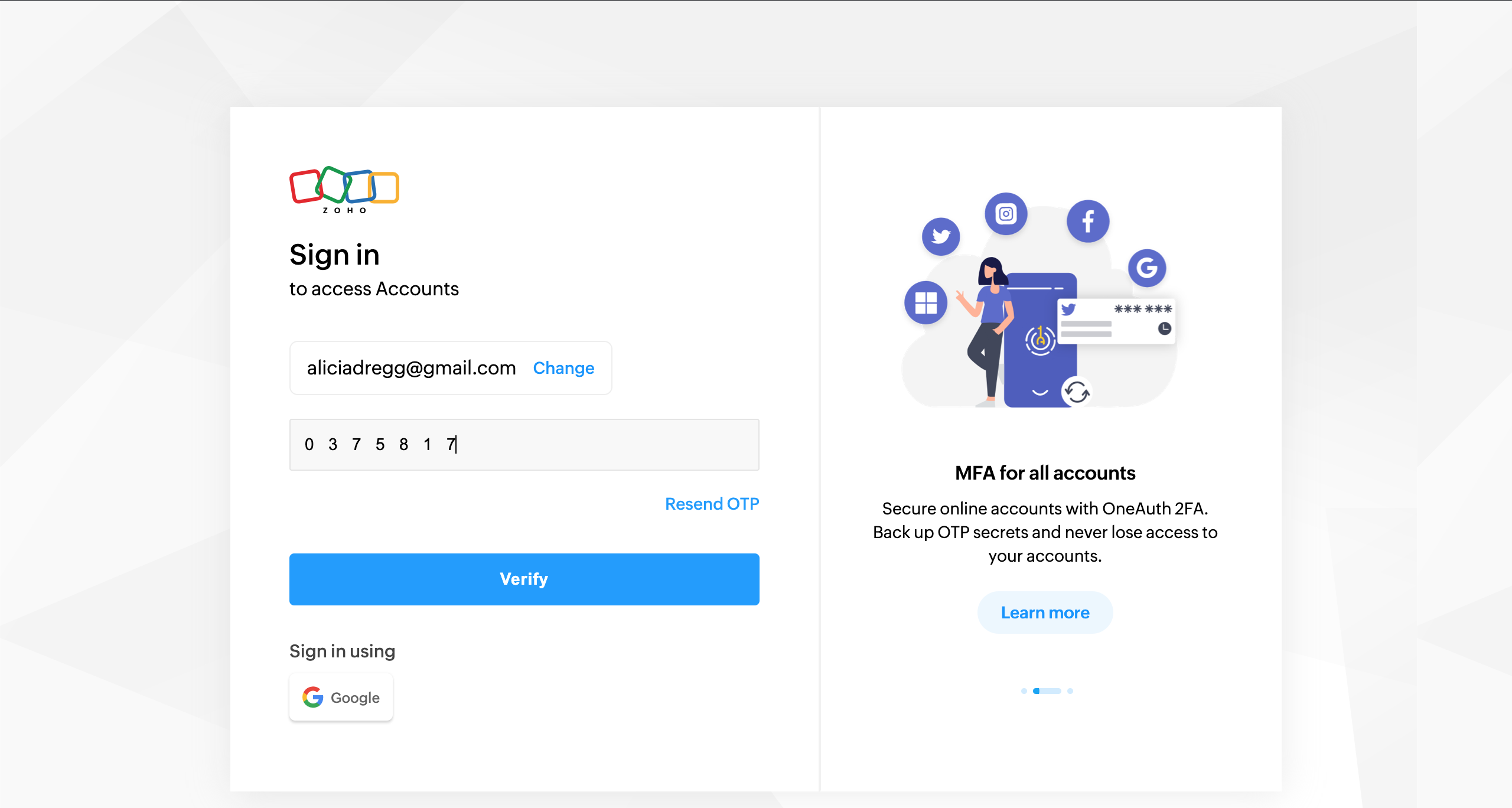
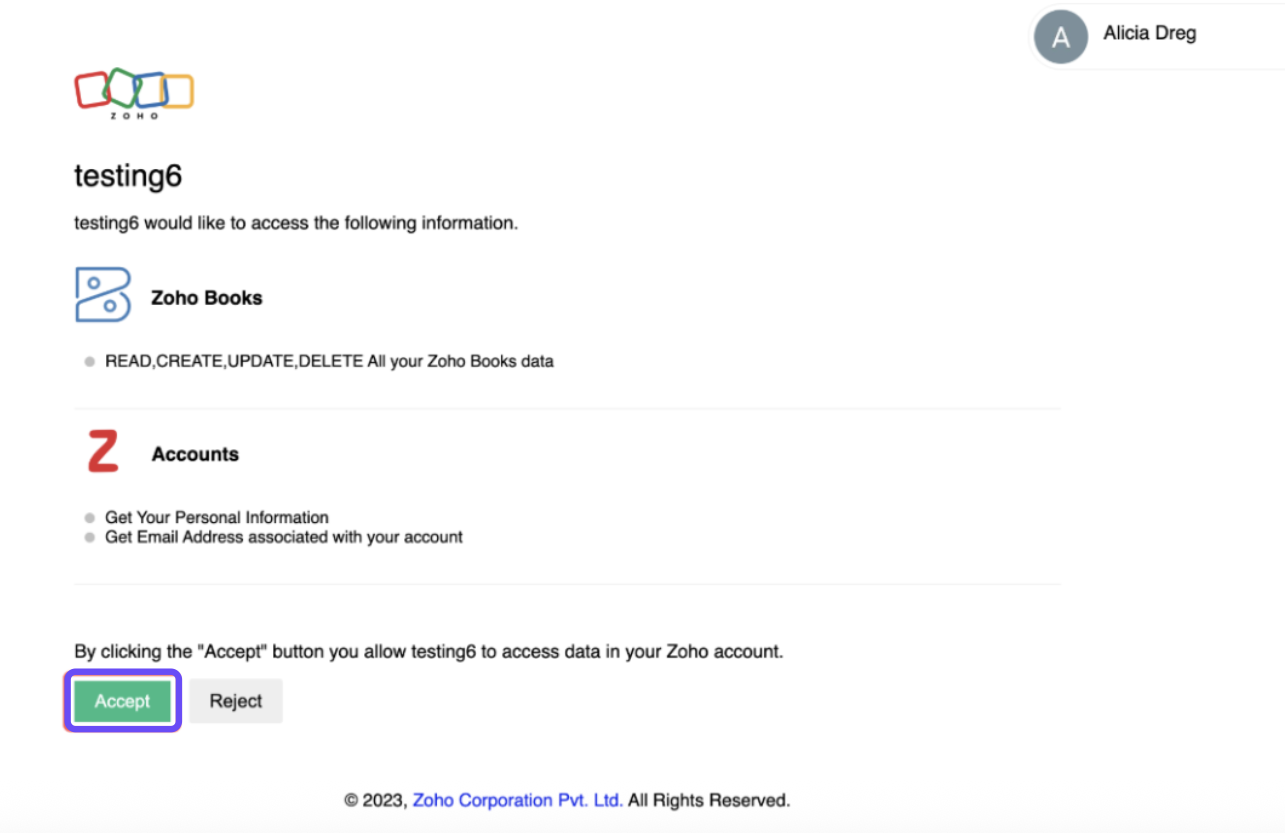
9. On the permissions page, click Accept to authorize the integration.
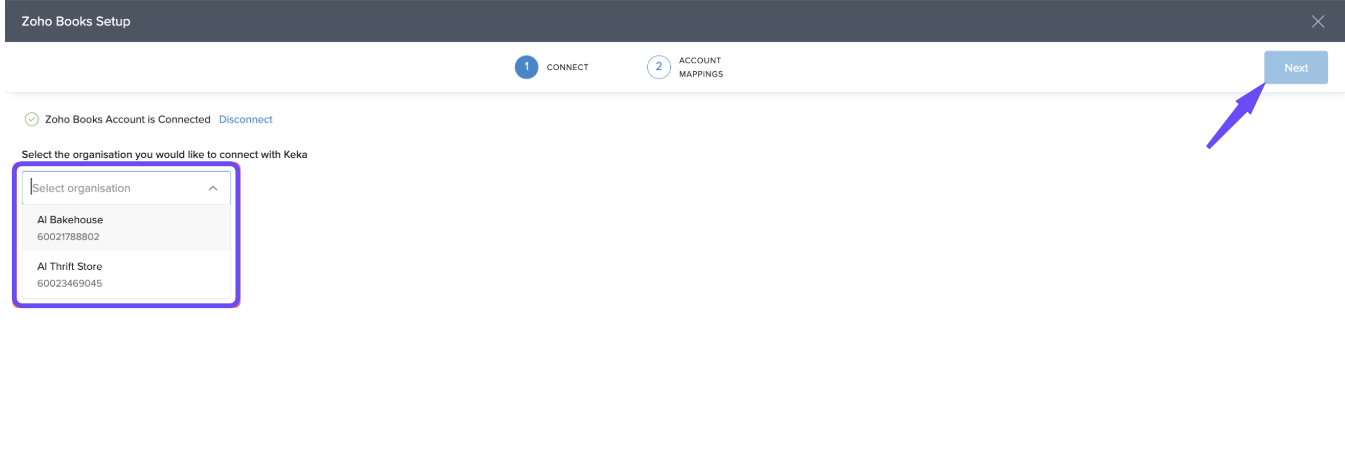
10. If your Zoho Books account has multiple organisations:
Choose the one you want to connect with Keka.
Click Next.
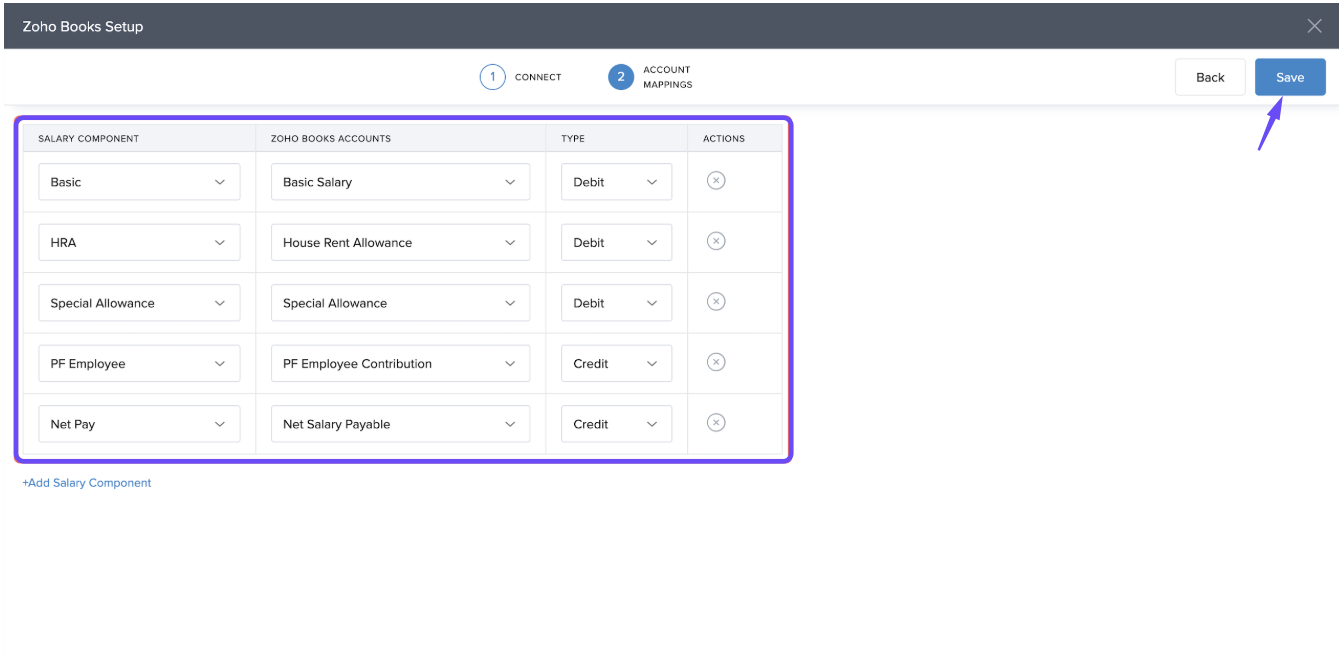
11. Match each salary component in Keka with the relevant account in Zoho Books.
12. Select Debit or Credit for each.
13. Click Save.
While mapping the salary components with Zoho Books account please keep in mind that for journal entries to be posted in your Zoho Books account, the sum of debit and credit entries should match.
Generate and Export Journal Vouchers (JVs)
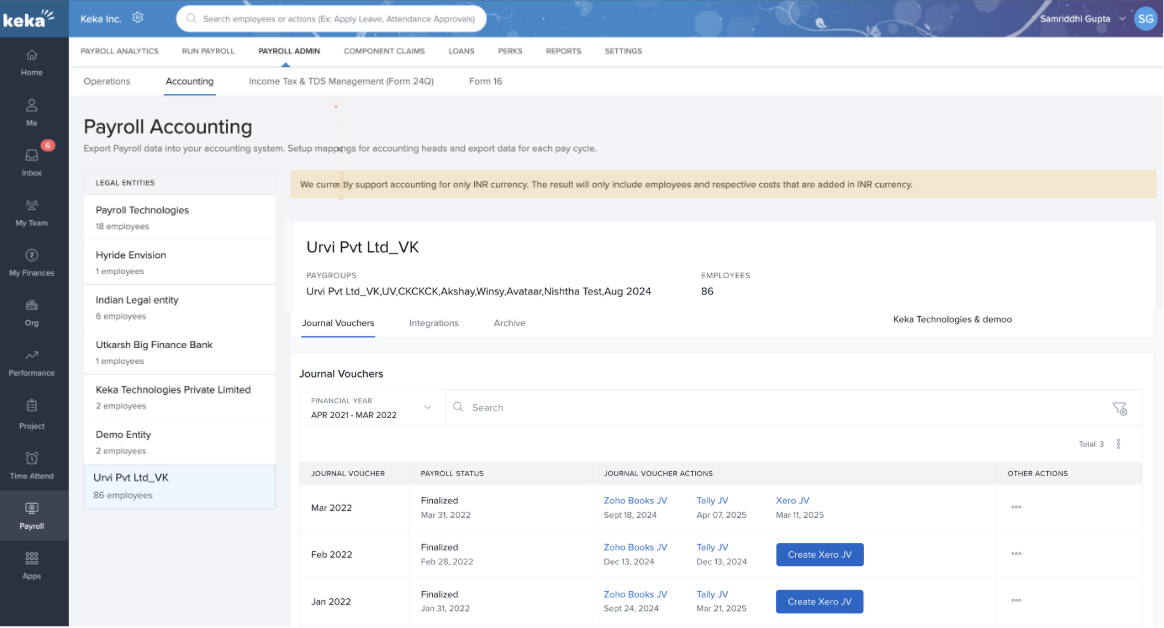
Once the mapping is done and after payroll finalisation every month, you will get the option to generate journal vouchers (JV) for the month.
Go to Journal Vouchers.
Click Create Zoho Books JV.
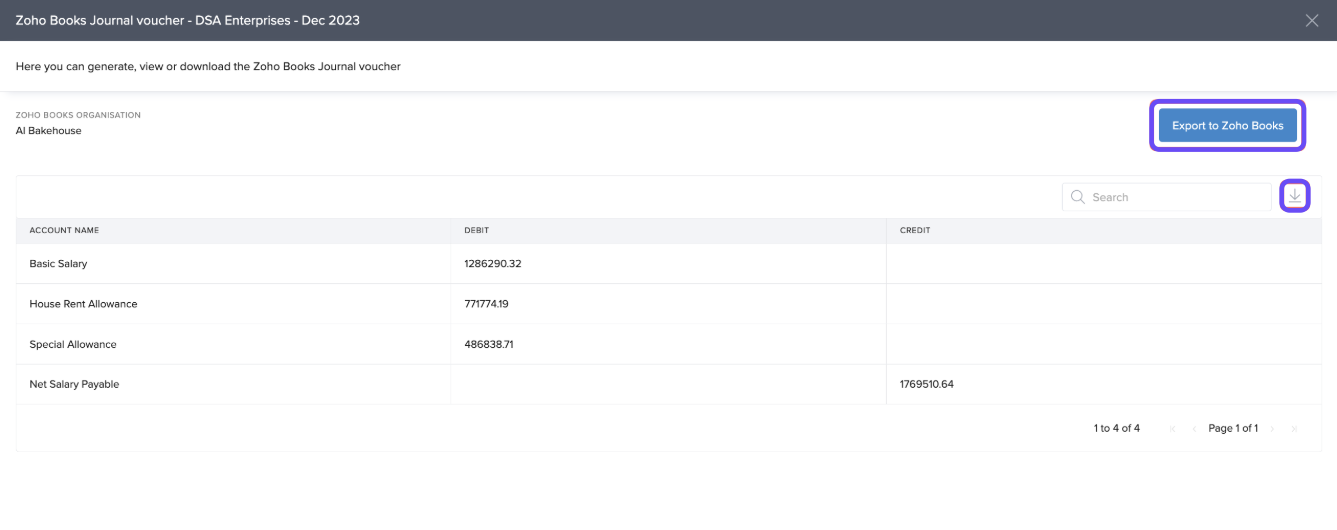
On the next page, select Generate Journal Voucher.
The JV will include:
Salary components processed that month
Cumulative totals across employees
Exporting JVs
- Click Export to Zoho Books to post directly into your account under Accountant → Manual Journal.
- Or click Download to save the JV as an XLSX file.
Note:
- After the JV is generated, if there is any change in values due to roll backs and re finalisation, you can regenerate the JV and export it again to Zoho Books to update the journal entries created/exported previously.
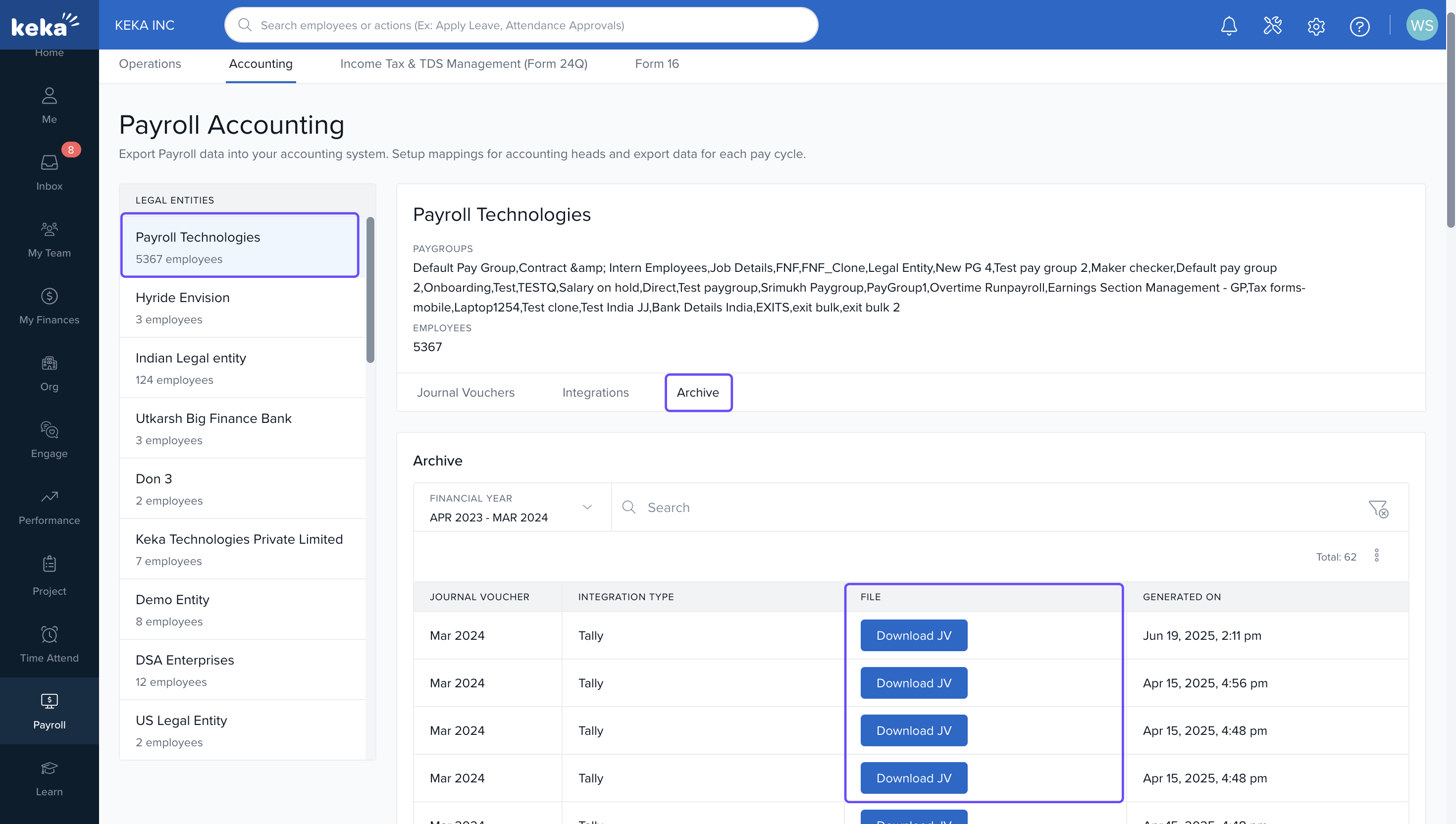
- If any JV is re-generated in a month, all the JVs created in a month prior to the latest JV are added to Archives from where you can download the previously created JVs.
Re-Generating JVs
If payroll is rolled back or re-finalized, regenerate the JV and re-export to update entries.
Previous JVs will move to Archives, where you can still download them.
Things to Keep in Mind
- You can change the organisation mapped to a legal entity or update the account mapping at any time by navigating to Zoho Books Settings under the Integrations section.
- If you update the organisation, the previous account mapping will be removed and you will need to perform the account mapping again.
- If you update the organisation, the JVs that were generated/exported previously will not be changed and will still be visible to you.
- The JV’s generated after the change will be exported to the currently selected organisation.
- You cannot delete a JV once it has been exported to Zoho Books. If there are any changes due to payroll rollback, you can regenerate the JV and export it again to update the previous entry.
We hope you now have a good understanding and will be able to integrate your Zoho Books account with Keka for a smoother and more efficient user experience!
Comments
0 comments
Please sign in to leave a comment.