Introduction
Earned bonuses are a common way to reward employees based on time, eligibility, and statutory compliance. In Keka, you can configure, accrue, and process earned bonuses so they align with your company’s payroll cycles. This guide walks you through how earned bonuses work, how to set them up, and how they appear in payroll.
What is an Earned Bonus?
An earned bonus is accrued over a period of time and paid out at the end of that period. The accrual is calculated based on:
Employee’s joining date
Employee’s exit date
Payable days in a month
This is different from ad-hoc bonuses, which are one-time, fixed payments.
Examples of Earned Bonuses
Statutory Bonus under the Payment of Bonus Act: Accrues from April to March, paid in October of the following year.
Annual cycle bonuses: Organizations may promise annual bonuses that accrue monthly and are paid out after the cycle ends.
Both cases show how earned bonuses are accumulated over time and paid later.
How to Configure Earned Bonus in Keka
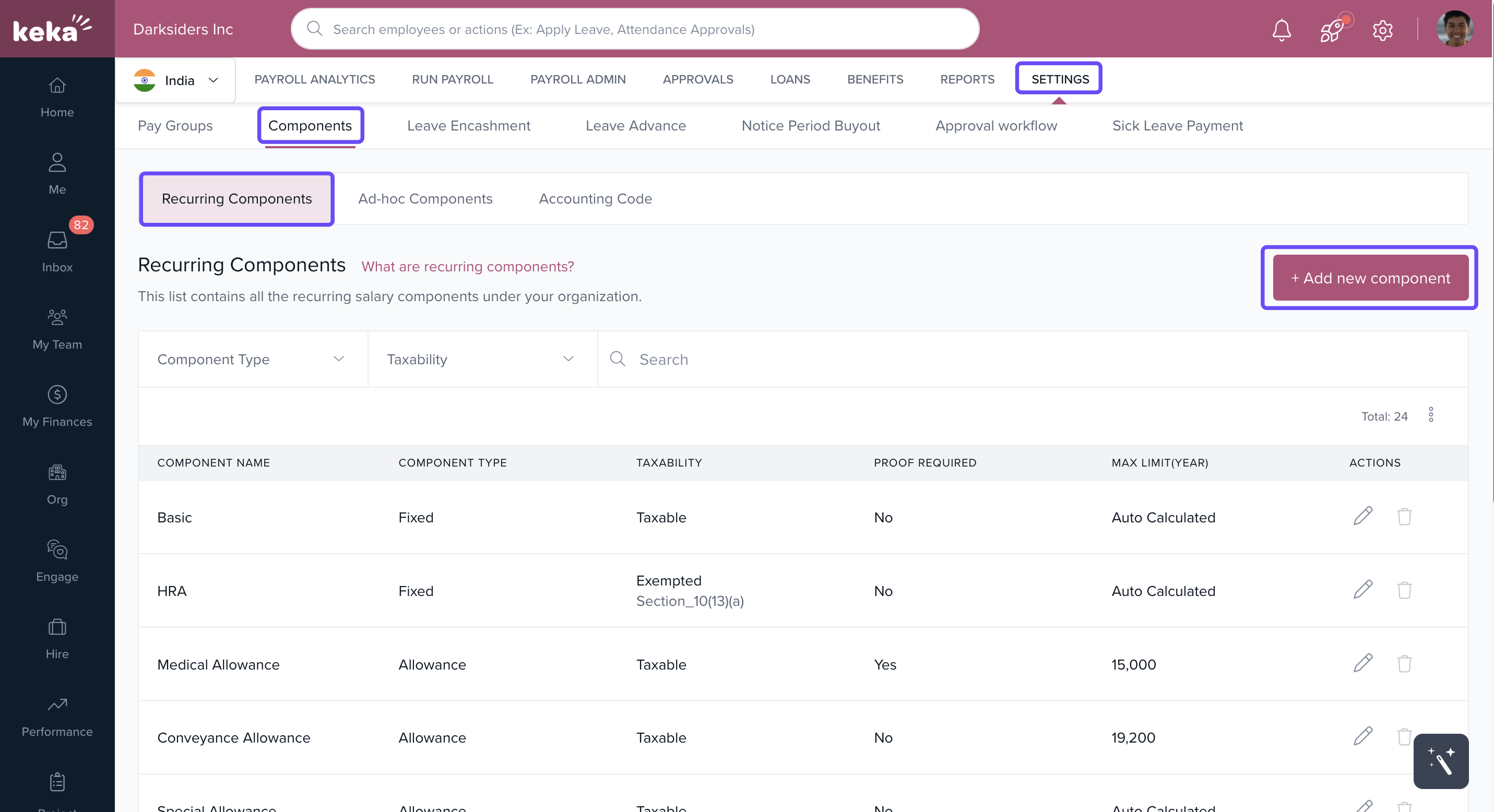
Go to Payroll > Settings > Components.
Click +Add new Component.
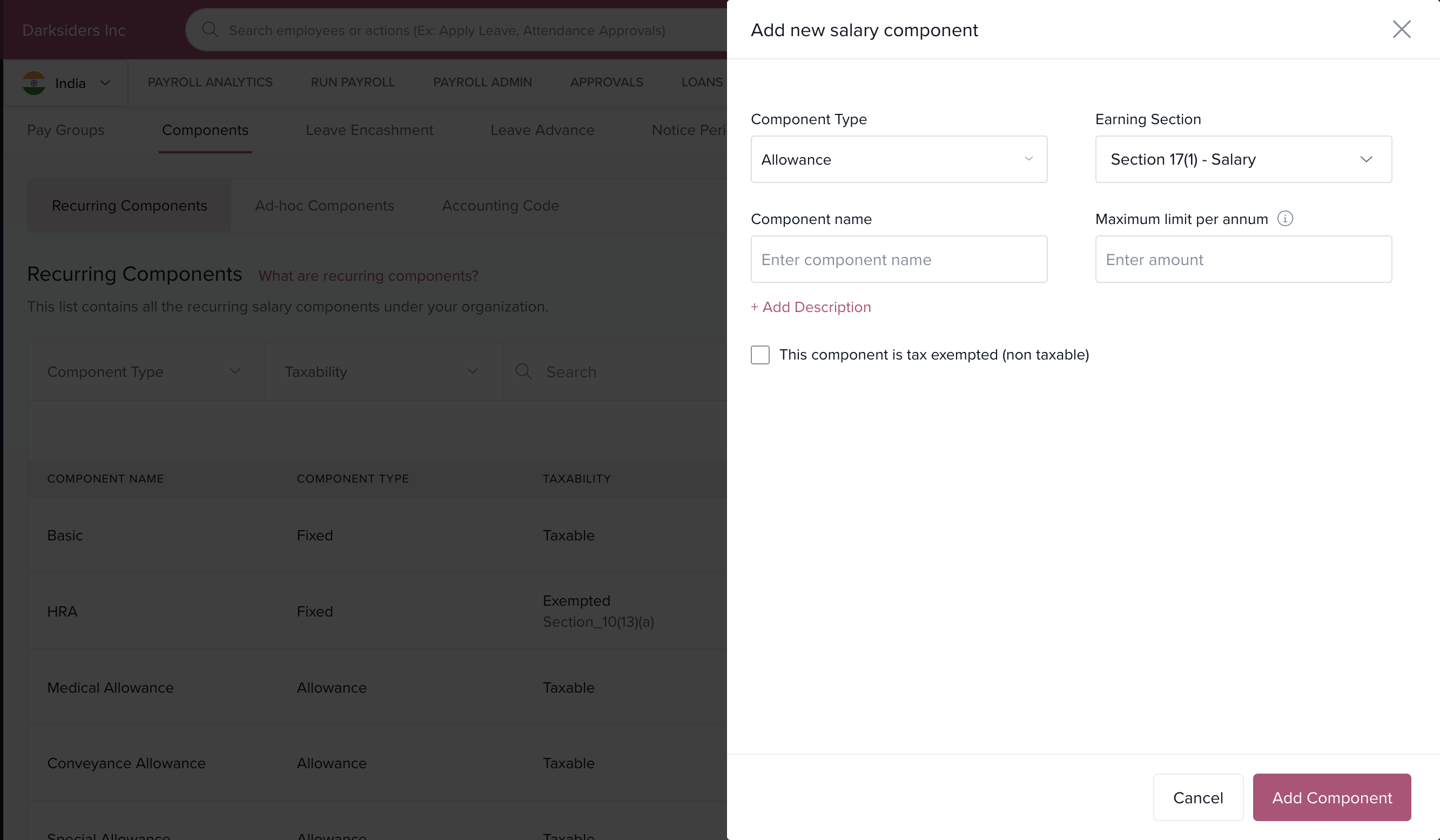
From the Component Type dropdown, select Earned Bonus.
-
Enter details:
Component Name
Description
Maximum Limit
Click Add Component.
Configure it in pay groups:
Go to Payroll > Settings > Pay Groups.
Select the desired pay group and open Salary Components.
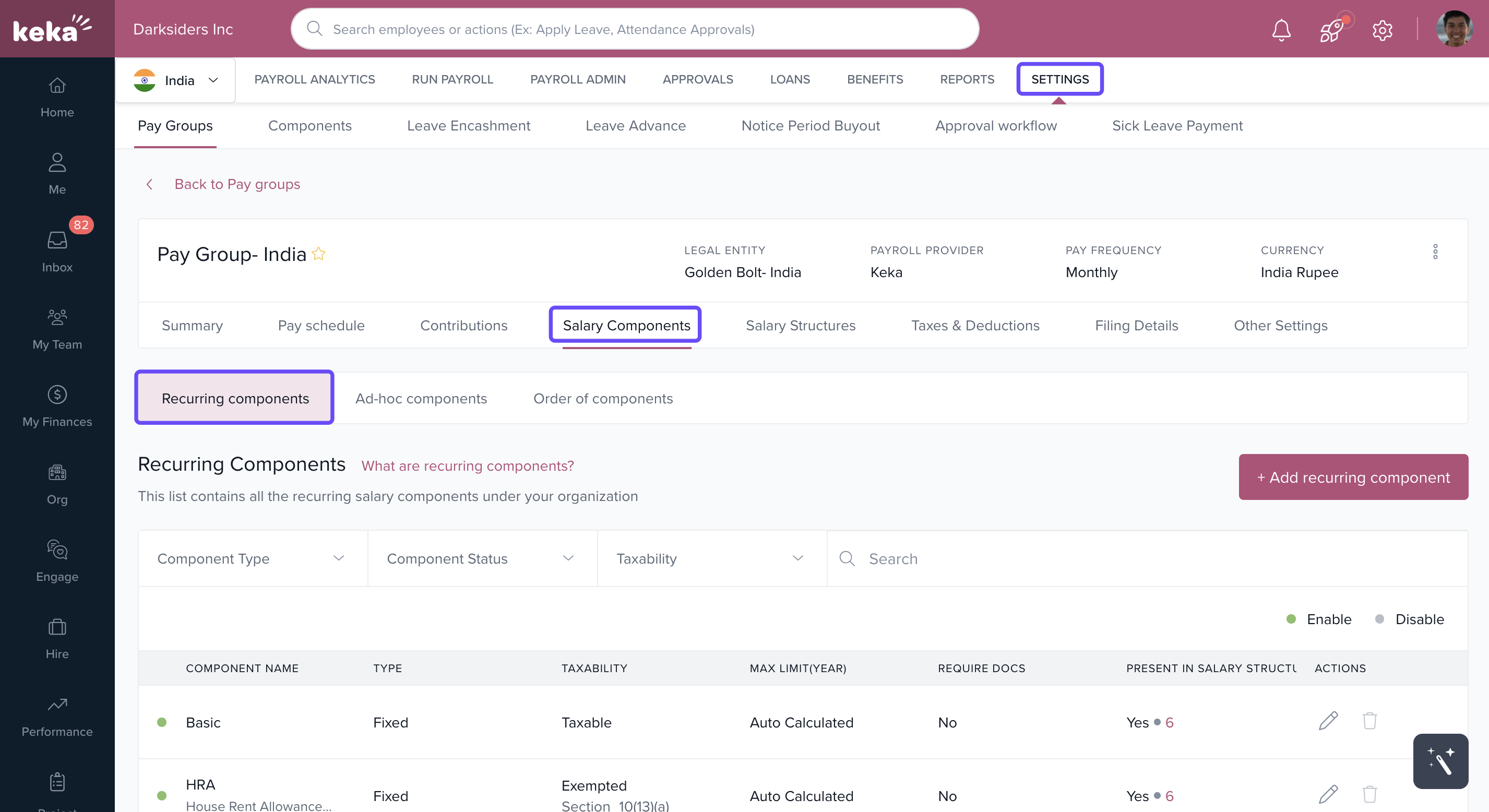
Add the earned bonus component.
-
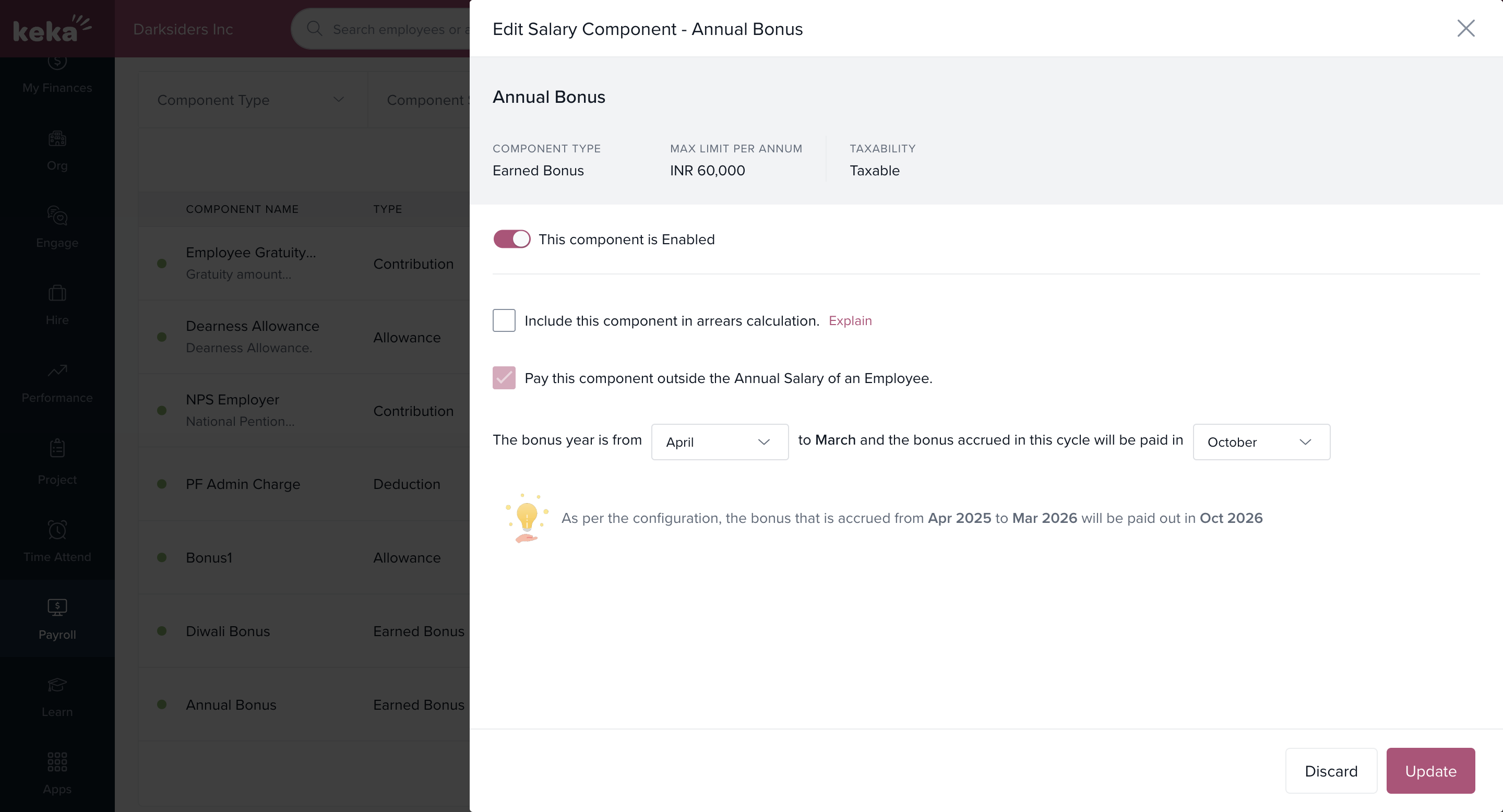
Click Edit to set:
Bonus Cycle
Payout Month
Save with Update.
Finally, in the Salary Structures section:
Add the earned bonus to the structure.
Define it as a formula or fixed value.
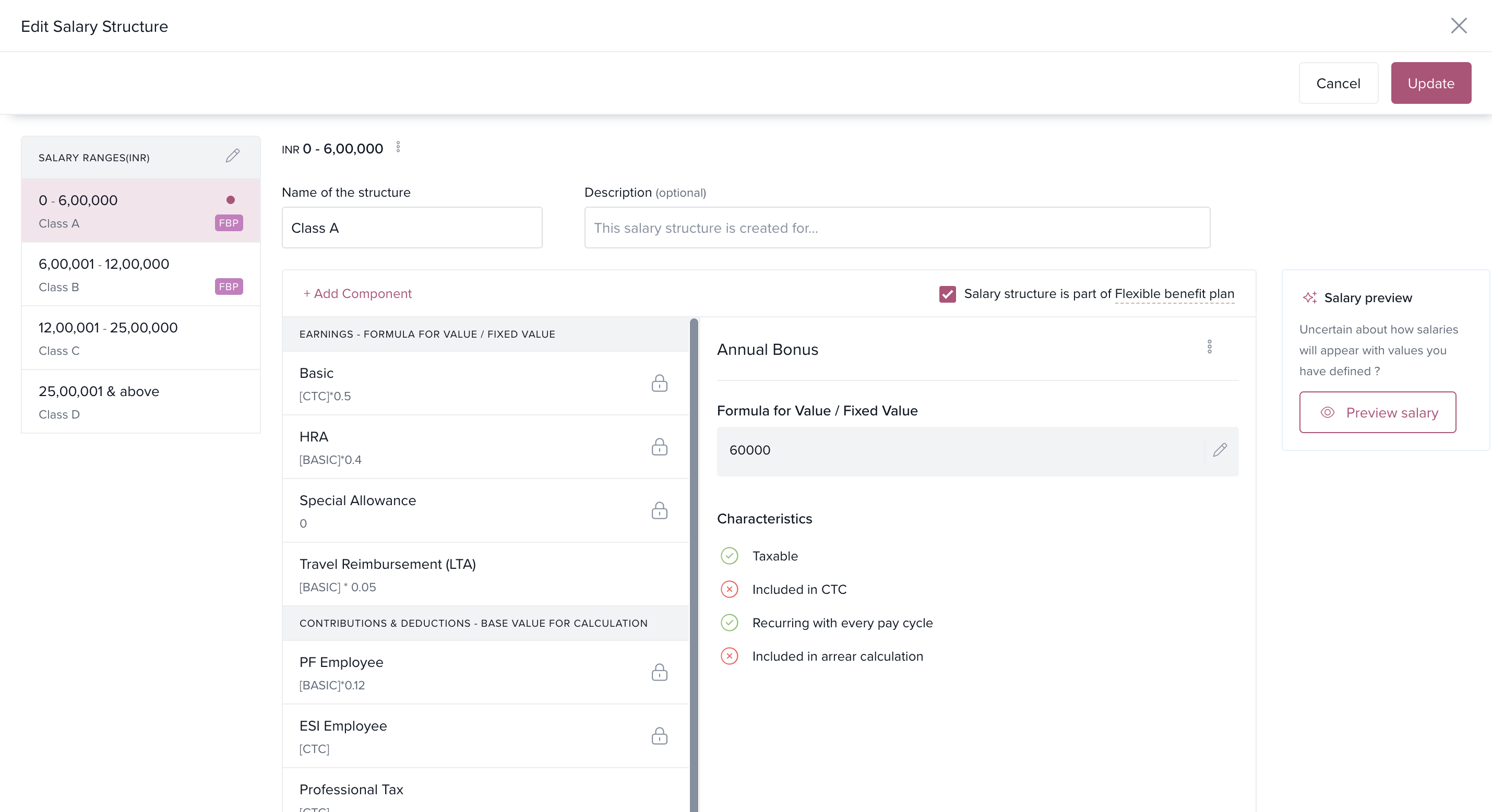
Earned bonus is always over and above annual salary and cannot be marked “inside” CTC.
Once added, it applies automatically to all employees under that salary structure.
How Does Accrual Work?
Bonus accrues each month based on the employee’s joining/exit date and payable days.
Bonus accrues only if salary is processed for the month.
No accrual if salary is on hold or voided.
How Employees See the Bonus
Appears in the Salary Timeline under the Bonus section.
-
Types shown:
Fixed = Ad-hoc bonus
Earned = Accrued bonus
Earned bonuses cannot be edited, deleted, or updated by employees.
Detailed accumulation and payout info is shown under Payout Details.
What Happens on Employee Exit?
If the employee has accrued bonus, you can choose to pay it up to the exit date.
Alternatively, you can void it.
How Will the Bonus Be Paid?
At the end of the accrual cycle, bonuses appear in Pre-Payroll Actions during the configured payout month.
They will only be visible from the payout month onwards, not before.
How Admins Can View Bonus Details
Admins can track earned bonus accruals and payments from:
Payroll > Reports > Payroll Contribution & Tax > Payroll Run Reports > Earned Bonus Report
This report shows all employee-level accrual and payment details.
Important Things to Note
Once accrual has started, the bonus cycle cannot be changed.
Salary revision arrears will be accrued in the month the revision is processed.
Earned bonuses cannot be updated or deleted from employee finances—they are controlled via salary structure.
Comments
0 comments
Please sign in to leave a comment.