Introduction
Keka now lets you disable attendance tracking for specific employees. This is especially useful for senior leaders such as CEOs, CTOs, or other executives whose attendance isn’t tracked in the same way as the rest of the workforce.
By disabling tracking for these employees, you can prevent gaps in attendance logs from affecting your organization’s analytics, absenteeism reports, and absconding records.
Why Disable Attendance Tracking?
HR teams often face issues when high-level employees don’t mark attendance. Their missing logs can:
Distort absenteeism percentages
Misplace them in the absconding tab
Create inaccurate company-wide analytics
This feature solves that by excluding them from attendance calculations.
How to Disable Attendance Tracking
You can disable attendance tracking in two ways:
Option 1: During Onboarding
Go to the Org tab.
In step 3 of onboarding, locate the Time Tracking Policy section.
Select the option to Disable Attendance Tracking.
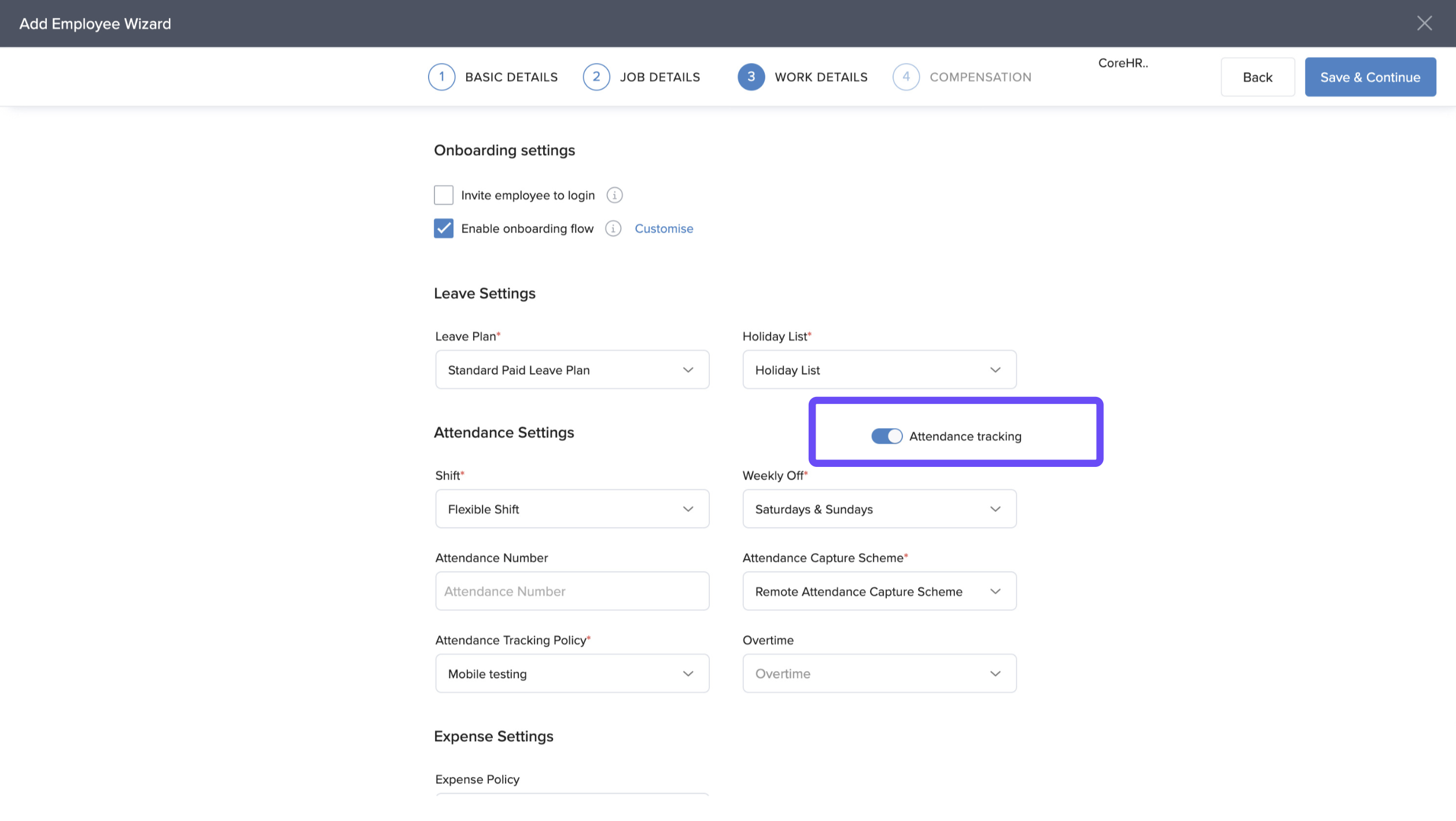
Once enabled:
Time tracking policy and overtime policy fields are automatically disabled.
The change takes effect immediately after saving.
Option 2: For Existing Employees
Open the employee’s profile.
Go to the Job tab.
Scroll to the Employee Time section.
Toggle Disable Attendance Tracking.
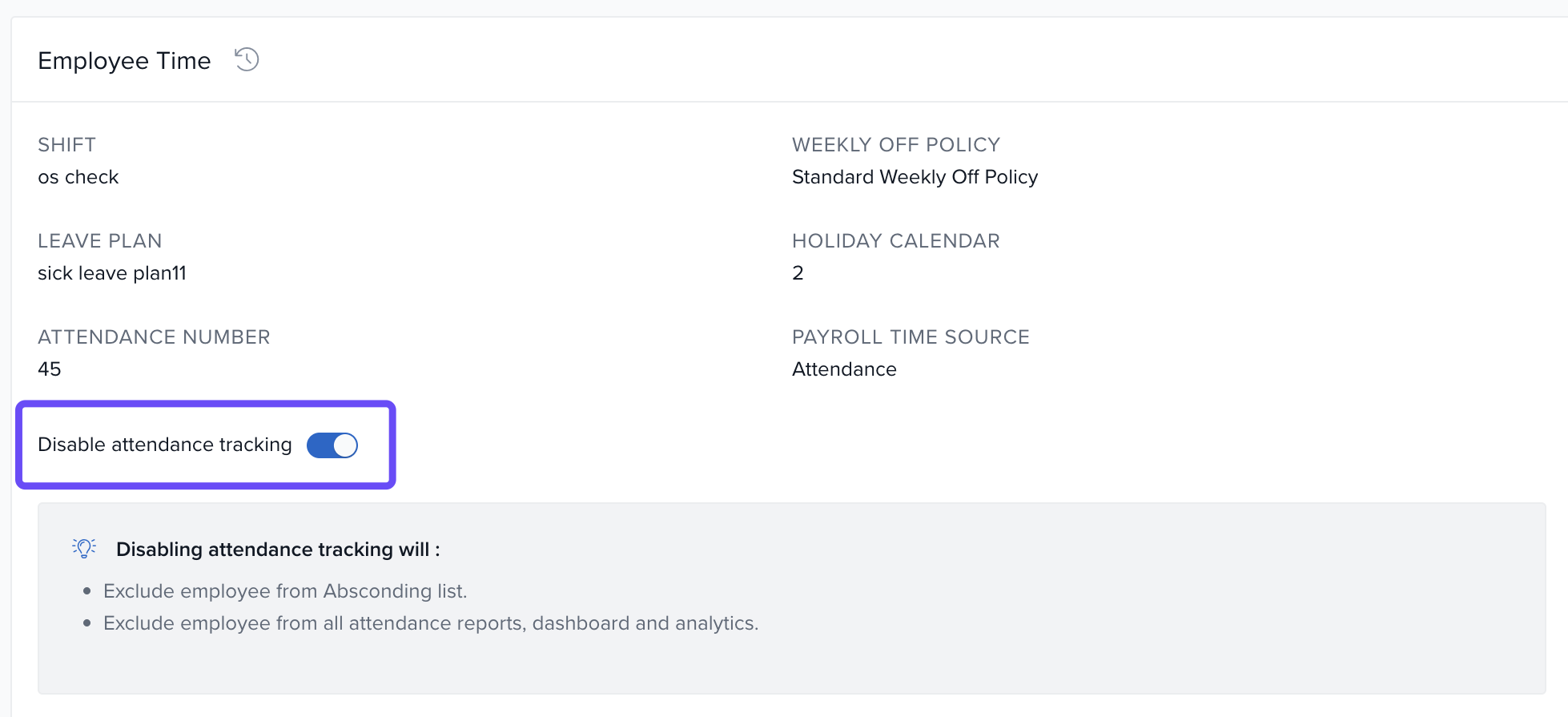
Once enabled:
Time tracking policy and overtime policy are disabled.
The change applies from the current day forward (past records remain unaffected).
Nuances & Important Notes
If shifts, weekly offs, or allowances were assigned, they are automatically disabled when attendance tracking is turned off.
The employee is excluded from:
Attendance reports
Absconding records
Time tracking policy assignments
Attendance dashboards
Bulk disabling is not supported — you’ll need to disable it per employee.
Shifts and weekly offs remain active since they are required for payroll processing.
With attendance tracking disabled, the employee will not be penalized for any attendance-related issues.
Comments
0 comments
Please sign in to leave a comment.