Introduction
The Attendance Dashboard in Keka gives HR managers and administrators a complete view of attendance and leave trends across the organization. It is divided into four tabs:
Attendance Summary
Attendance Analytics
Leave Summary
Leave Analytics
Each tab provides insights to help you monitor employee presence, track patterns, and make data-driven decisions.
To access the dashboard, go to Time Attend from the left-hand menu.
Attendance Summary Tab
The Attendance Summary tab shows a snapshot of current attendance along with historical data.
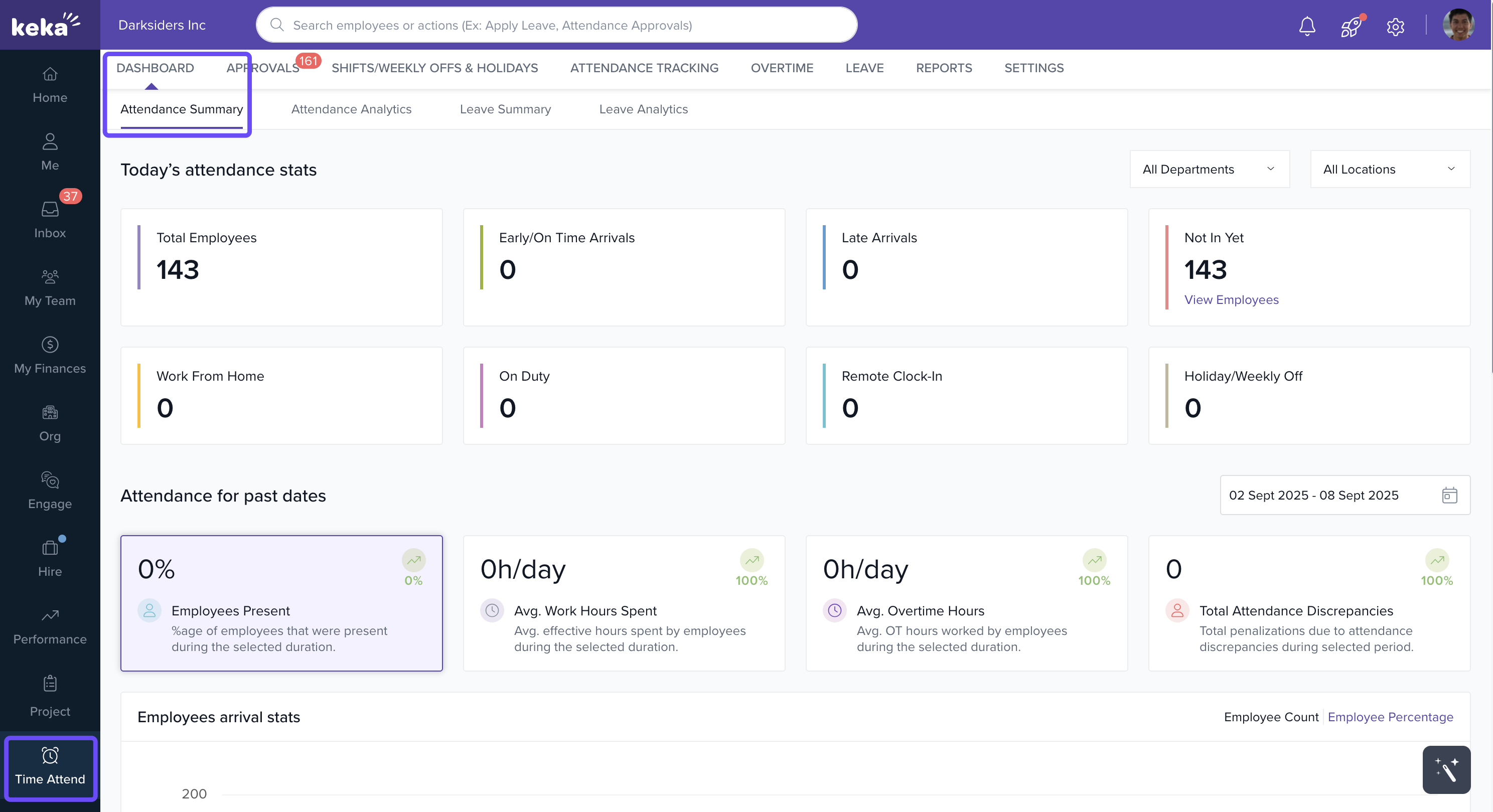
Today’s Snapshot
Total Employees
Early/On Time Arrivals
Late Arrivals
Work From Home
On Duty
Remote Clock-In
Not In Yet
Holiday/Weekly Off
Click View Employees in any section to see individual employee details.
Attendance for Past Dates
Employees Present %
Average Work Hours Spent
Average Overtime Hours
Total Attendance Discrepancies
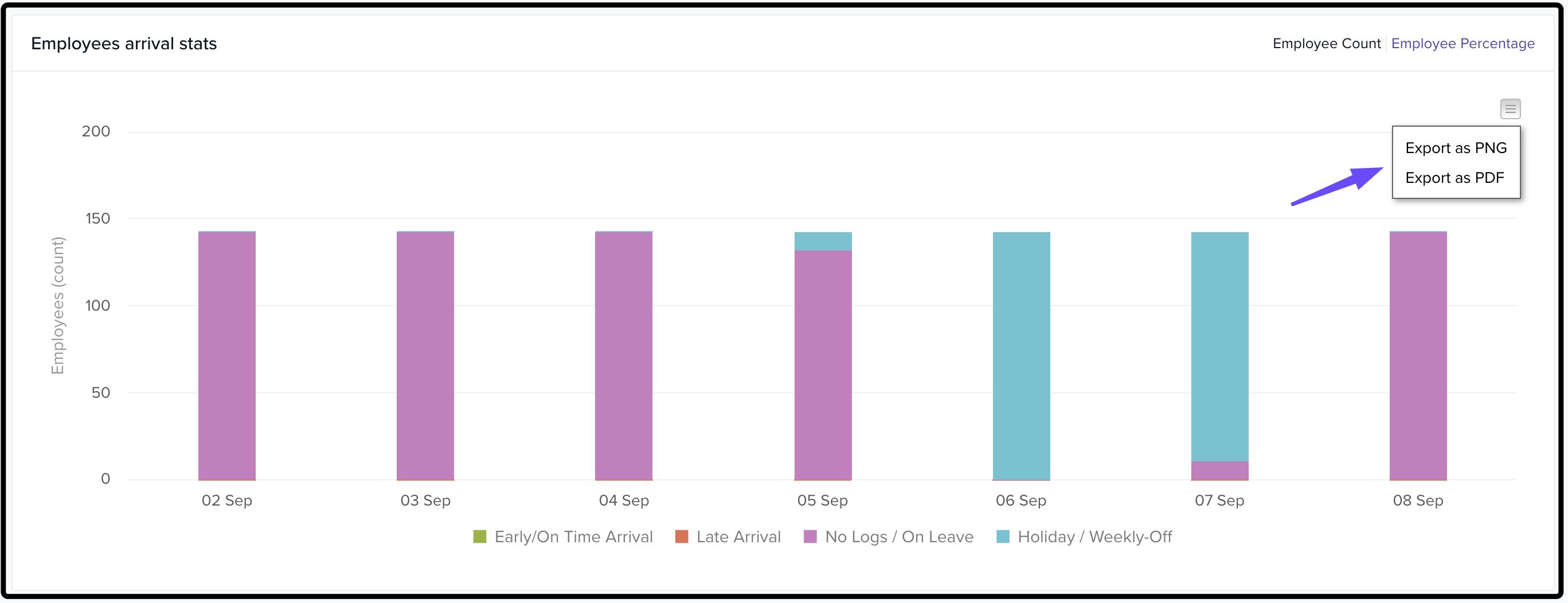
Employees’ Arrival Stats
Graph of arrivals (early/on-time, late, no logs/on leave, holidays/off)
Toggle between employee count or percentage
-
Export graph as PDF or PNG
Work From Home / On-Duty Stats
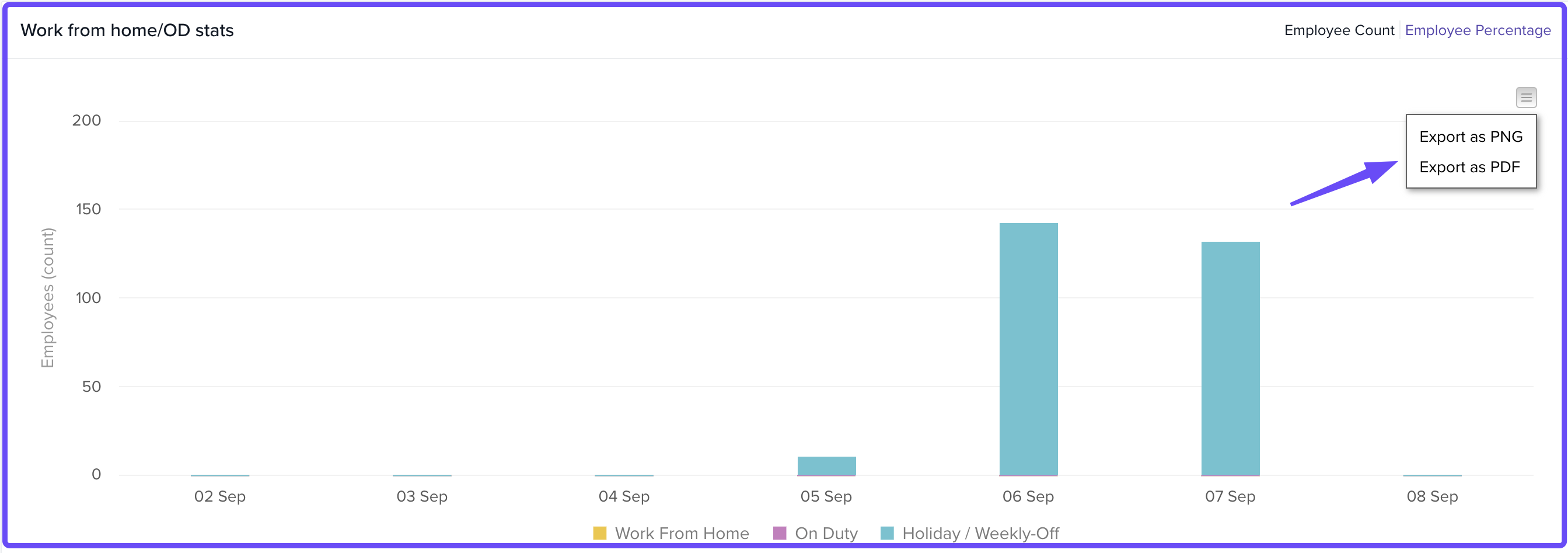
Graph of WFH, on-duty, and holiday/weekly off
Toggle between count/percentage filters
-
Export graph as PDF or PNG
Attendance Analytics Tab
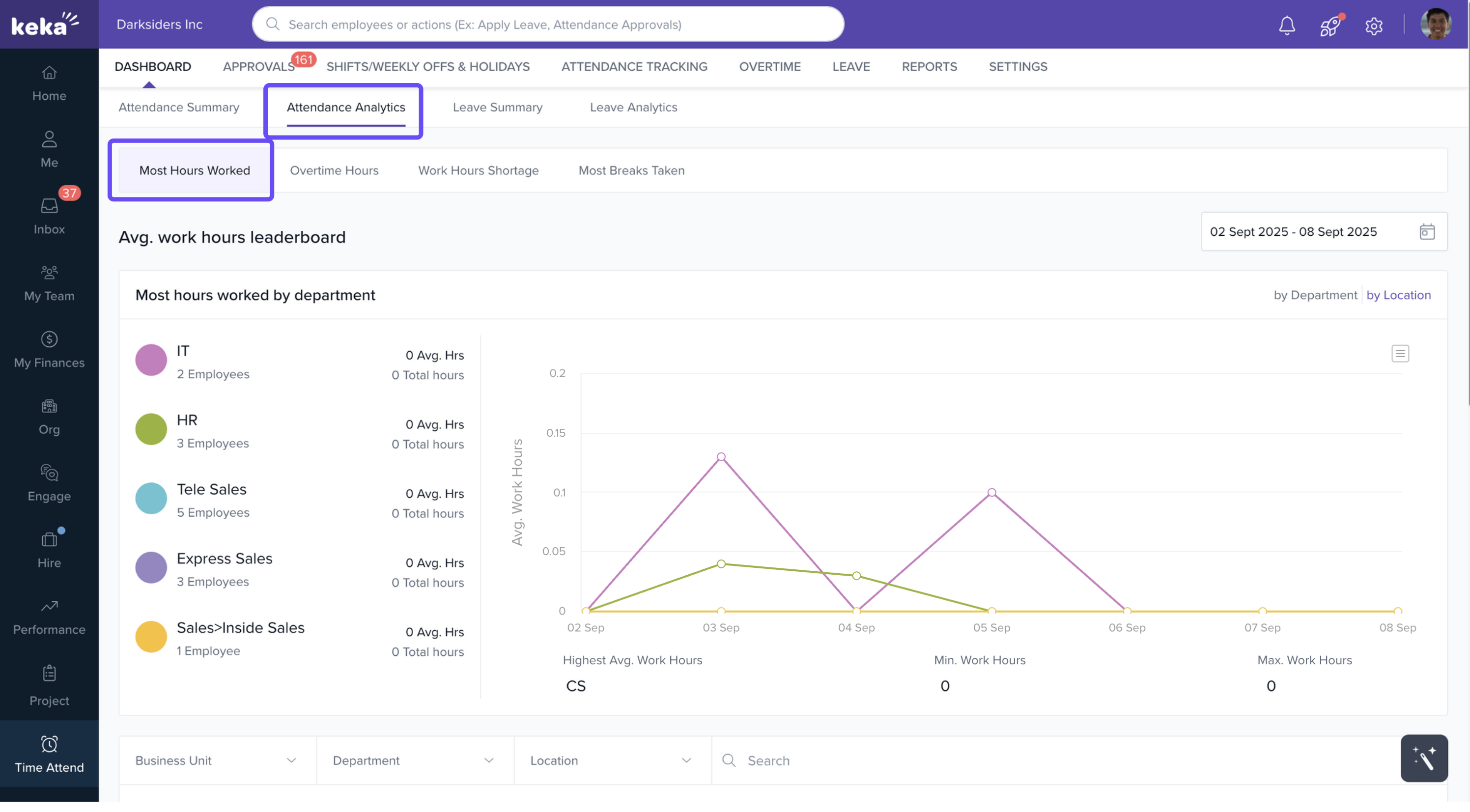
The Attendance Analytics tab provides detailed analysis of attendance behavior, broken into four sections:
-
Most Hours Worked
Leaderboard by department/location
Generate reports with total and average hours
-
Filters: business unit, department, location
-
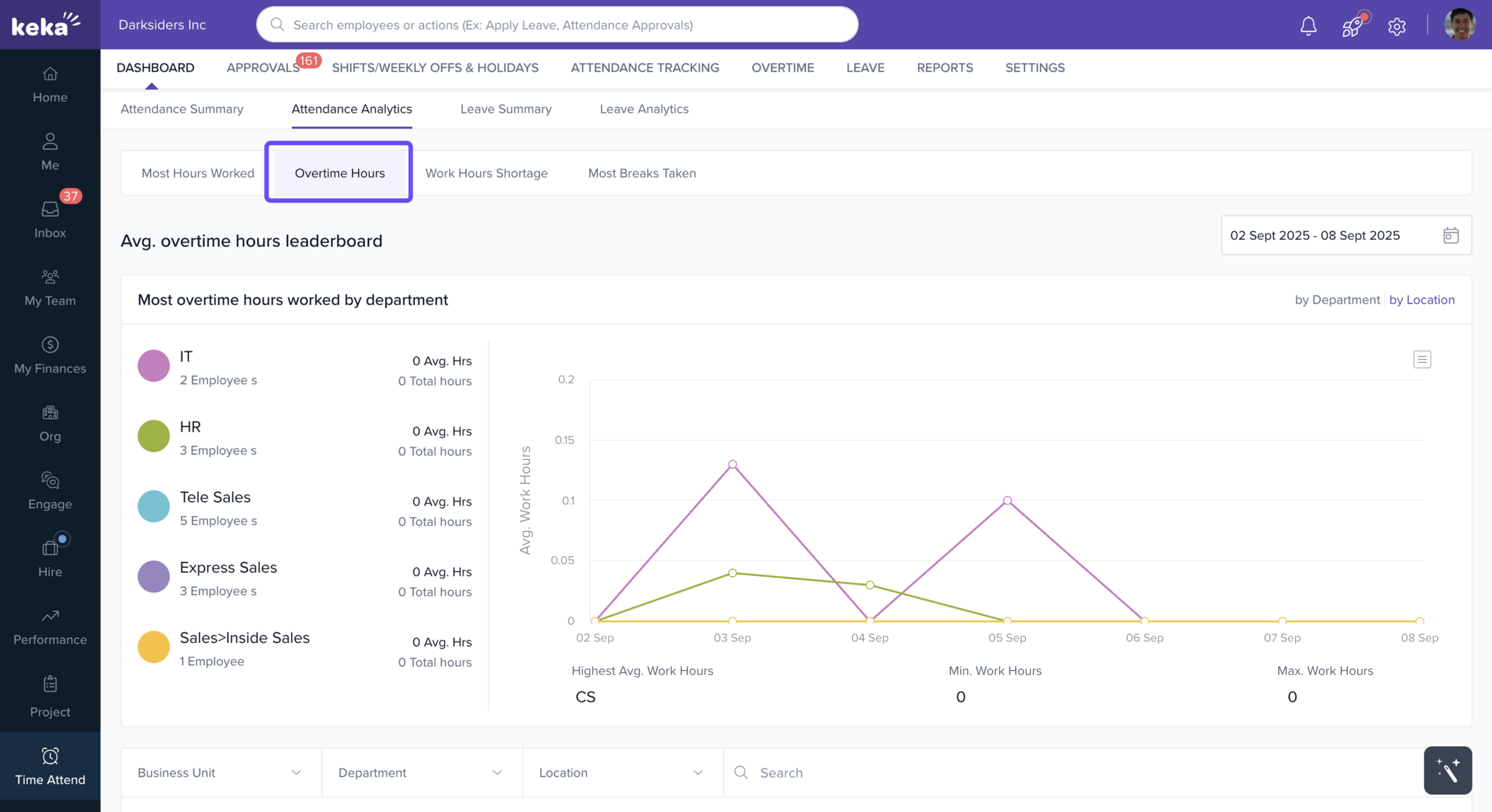
Overtime Hours
Leaderboard by department/location
Reports with total overtime and average overtime per day
-
Filters: business unit, department, location
-
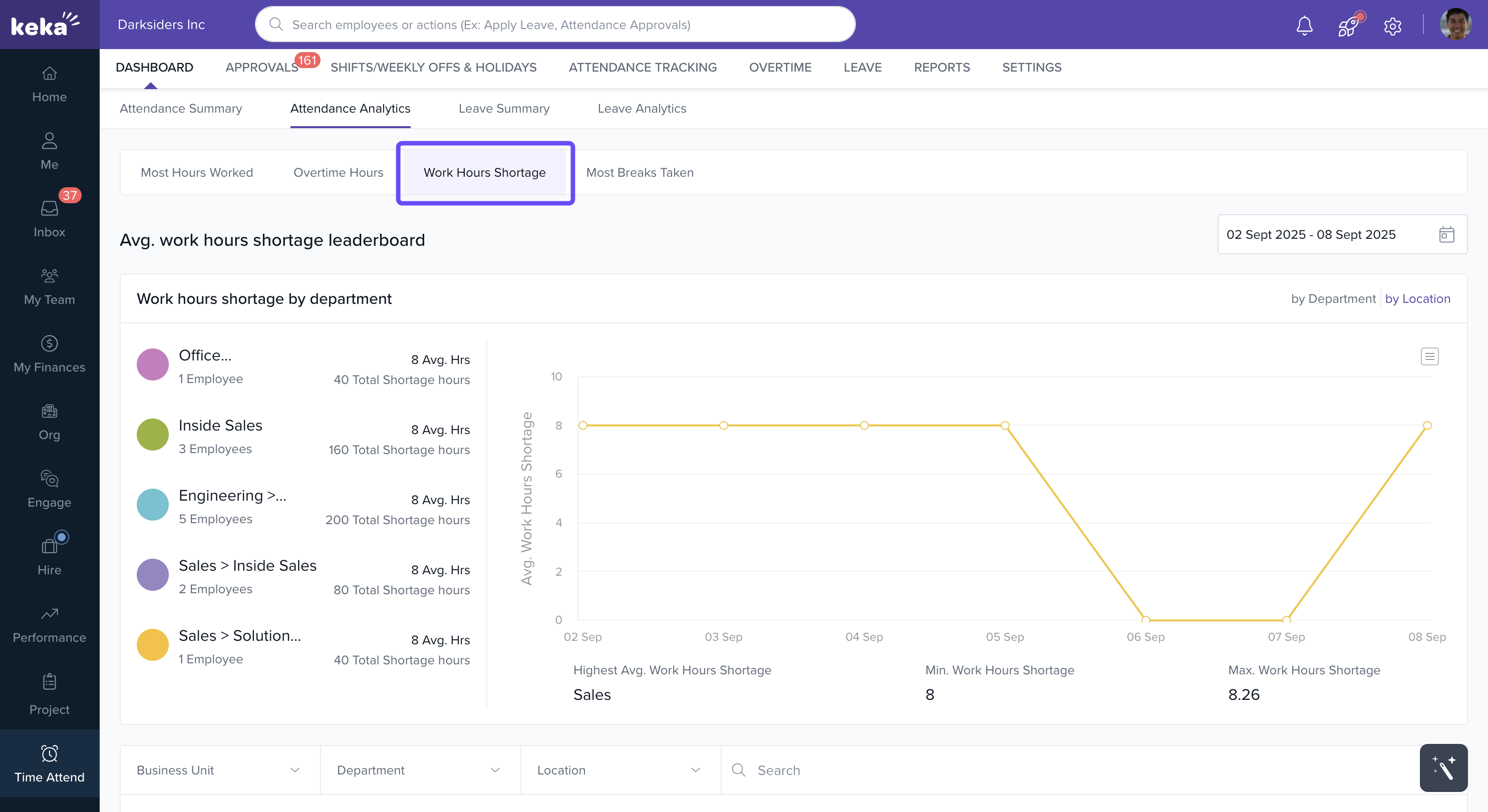
Work Hours Shortage
Leaderboard by department/location
Reports with total shortages and daily averages
-
Filters: business unit, department, location
-
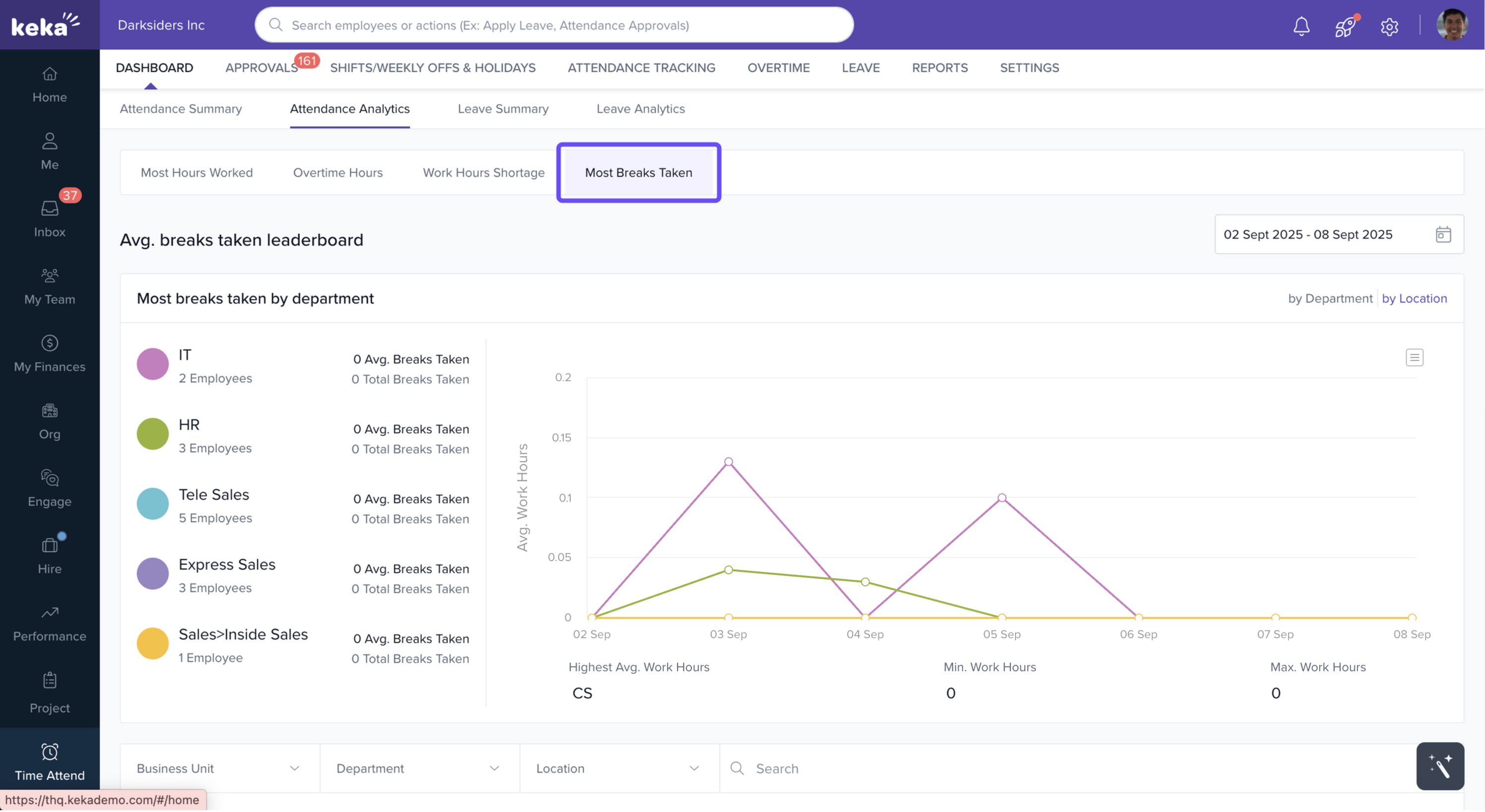
Most Breaks Taken
Leaderboard by department/location
Reports with total breaks and average breaks per day
Filters: business unit, department, location
Leave Summary Tab
The Leave Summary tab highlights employee leave data.
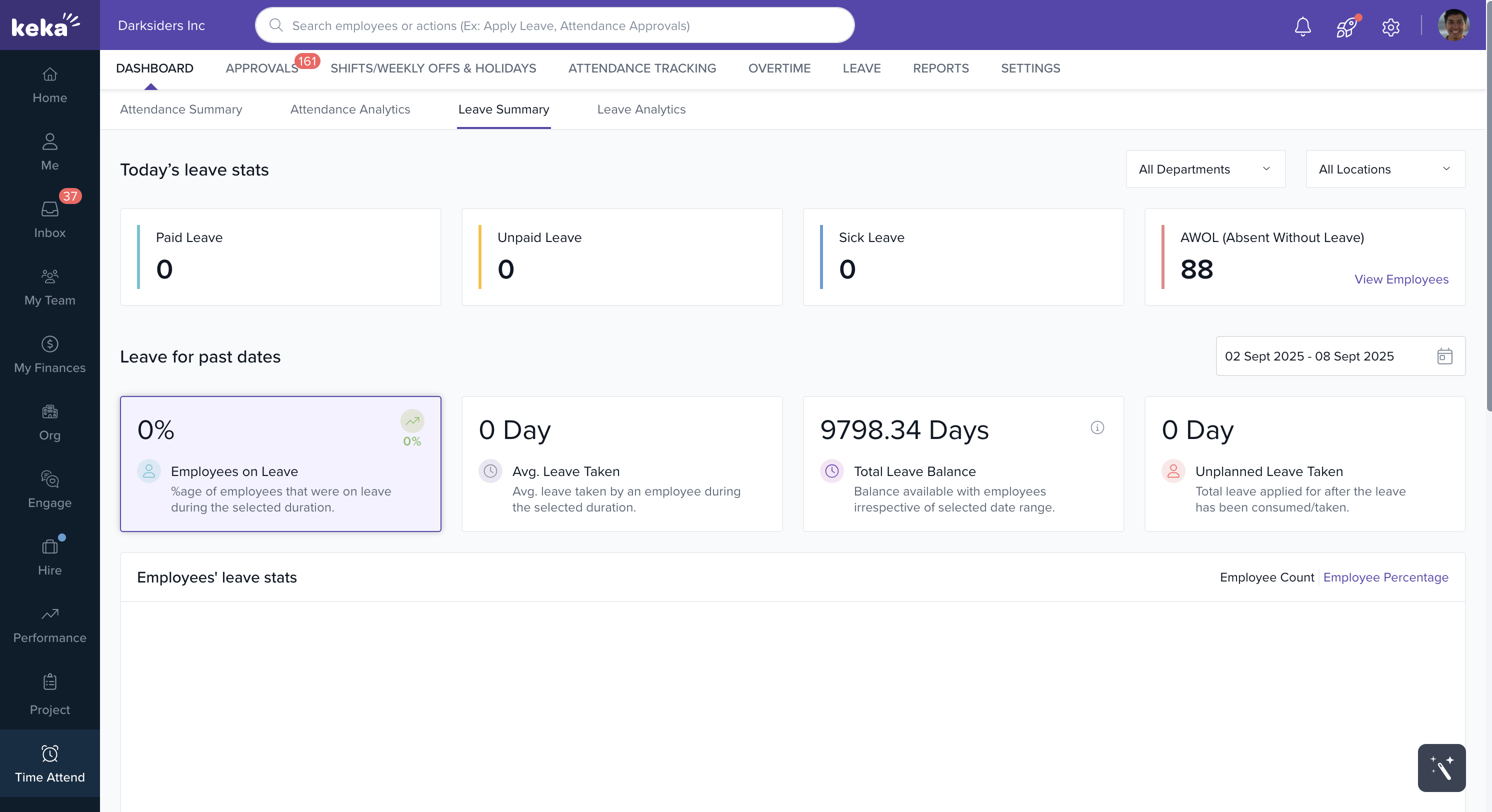
Today’s Leave Stats
Paid Leave
Unpaid Leave
Sick Leave
AWOL (Absent Without Leave)
Filter stats by department or location for a tailored view.
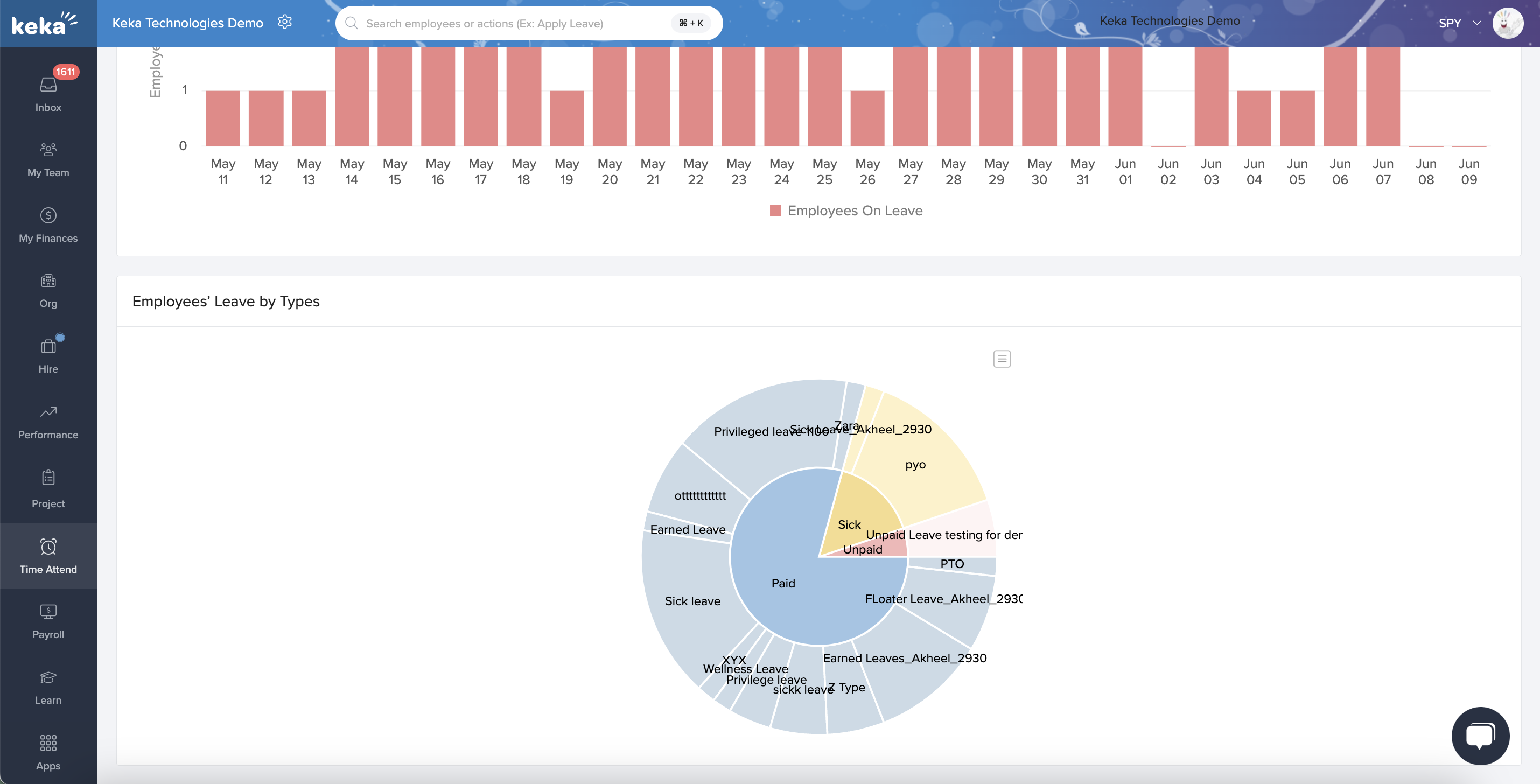
Leave for Past Dates
Employees on Leave %
Average Leave Taken per Employee
Total Leave Balance
Unplanned Leave Taken
Employees’ Leave Stats
-
Graph of employees on leave over a selected period
Employees’ Leave by Types
-
Pie chart showing leave breakdown by type
Leave Analytics Tab
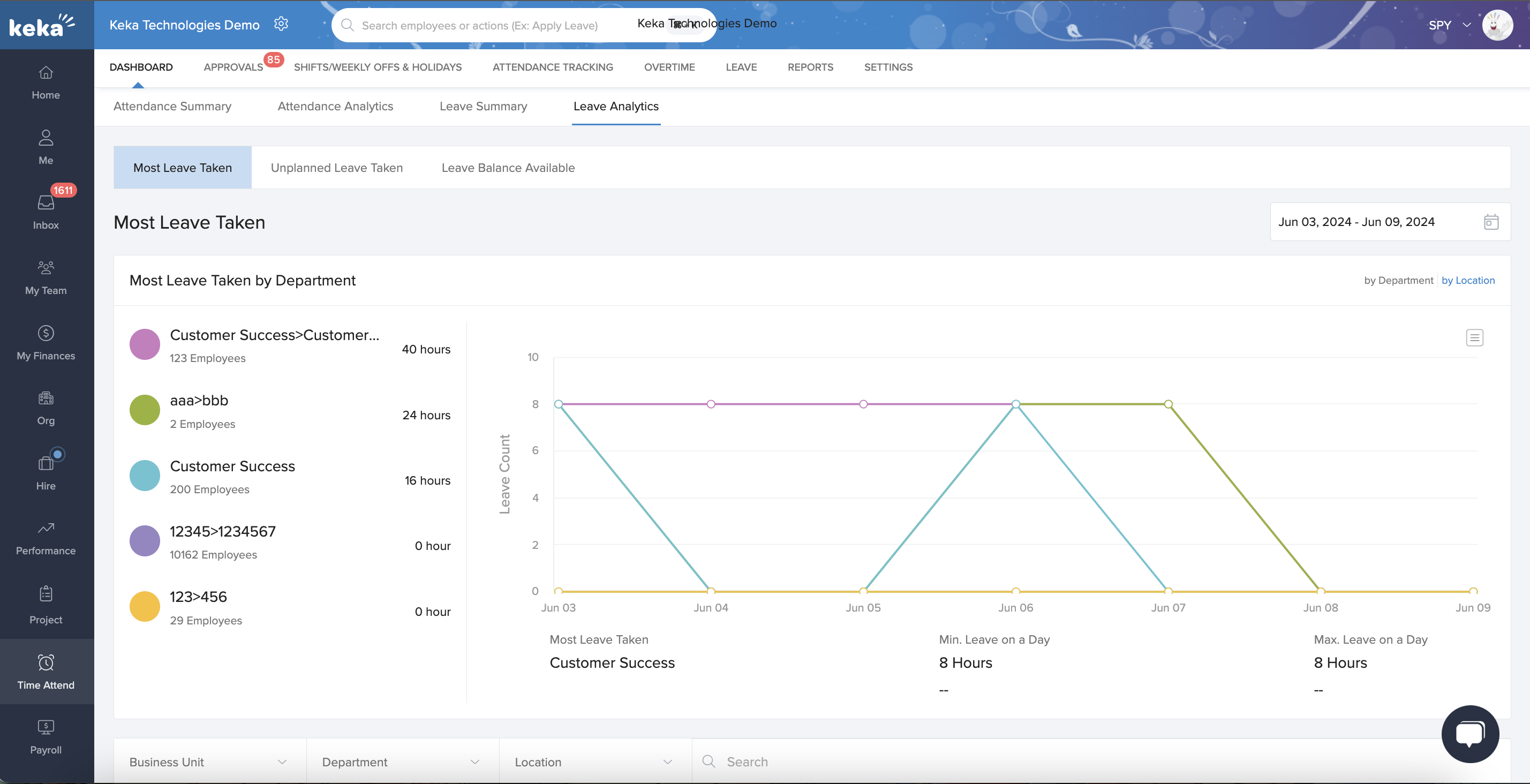
The Leave Analytics tab provides deeper insights into leave patterns:
-
Most Leave Taken
-
Leaderboard by department/location
-
-
Unplanned Leave Taken
-
Leaderboard by department/location
-
-
Leave Balance Available
-
Department-wise leave balance visualization
-
Each section allows you to generate detailed reports with total leave, unplanned leave, and balances.
Apply filters by business unit, department, or location for refined analysis.
Comments
0 comments
Please sign in to leave a comment.