Overview
What is Regularize & Cancel Penalties?
Common Scenarios
- A biometric device fails to capture employee punches.
- Attendance data is impacted due to a sync or technical issue.
- A policy update requires attendance records to be corrected in bulk.
- A company-wide event or operational issue affects attendance tracking.
Understanding Attendance Regularisation and Attendance Adjustment
Attendance Regularisation
- Missing punch-in or punch-out records
- Incorrect attendance status
- Late arrivals or early departures requiring correction
- Attendance issues caused by biometric or device failures
- The attendance discrepancy is resolved.
- Bulk regularisation bypasses the standard approval workflow.
- The attendance record is updated as "R" (Regularised) in attendance reports.
Attendance Adjustment
- Data correction activities
- Attendance import corrections
- Policy-based attendance updates
- Administrative exceptions that cannot be resolved through regularisation
How to Use Bulk Regularisation
Follow these steps to perform bulk regularisation:
-
Navigate Time attend > attendance tracking > Regularize & Cancel Penalties
This tab is the current location for both regularising attendance discrepancies and cancelling penalties.
Choose the date range and status you want to regularise.
-
Select employees:
Pick them individually, or
Use the bulk select option for multiple employees at once.
-
Click Regularise to apply changes.
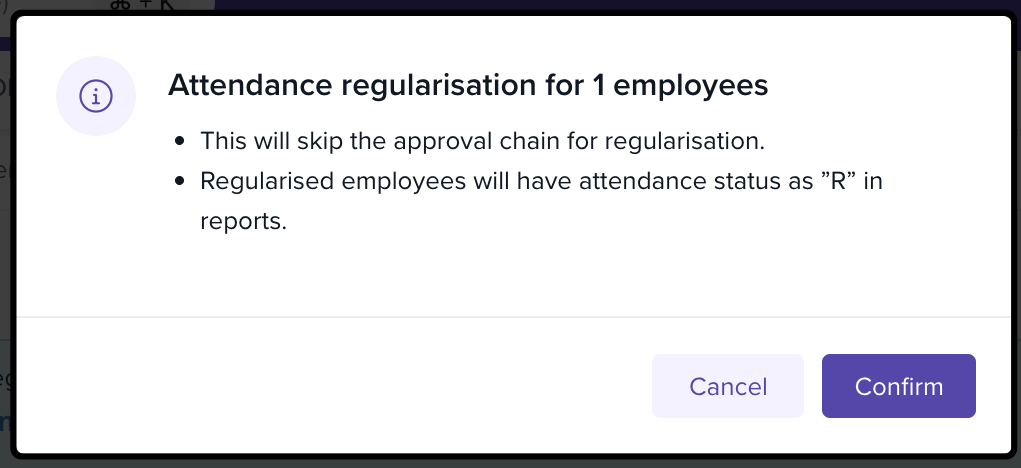
A confirmation box will appear:
It reminds you that bulk regularisation skips the standard approval workflow.
Once confirmed, employees’ records are updated to “R” in attendance reports.
Tip: Use filters (e.g., by status or department) to quickly find the records that need regularisation.
Best Practices for Bulk Regularisation
Pre-Check: Validate that the discrepancies are genuine before applying bulk updates.
Communicate: Let employees know their attendance has been regularised to maintain transparency.
Document: Keep records of bulk actions for audit and compliance purposes.
Next Steps
Review employee records after bulk regularisation to ensure accuracy.
Explore related features in Attendance Tracking such as policy allocation or auto-assignment of rules.
Comments
0 comments
Please sign in to leave a comment.