Overview
In this article, you'll learn how to use the Invoice Activity feature in Keka PSA to track changes made to invoices. This helps maintain transparency, accountability, and a complete audit trail throughout the invoicing process.
Who Can Do This?
- PSA Admins
- Project managers with billing privileges
- Client Managers
- Finance Admins
- Global Admins with invoicing access
Pre-requisites
- Invoice must already be created in the system
- User must have permission to view or manage invoices
What Is This Feature?
The Invoice Activity feature provides a detailed change log for every invoice. It captures each update made to an invoice—who made the change, what was changed, and when it was changed.
Why Is This Feature Needed?
- Change History: View a timestamped log of all changes made to an invoice
- Detailed Revisions: See which fields were modified, including their previous and updated values
- User Accountability: Identify the user responsible for each modification, promoting internal transparency
Step-by-Step Instructions
Navigate to Invoice Activity
- Go to the Projects section in the left navigation pane.
- Click on the Finances tab.
- Select the Invoices tab.
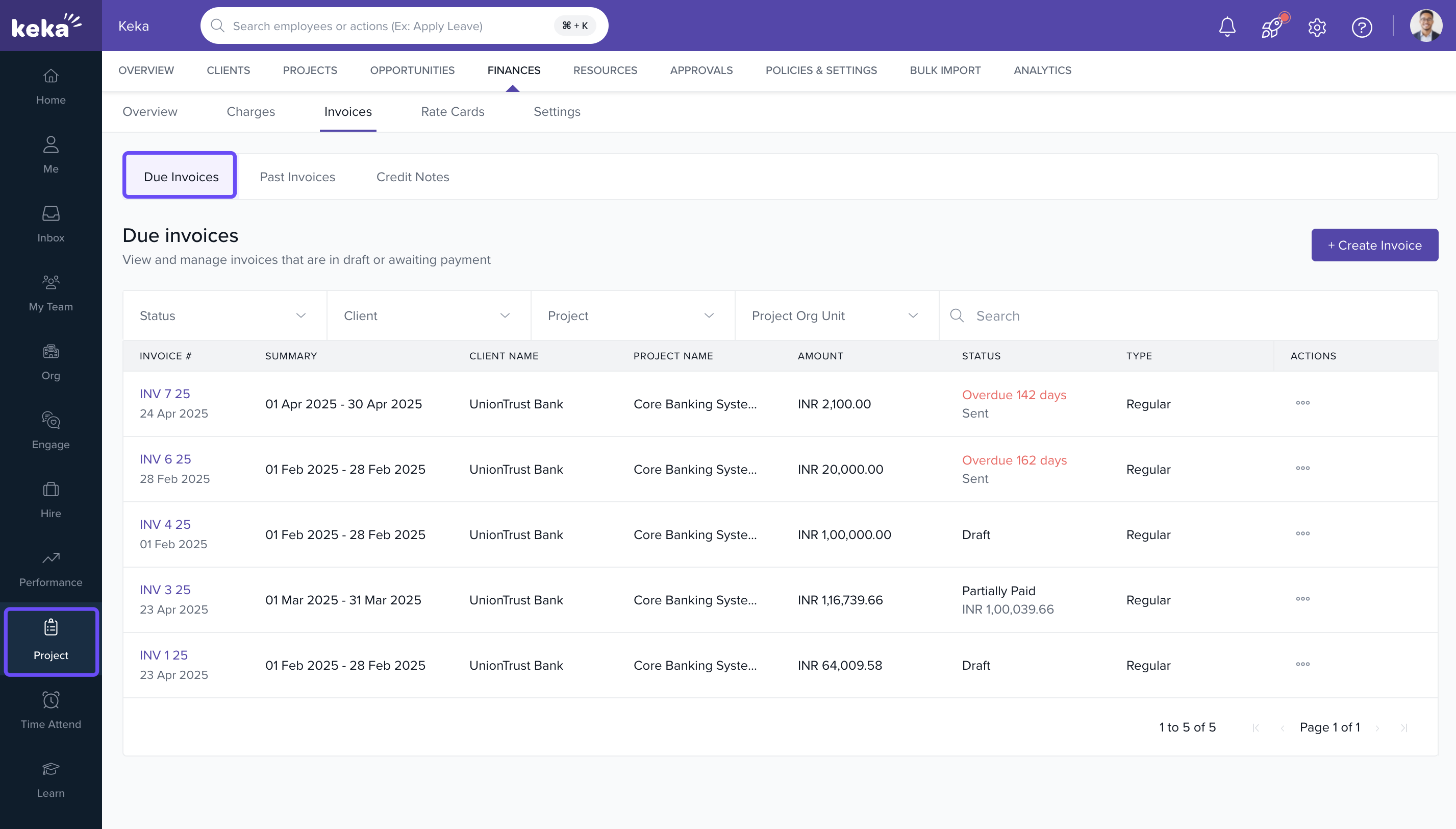
- Open any invoice to view its details.
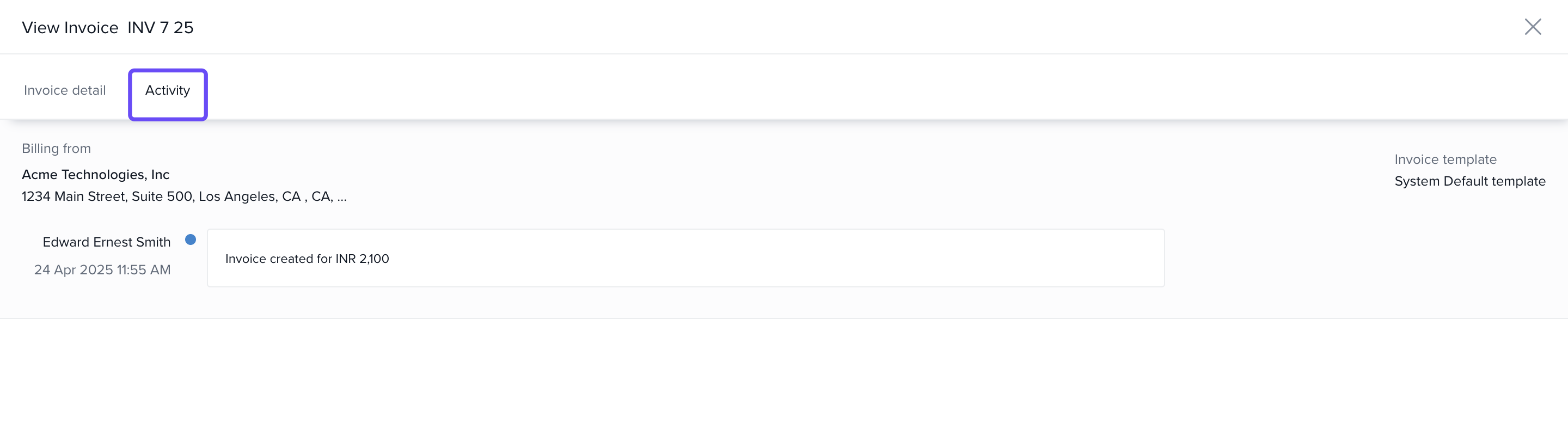
- Click on the Invoice Activity tab.
Review Invoice Activity
- View the timeline or table listing:
- Date and Time of each change
- User Name who made the change
- Field Modified, with previous value and new value
- Use this to monitor edits such as amount changes, status updates, billing adjustments, and more.
FAQs
Q: Can I restore a previous version of the invoice?
A: No. Invoice Activity is for tracking only and does not support version rollback.
Q: Does Invoice Activity show when an invoice was sent or downloaded?
A: No. It primarily captures content or status changes made to the invoice.
Q: Can all users view Invoice Activity?
A: Only users with permission to view/manage invoices can access activity logs.
Q: Are changes to credit notes also logged here?
A: No. Only invoice-level edits are tracked in this feature.
Comments
0 comments
Please sign in to leave a comment.