Overview
This article explains how to manage client payments in Keka PSA. You'll learn how to update invoice statuses, receive payments (partial or full), apply credit notes, write off unpaid invoices, and cancel invoices when needed.
Who Can Do This?
- PSA Admins
- Finance Admins
- Global Admins
Pre-requisites
- Invoices must be generated and visible in the Due Invoices tab
- User must have permission to edit or manage invoice payments
Step-by-Step Instructions
Access payment management options
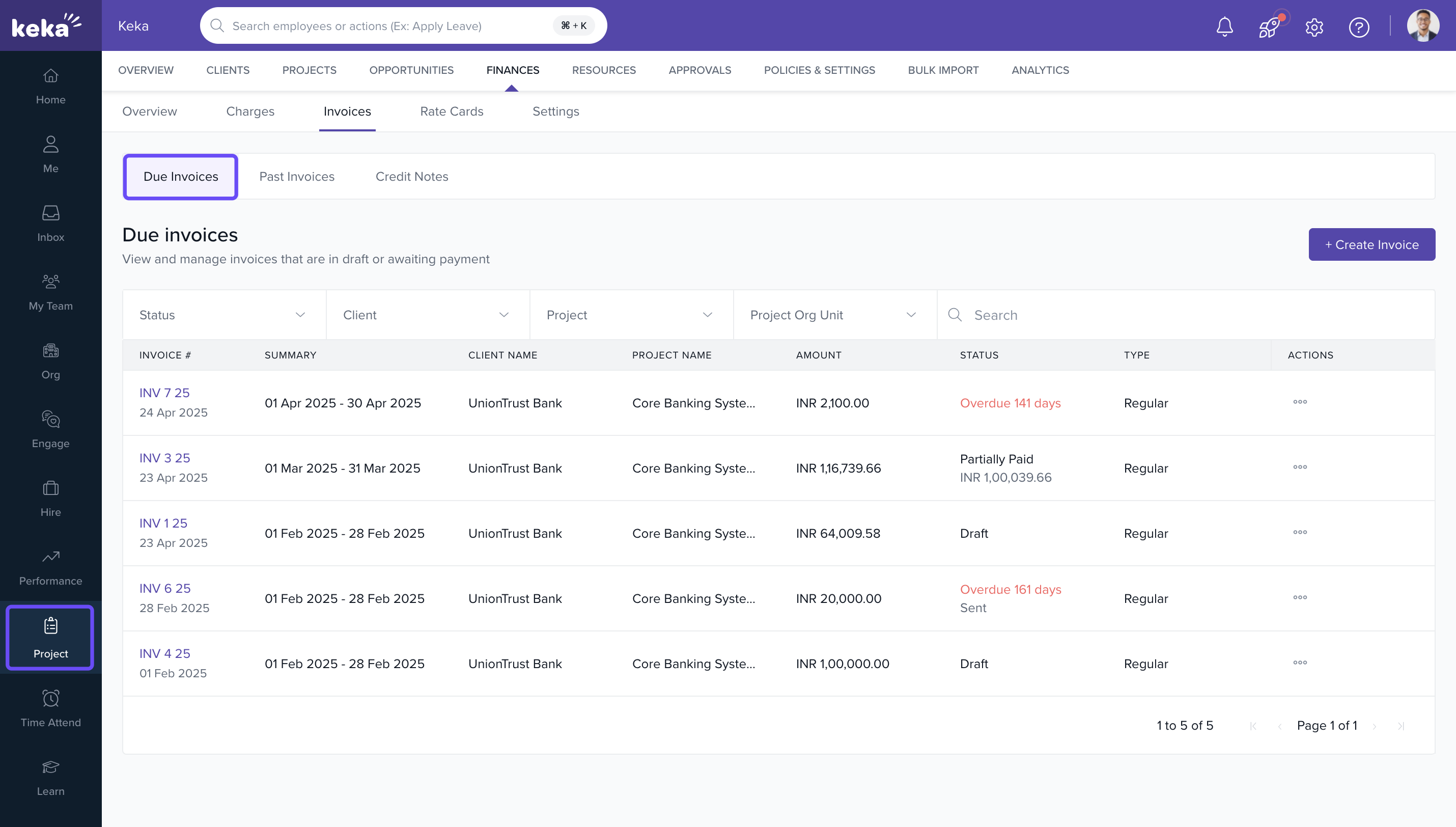
- Navigate to the Projects section
- Click on the Finances tab
- Go to Invoices and switch to the Due Invoices tab
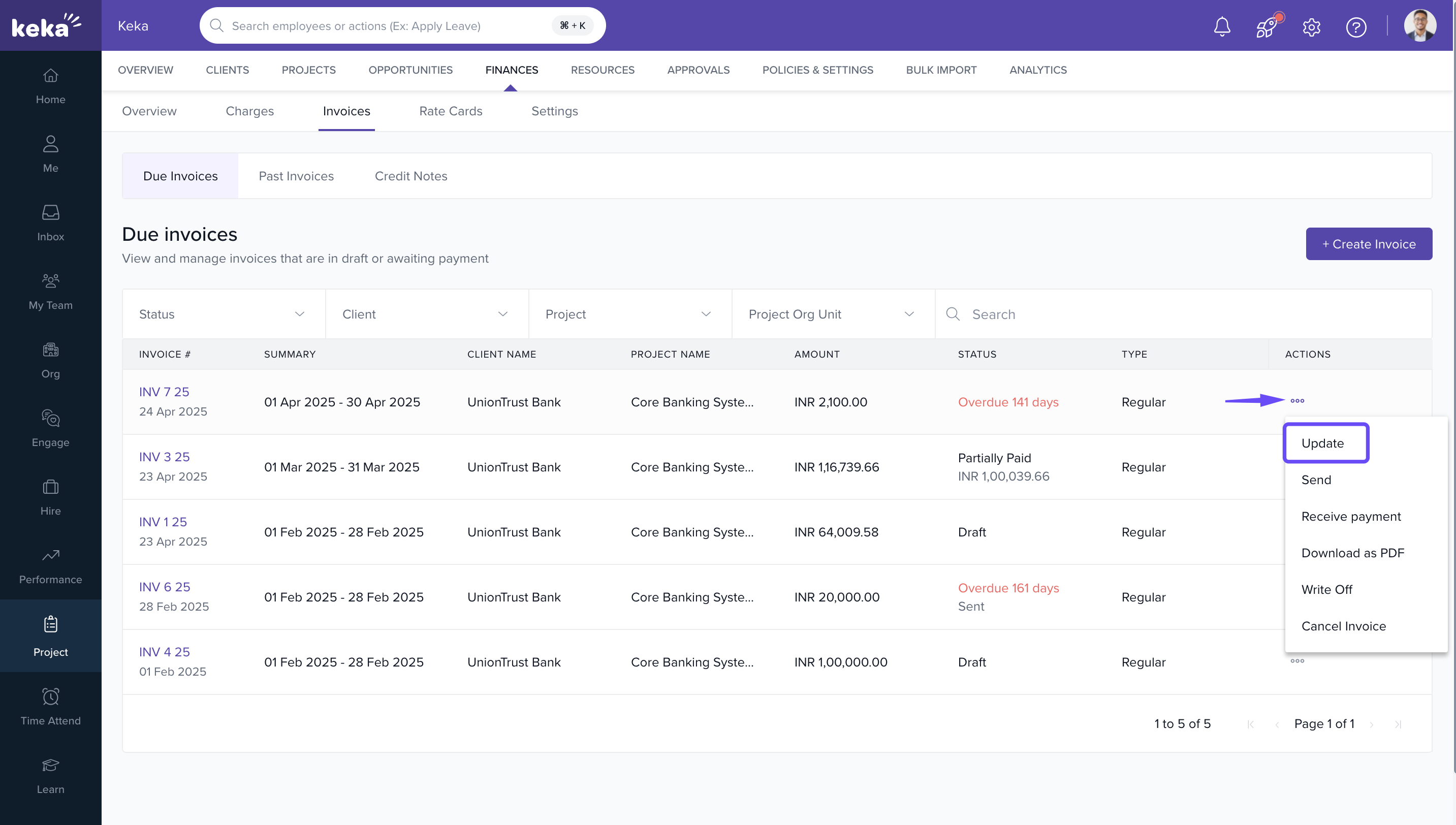
Modify or revise an invoice
- Click the three-dot menu under the Actions column
- Select Update
- Make necessary changes and click Update Invoice
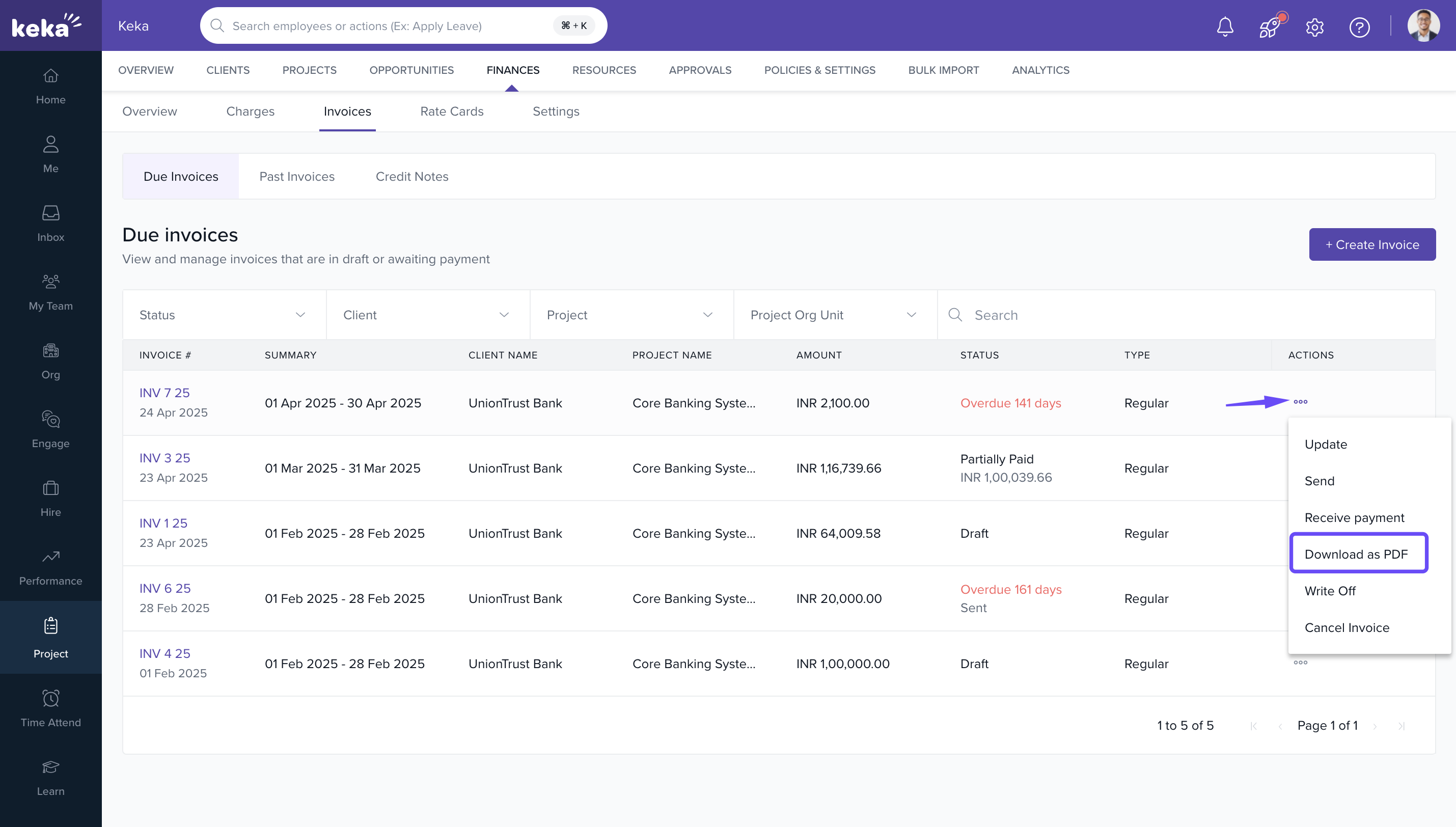
Download invoices as PDF
- Click the three-dot menu
- Select Download as PDF
- Save and sign the document as needed
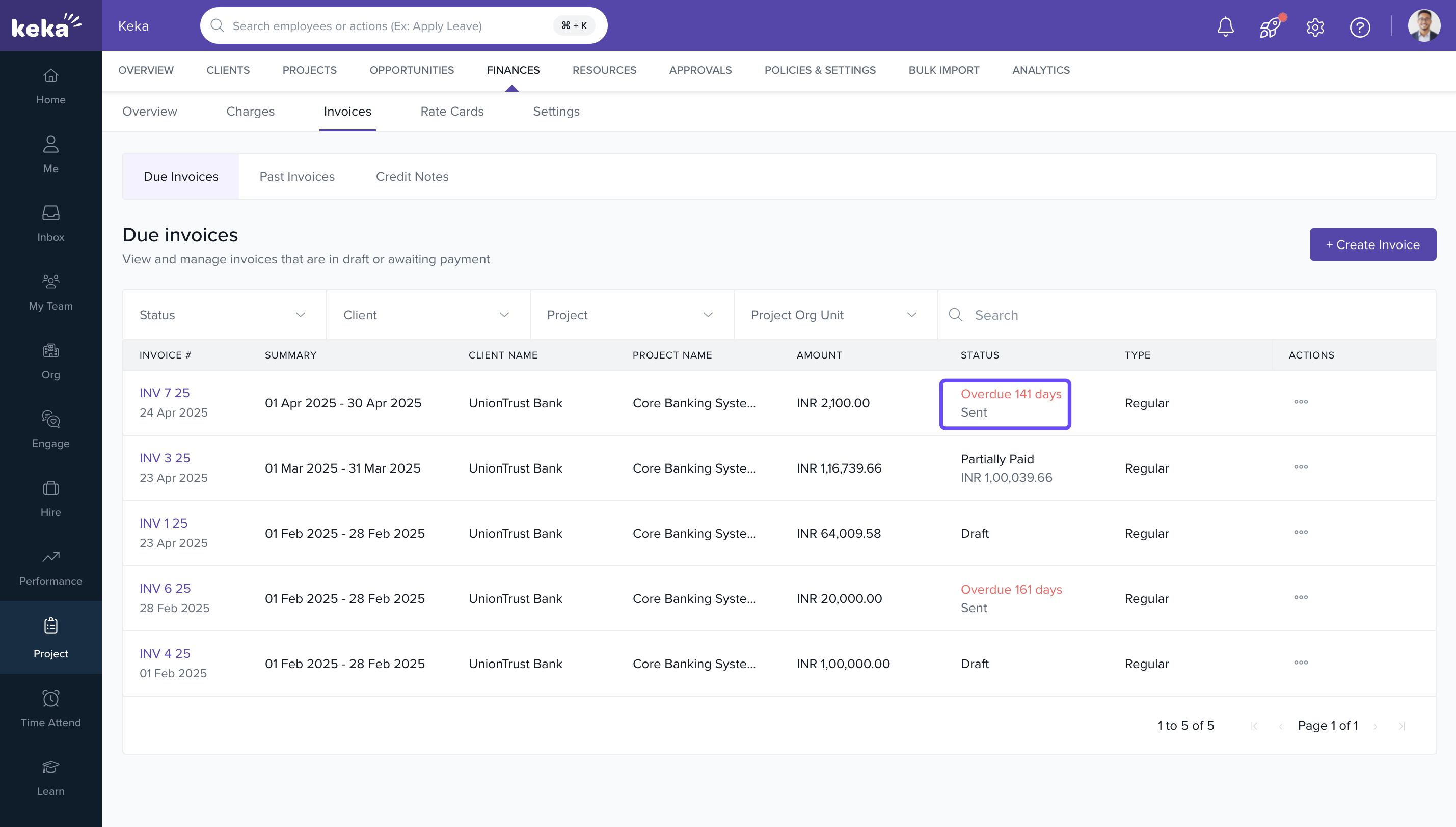
Mark an invoice as sent
- Click the three-dot menu
- Select Mark as Sent
- Once marked as sent, the invoice becomes non-editable and the status updates to Sent
Receive full or partial payments
- Click the three-dot menu
- Select Receive Payment
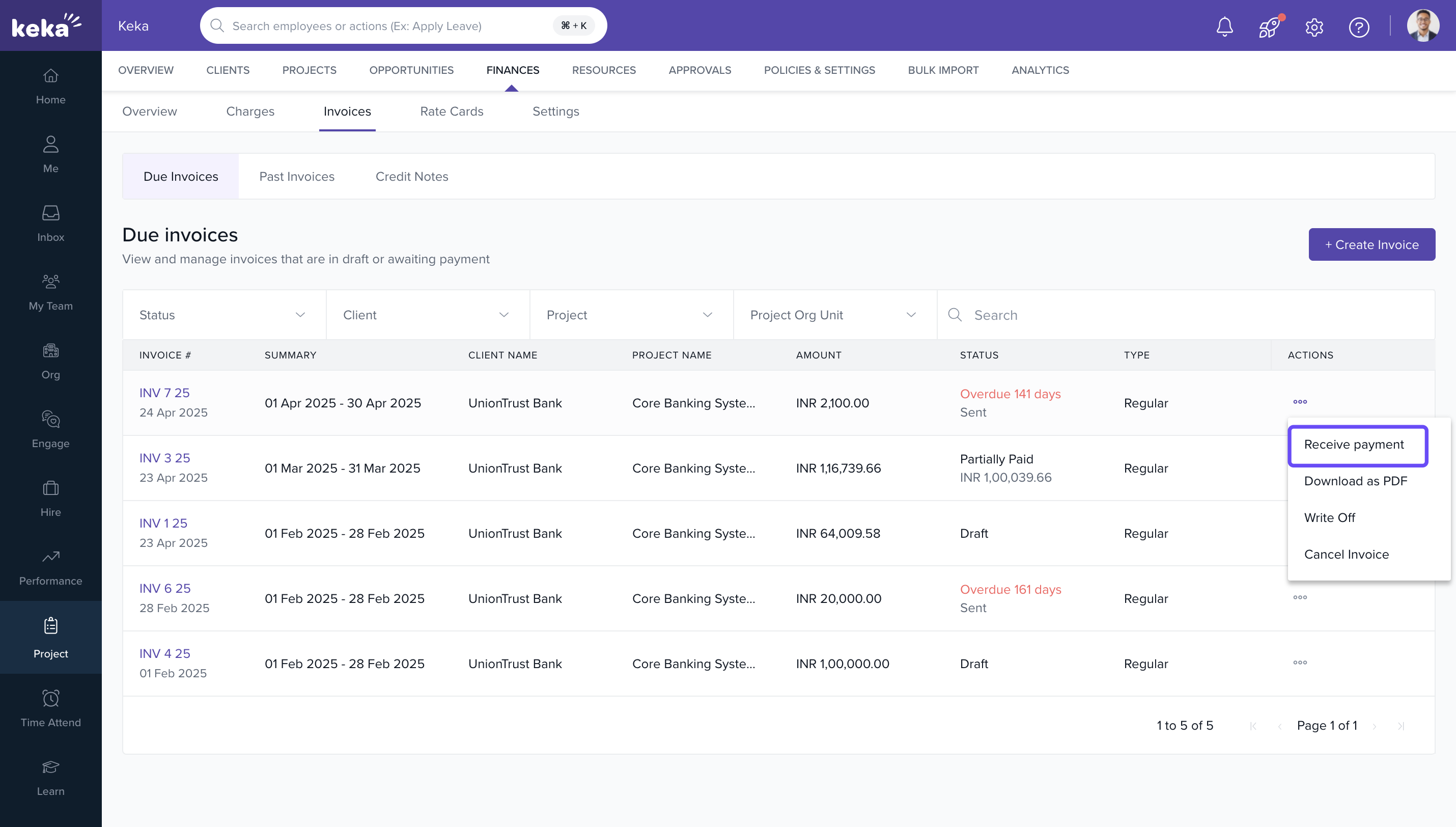
- In the pop-up, enter: Payment Date, Payment Mode, Reference Number, Amount Received
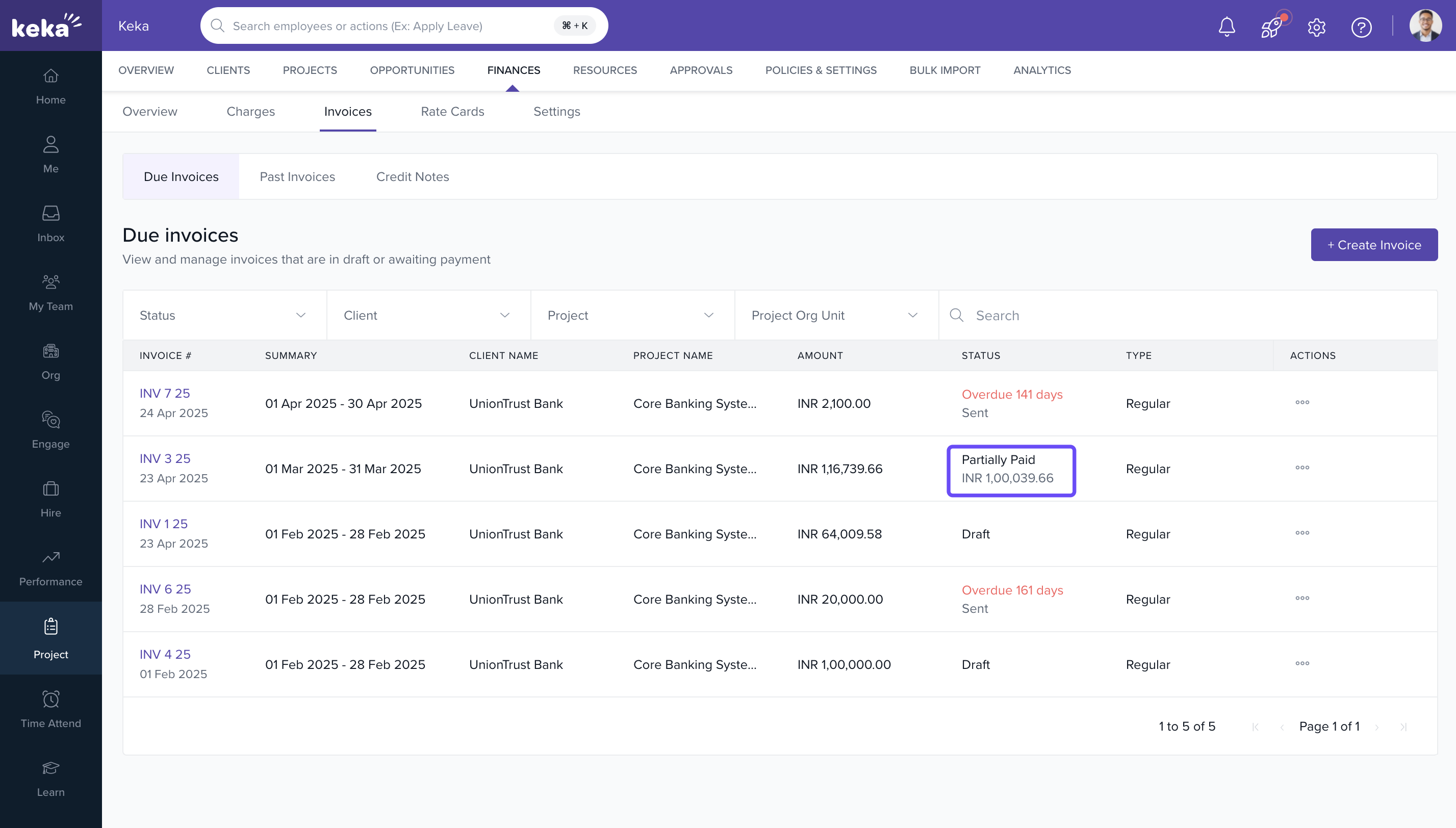
- If partial, status becomes Partially Paid
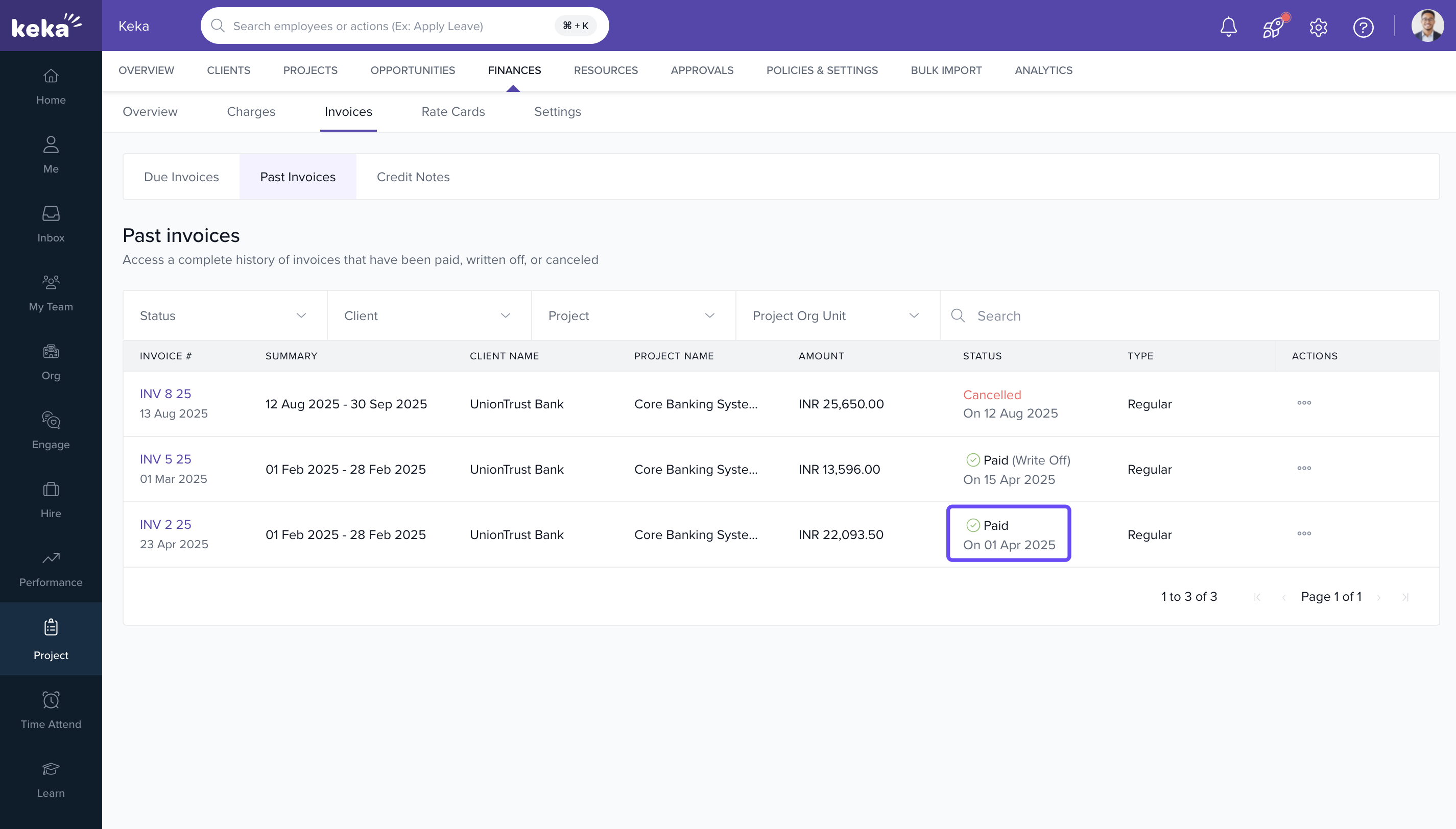
- When full, status becomes Paid, and the invoice moves to the Past Invoices tab
Write off invoices
- Go to the Due Invoices tab
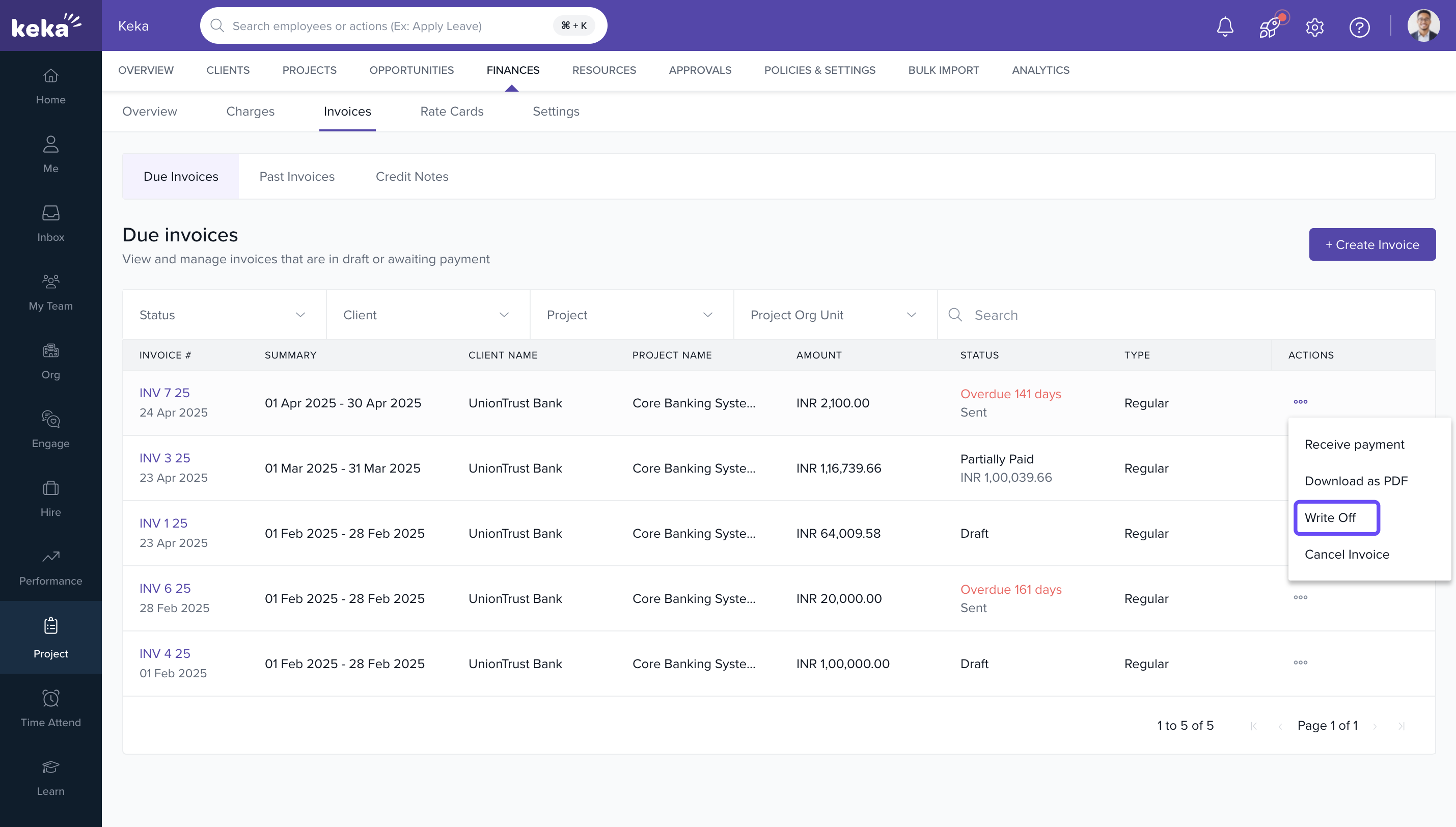
- Click the three-dot menu and select Write Off
- Enter the Write-Off Date and Reason
- Type CONFIRM in the confirmation box
- Click Confirm
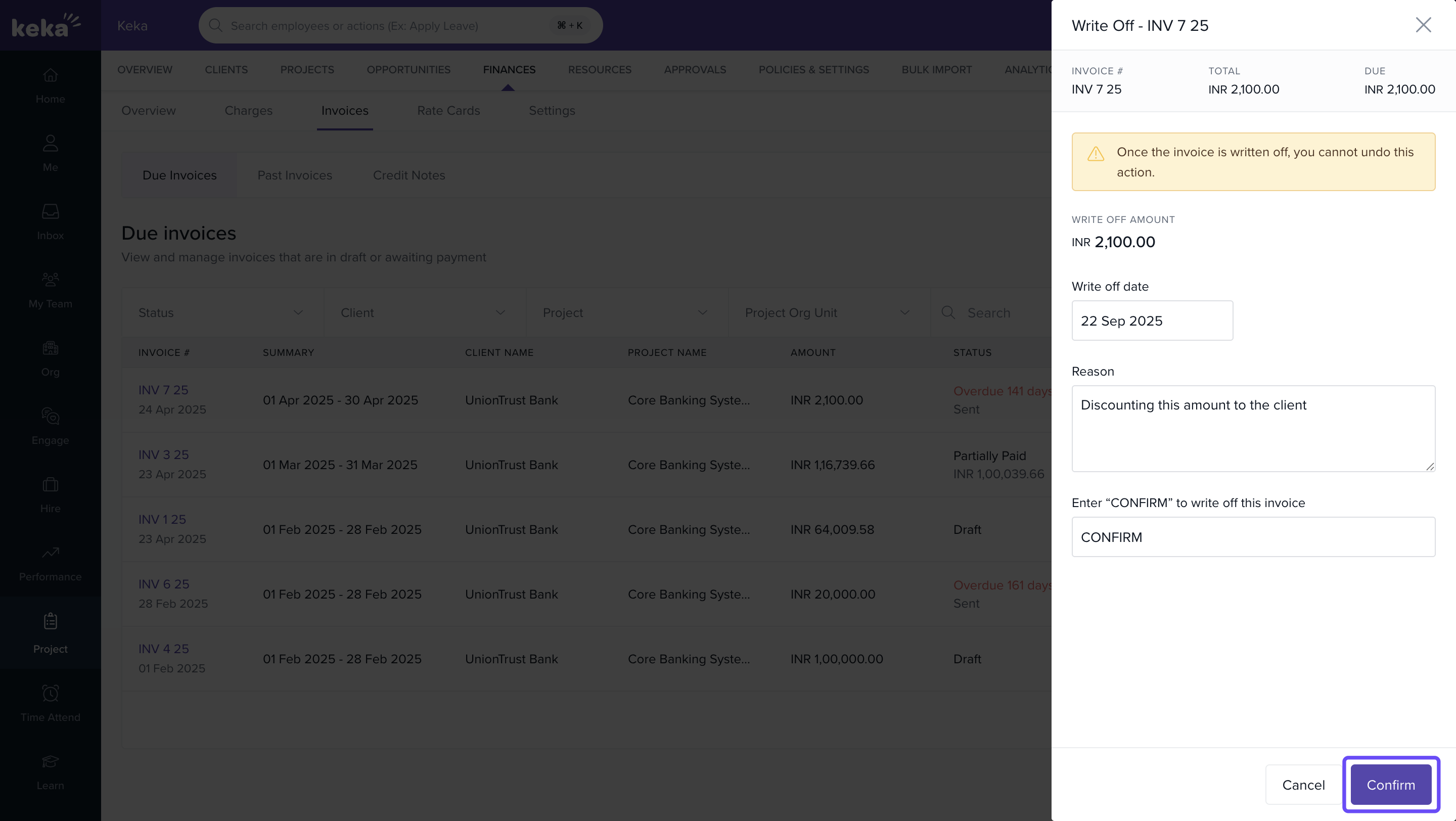
Note: This action is irreversible.
Cancel an invoice
- Click the three-dot menu
- Select Cancel Invoice
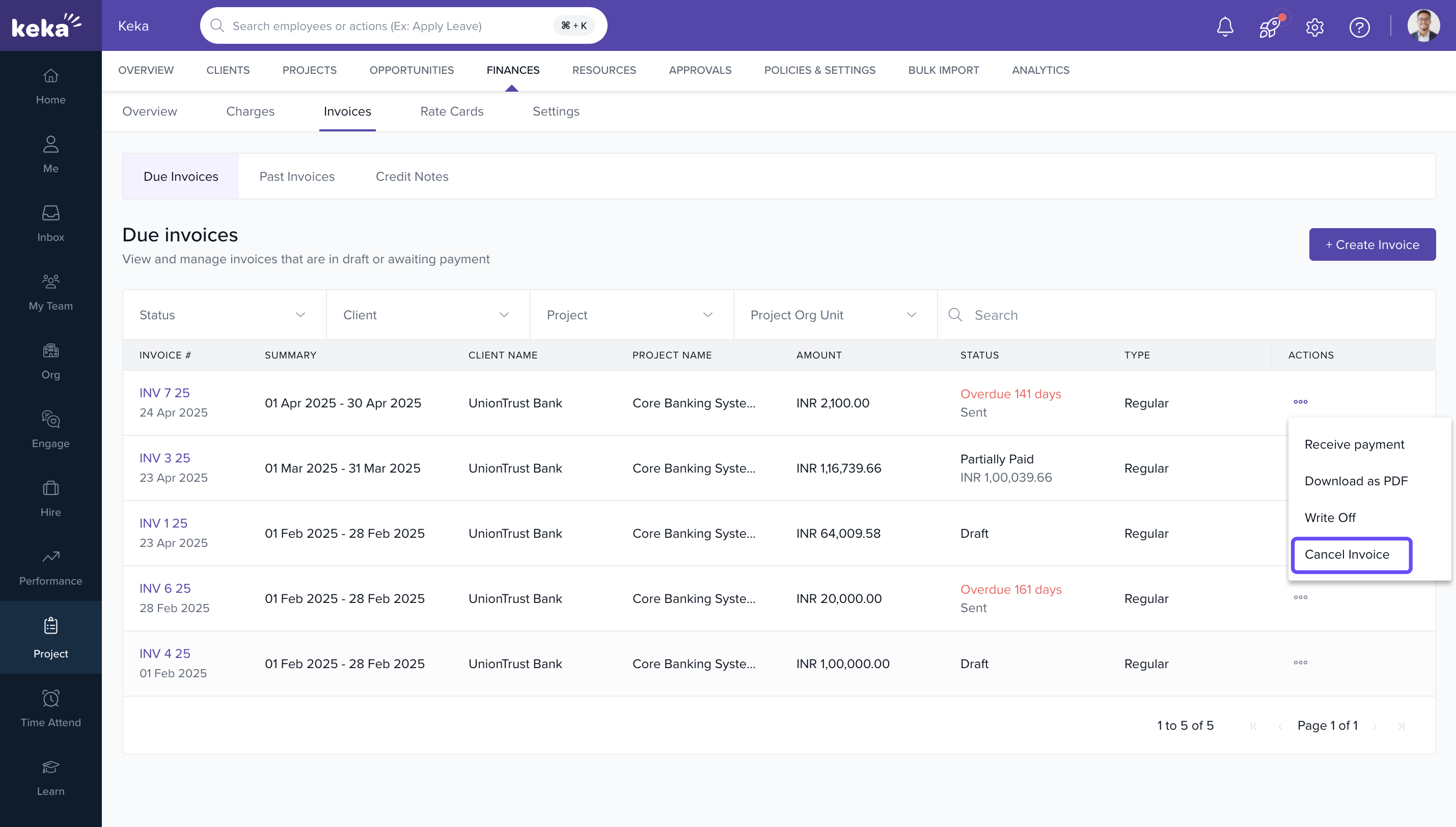
- Enter the reason and confirm.
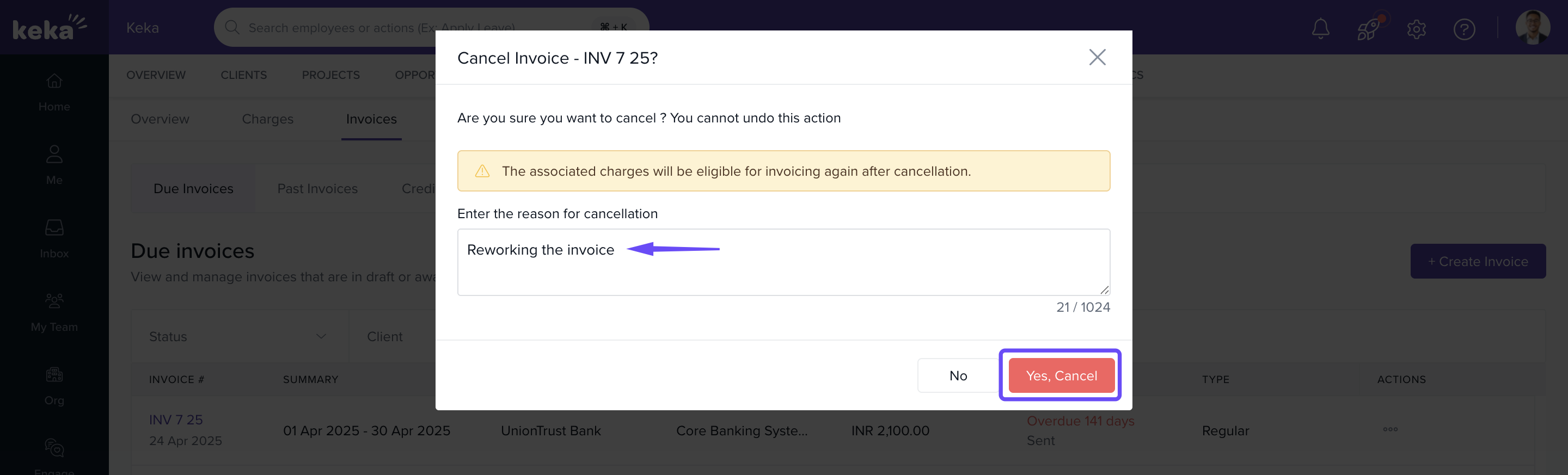
Note: You cannot cancel invoices that have received payments. Cancelled invoices mark all charges as non-billable.
FAQs
Q: Can I reverse a payment status once marked as Paid?
A: No. You’ll need to raise a credit note or contact support.
Q: Can I edit an invoice after it’s marked as Sent?
A: No. Invoices marked as Sent are locked for editing.
Q: Can I reassign credit notes to another invoice?
A: Yes, as long as there’s a credit balance remaining.
Q: What’s the difference between writing off and canceling an invoice?
A: Write-off is used when payment is not collectible. Canceling is for corrections before any payment is received.
Comments
0 comments
Please sign in to leave a comment.