Overview
In this article, you’ll learn how to create and manage billing frequencies in Keka PSA. It covers how to set weekly, biweekly, or monthly billing cycles, assign them to projects, and automate invoicing schedules for improved accuracy and efficiency.
Who Can Do This?
- PSA Admins
- Finance Manager
- Global Admins
Pre-requisites
- Access to the Finances tab in the Project module
- At least one project created to associate with billing frequencies
- Organizational billing entities must be configured for invoice generation
Accessing Billing Frequencies
- Go to the Projects section in the left navigation pane
- Click on the Finances tab
- Select Settings
- Click on Billing Frequencies
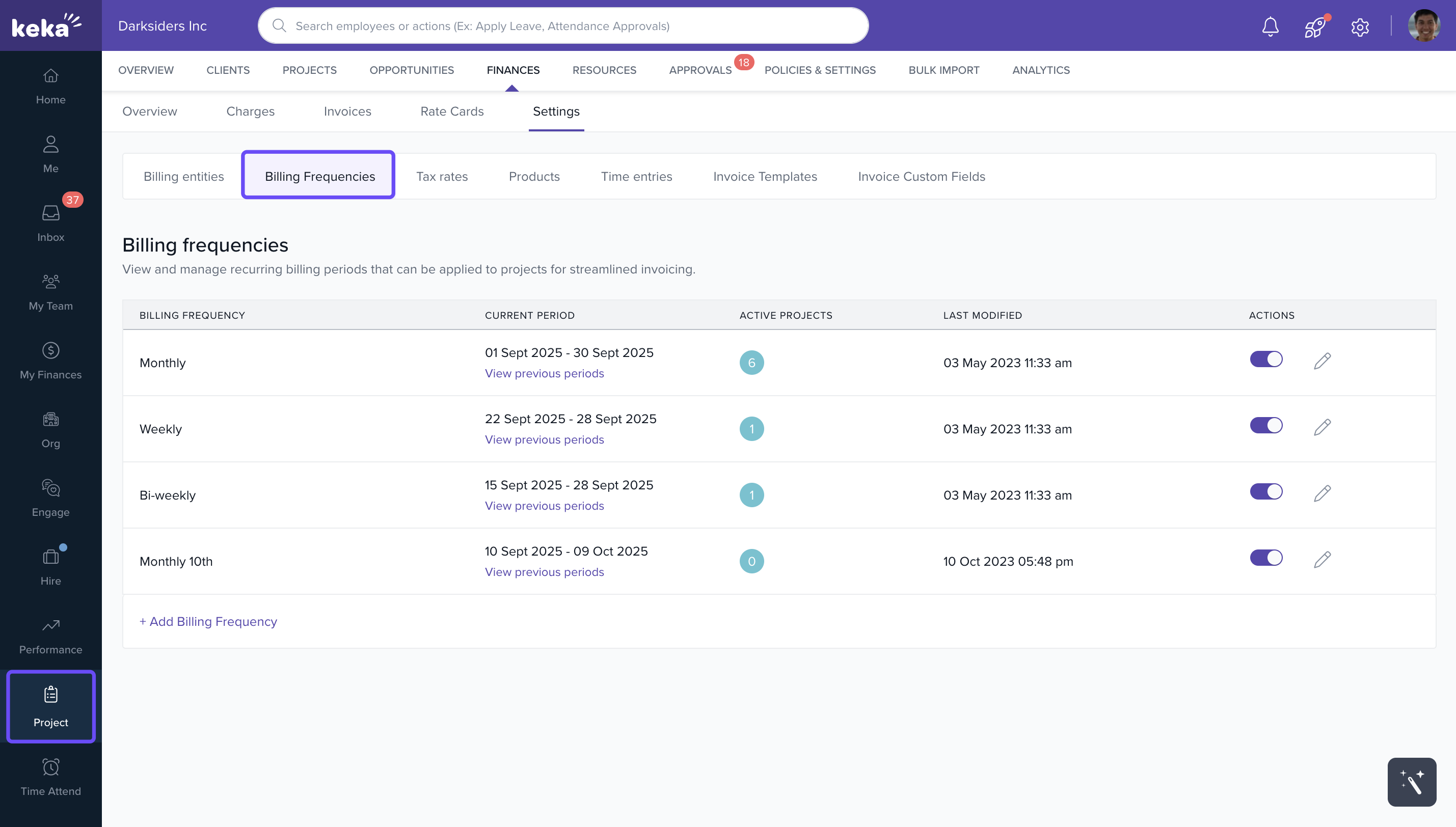
Note: By default, Monthly, weekly and bi weekly frequencies are already created
Creating a New Billing Frequency
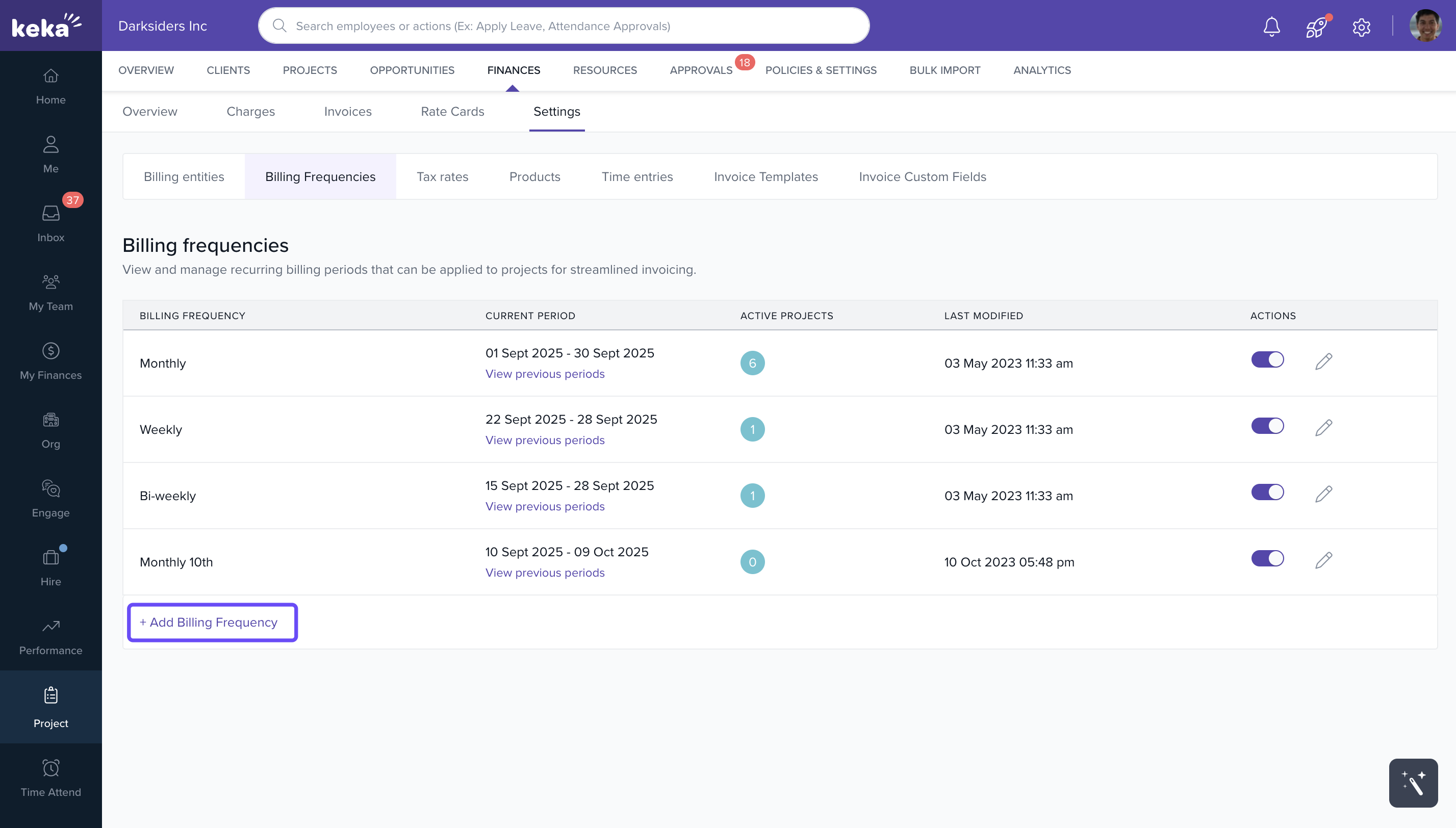
- Click +Add Billing Frequency
- Enter a Frequency Name (e.g., Monthly Invoice)
- Select the Frequency Type:
- Weekly
- BiWeekly
- Monthly
- Choose the Start Day:
- Weekly/BiWeekly: Any weekday (e.g., Monday)
- Monthly: Any calendar date (e.g., 15th)
- The system previews the upcoming billing periods
- Click Create to save the billing frequency
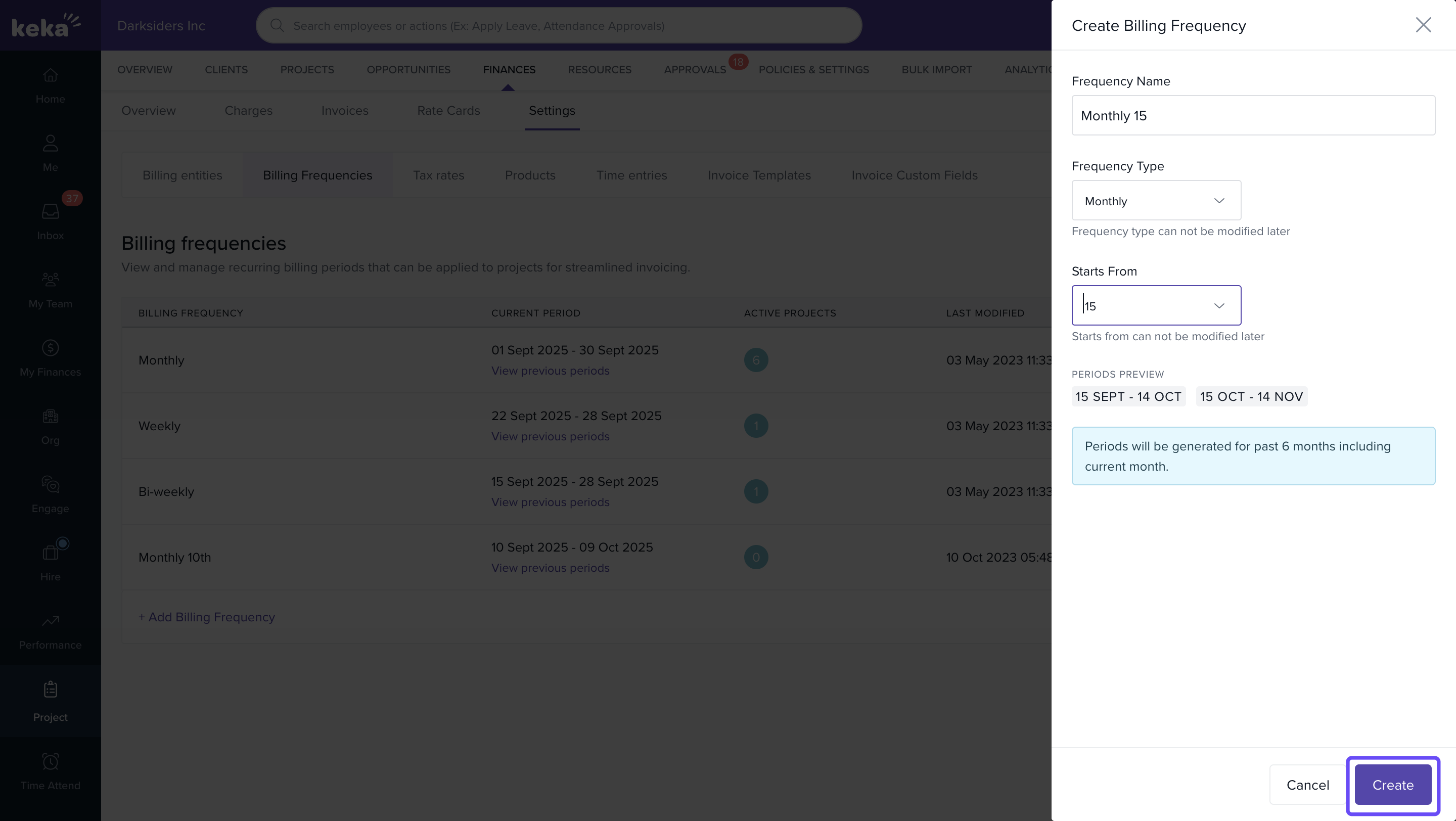
Note: The system auto-generates billing periods for the last 6 months to maintain consistency in reporting
Managing Existing Billing Frequencies
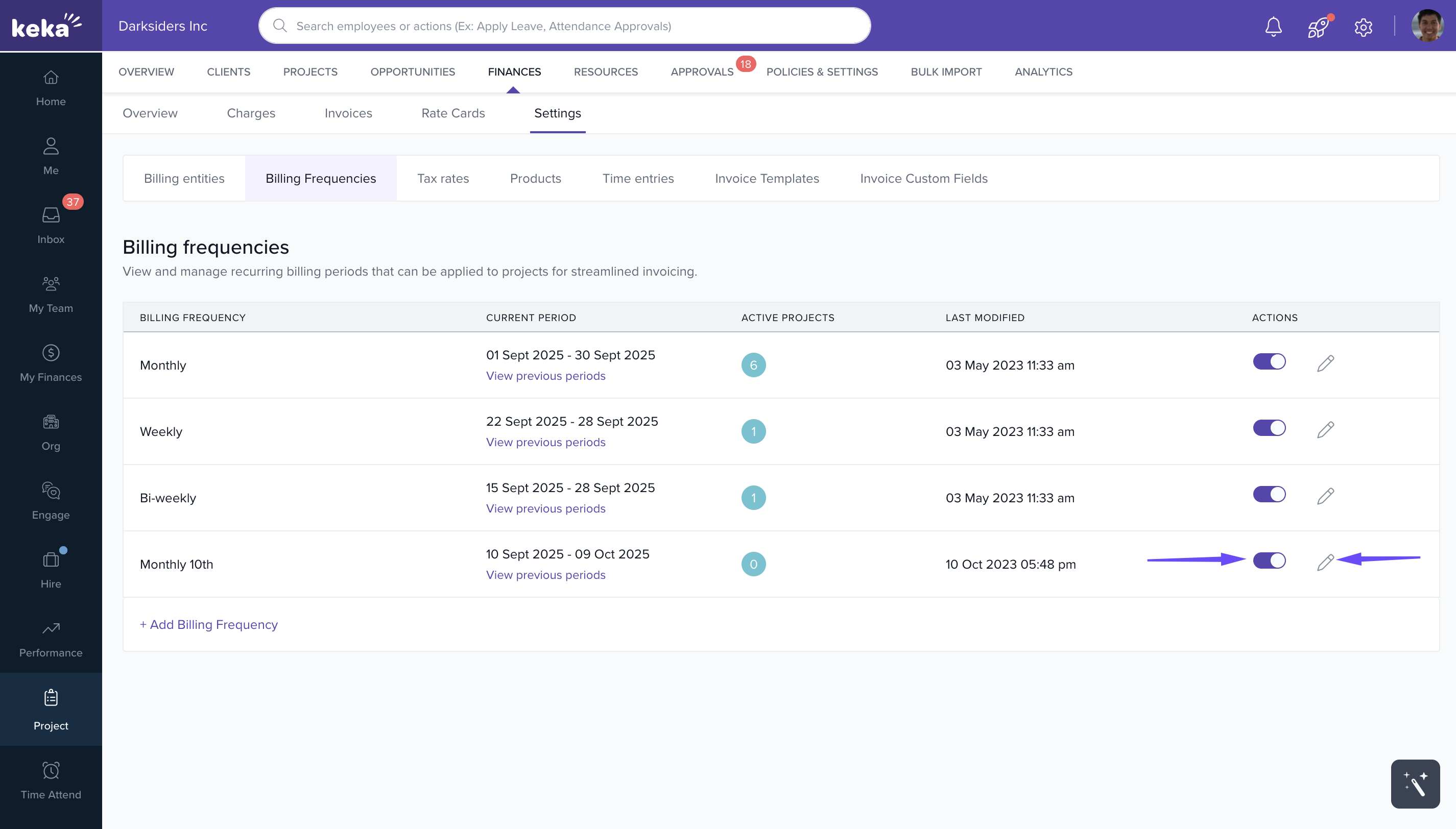
- Assign to Projects: Use a billing frequency for any project requiring a matching cycle
- Enable/Disable: Use the toggle to activate or deactivate a billing frequency
- Edit Details: Click the Edit icon to change the frequency name.
-
Track Usage: The Active Projects column shows how many projects are using each billing frequency
FAQs
Q: Can I change a billing frequency after assigning it to a project?
A: Yes. You can edit or reassign a different billing frequency, but ensure it doesn't affect existing invoices.
Q: Will timesheet entries automatically sync with the billing periods?
A: Yes. Keka PSA automatically categorizes timesheet entries by their billing periods.
Q: What happens if a billing frequency is disabled?
A: It will no longer be available for future use, but won’t affect existing invoices already generated.
Q: Can I preview billing periods before assigning?
A: Yes. The system shows upcoming periods when creating or editing a billing frequency.
Comments
0 comments
Please sign in to leave a comment.