Overview
This article explains how to manage billing entities and configure invoice-related settings in Keka PSA. You’ll learn how to enable billing at the entity level, set invoice and credit note numbering, apply custom invoice preferences, define payment terms, and add custom fields for enhanced invoicing flexibility.
Who Can Do This?
- PSA Admins
- Finance Admins
- Global Admins with access to finance settings
Pre-requisites
- Billing entities must be created first as legal entities in the Keka HR Portal.
- Finance and invoicing modules should be enabled in your PSA tenant.
- Only users with appropriate permissions can edit entity-level invoice configurations.
Viewing Billing Entities
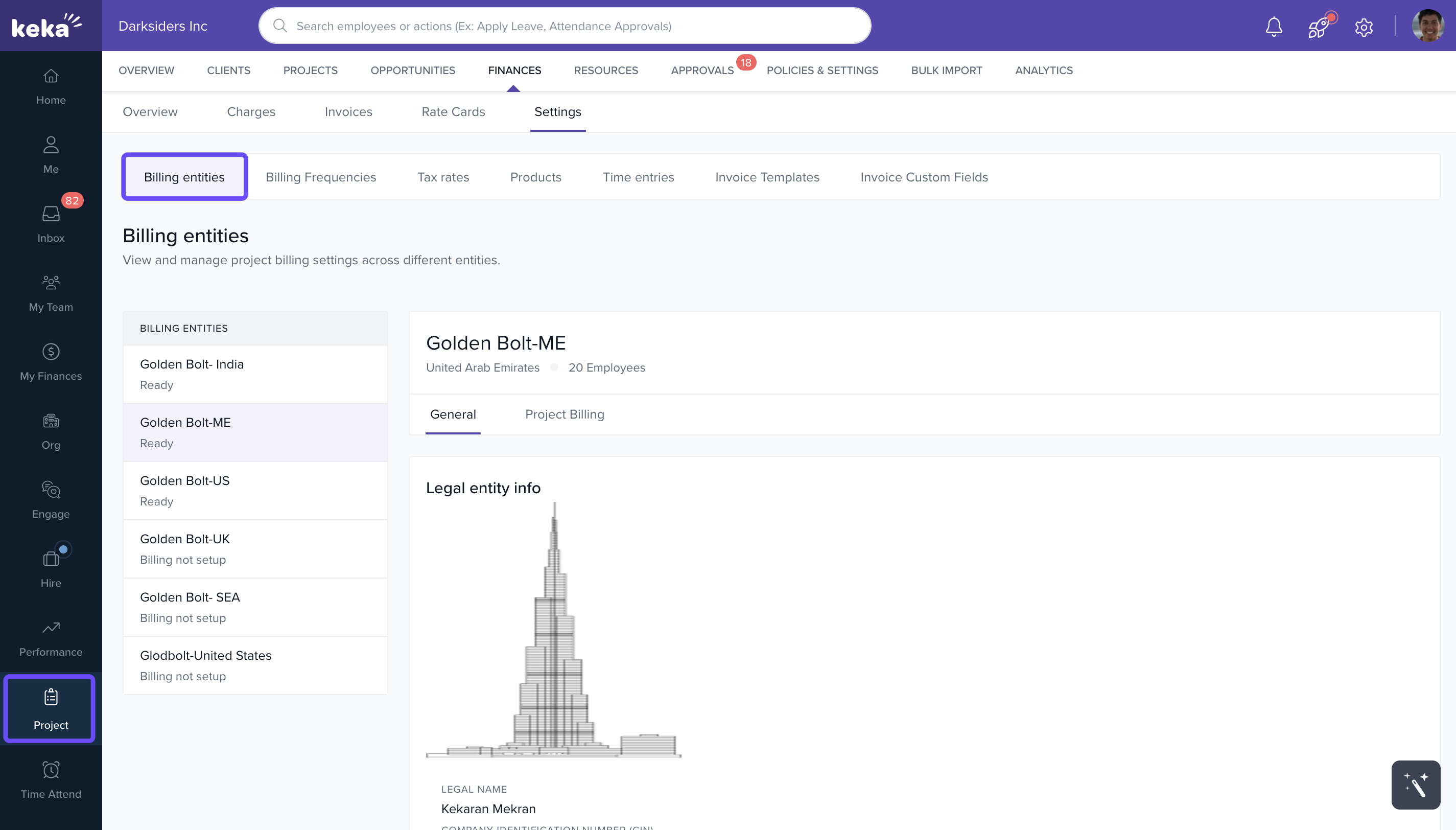
- Go to the Projects section.
- Click on the Finances tab.
- Select the Settings tab.
- Click on Billing Entities to view the list of available entities.
Enabling Project Billing
- Select a billing entity from the list.
- Navigate to the Project Billing tab.
- Toggle Project Billing ON for the selected entity.
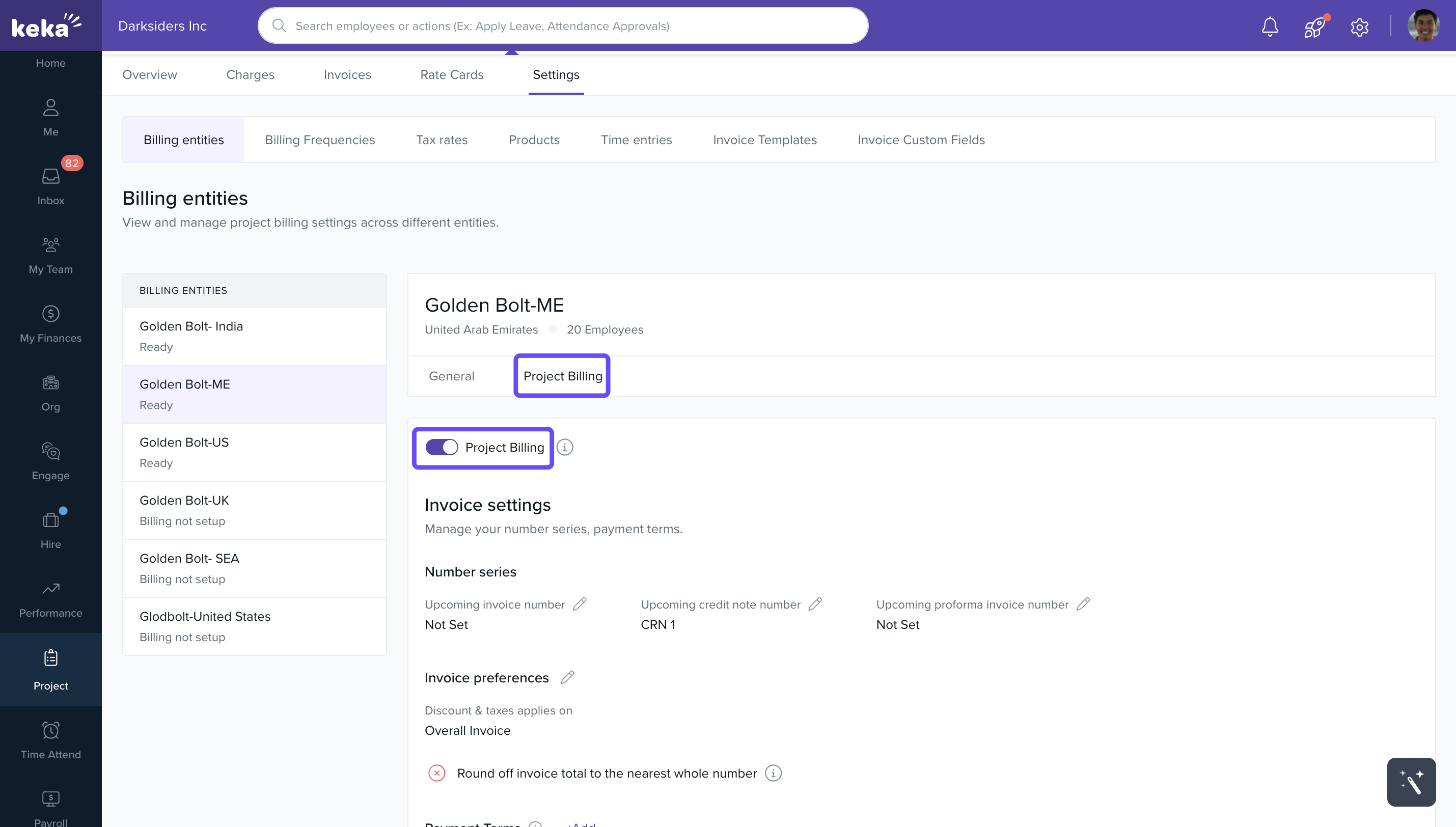
Note: Disabled billing entities will not be available while invoicing
Configuring Invoice Number Series
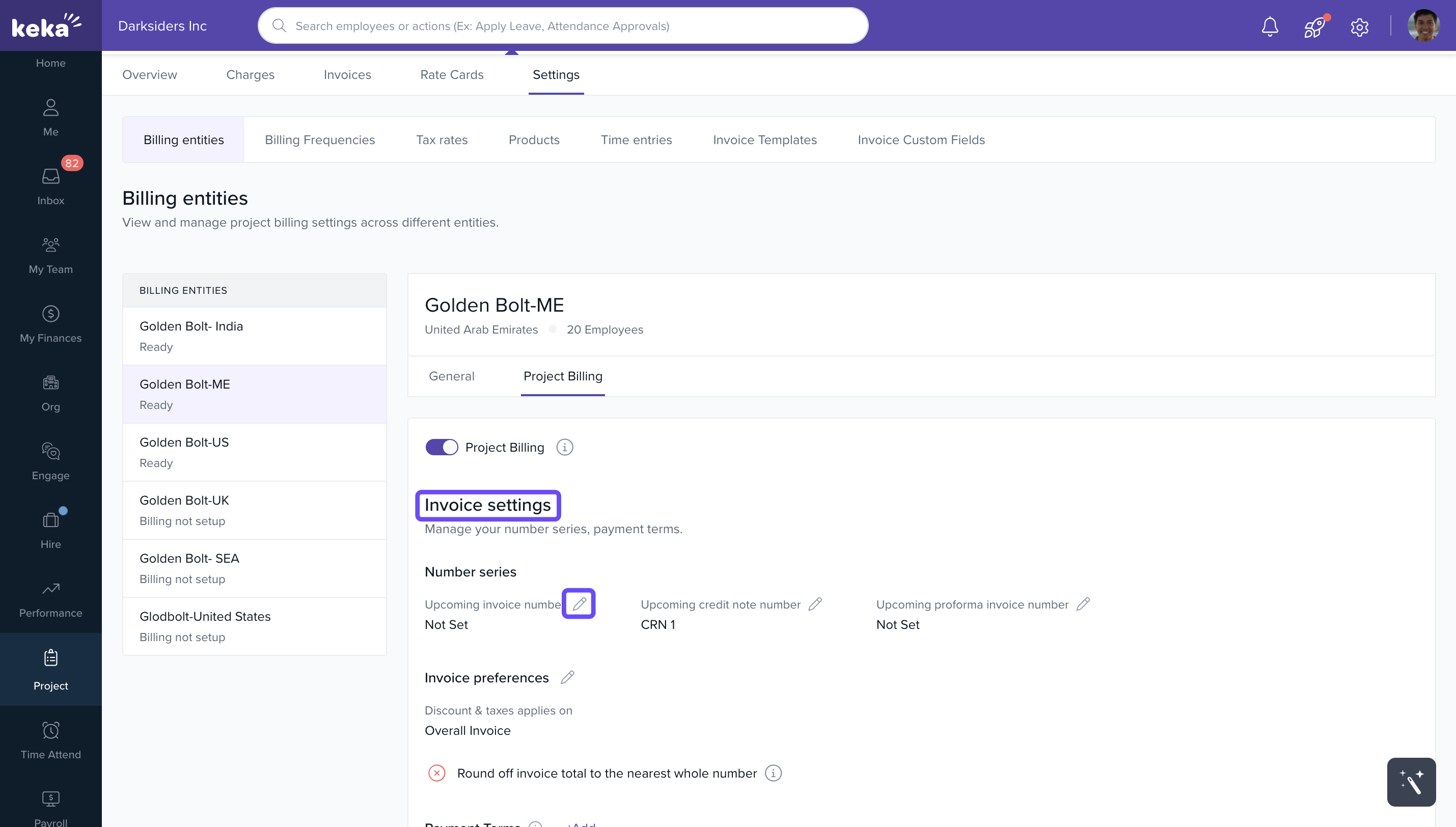
- Under Invoice Settings, click the Edit icon next to Upcoming Invoice Number.
- Add a starting number and optional suffix.
- Preview the format and click Update.
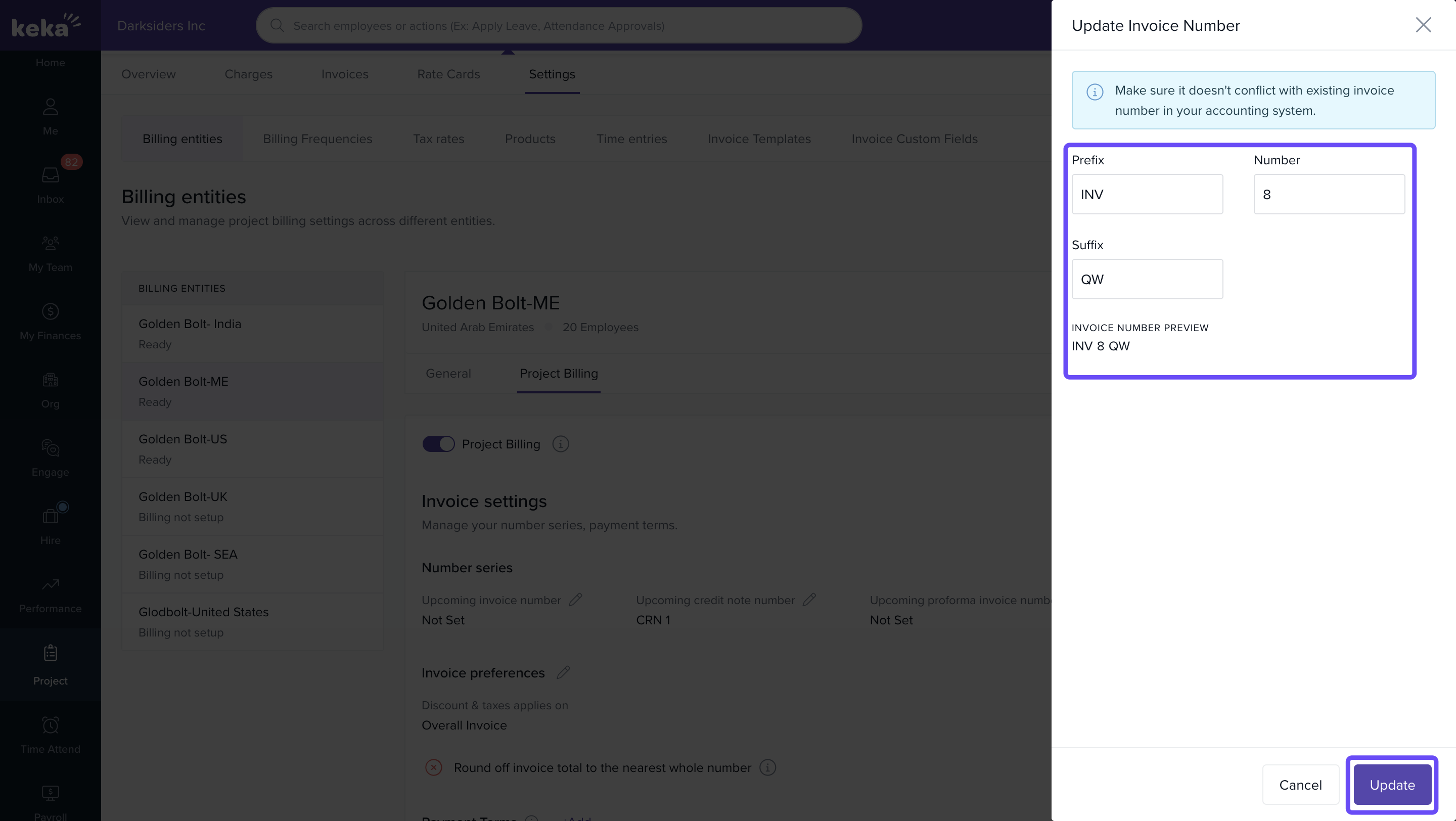
Repeat the same steps to configure Upcoming Credit Note Number using the corresponding edit option.
Customising Invoice Preferences
- Click on the Edit icon next to Invoice Preferences.
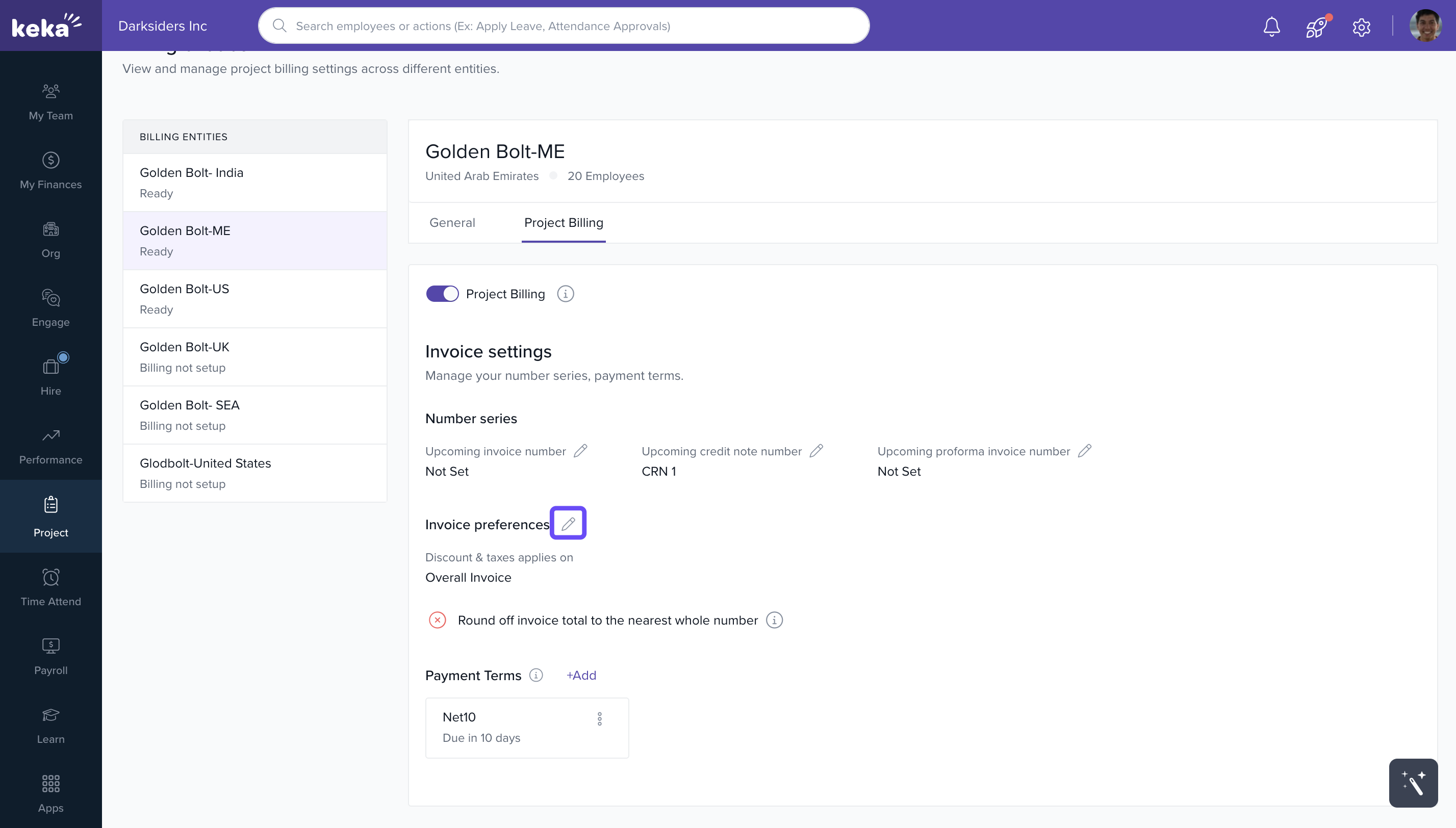
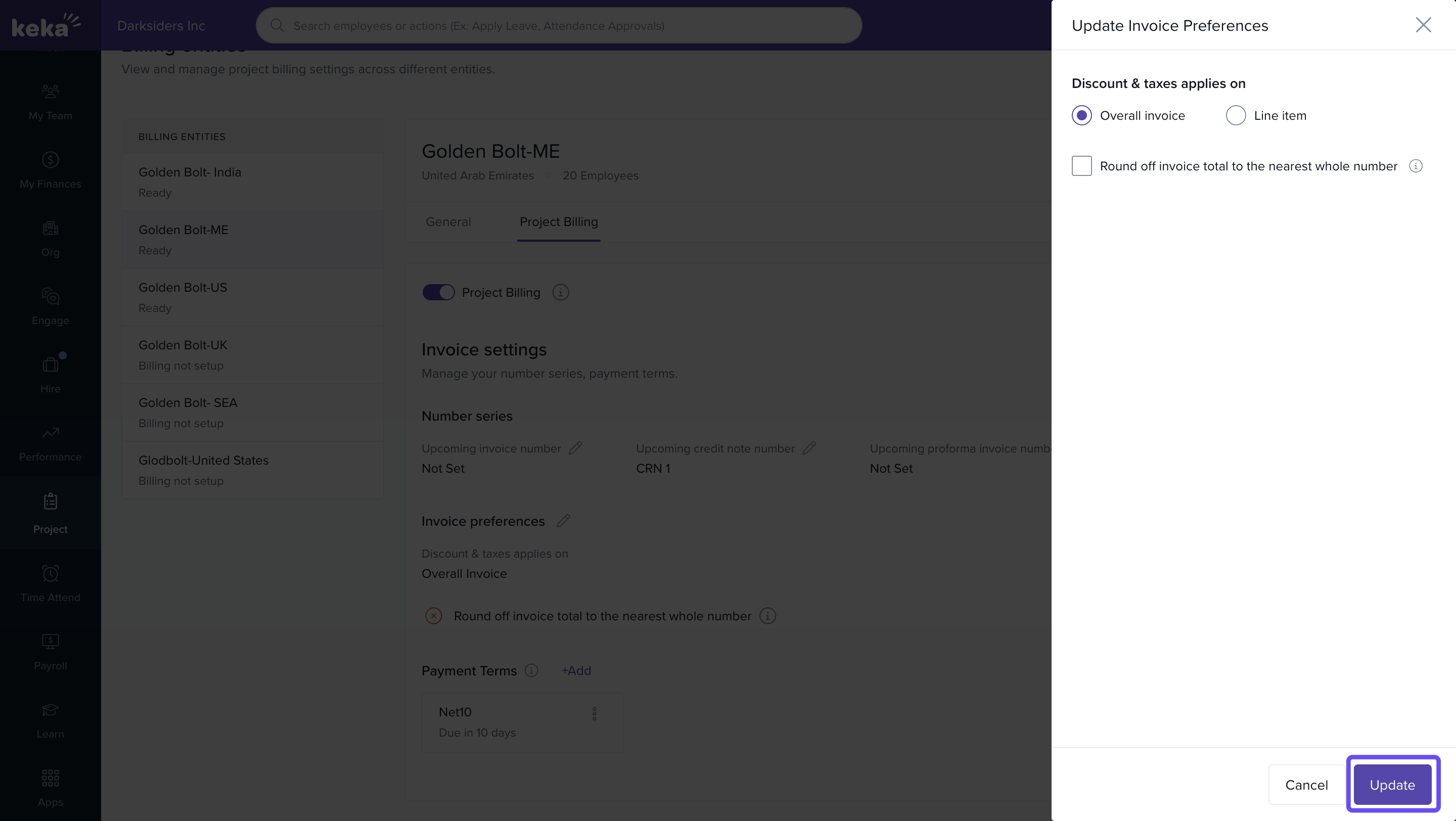
- Choose how discounts and taxes should be applied:
a) Overall invoice level
b) Line-item level - Enable rounding off to round invoice totals to the nearest whole number.
- Click Update to save your preferences.
Adding Payment Terms
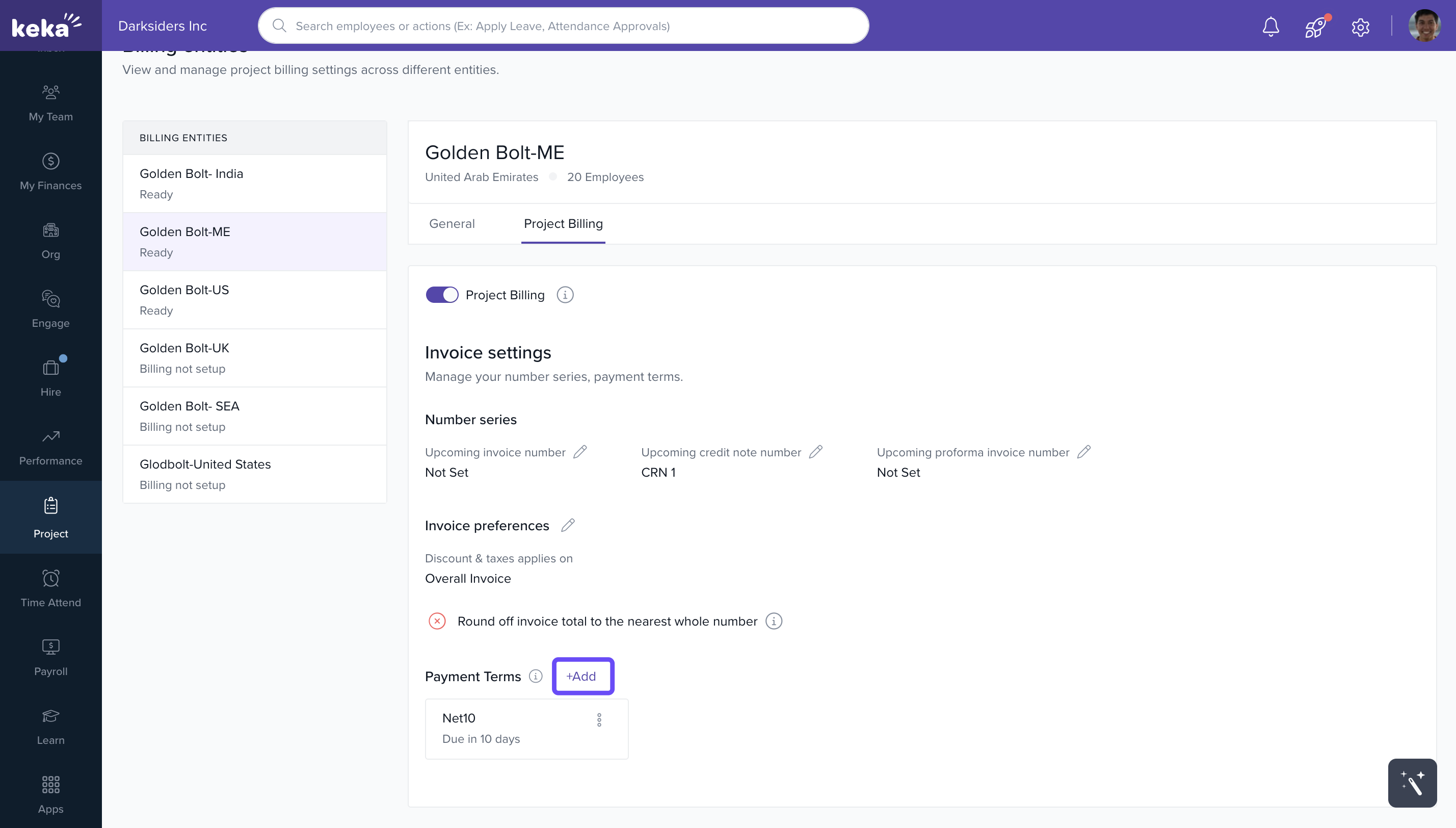
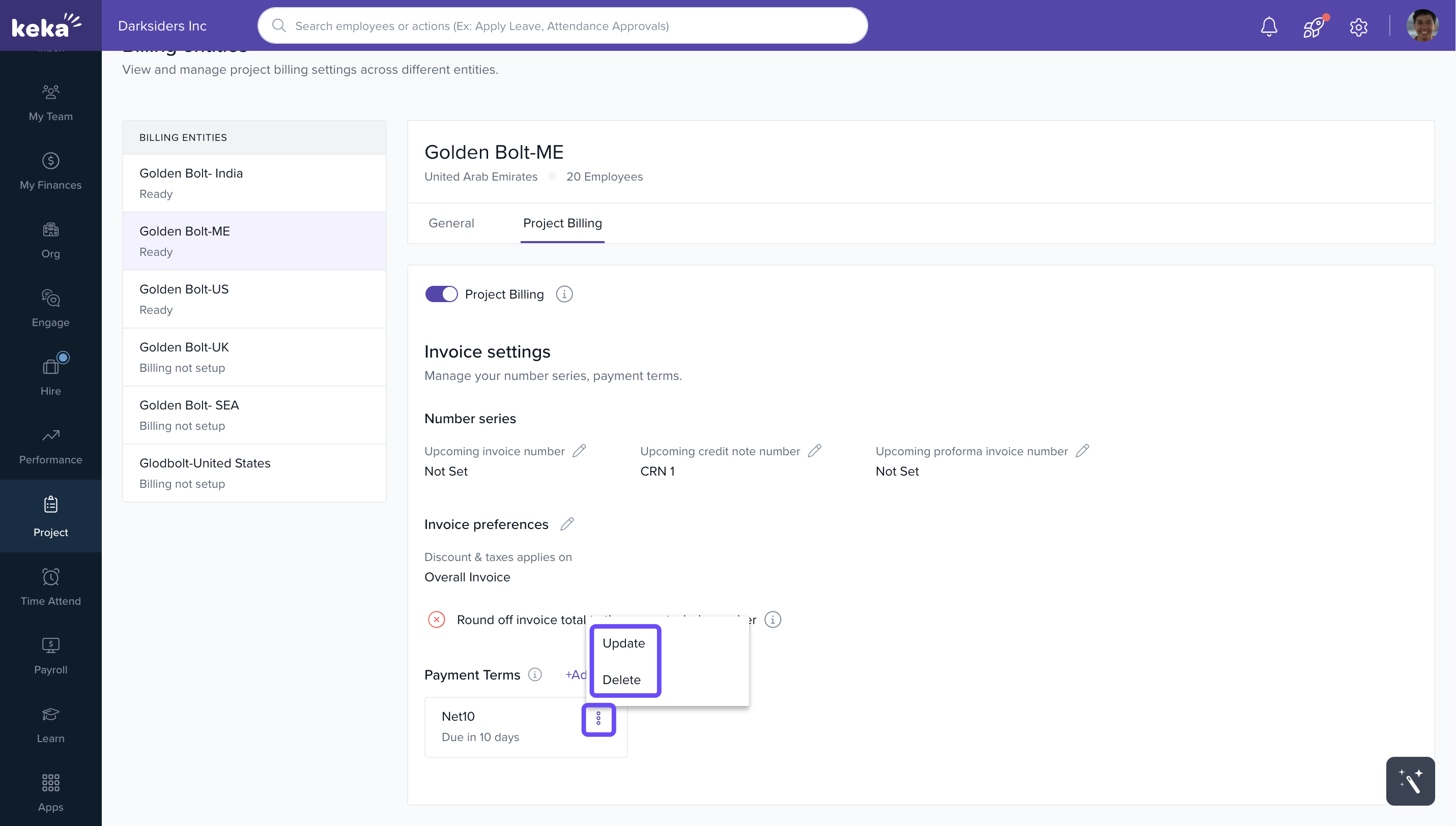
- Scroll to the Payment Terms section.
- Click +Add or +Add Payment Term.
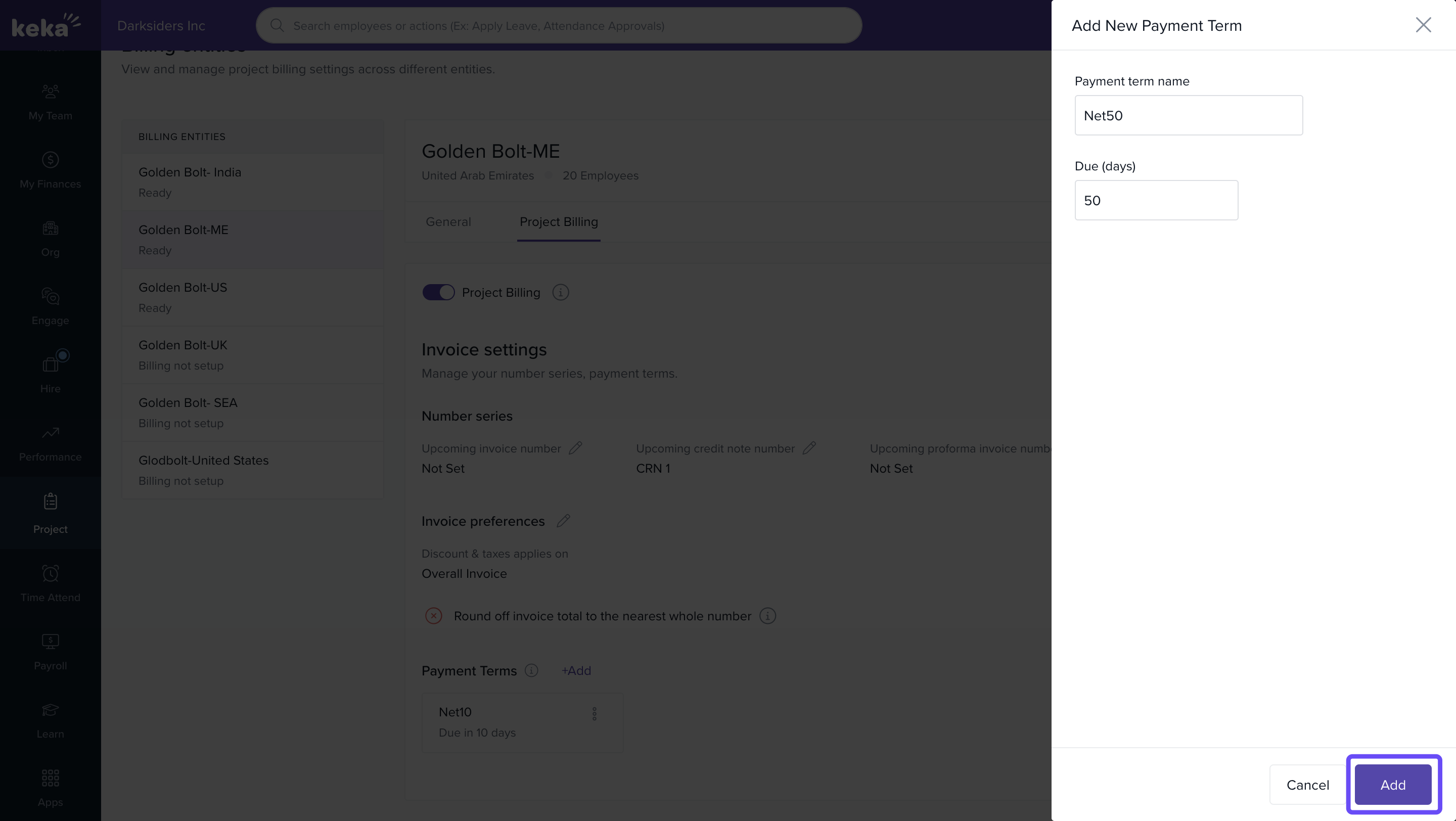
- Enter the Term Name and specify the Due (Days).
- Click Add to save.
- Use the three-dot menu beside each term to edit or delete it.
Adding Custom Fields to Invoices
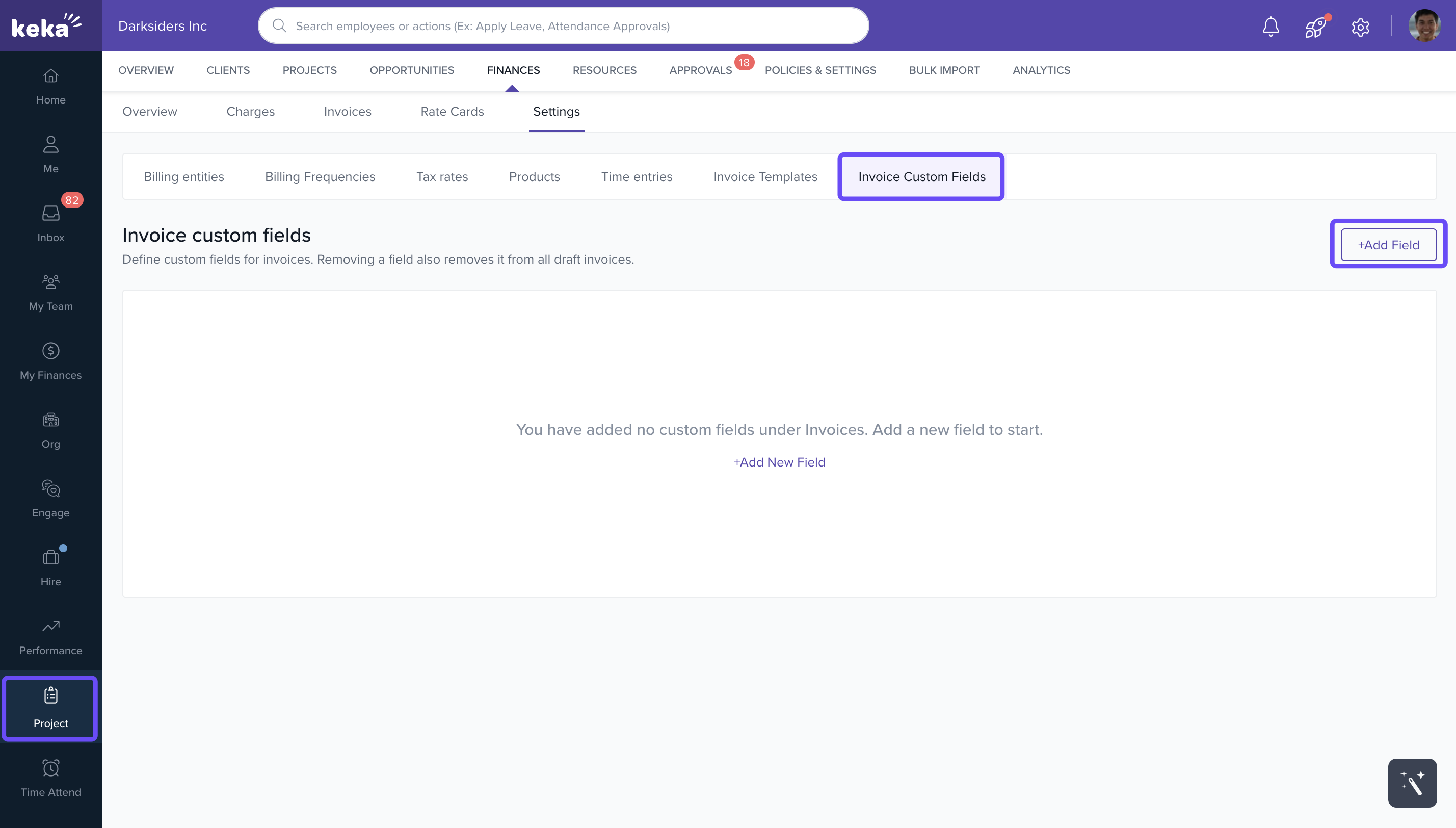
- Go to Projects > Finances > Settings > Invoice Custom Fields.
- Click +Add Field or +Add New Field.
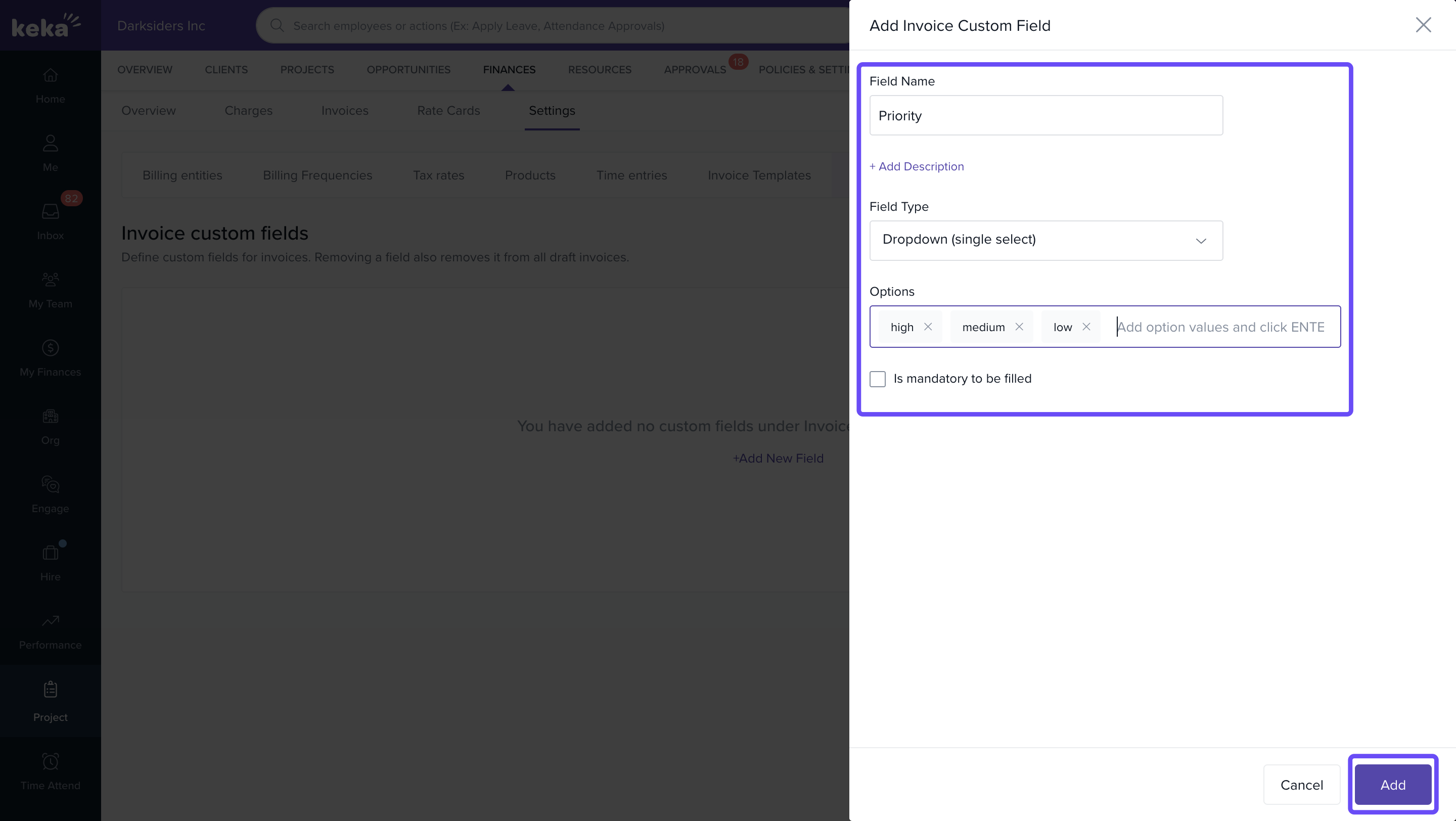
- In the window:
a) Enter a Field Name
b) (Optional) Add a Description
c) Select the Field Type (text, number, date, etc.)
d) Mark the field as Mandatory if required - Click Add to save the custom field.
Custom fields can be applied across all billing entities for consistency.
FAQs
Q: Can I assign different payment terms per invoice?
A: Yes. You can assign payment terms at both project and invoice levels.
Q: Can I apply rounding off to all invoices by default?
A: Yes. This can be configured within Invoice Preferences for each billing entity.
Q: Can custom fields be used for automation or filtering?
A: Not currently. They are used to display or capture additional information on invoices.
Q: Can I use the same legal entity across multiple projects?
A: Yes. Billing entities (once enabled) can be assigned to as many projects as needed.
For further information on billing and invoicing within Keka PSA, please click here to learn more! Billing and invoicing in Keka PSA
Comments
0 comments
Please sign in to leave a comment.