Overview
This article explains how to use the Freeze Timesheet feature in Keka PSA. By locking time entries up to a specific date, organizations can prevent unauthorized edits, maintain data integrity, and support accurate financial reporting. It is particularly useful for organizations needing to enforce compliance during billing cycles or monthly closings.
Who Can Do This?
- PSA Admins
- Finance Admins
- Global admins
Pre-requisites
- Only available for customers on the Advance plan
- The user must have access to Finance settings in the Projects module
- Freeze date updates are tracked for audit purposes
Key Features
- Prevent Unauthorized Changes: Lock time entries prior to the freeze date
- Maintain Data Accuracy: Avoid accidental or intentional edits after finalization
- Enable Compliance: Support financial audits, reconciliations, and regulatory closings
- Flexible Approvals: Continue to approve/reject frozen time entries
- Audit Trail: View history of freeze date changes for transparency
Step-by-Step Instructions
Access the Timesheet Freeze Setting
- Go to the Projects section.
- Click on the Finances tab.
- Navigate to Settings > Time entries.
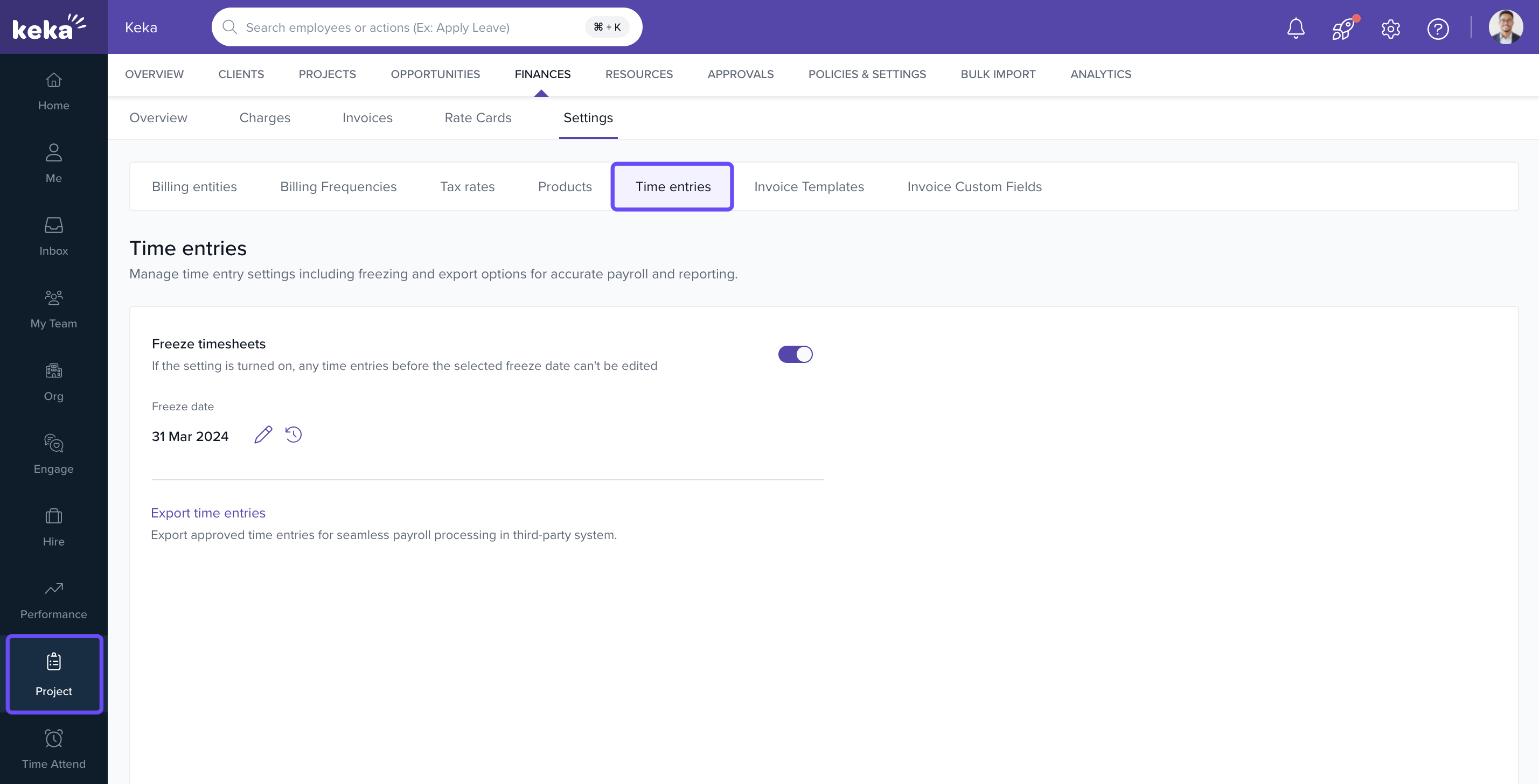
Freeze Timesheets
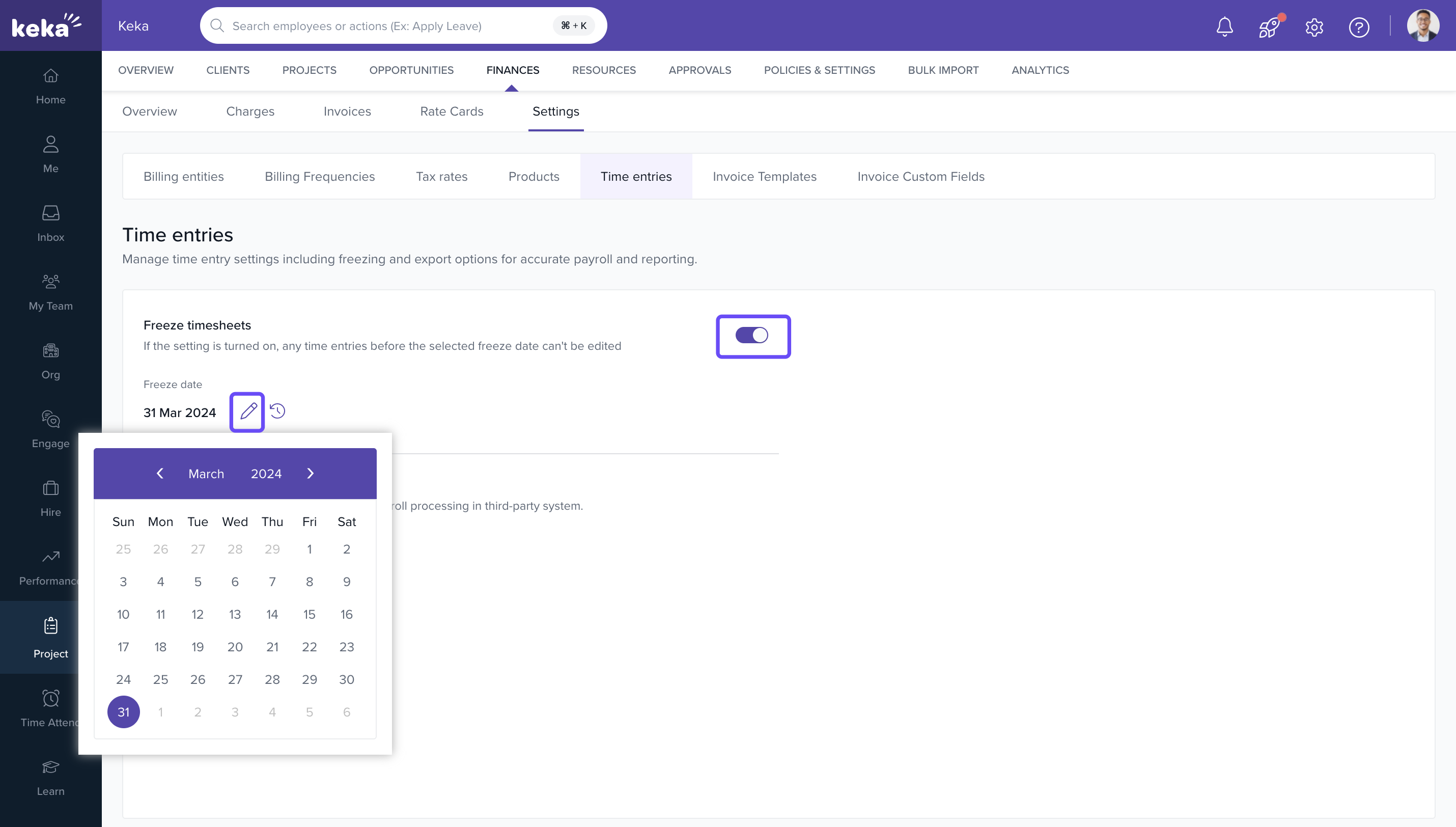
- Toggle on the Freeze timesheets option.
- Choose a Freeze Date (all time entries on or before this date will be locked).
- Click Apply to lock the timesheets.
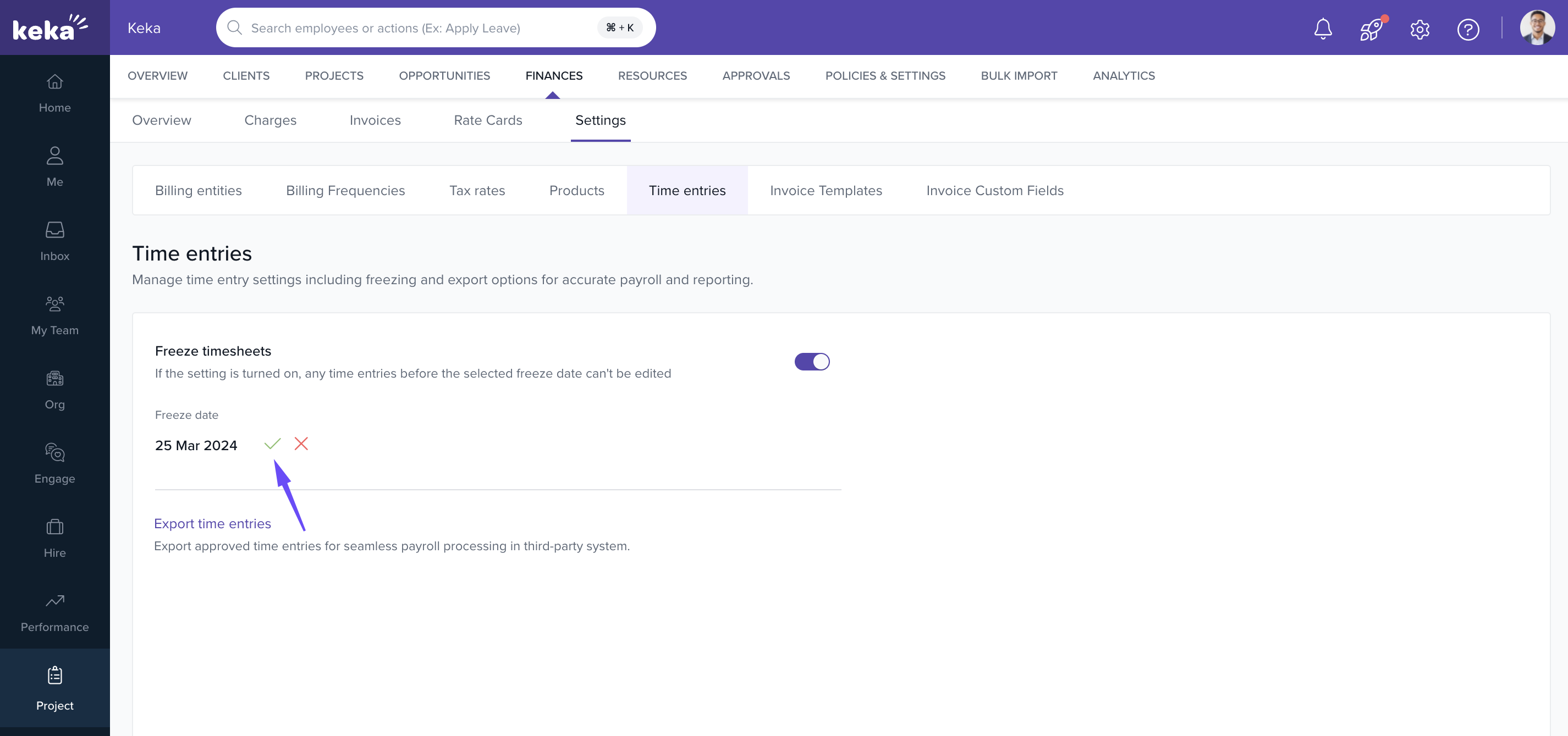
- All time entries before the freeze date become non-editable.
- Approval and rejection workflows remain functional for frozen entries.
Making Adjustments After Freezing
- Only Project Admins or users with specific finance permissions can temporarily unfreeze.
- To edit time entries, modify the freeze date to a later time.
- All changes to the freeze date are logged for auditing.
FAQs
Q: Can I approve or reject timesheets after freezing them?
A: Yes. Approval actions are still allowed even if time entries are frozen.
Q: Can employees edit their own entries after freezing?
A: No.
Q: Can I change the freeze date later?
A: Yes. The freeze date can be updated, but all changes are recorded in the audit log.
Q: Is this feature available to all customers?
A: No. It is only available for organizations on the Advance plan.
Comments
0 comments
Please sign in to leave a comment.