Introduction
The Budget Estimation tab in Payroll Analytics helps organizations plan and project salary budgets for upcoming hires. With this tool, you can:
Specify the number of positions to hire.
Allocate openings to departments and job roles.
Estimate the required salary compensation budget.
The feature also provides insights like average salary per hire, budget distribution, and cost breakdowns by department or role. This enables HR and finance teams to align hiring goals with financial feasibility, making recruitment more data-driven.
Accessing the Budget Estimation Feature
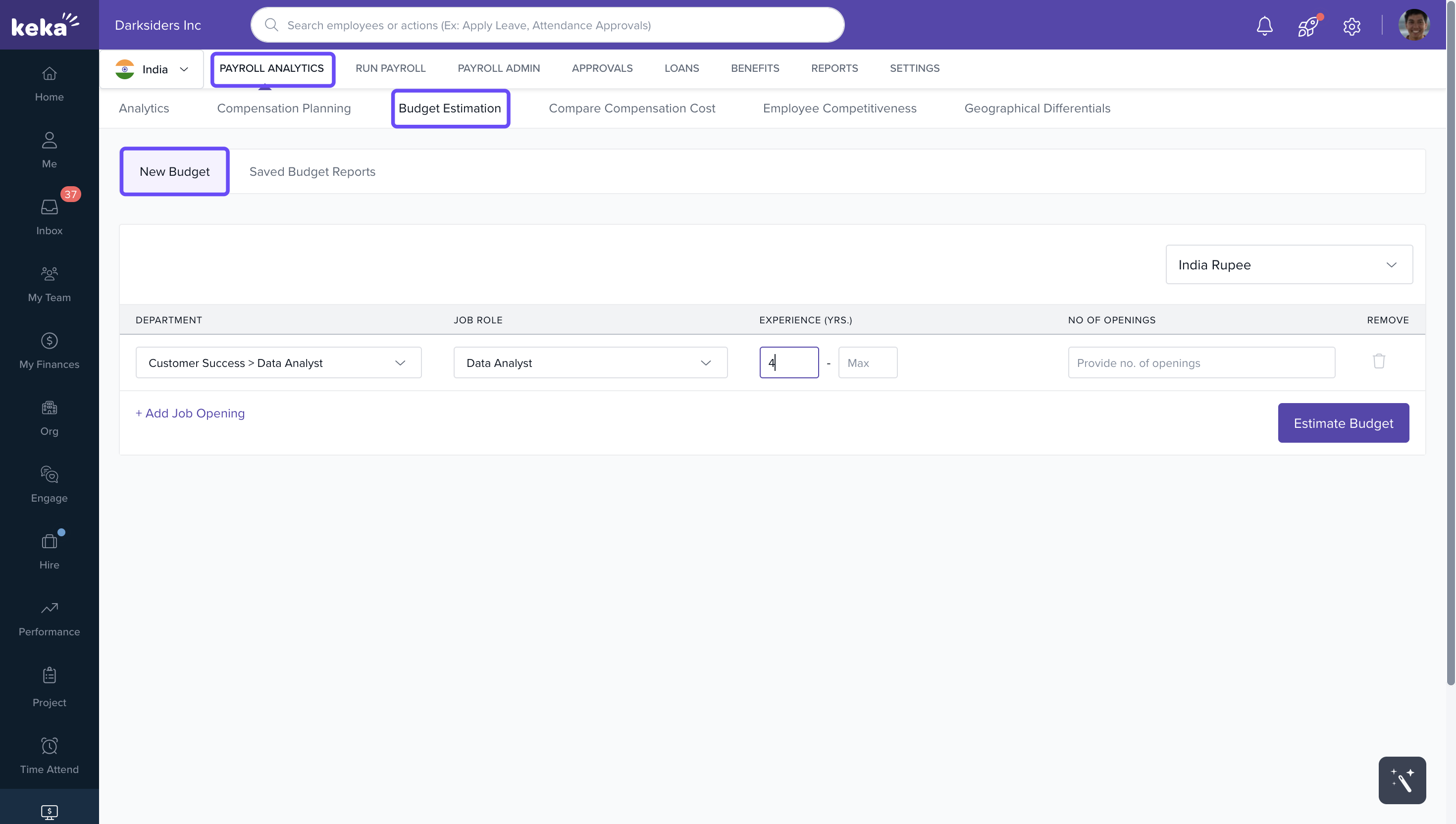
1. Go to Payroll from the left navigation pane.
2. Under Payroll Analytics, click Budget Estimation.
Creating a Budget Estimation
1. In the Budget Estimation section, click New Budget.
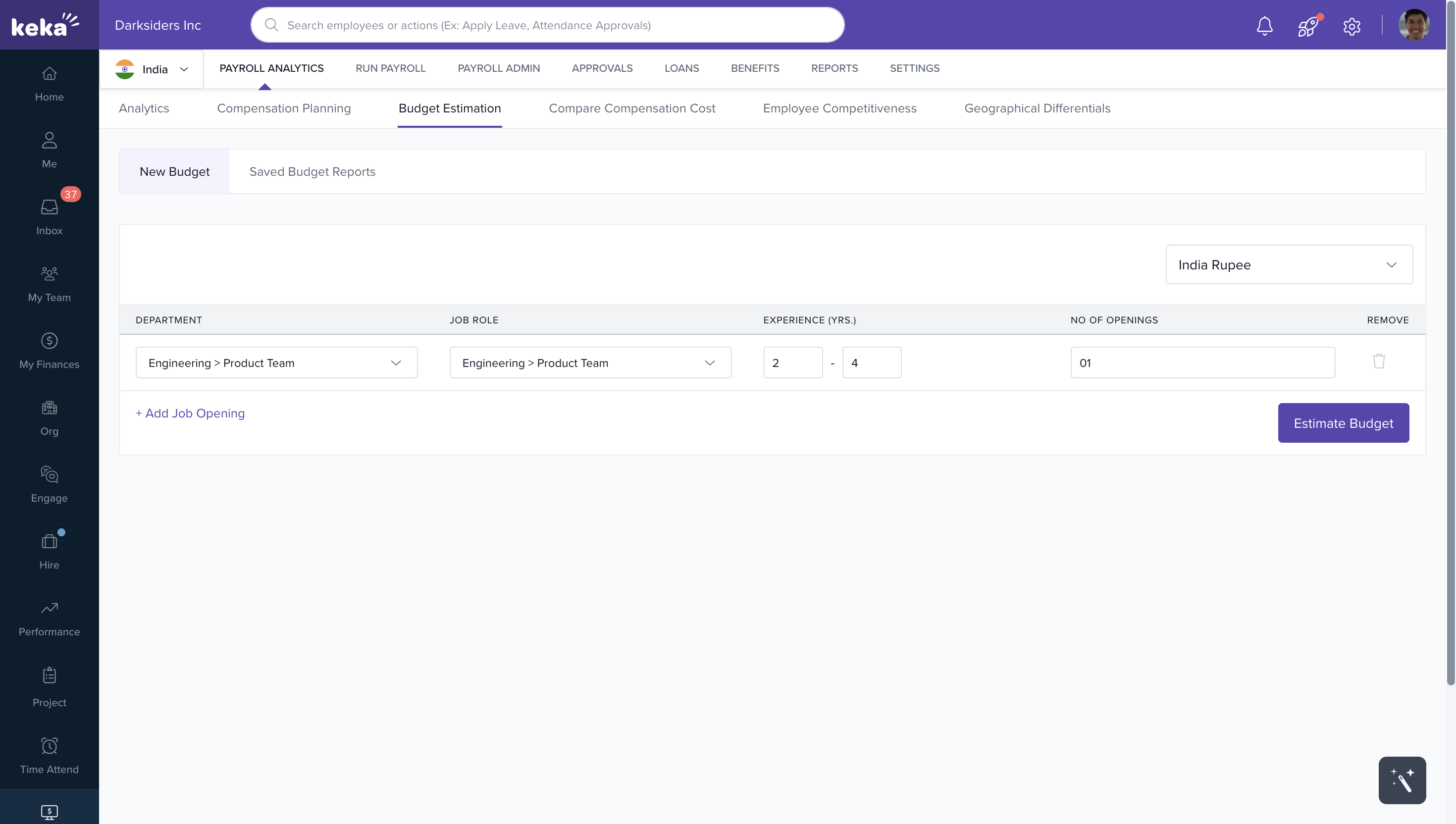
2. Set the Currency using the dropdown list.
3. Provide details for each opening:
- Department
- Job Role
- Minimum and Maximum Years of Experience
- Number of Openings
Note: Please note that you are restricted from making additions or modifications to data concerning currency, departments, job roles, and experience. Your actions are limited to selecting existing data from the provided drop-down menus.
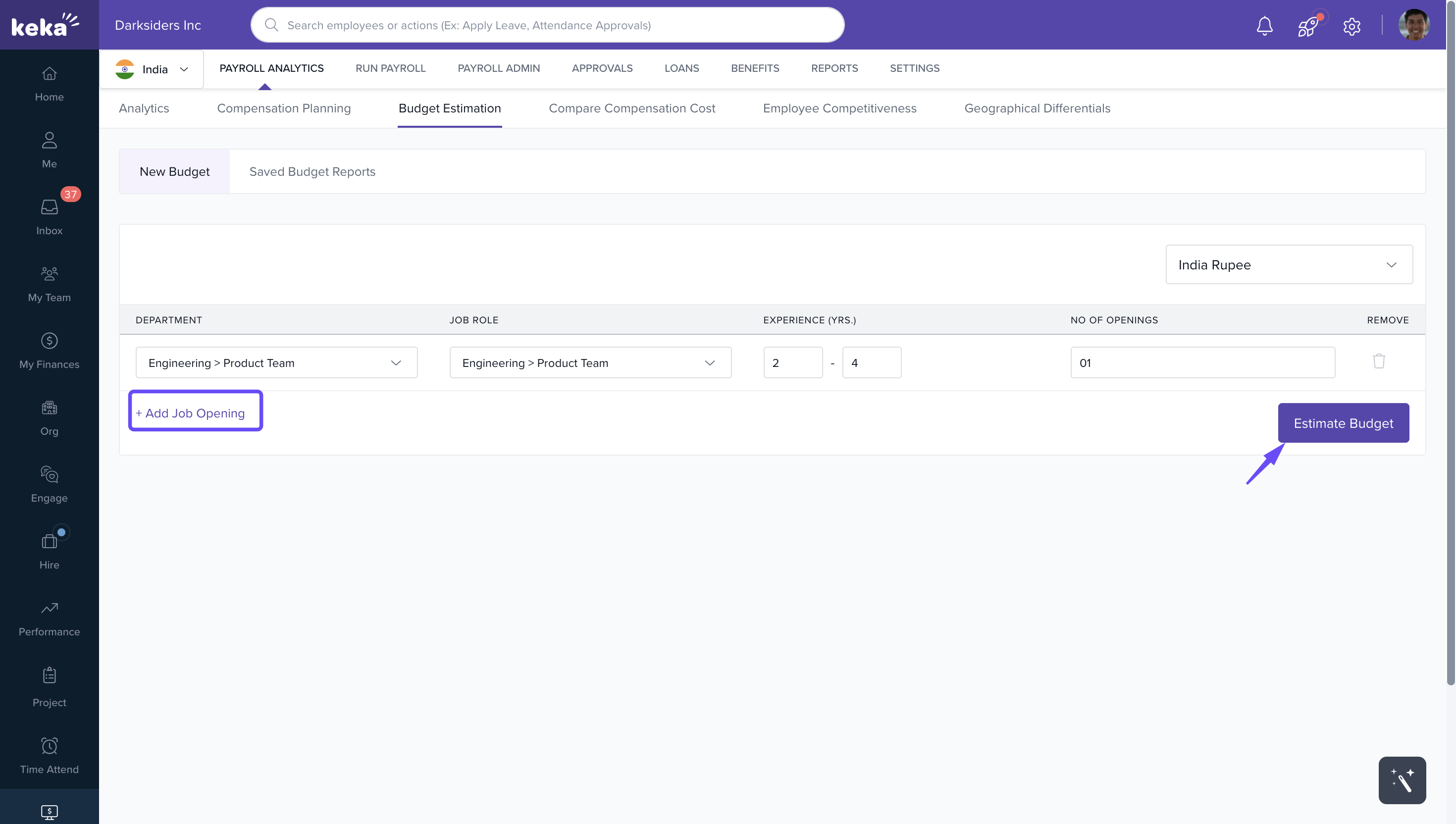
4. To estimate multiple job roles, click Add Job Opening and enter the same details.
5. Click Estimate Budget to generate cost projections.
Reviewing and Editing Estimations
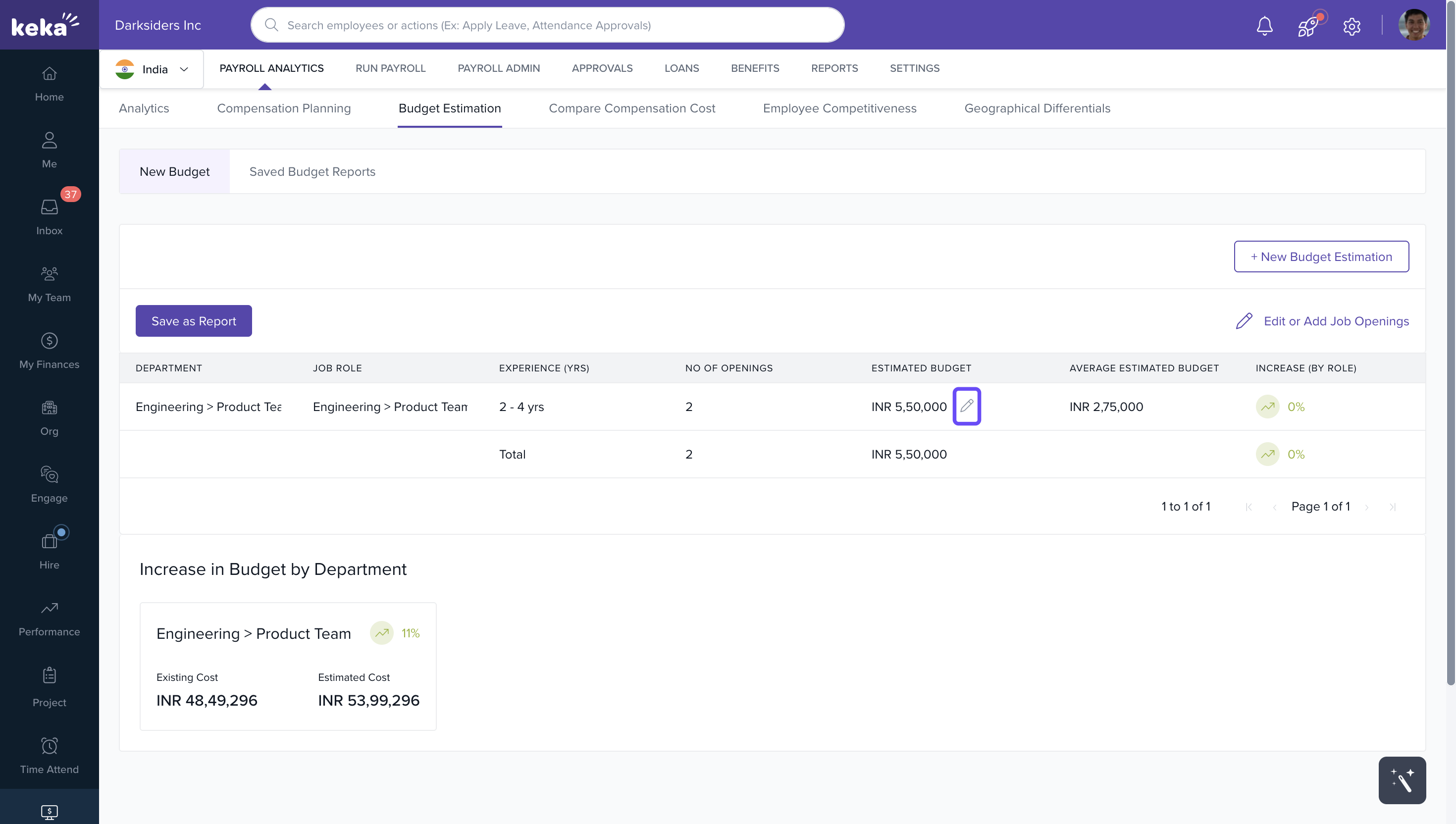
After generating an estimate, you will see:
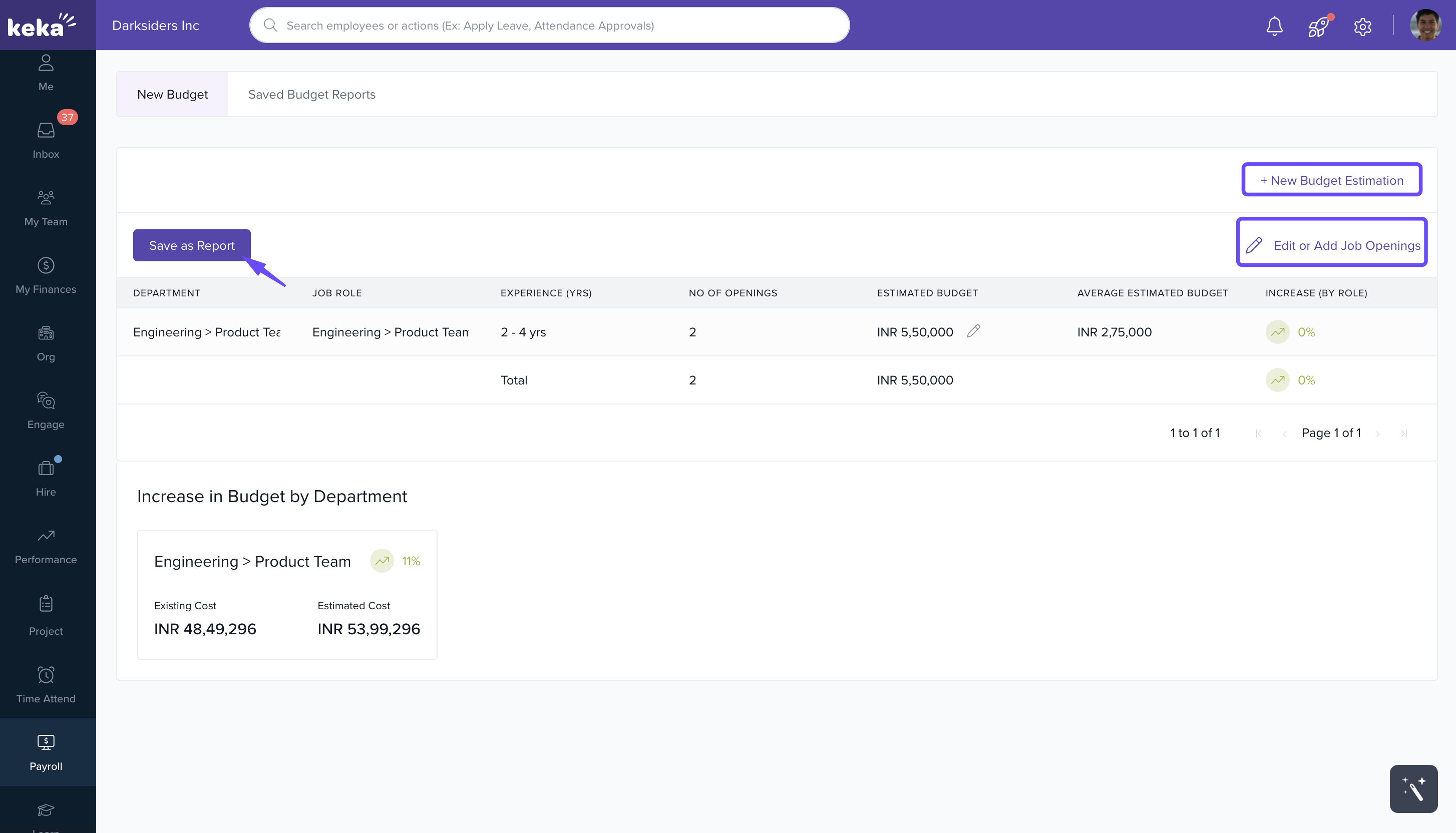
The estimated budget for the selected openings.
A Pencil icon beside the budget, allowing you to enter a manual value. This manual budget will be evenly split across the specified openings.
Saving and Managing Reports
1. Click Save as Report to save the budget for future reference.
2. Use Edit or Add Openings to modify the estimation.
3. Select New Budget Estimation to start fresh.
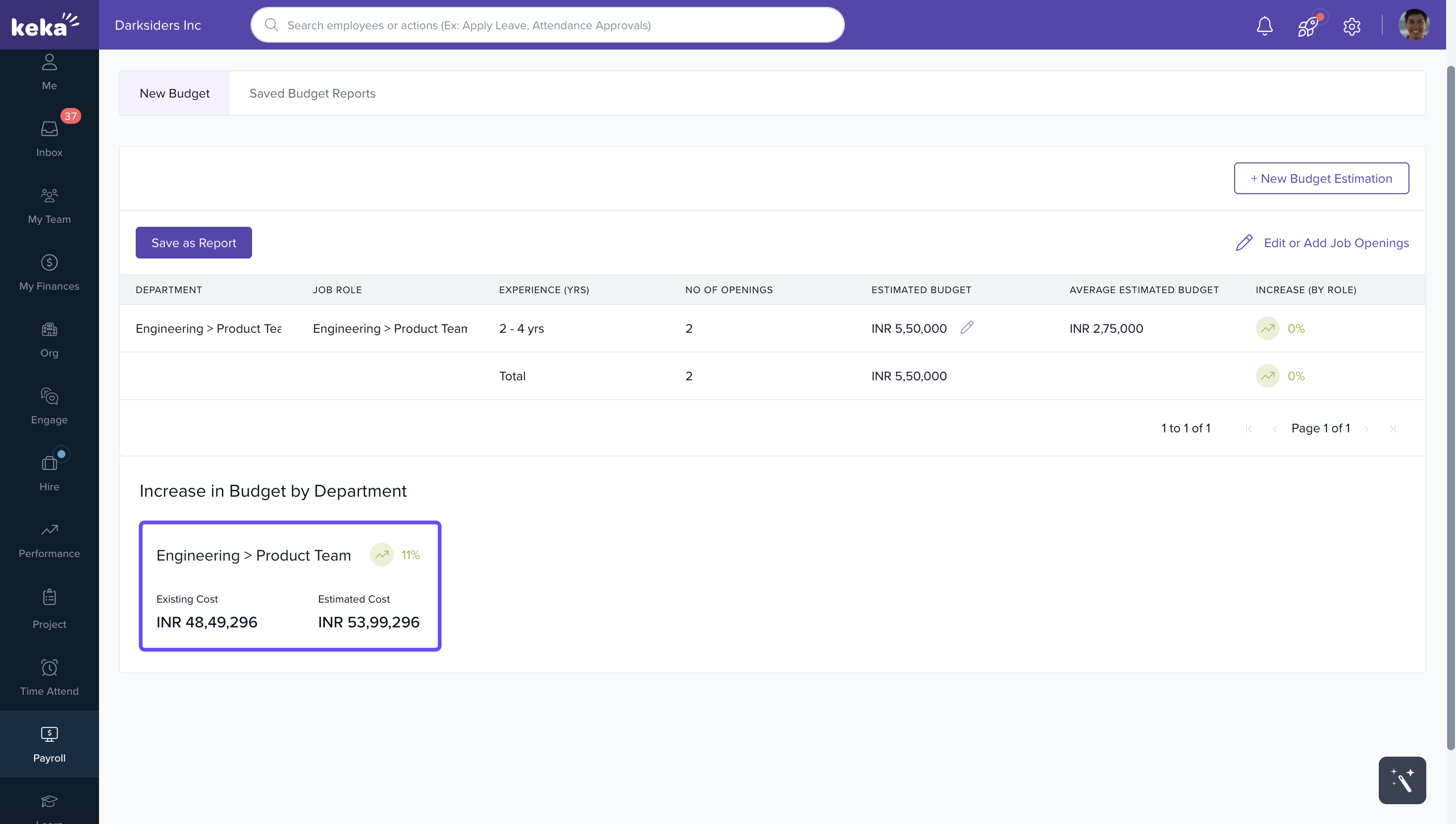
At the bottom of the page, you’ll also see the Increase in Budget by Department report, showing:
Existing Costs
Estimated Costs
Variance percentage
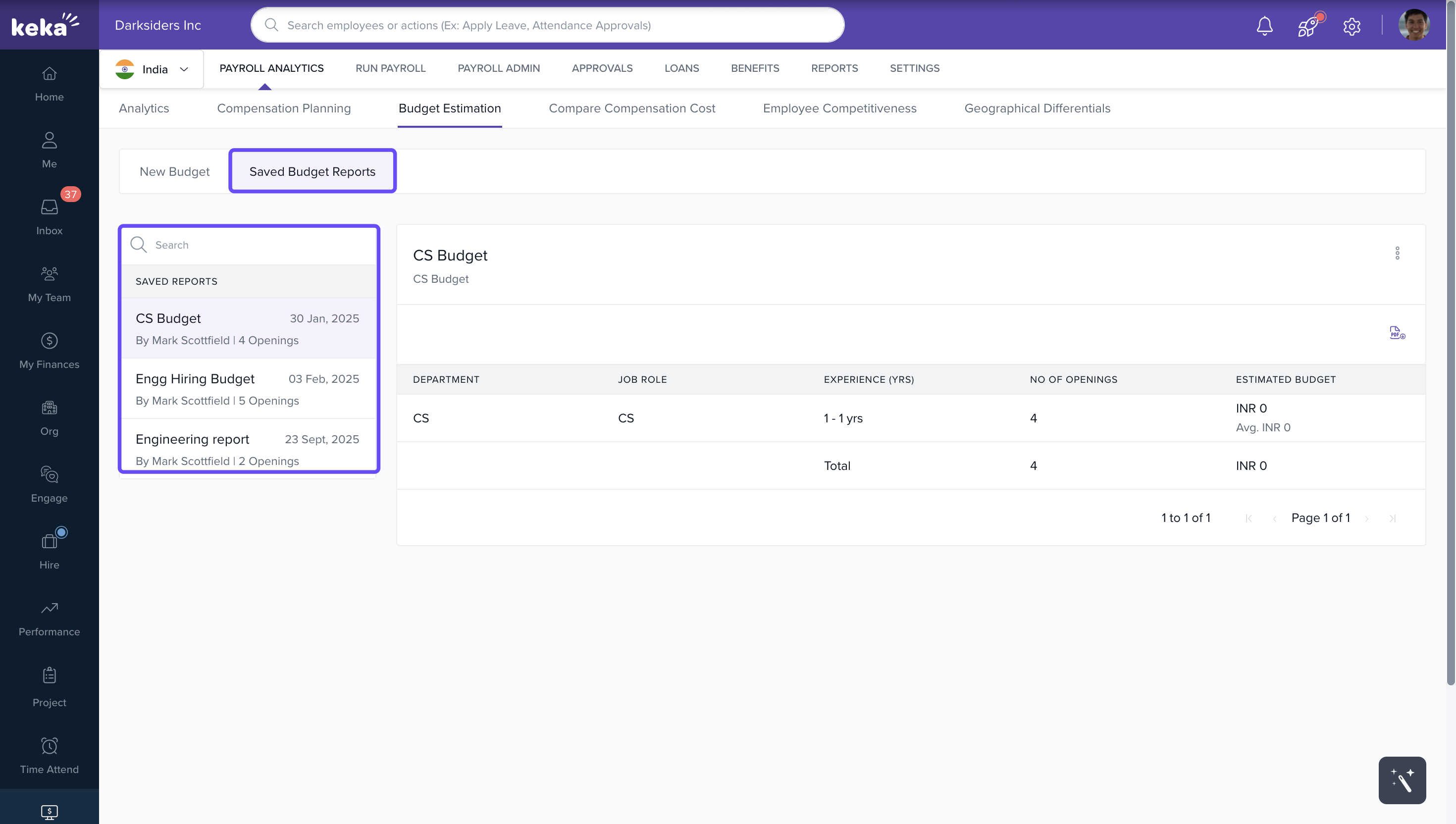
Accessing Saved Budgets
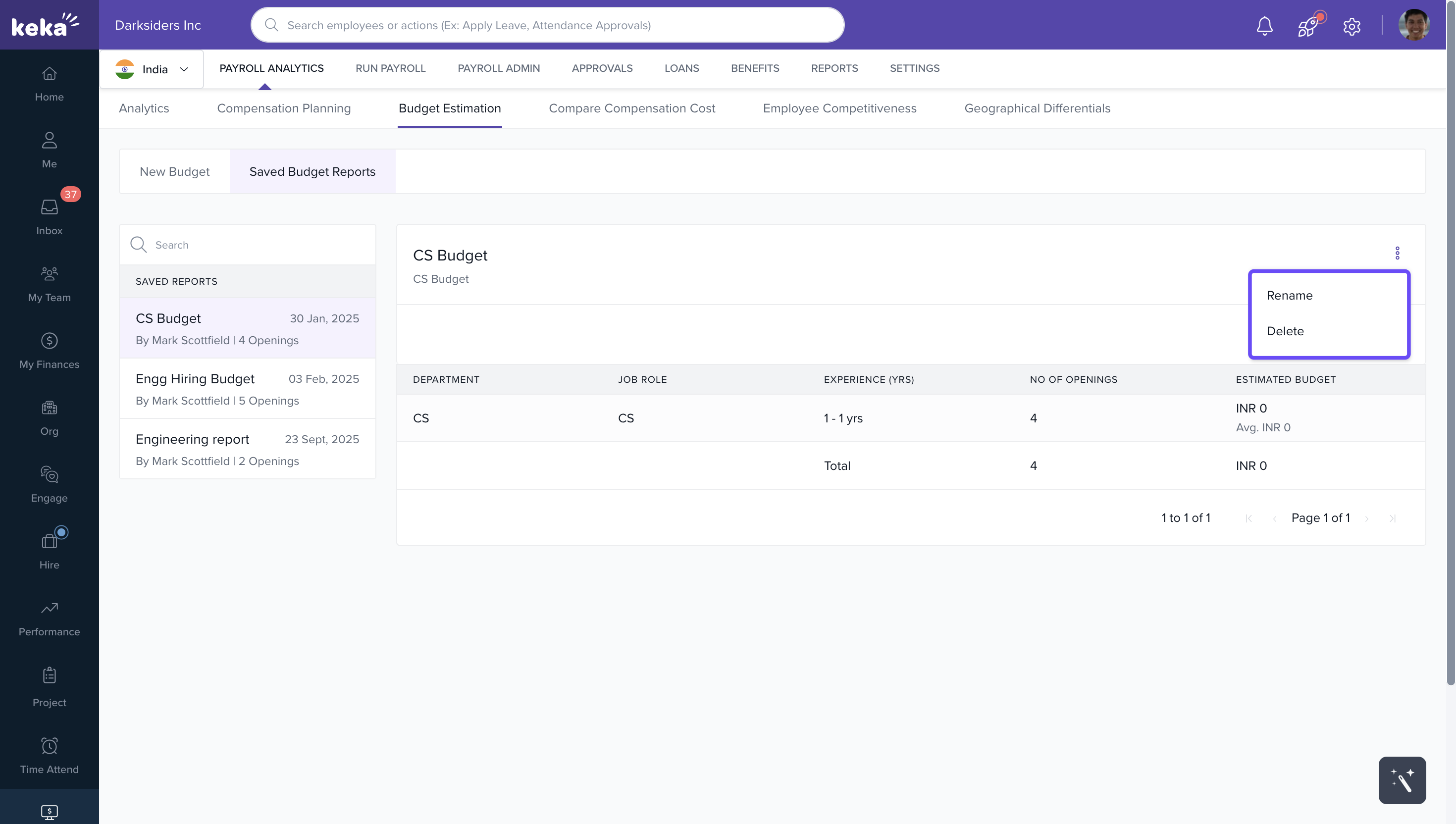
Go to the Saved Budgets Reports tab.
Select a report from the list under Saved Reports (displayed on the left).
The chosen report will appear on screen.
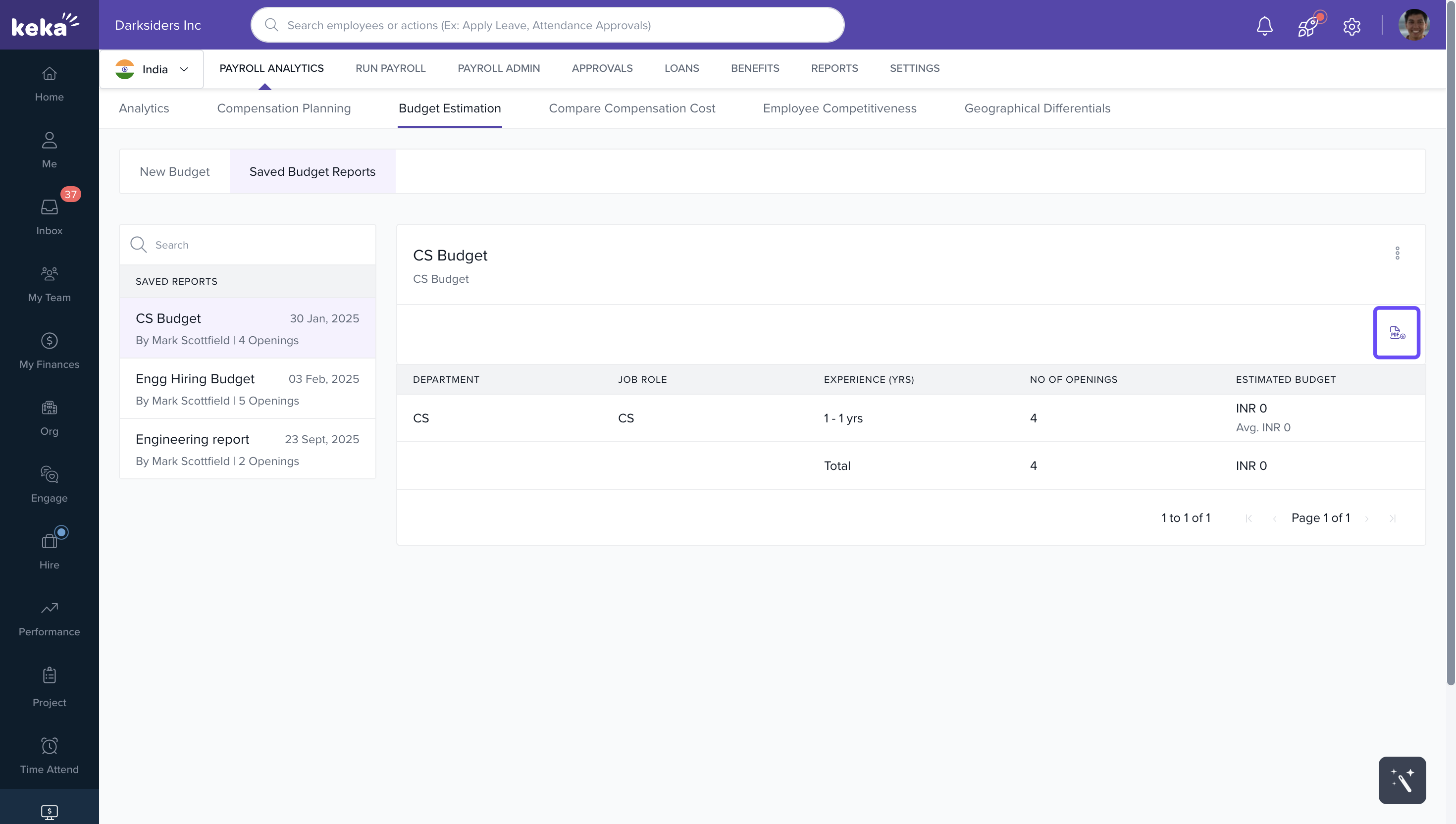
From here, you can:
Download the report as a PDF (using the PDF icon).
Delete or rename the file (via the three-dot menu).
In summary, the Budget Estimation tab in payroll analytics is a valuable tool for HR and finance departments within organizations. It allows them to plan and budget for their hiring needs in a more data-driven and precise manner, helping them make informed decisions about their recruitment strategy.
Comments
0 comments
Please sign in to leave a comment.