Introduction
Payroll reports in Keka give you detailed insights into compensation, tax, compliance, and financial trends in your organization. You can use them to analyze payroll from many angles, component-wise, employee-wise, statutory, etc so you stay on top of costs, compliance, and payroll operations
How to access reports?
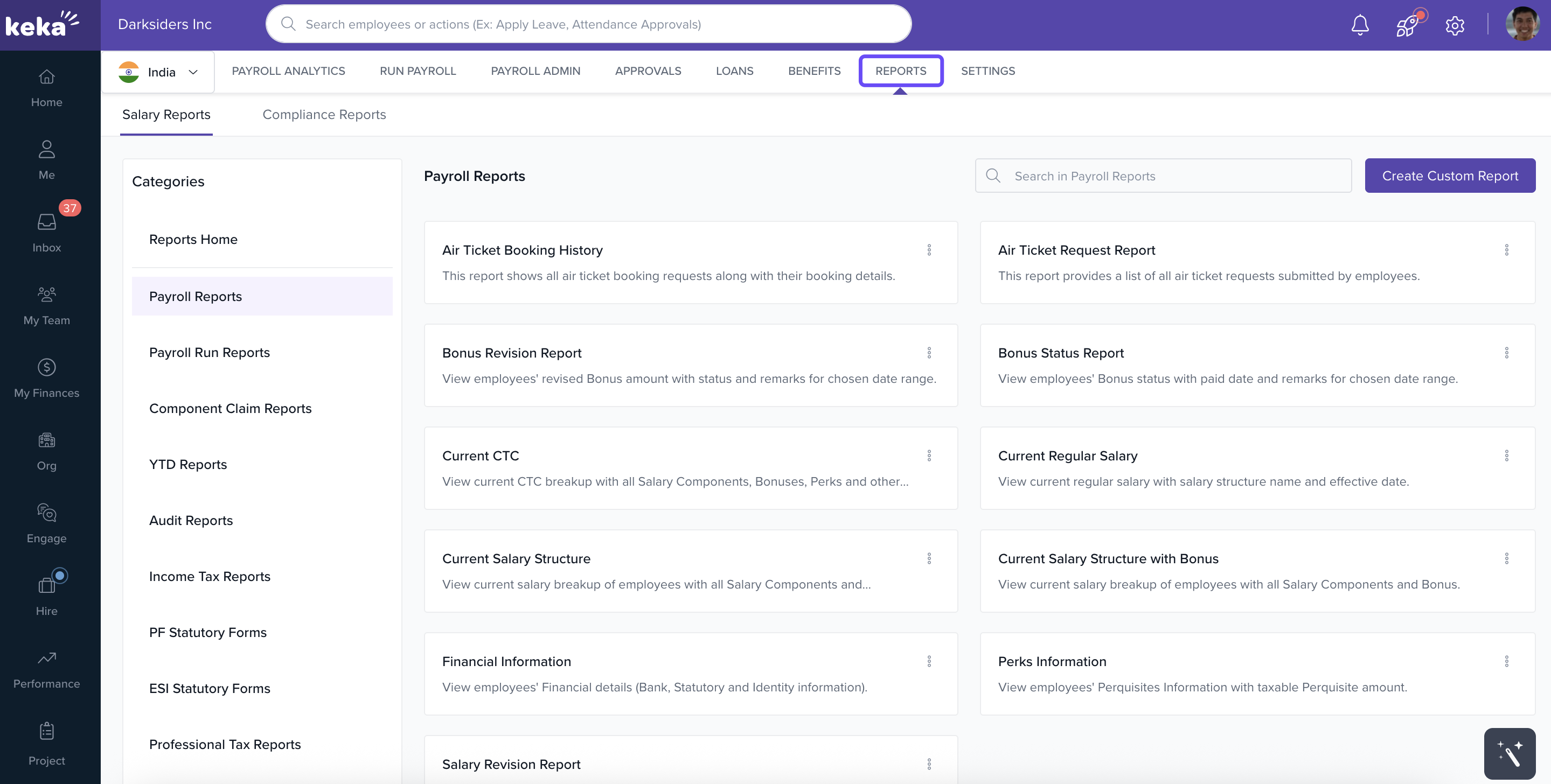
- In the left navigation pane, go to Payroll → Reports.
How to Download Reports?
From the Reports page, pick the specific report you need.
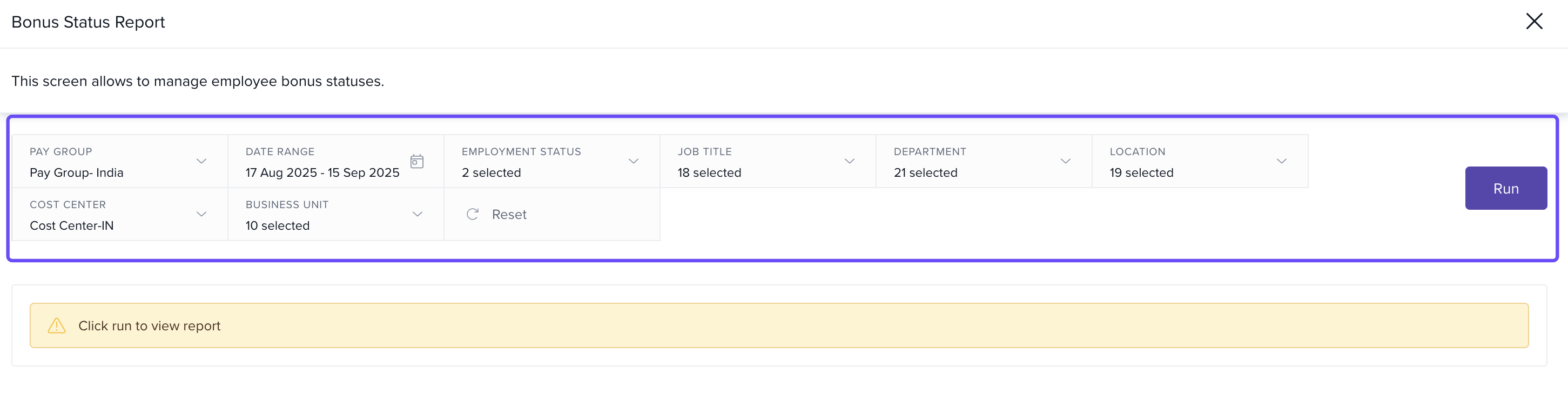
Use the filters to narrow results. Common filters include:
Pay Group
Remuneration Type
Currency
Employment Type
Job Title, Department, Location
Cost Center, Business Unit
Other relevant parameters
Once required filters are filled, click Run.
After the report is generated, download it.
Note: The criteria required for the download might vary for each report based on its type.
Different Payroll Reports on Keka
.png)
Loan Reports downloads include Employee Number in exported files, which helps identify employees and reconcile loan records.
The reports section of the payroll tab is essential for any organization to have a detailed view of their financial insights. These reports can help you to keep track of all the expenditures that an organization has made in various categories.
Comments
0 comments
Please sign in to leave a comment.