Introduction
Keka provides a Compensation Cost Comparison feature that helps organizations analyze and assess salary expenses across different dimensions. By comparing costs by Business Units, Locations, or Departments, HR and finance teams can better understand spending patterns, identify variances, and make adjustments to ensure financial stability.
Compare Compensation Costs
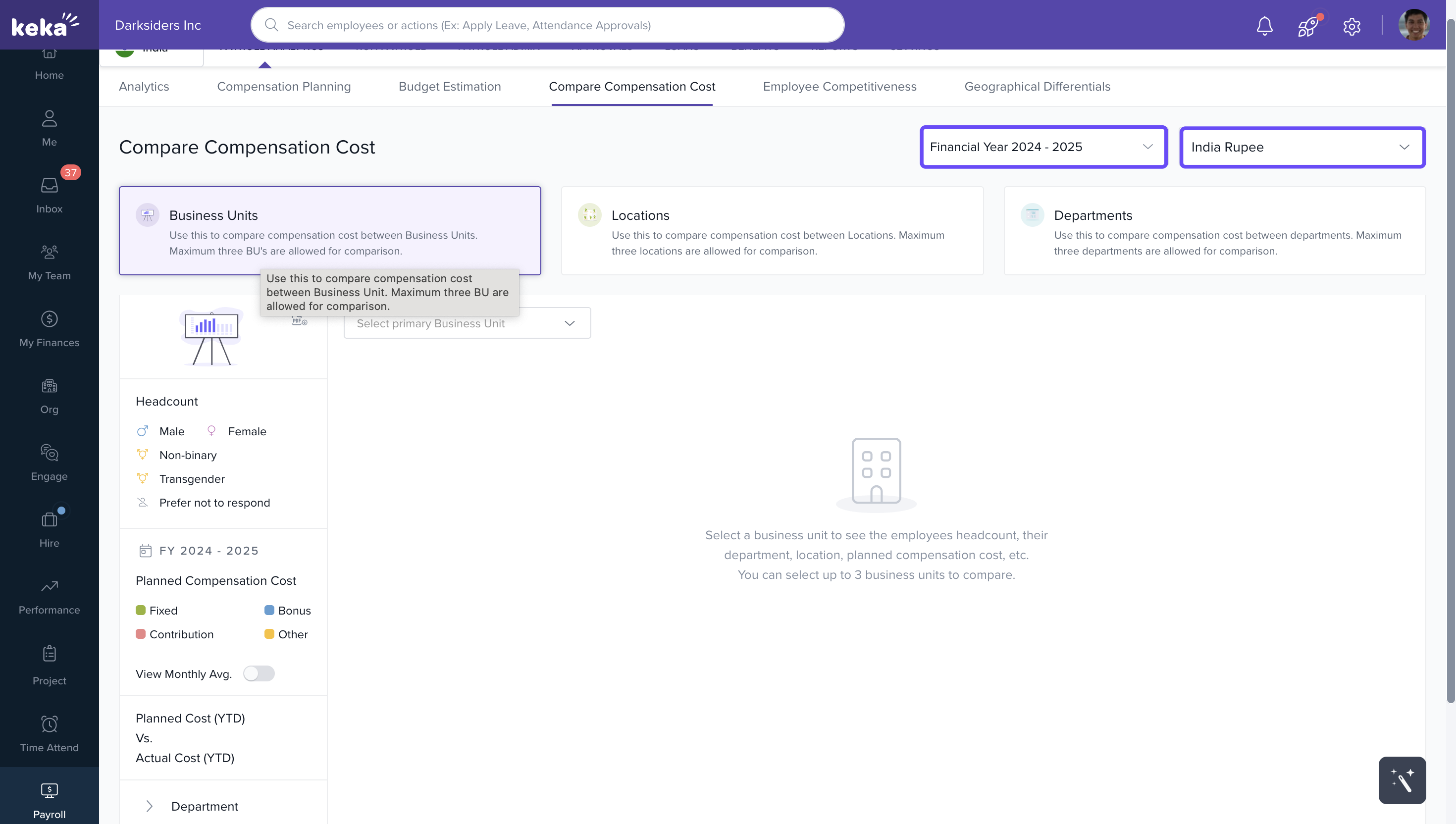
Set Financial Year and Currency
Click the dropdowns at the top of the page.
Select the Financial Year and Currency you want to analyze.
Choose a Comparison Category
You can select from:
Business Units
Locations
Departments
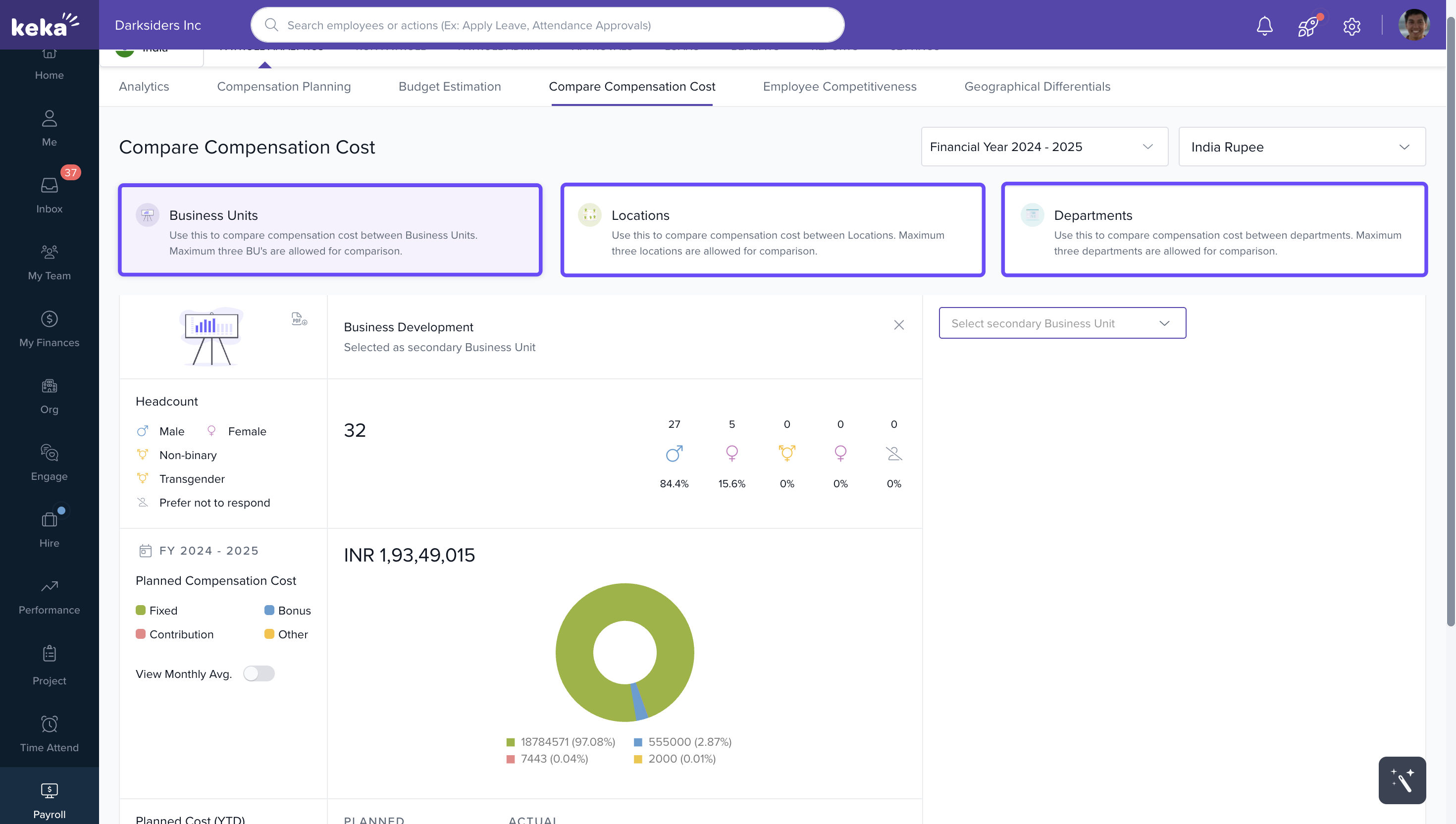
Note: When selecting a criterion for comparison, such as Business Units, you can only make comparisons among business units. It's not possible to compare them with locations or departments using this specific criterion.
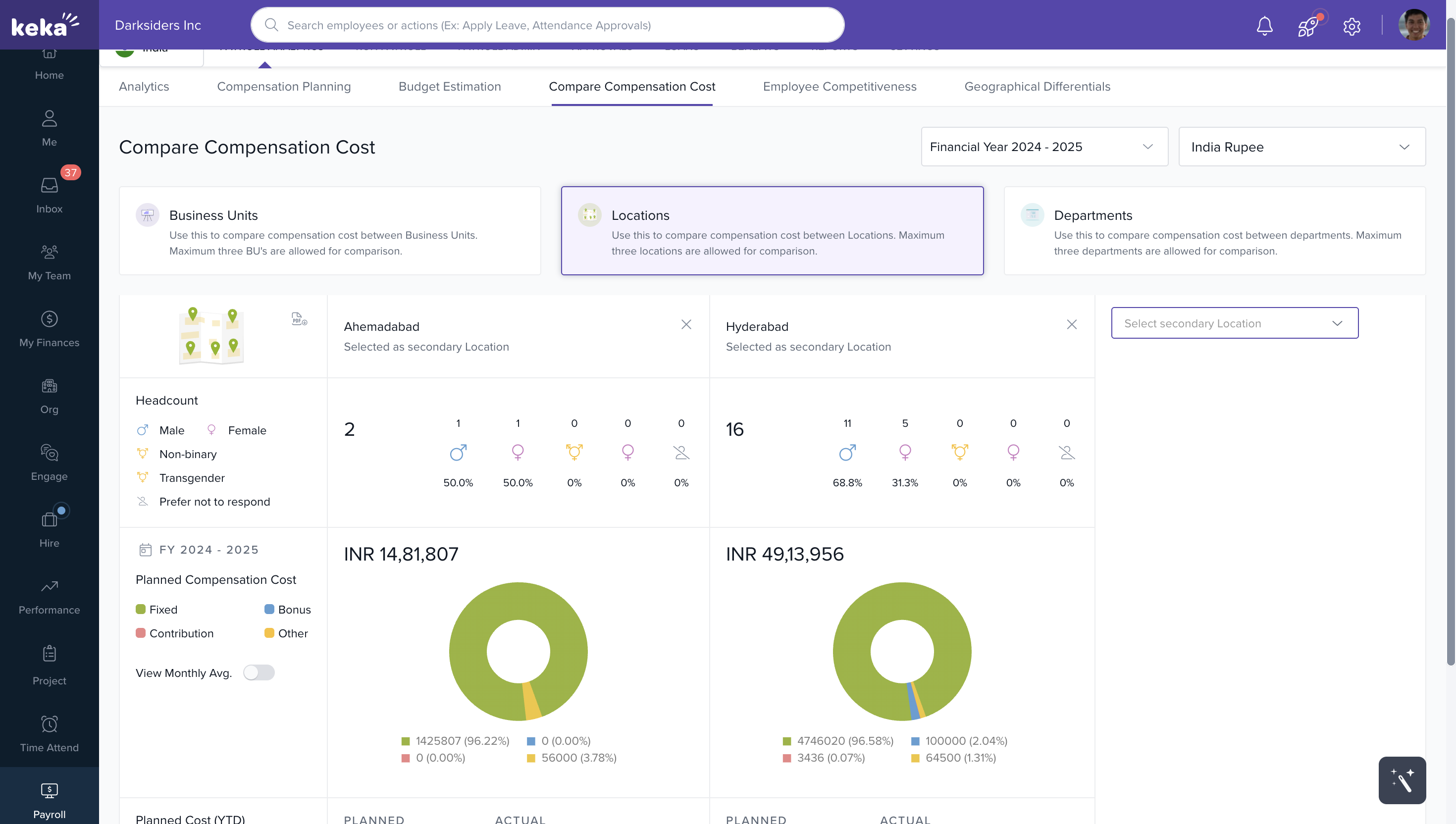
Example: Comparing by Location
Click Location.
Select a Primary Location.
Select up to two Secondary Locations for comparison (maximum of three locations can be compared at once).
Review the Comparison Table
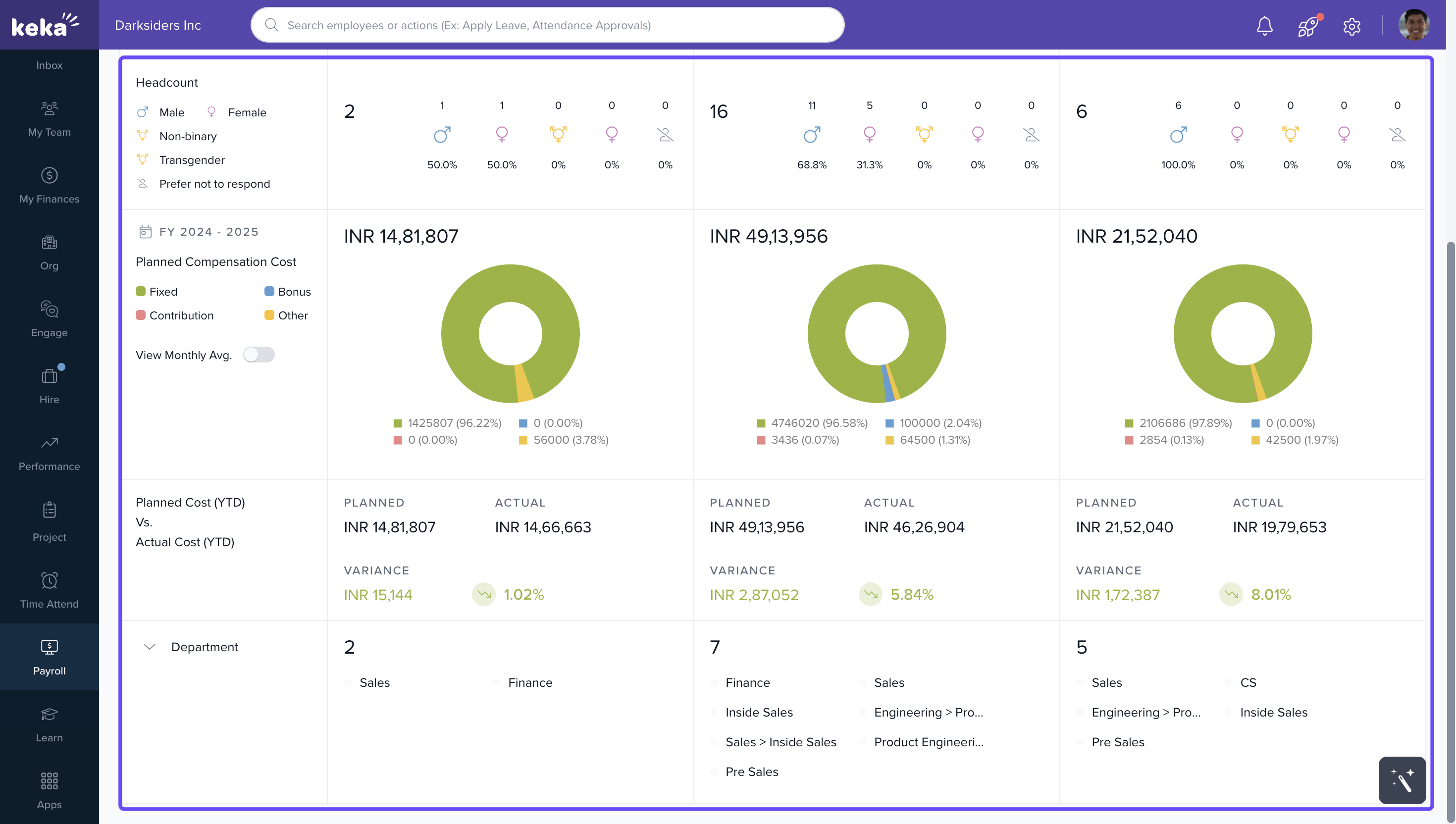
Once the locations are added, a comparison table is generated. It shows:
Number of employees at each location
Gender distribution
Planned compensation costs for the current year (with a pie chart visualization)
View Monthly Avg option → shows average monthly statistics
Comparison of planned vs. actual costs with variance highlighted
Number of departments operating at each location
You can conduct comparisons between different business units and departments within your organization in a similar way.
We hope you now have a good understanding of how to compare compensation costs across different business units, locations and departments within your organization.
Comments
0 comments
Please sign in to leave a comment.