Introduction
Every organization structures its payroll differently, some by cost centers, others by departments, projects, or clients. To support this diversity, Keka now lets you customize the pay register at the pay group level.
You can now add, remove, or reorder columns in the pay register to match your operational and reporting needs. Previously, the pay register layout was fixed, and fields couldn't be changed. With this update, you gain full control over how payroll data is displayed.
You can access the customization screen from either Payroll Settings or directly from the Pay Register.
Payroll Settings
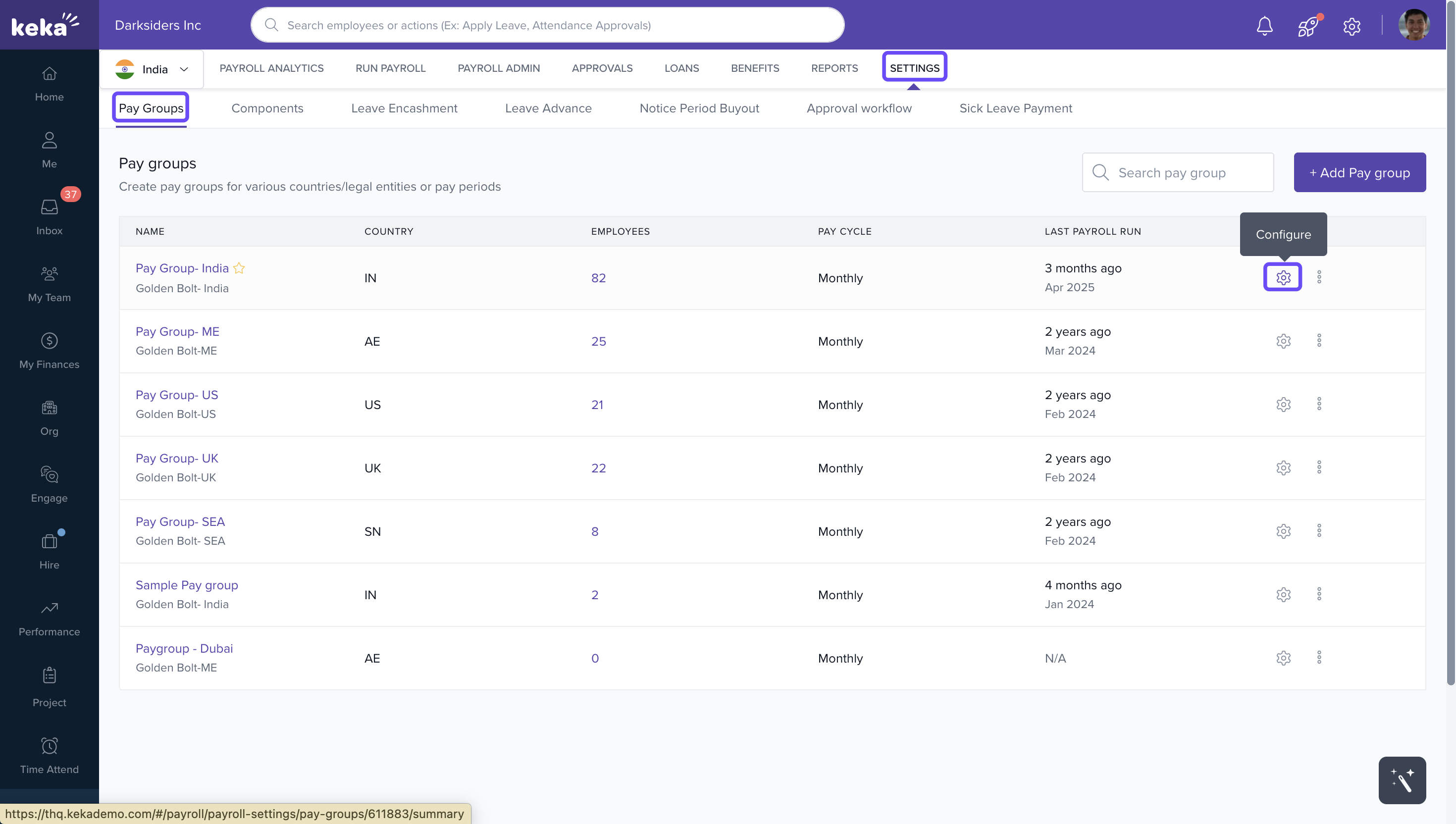
1. Go to Payroll → Settings → Configure (next to Pay Group).
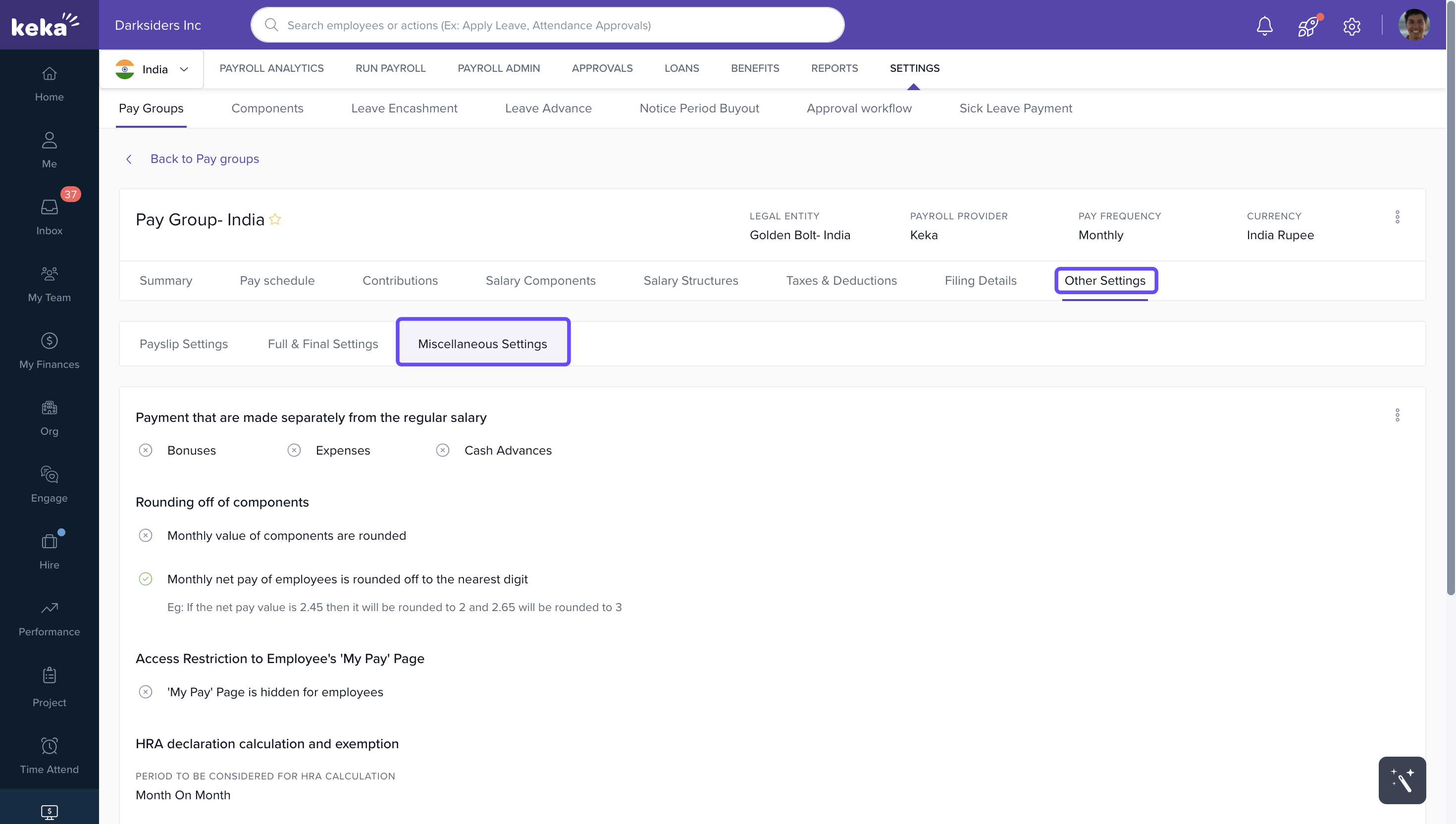
2. In the Pay Group, go to Other Settings.
3. Click Miscellaneous Settings.
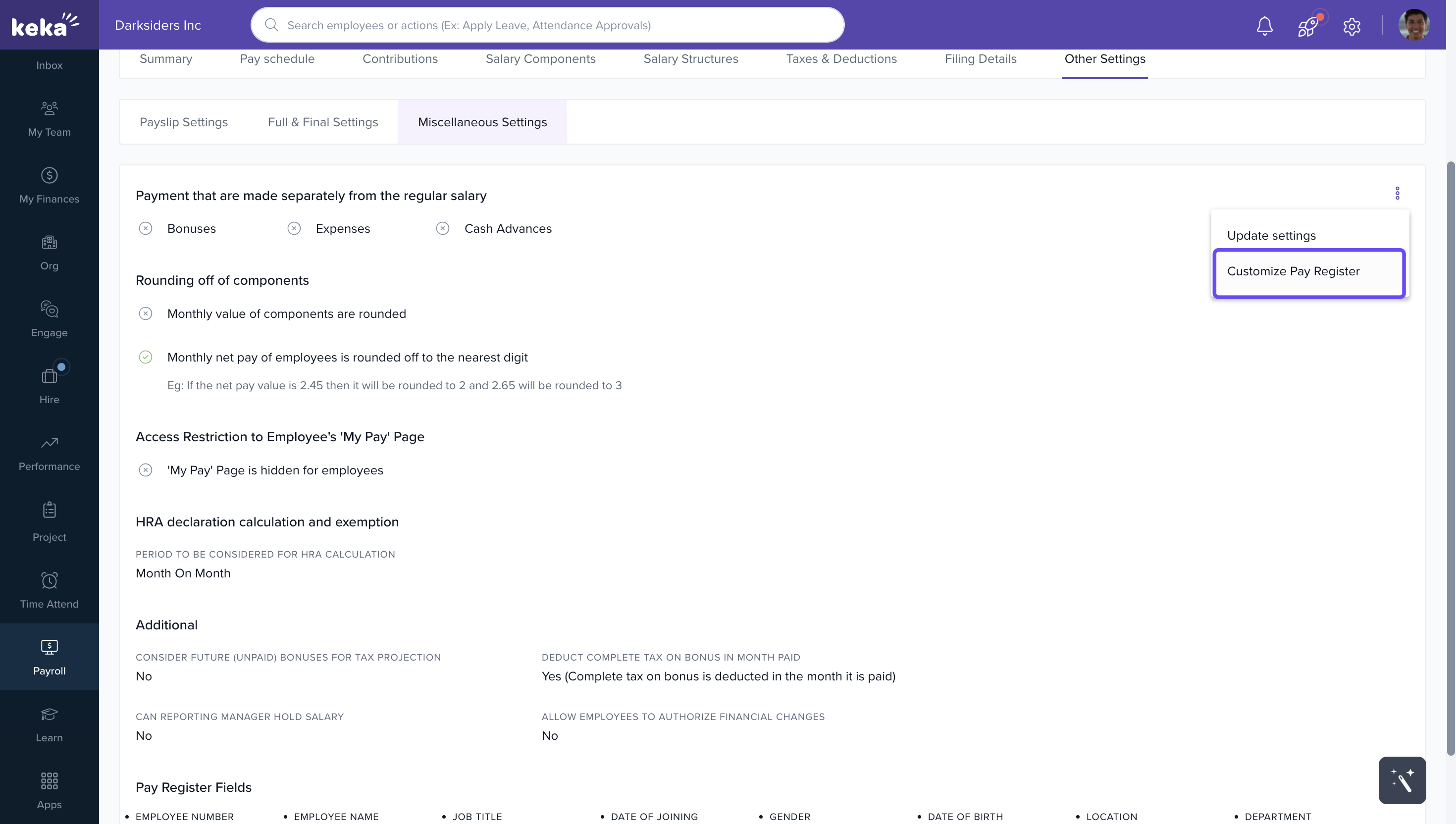
4. Click the 3-dot icon at the top-right corner.
5. Select Customize Pay Register
Pay Register
1. Go to Payroll → Run Payroll
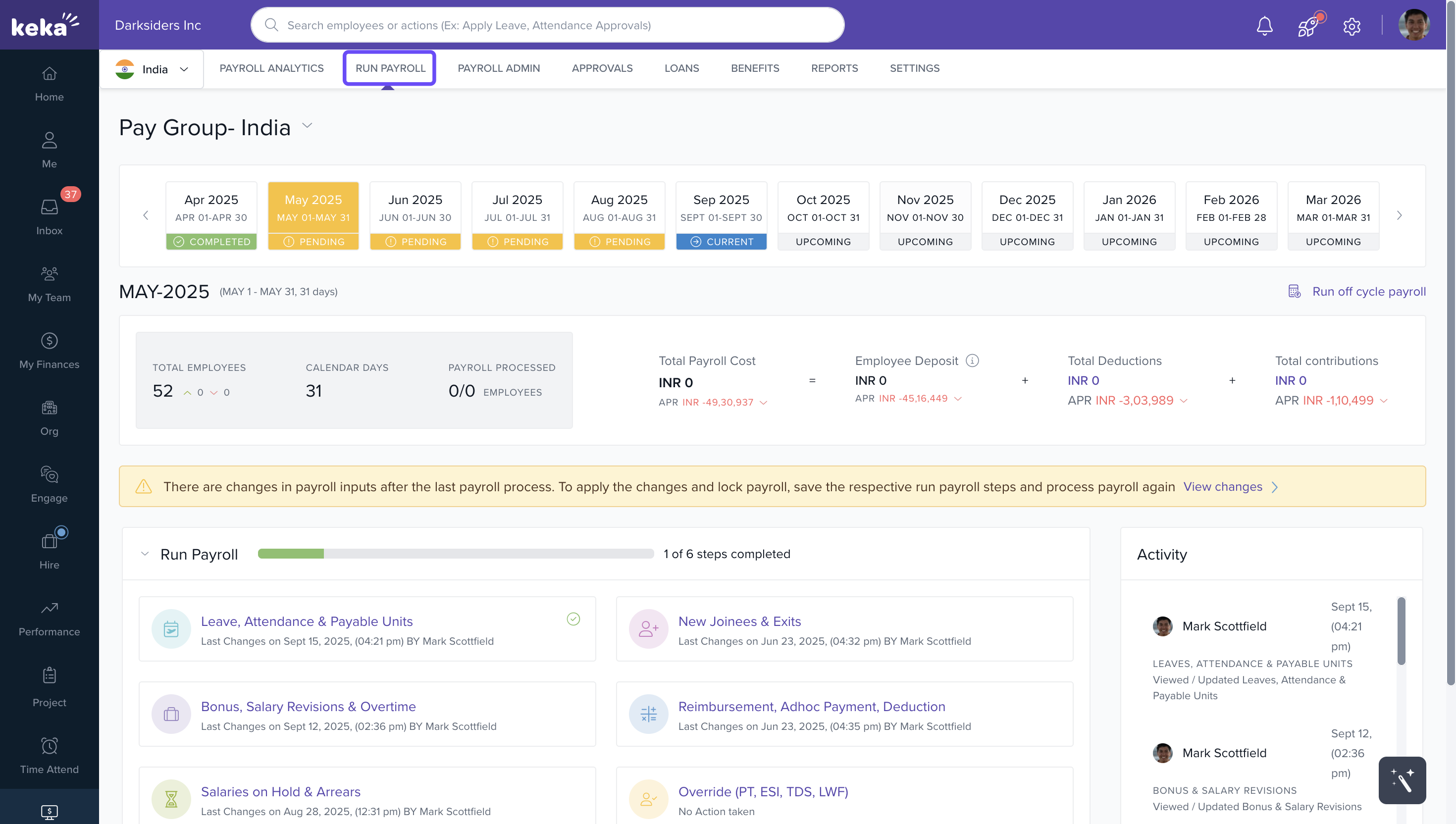
2. Click View Pay Register.
3. Click the Customize Pay Register icon.
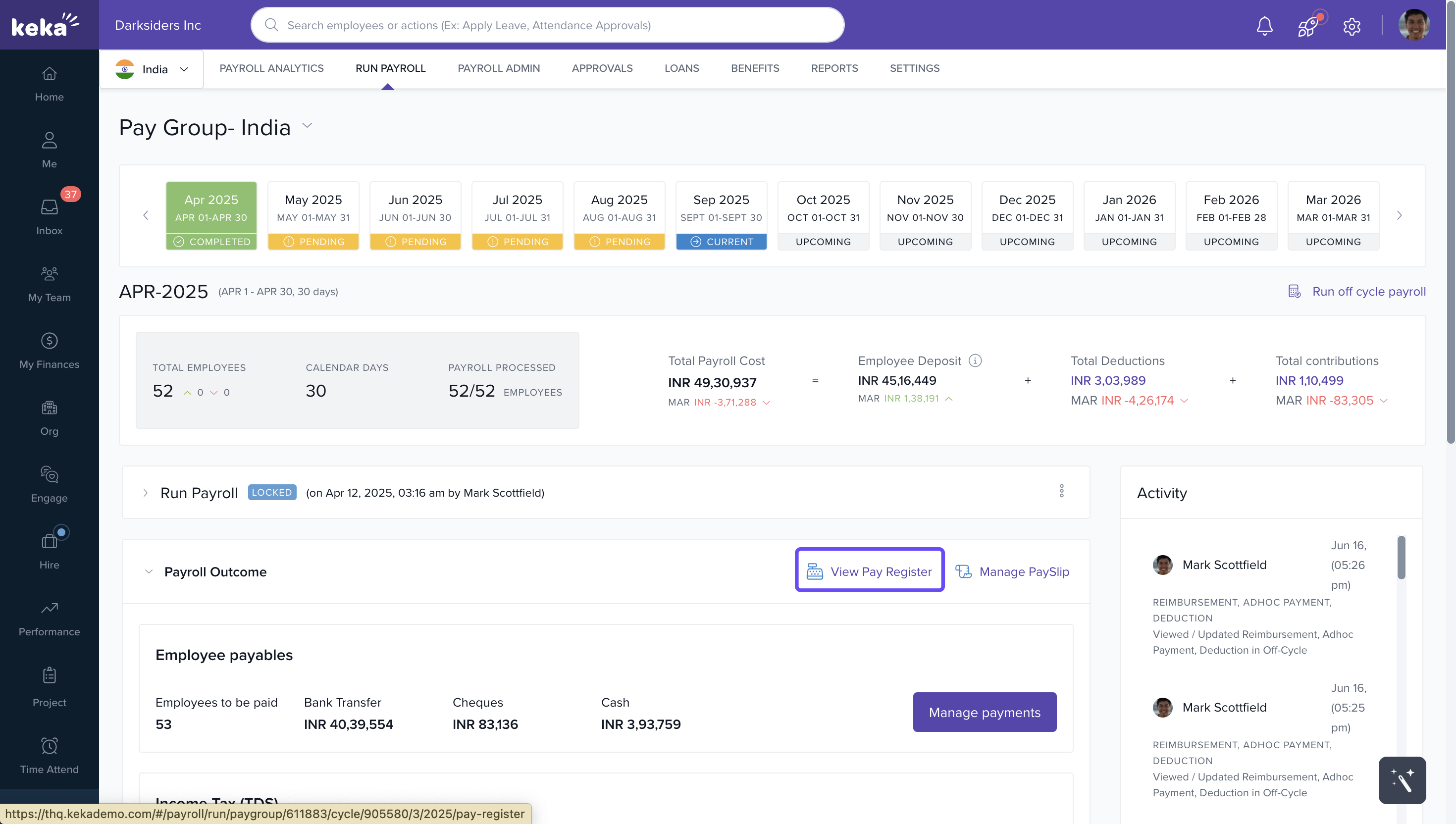
- Both methods, either from payroll settings or from the pay register, will take you to the same customization page from where you can manage the fields.
Customizing the Pay Register
The customization page has two sections:
Manage Fields: Drag and drop fields to add, remove, or reorder them.
Pay Register Preview: Shows a live preview of how your customized register will look.
You can also rearrange or remove fields directly from the preview section.
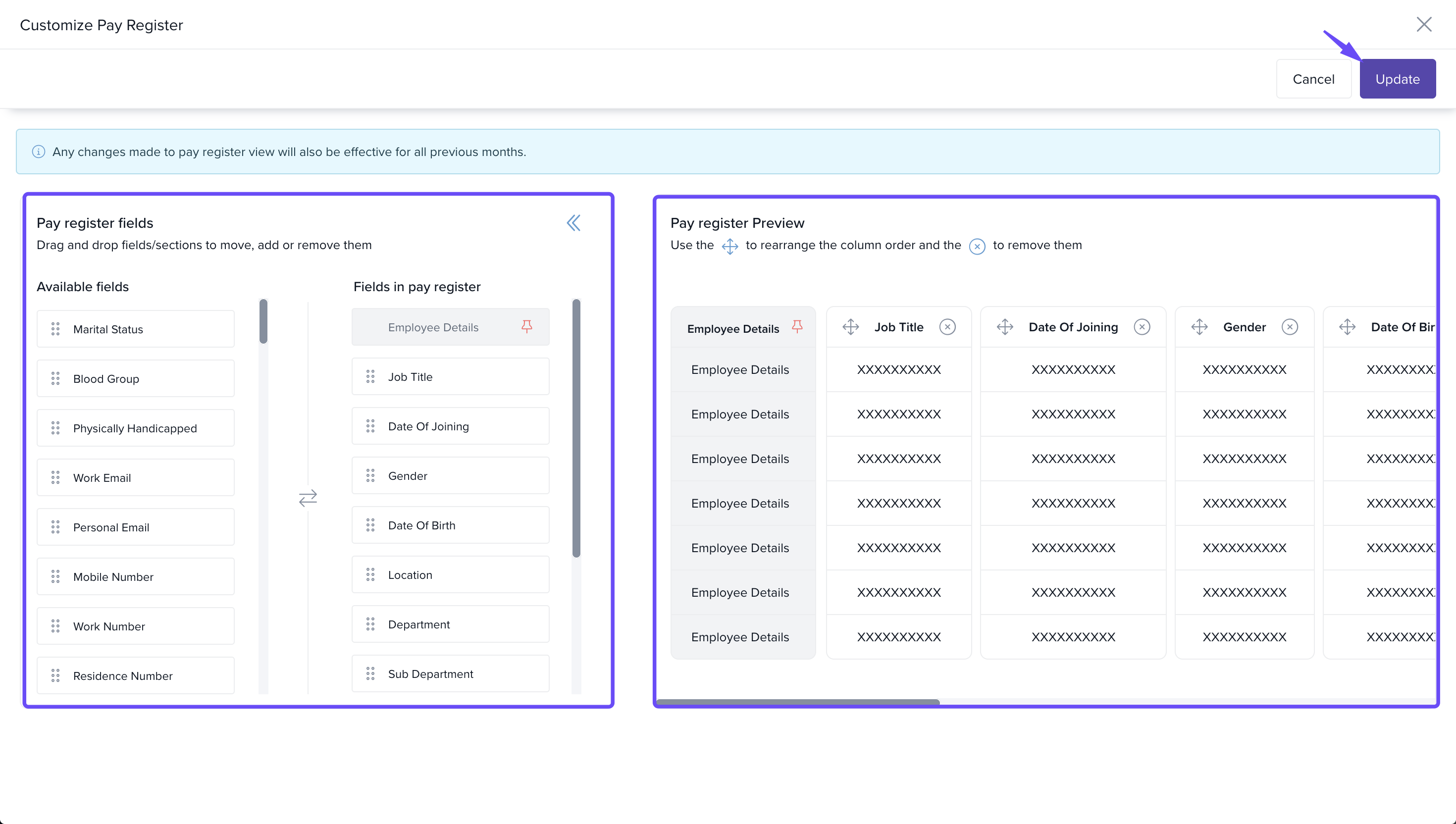
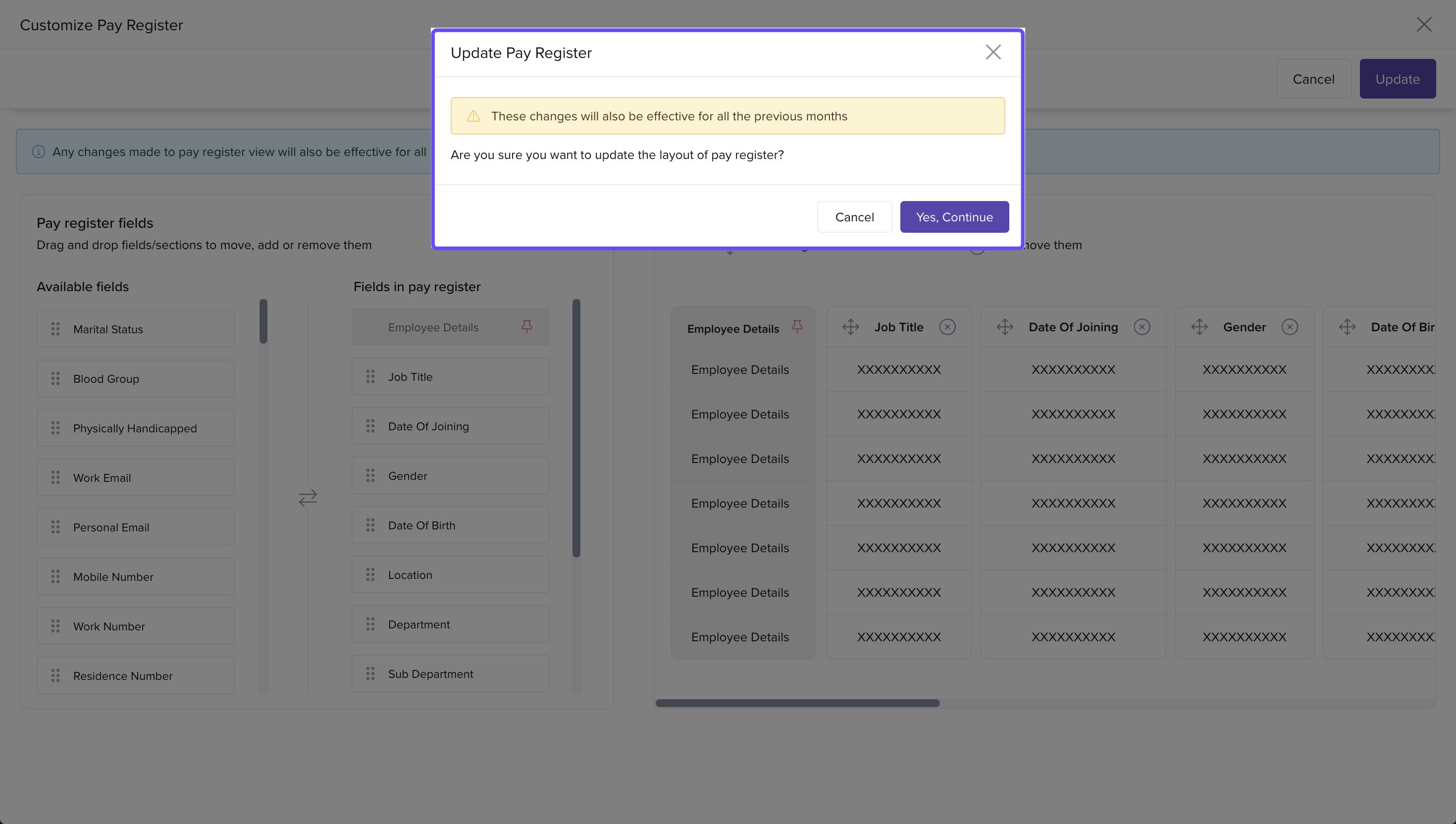
- In the confirmation popup, click Yes, Continue.
Note:
Default fields such as Employee Number, Employee Name, Month, Payable, and Salary Components are fixed and cannot be removed or reordered from the pay register.
Salary Components can only be reordered through the Component Ordering section—not from the customization page.
Any changes made to the pay register layout will apply retroactively to all payroll months.
The Employee Details card is locked—it cannot be removed or repositioned within the pay register.
Remuneration Details and Business Unit fields can be reordered, but they cannot be removed from the pay register.
Perks cannot be configured to appear in pay register.
We hope you now have a good understanding of how to customize the pay register and make it display information that is relevant for your organization! For more details visit help.keka.com
Comments
0 comments
Please sign in to leave a comment.