Introduction
Instead of manually verifying each employee’s investment declaration status, you can use the Proof Submission Report in Keka. This report gives you a consolidated view of employee declaration statuses, saving time and effort for payroll admins.
Download Employee Investment Proof Submission Report
1. Go to Payroll → Reports.
2. Under Salary Reports, open the Income Tax Reports tab.
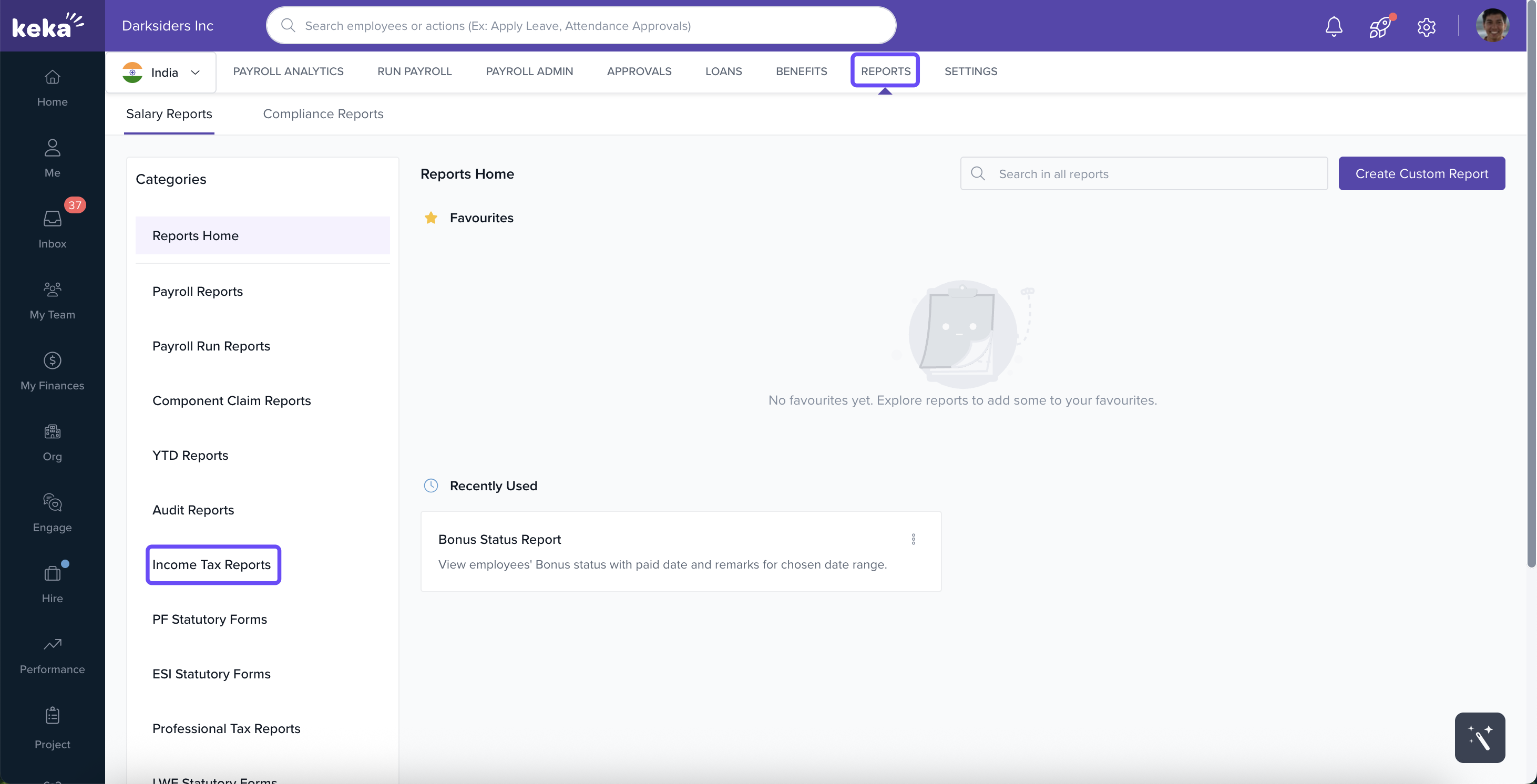
3. Click on Proof Submission Report.
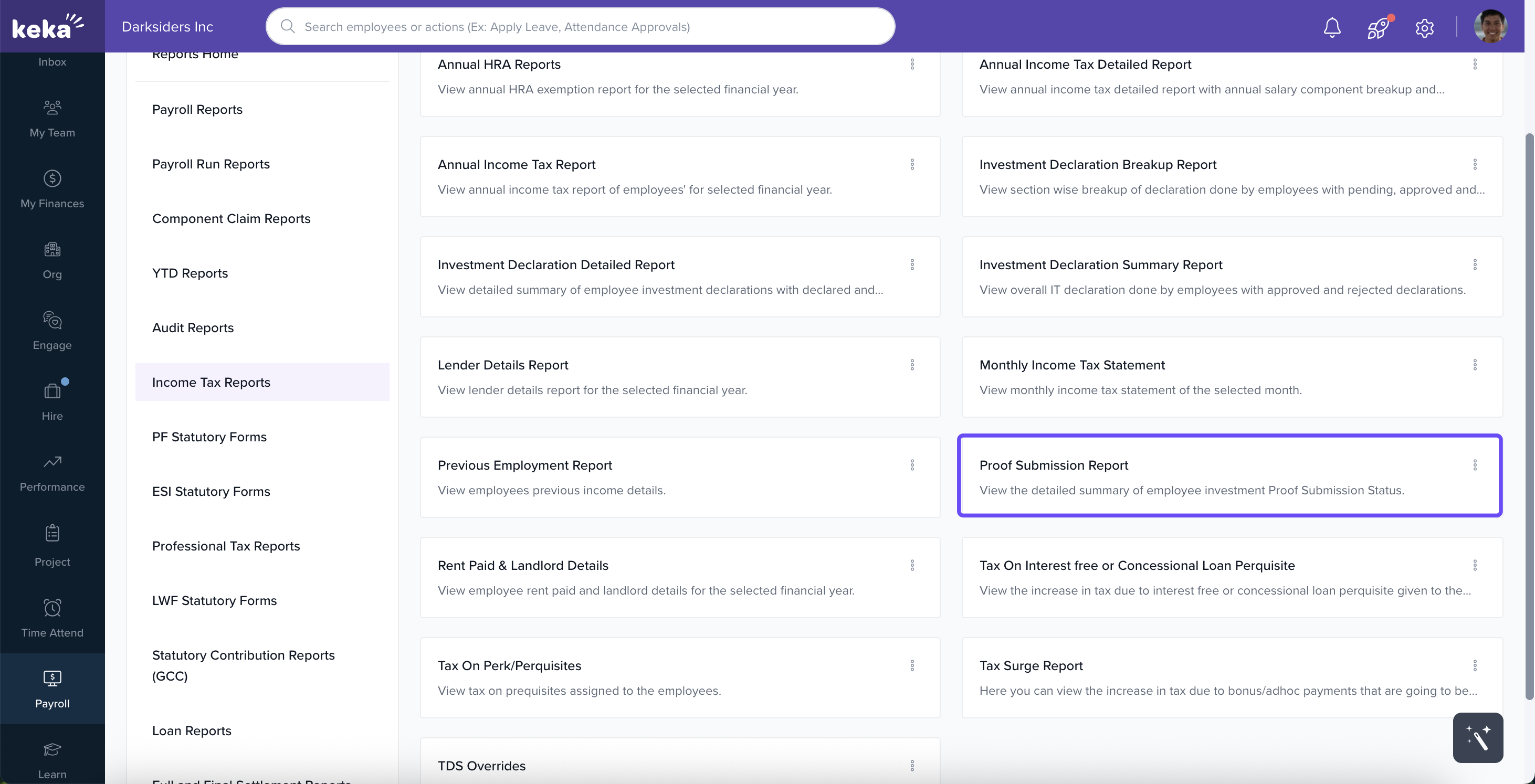
4. Apply the filters as needed:
- Pay Group
- Financial Year
- Proof Submission Status
- Employment Status
- Job Title
- Department
- Location
- Business Unit
- Cost Center
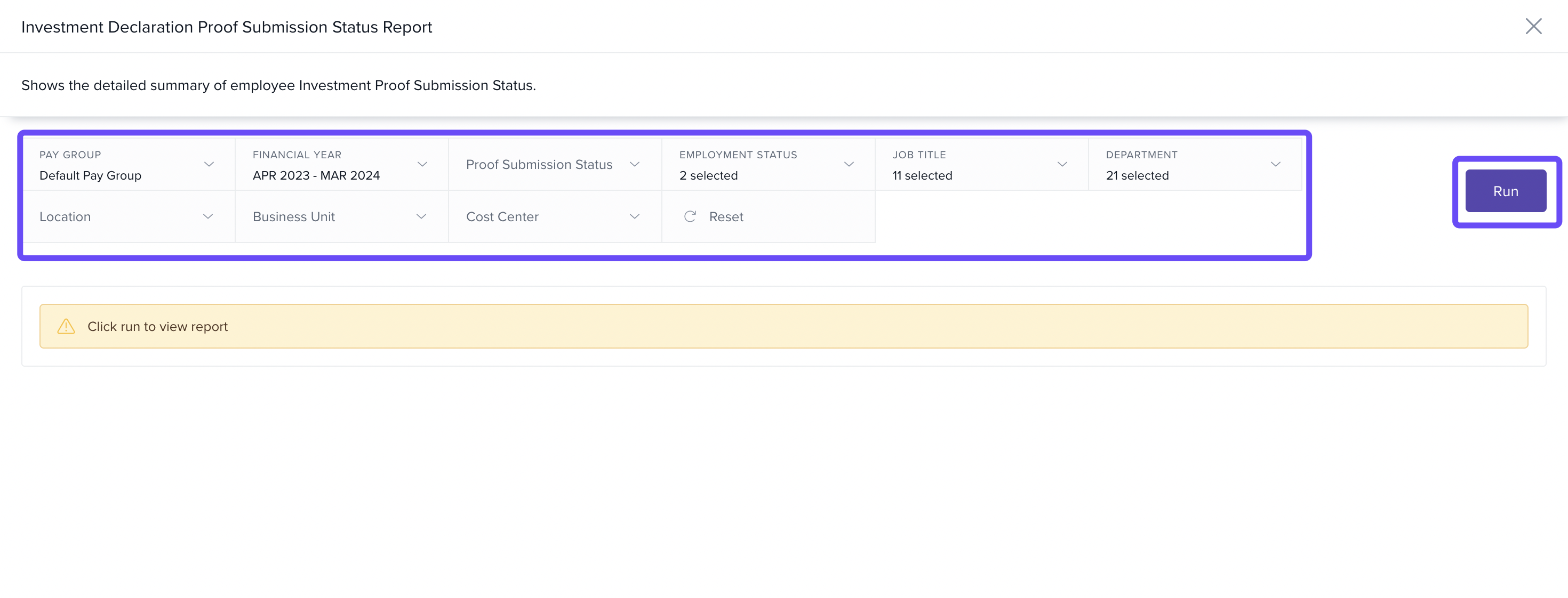
This is how you can download the proof status report of tax declarations.
Please let us know if you find this article helpful.
Comments
0 comments
Please sign in to leave a comment.