The outstanding amount refers to the balance remaining on a loan given by an employer to its employees. It is calculated by subtracting the total amount repaid through EMIs from the original loan amount.
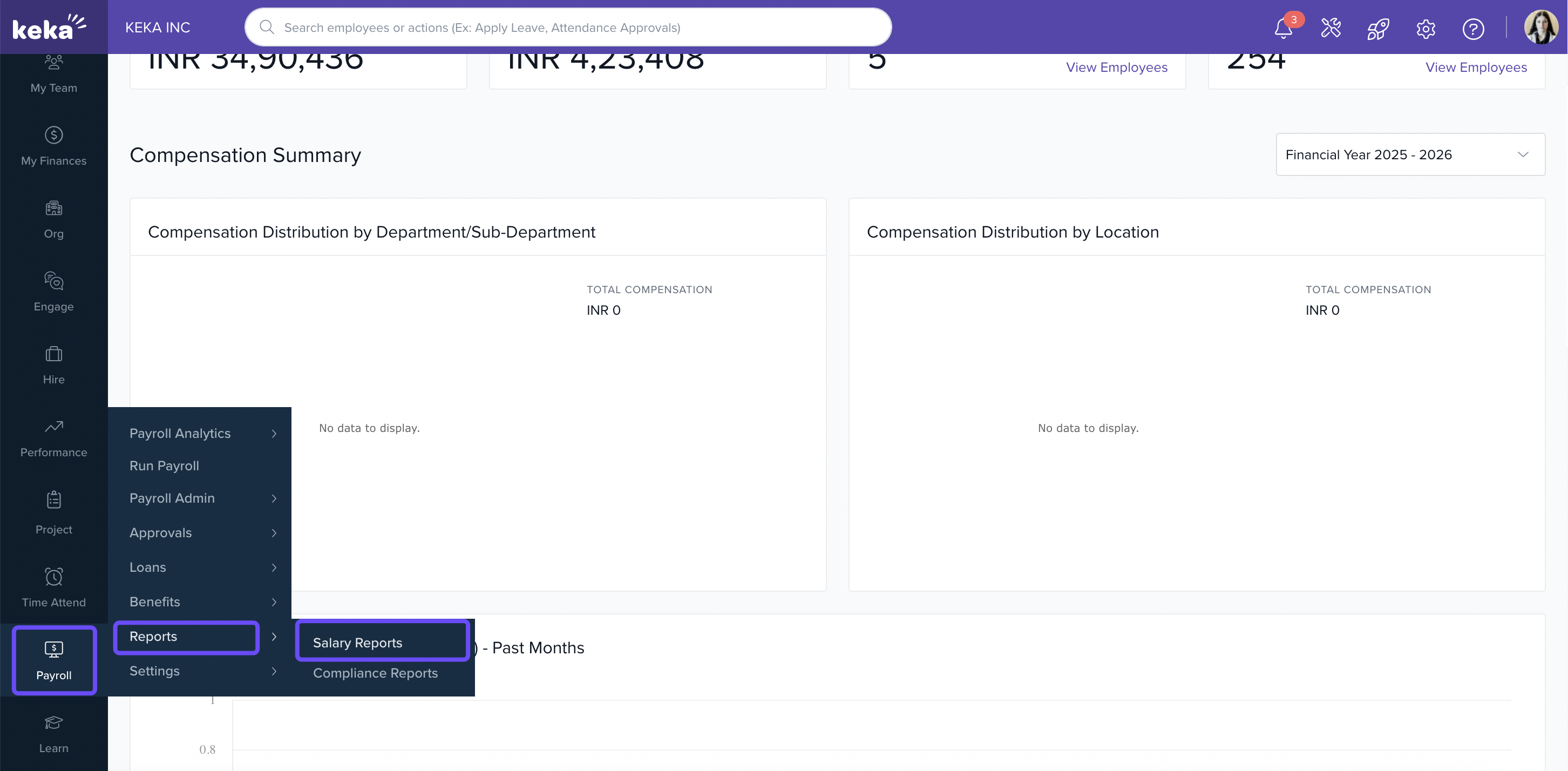
Go to the Payroll section from the main menu.
Click on Reports.
Under the Salary Reports tab, select Loan Reports.
4. In the list of loan-related reports, click Outstanding Loan Report
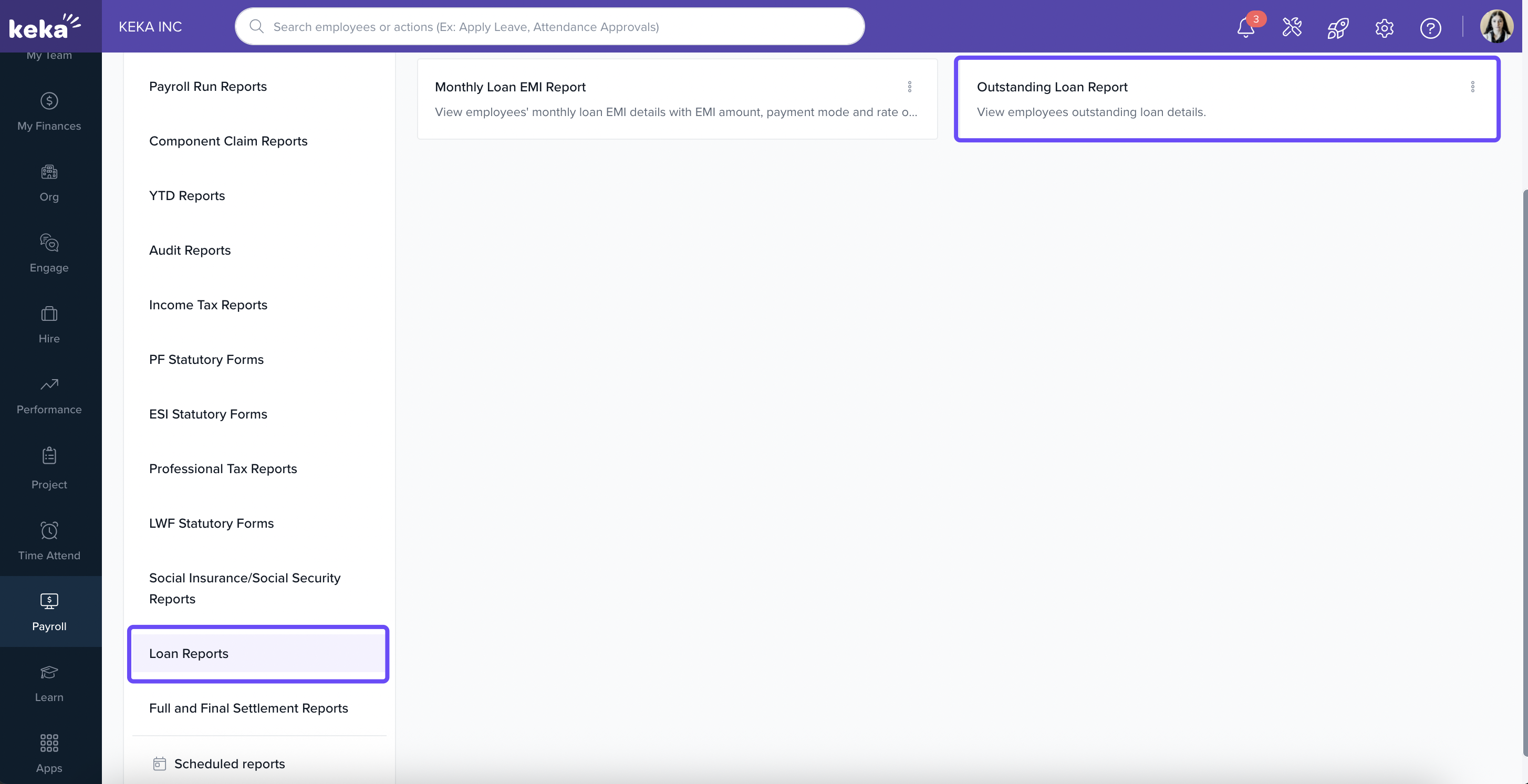
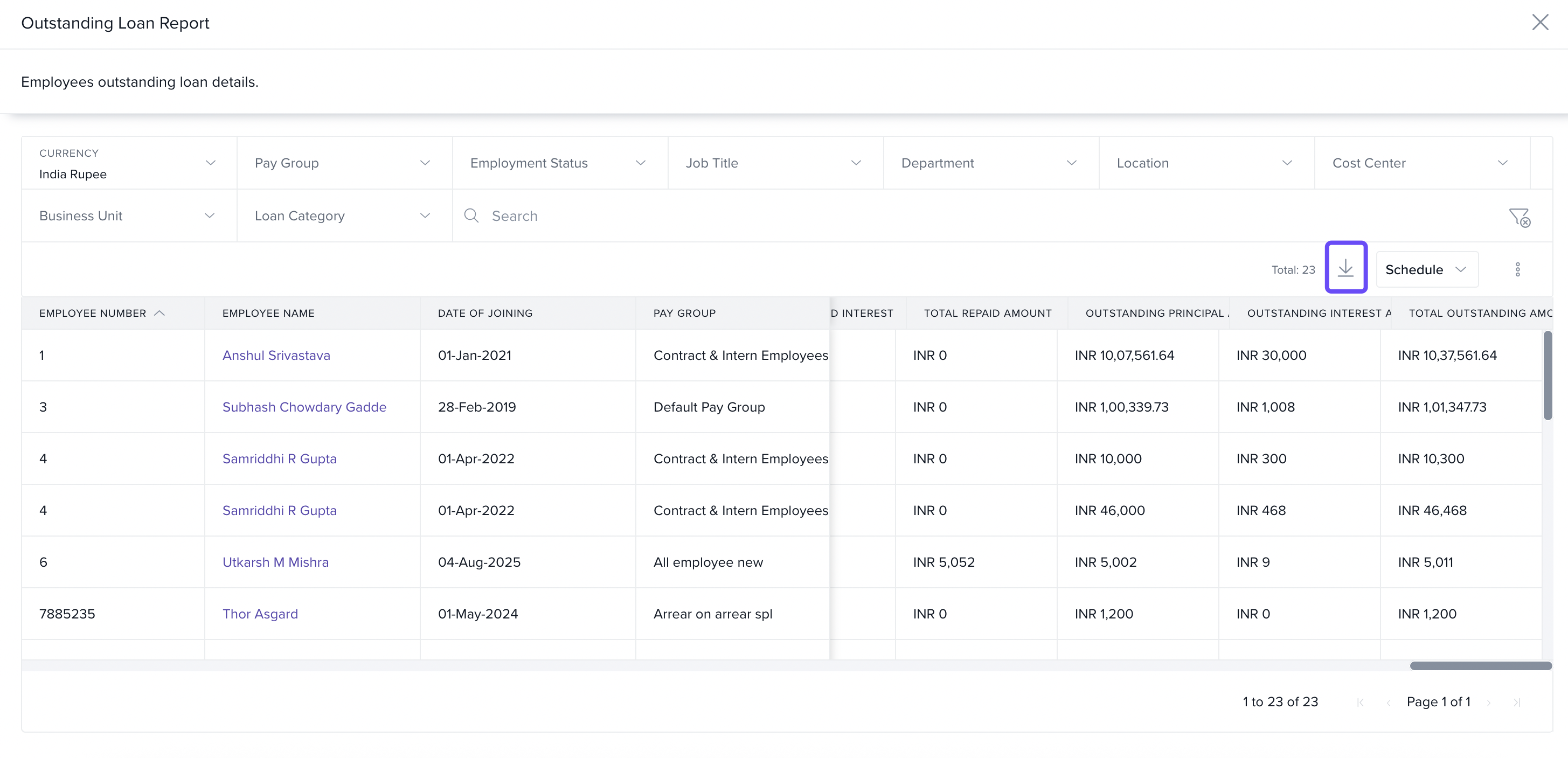
5. The report will open, displaying a list of employees with loan policies assigned.
The downloaded Excel or PDF report includes an Employee Number column alongside employee details to support reconciliation.
You can:
Filter the data using fields like Pay Group, Business Unit, Location, Cost Center, and more.
Scroll to the left to view the Outstanding Amount for each employee.
6. To export the report, click the Download icon at the top-right corner of the page.
When you download the report in Excel or PDF format, the exported file includes Employee Number for each loan record. If an employee does not have an Employee Number stored, that field appears blank and the row remains included in the export.
Comments
0 comments
Please sign in to leave a comment.