Introduction
A Time Tracking policy defines how employee attendance is recorded in Keka. As an admin, you can create capture schemes that match your organization’s work model—whether employees clock in via web, mobile, or remote work requests.
This guide walks you through adding a new capture policy, configuring clock-in methods, and enabling attendance regularisation.
Note: Biometric device configuration is handled separately. For setup help, please contact Keka Support.
Adding Time Tracking policy
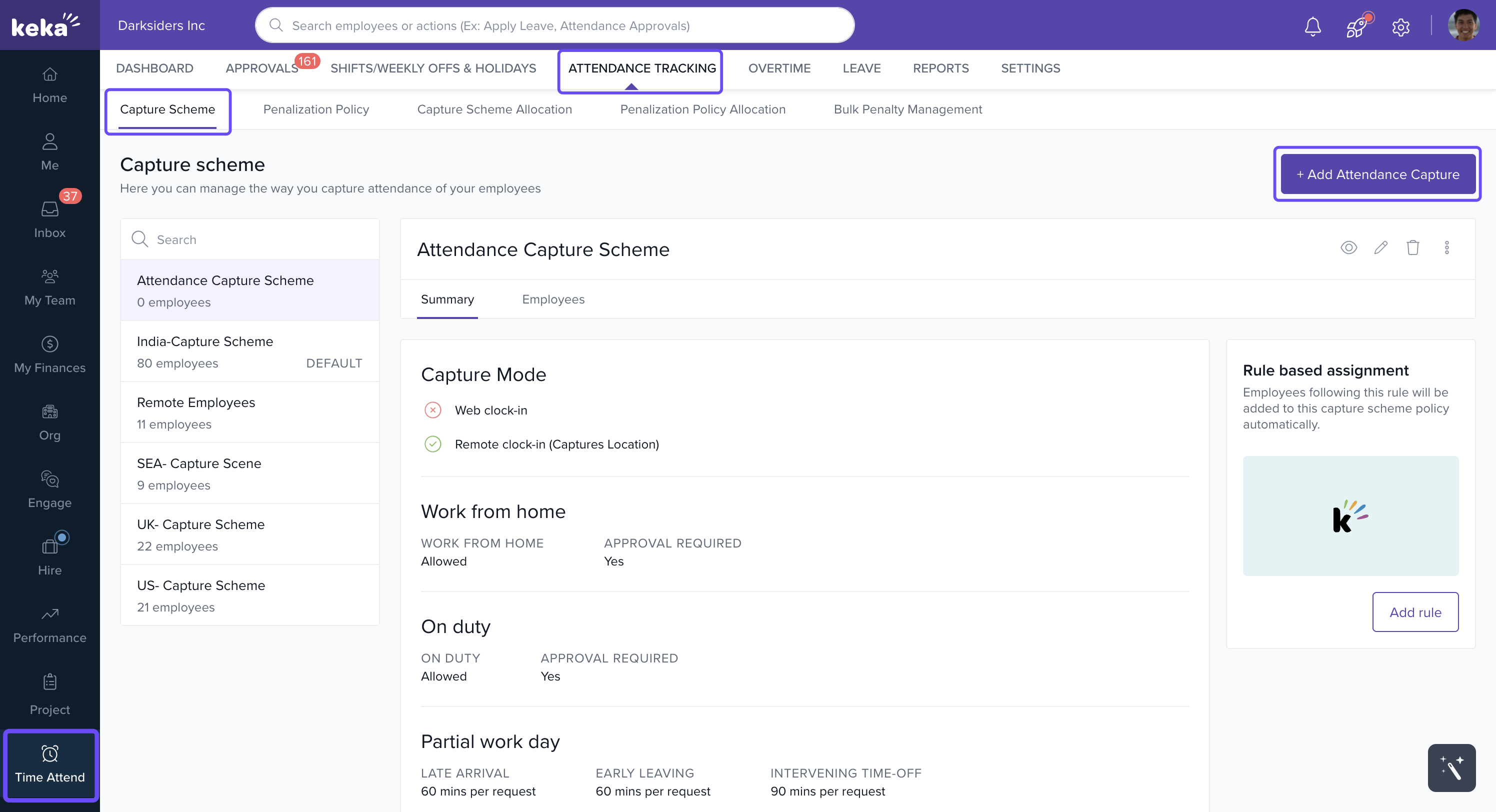
Go to Time Attend → Attendance Tracking tab → Time Tracking policy tab.
-
Click +Add Time Tracking policy.
-
Choose the methods your organization uses to capture attendance.
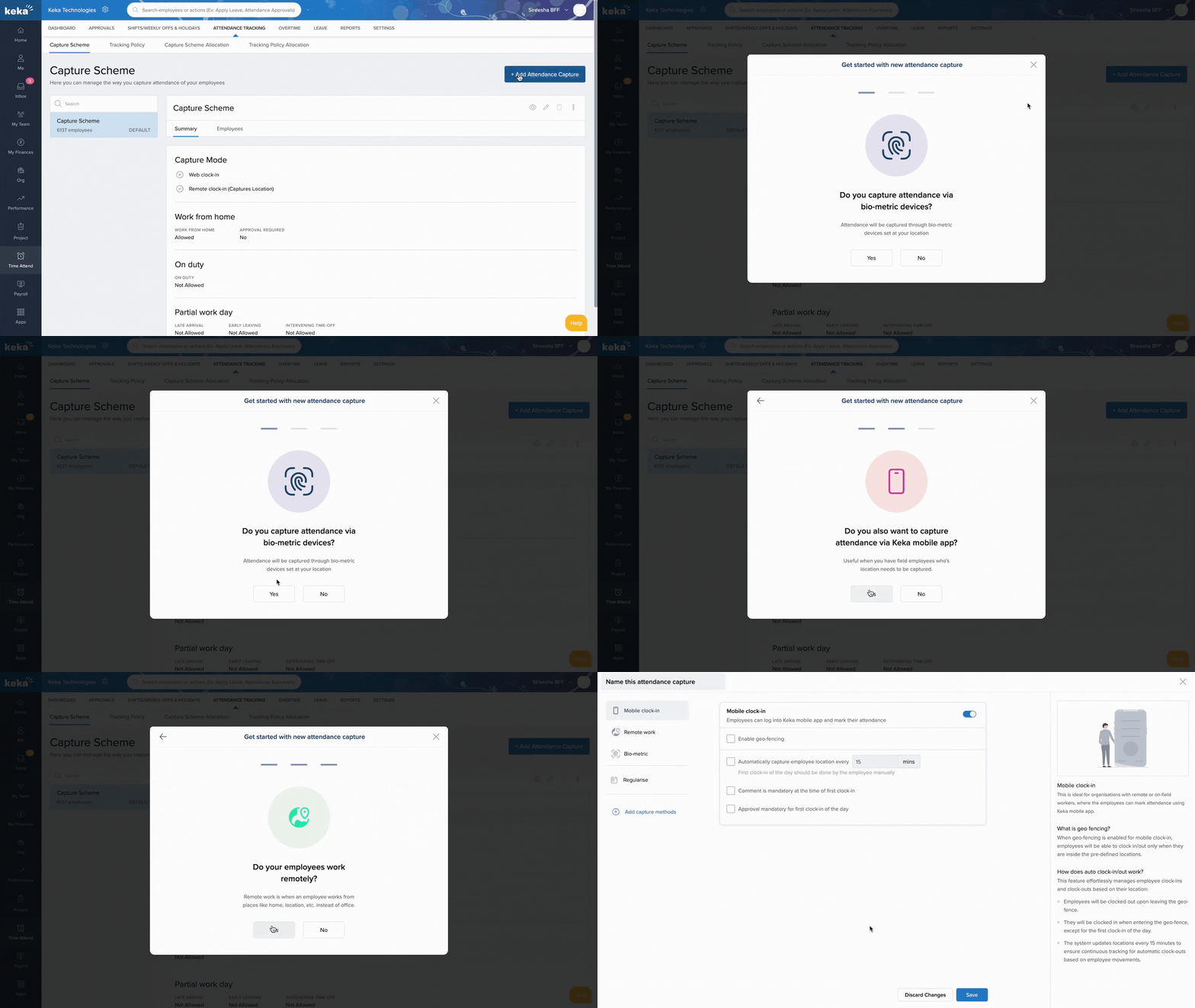
-
In the setup window:
Enter a name for the capture scheme (top Left).
On the left panel, you’ll see the selected methods plus Regularise options. Add more methods if needed, with +Add Time Tracking methods.
The right panel displays help text for each method.
Now, let's delve into how you can configure each capture method and explore the regularisation settings.
Configuring Time Tracking methods
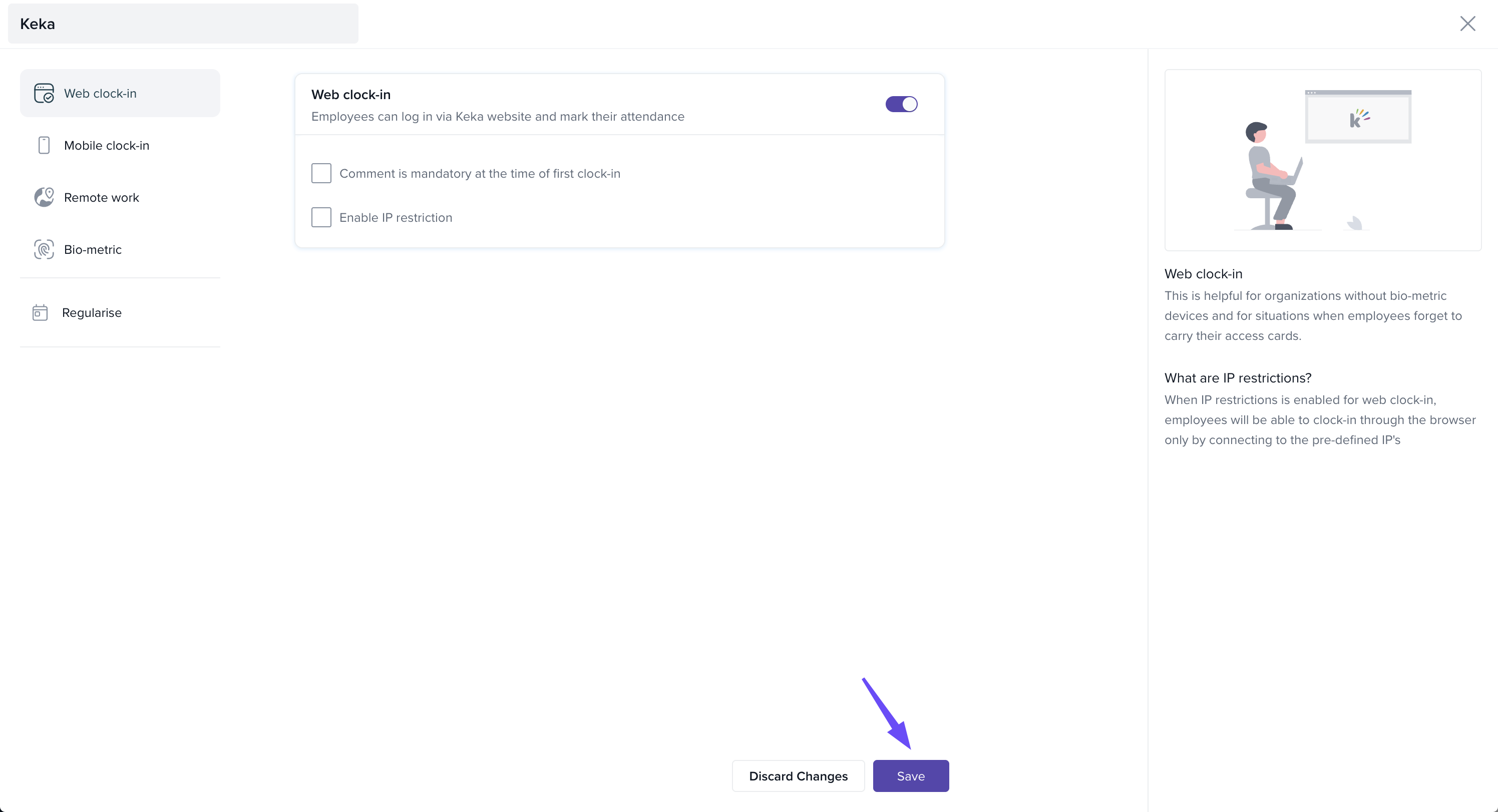
Web Clock In
Designed for employees working from the office.
-
Options:
Make a comment mandatory at clock-in.
Restrict clock-ins to specific IP addresses.
👉 Don’t forget to Save before switching to another method.
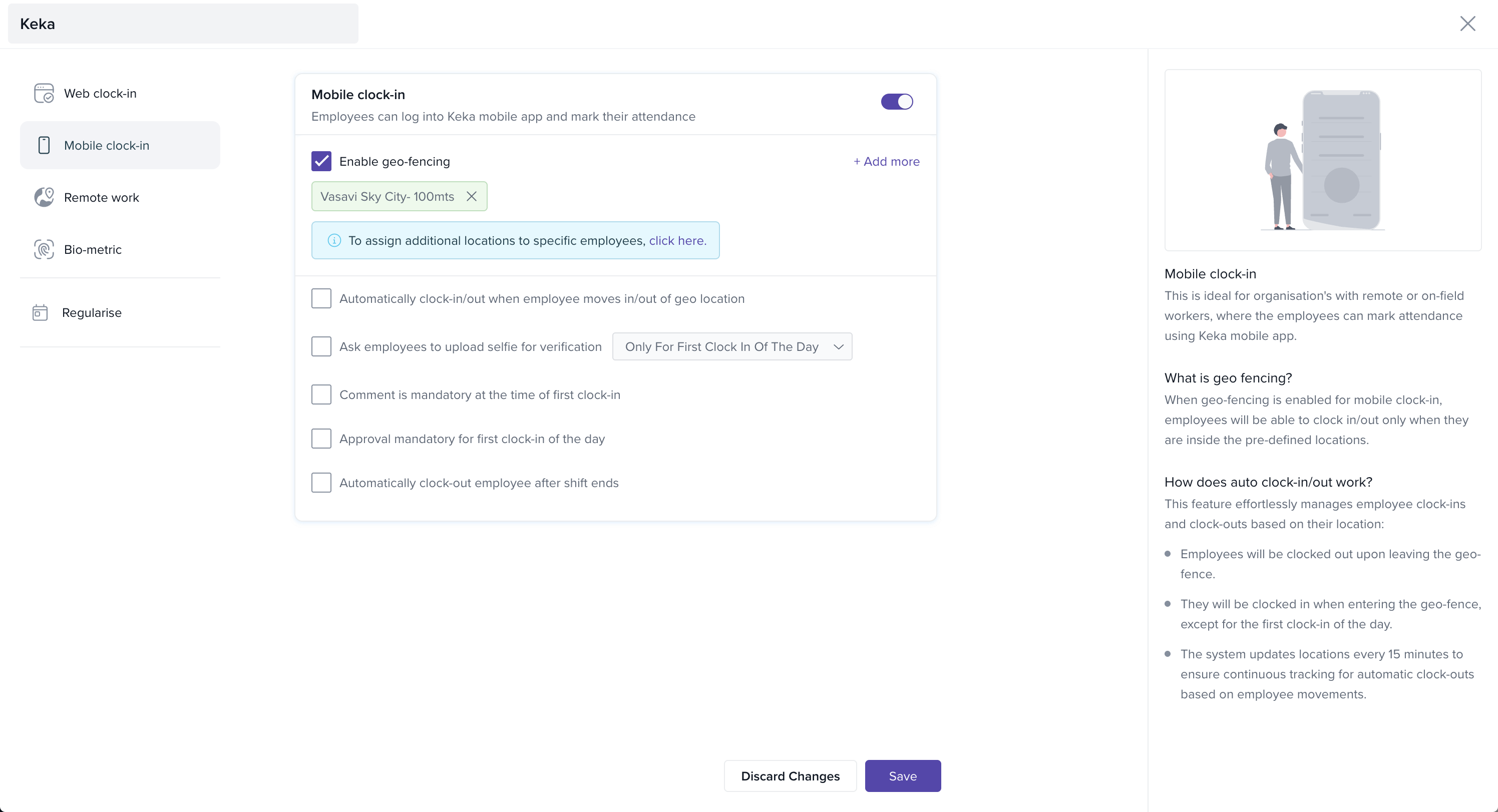
Mobile Clock in:
Useful for employees working across locations.
-
Features:
-
Enable geo-fencing so clock-in/out works only inside designated areas.
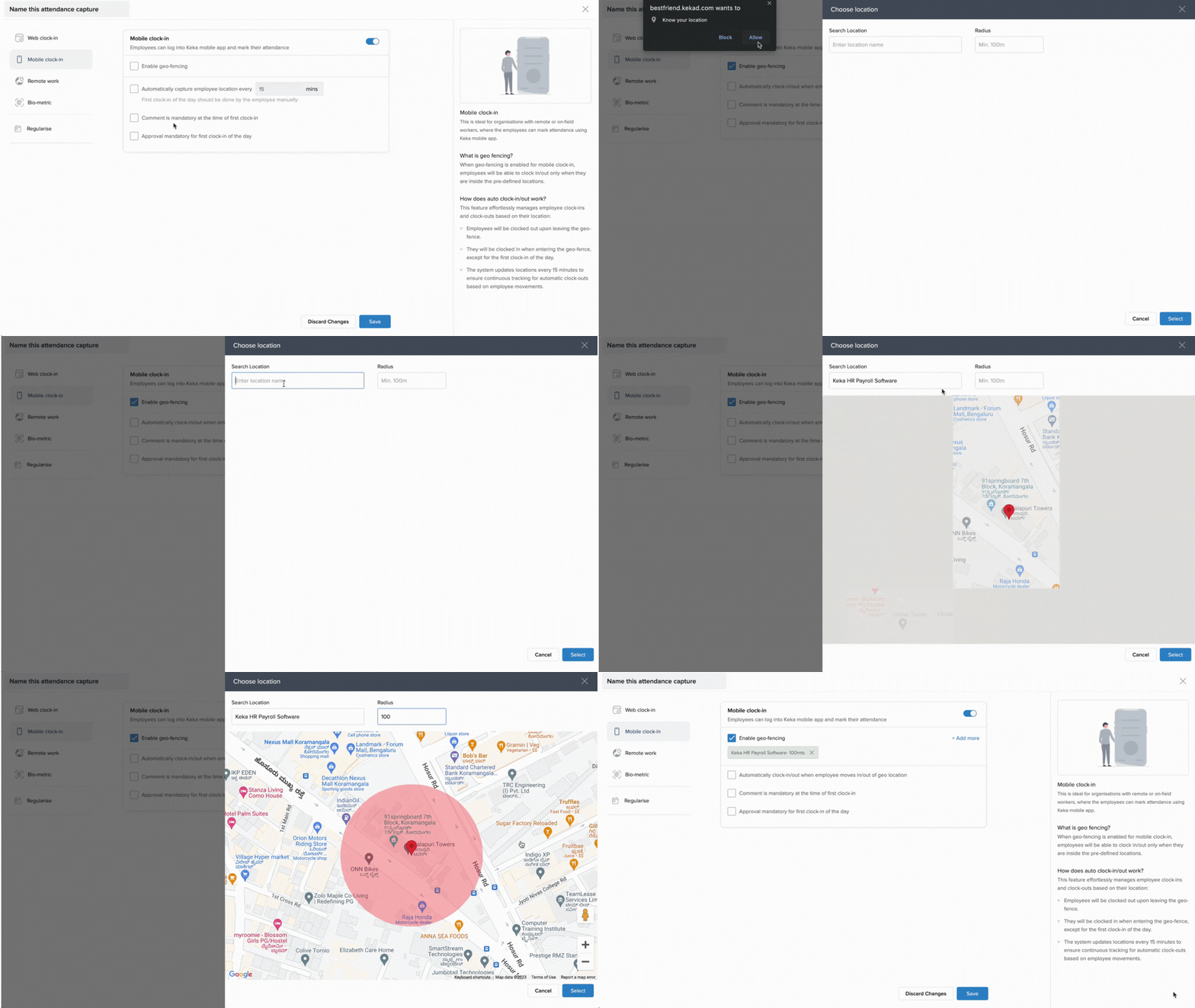
Capture employee location automatically at intervals.
Require a comment for first clock-in.
Set an approval chain for the first clock-in.
-
Remote Work:
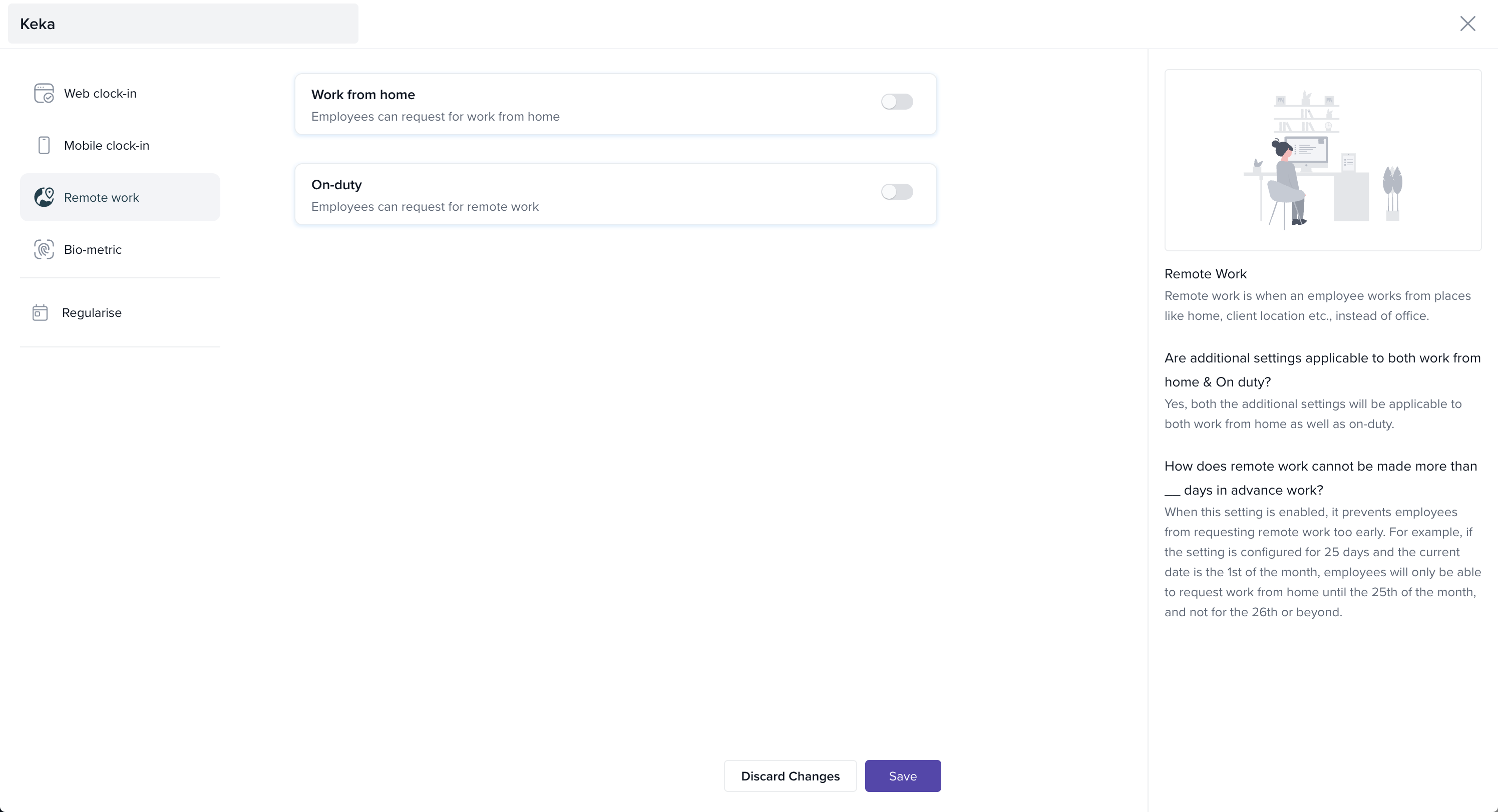
Remote work requests are categorized as:
On Duty (OD): Employee is out of office for work purposes (e.g., client meeting).
-
Work From Home (WFH): Employee works from home.
Configuration Options
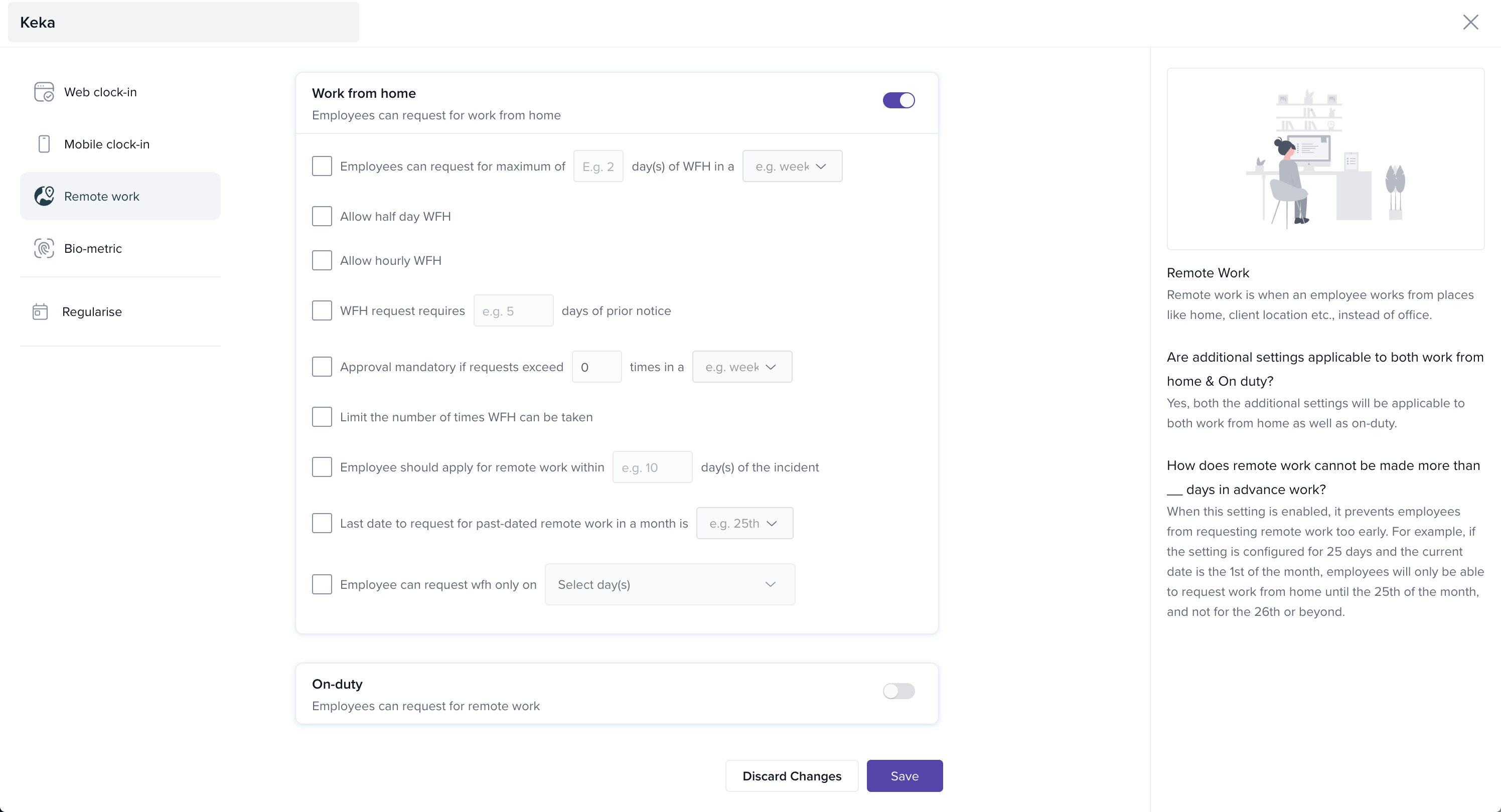
Control how often employees can request WFH/OD.
Allow half-day requests.
Set prior notice requirements.
Require approval if requests exceed a defined limit.
Cap the total number of requests allowed.
Additional Settings
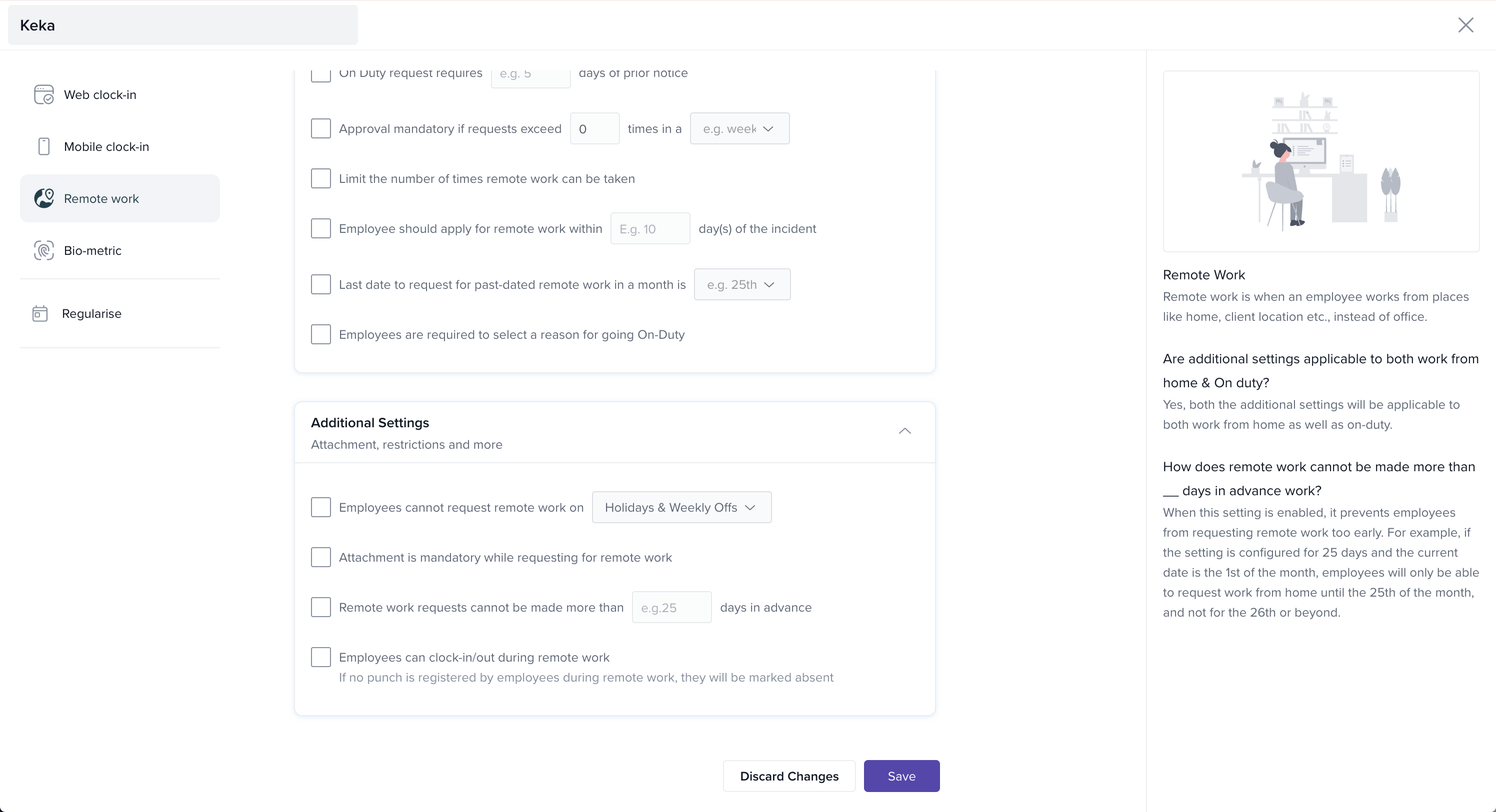
Restrict requests on holidays/weekly offs.
Restrict prior-date requests.
Require attachments for submissions.
-
Allow or block remote clock-in/out during WFH/OD.
Regularise
Use this section to manage how employees correct or adjust attendance records.
-
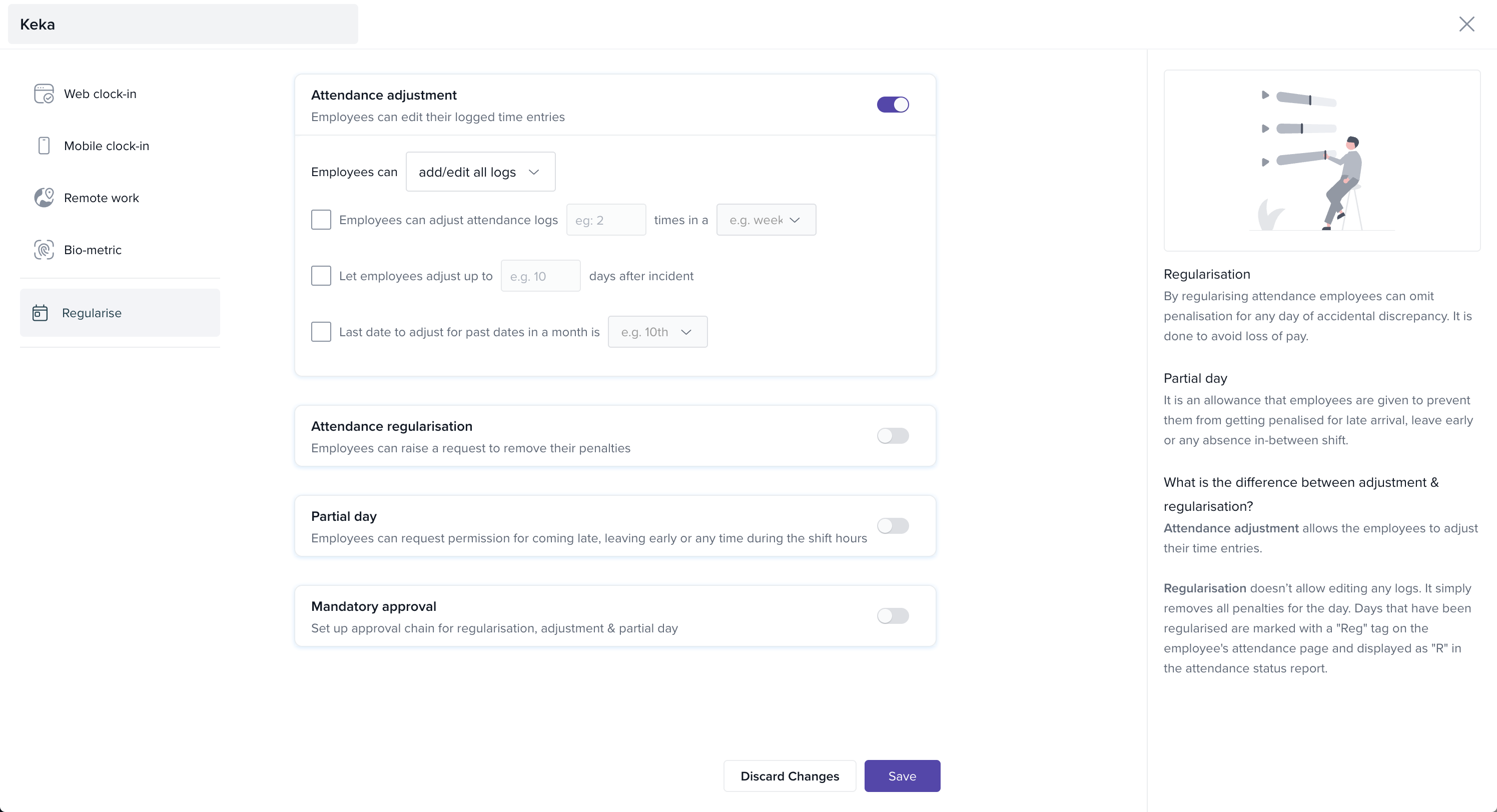
Attendance Adjustment:
Employees can add or edit logs.
-
Limit by number of edits and time window.
-
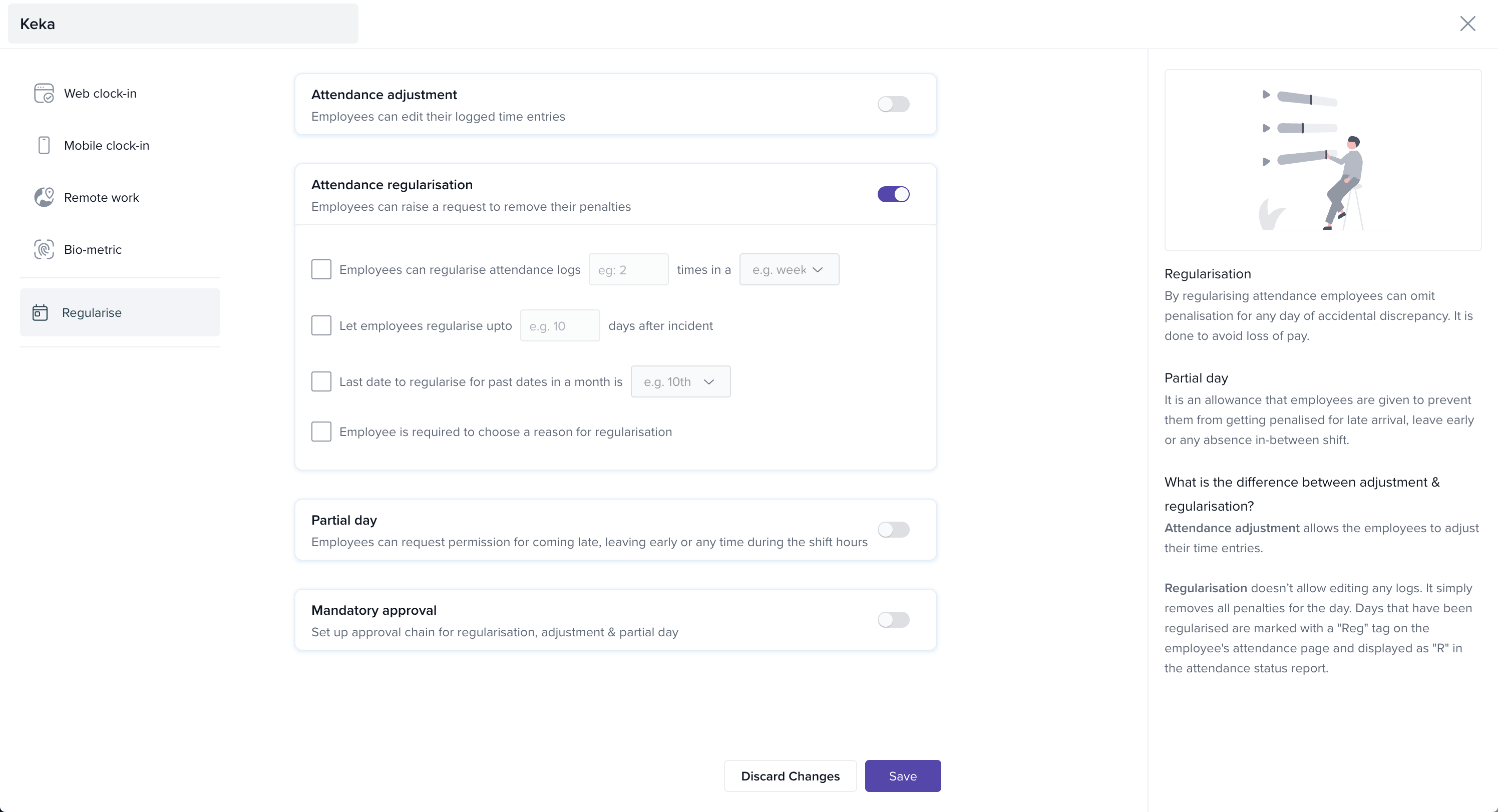
Attendance Regularisation:
Employees can request to remove penalties.
-
Limit by number of requests and timeframe.
-
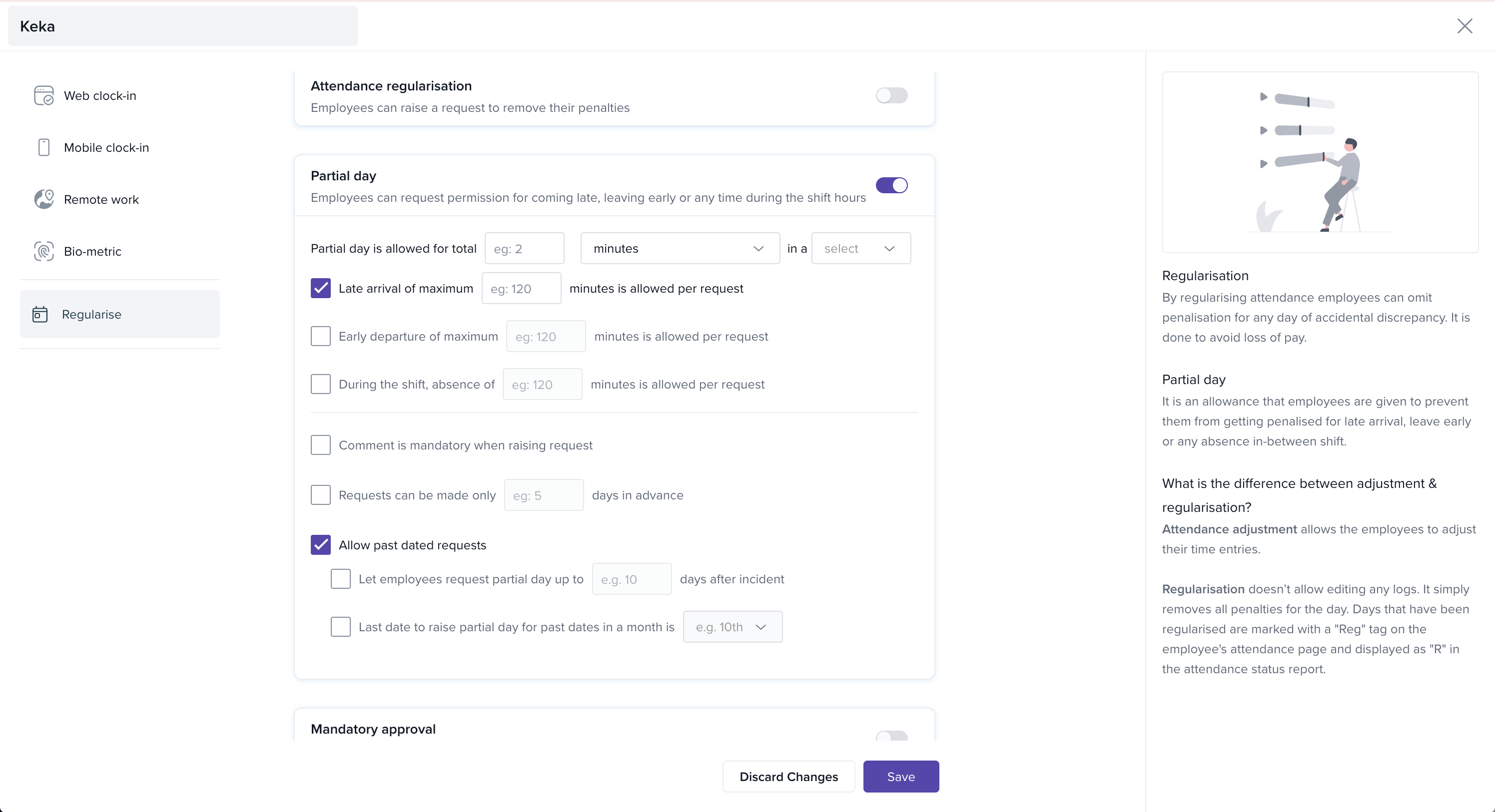
Partial Day Requests:
For late arrival, early departure, or short absences.
Define total hours/minutes allowed.
Set restrictions for specific scenarios (early departure, shift absences).
-
Require comments and/or prior notice.
-
Past Date Restrictions:
Limit how many days after an incident employees can raise requests.
Optionally restrict all past-dated requests after a cutoff date each month.
You can also set an approval chain for all regularisation requests.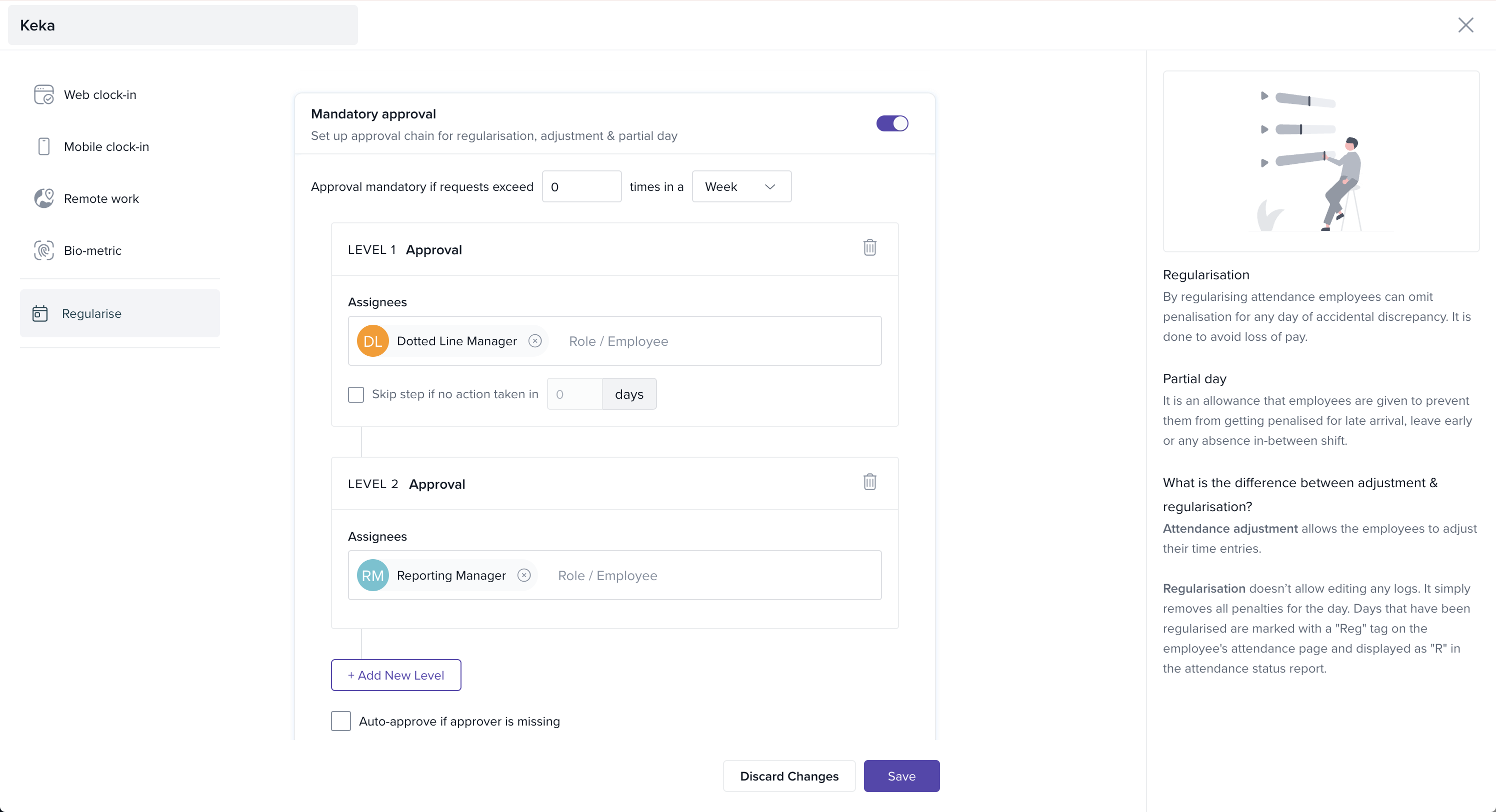
Next Steps
You’ve now created and configured your Time Tracking policy. Use it to ensure accurate and fair tracking of attendance in Keka.
Review your capture schemes periodically.
Combine with penalisation policies for compliance.
Reach out to Keka Help Center or product experts for additional guidance.
Comments
0 comments
Please sign in to leave a comment.