This typically occurs when the overtime formula hasn’t been configured in the employee’s salary structure.
Even if an overtime policy is correctly created and assigned:
The system cannot calculate or process the overtime amount
Unless the salary structure includes a defined overtime formula linked to that policy
Without this formula, payroll will skip the overtime earnings.
How to Fix It: Editing the Existing Salary Structure
To ensure overtime (or any other component) is calculated, you need to edit the salary structure assigned to the employee and add or update the necessary component/formula. Here’s how:
Navigate to Payroll → Settings
Select the Pay Groups tab
Find the relevant pay group and click the Configure icon

Go to the Salary Structures tab
Locate the salary structure currently assigned to the employee
Click Edit for that salary structure
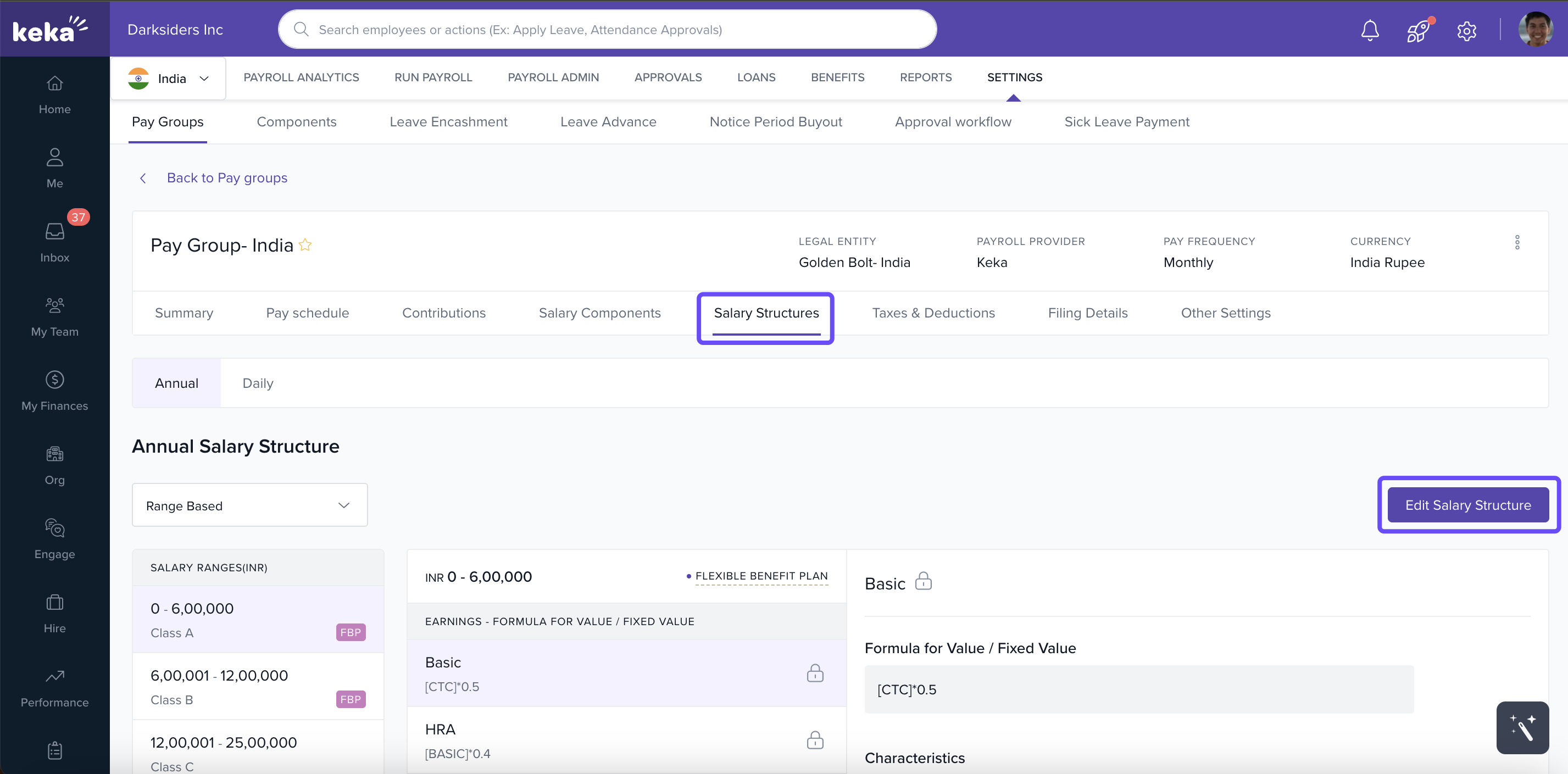
Within the structure, click on add calculation update its formula to match your policy
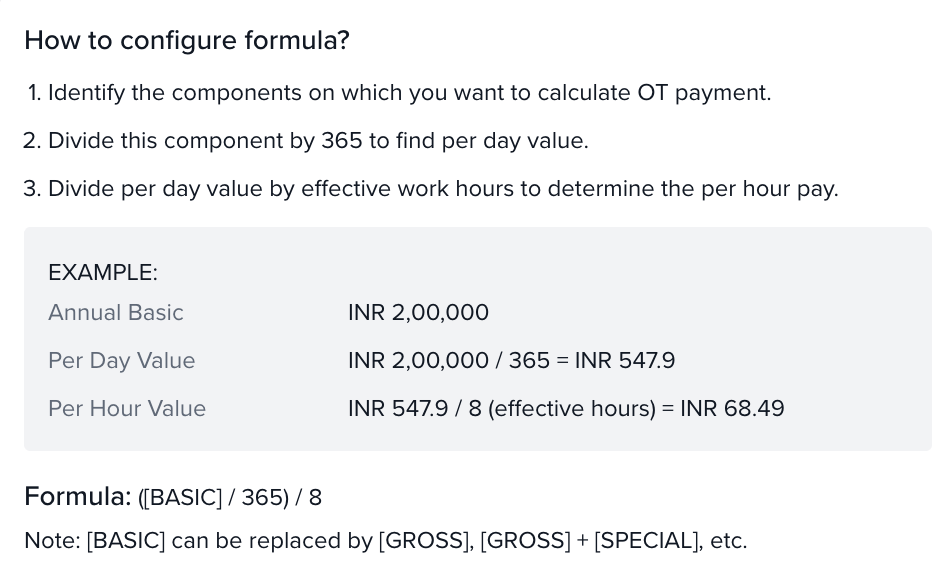
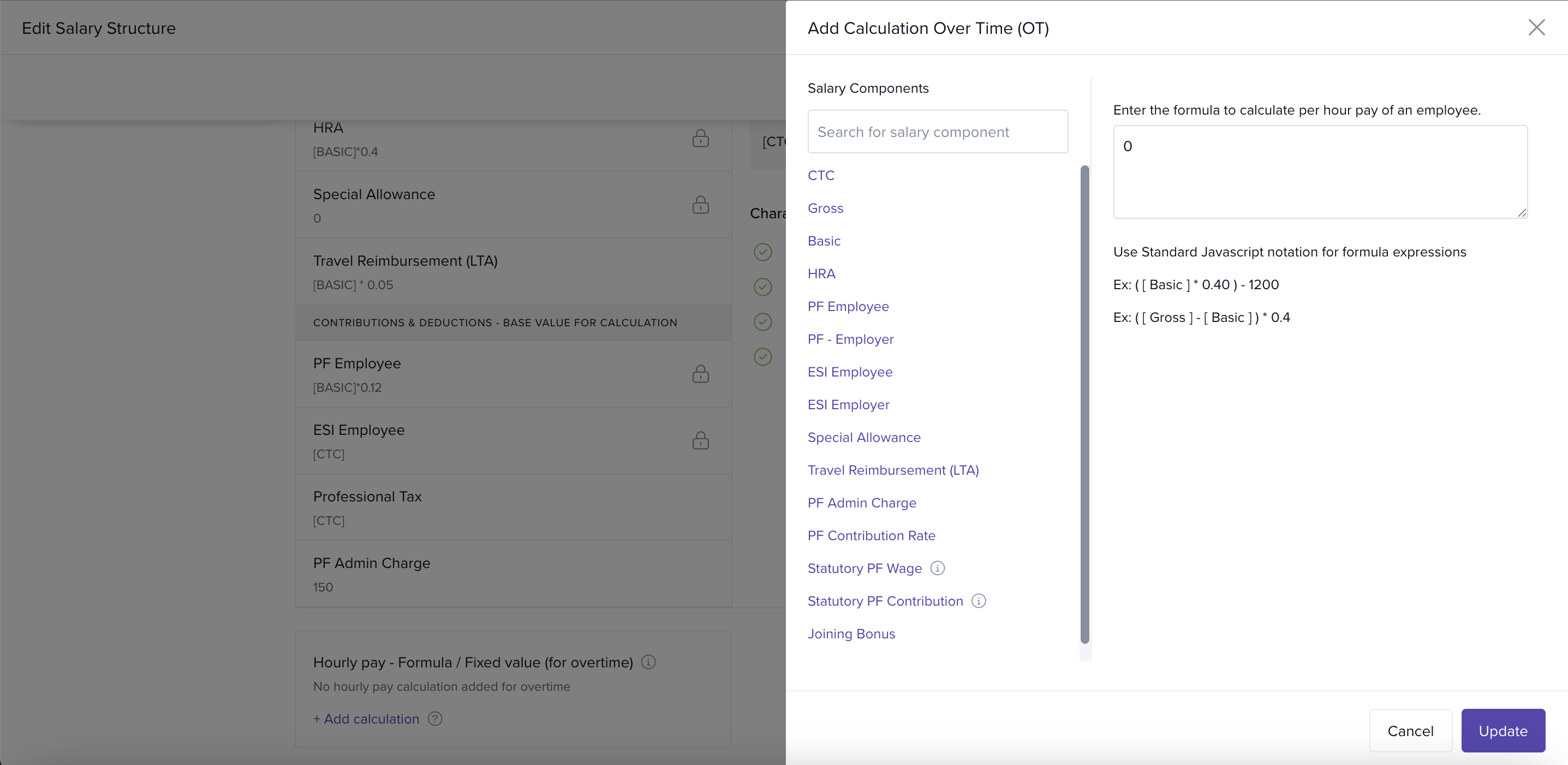
Save or Update the salary structure
Once saved, payroll runs will include the overtime amount as per the formula
Comments
0 comments
Please sign in to leave a comment.