Keka’s Approval Workflow for Payroll Finalization introduces an extra layer of security and oversight when locking payroll. This Maker-Checker mechanism ensures payroll is only finalized after approval by designated approvers, preventing unauthorized payroll closure and reducing financial risk.
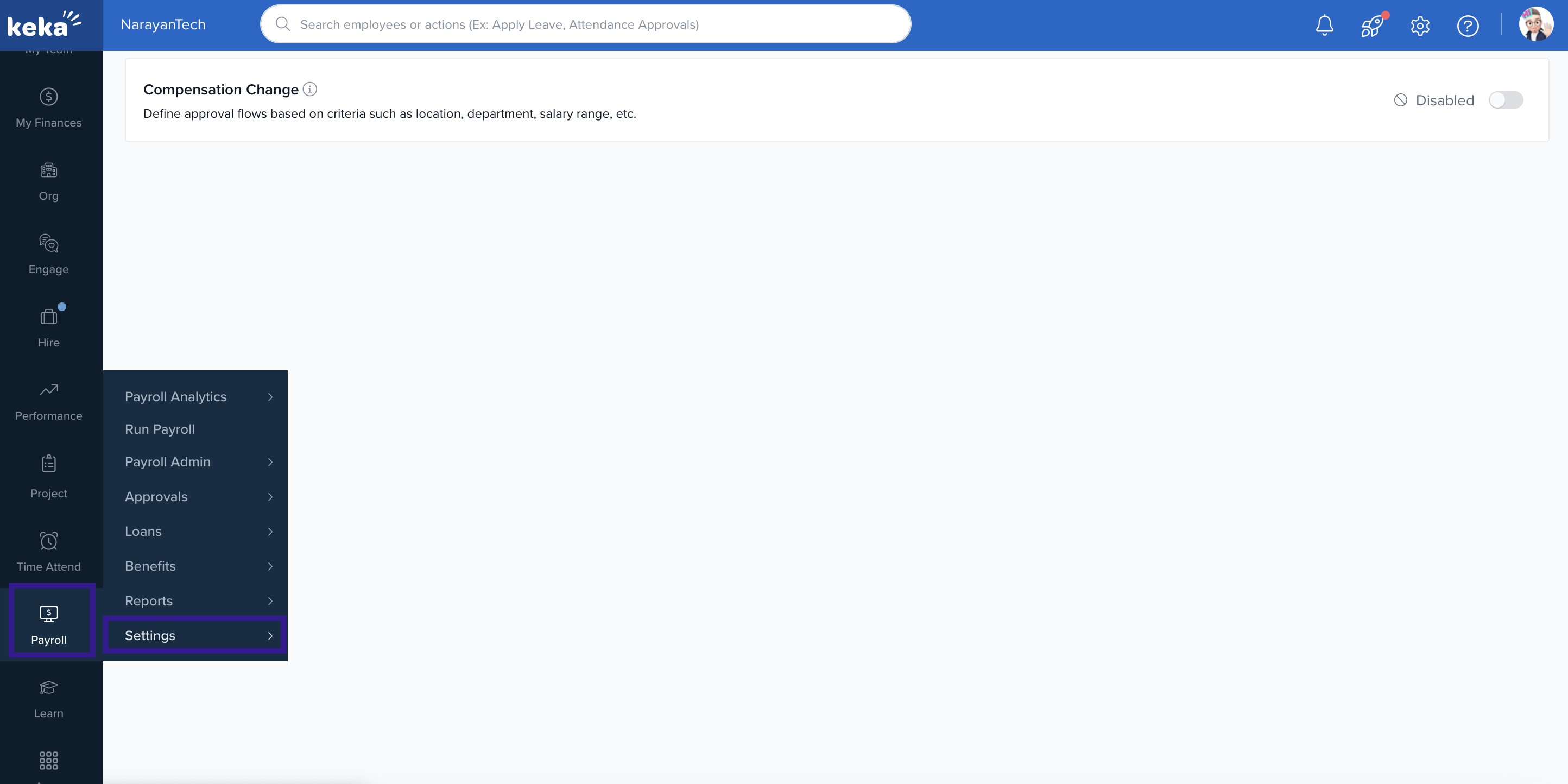
To enable the approval workflow for payroll finalization, go to the Payroll tab and open the Settings section.
Go to Approval Workflow under Payroll Settings and enable Lock Payroll.
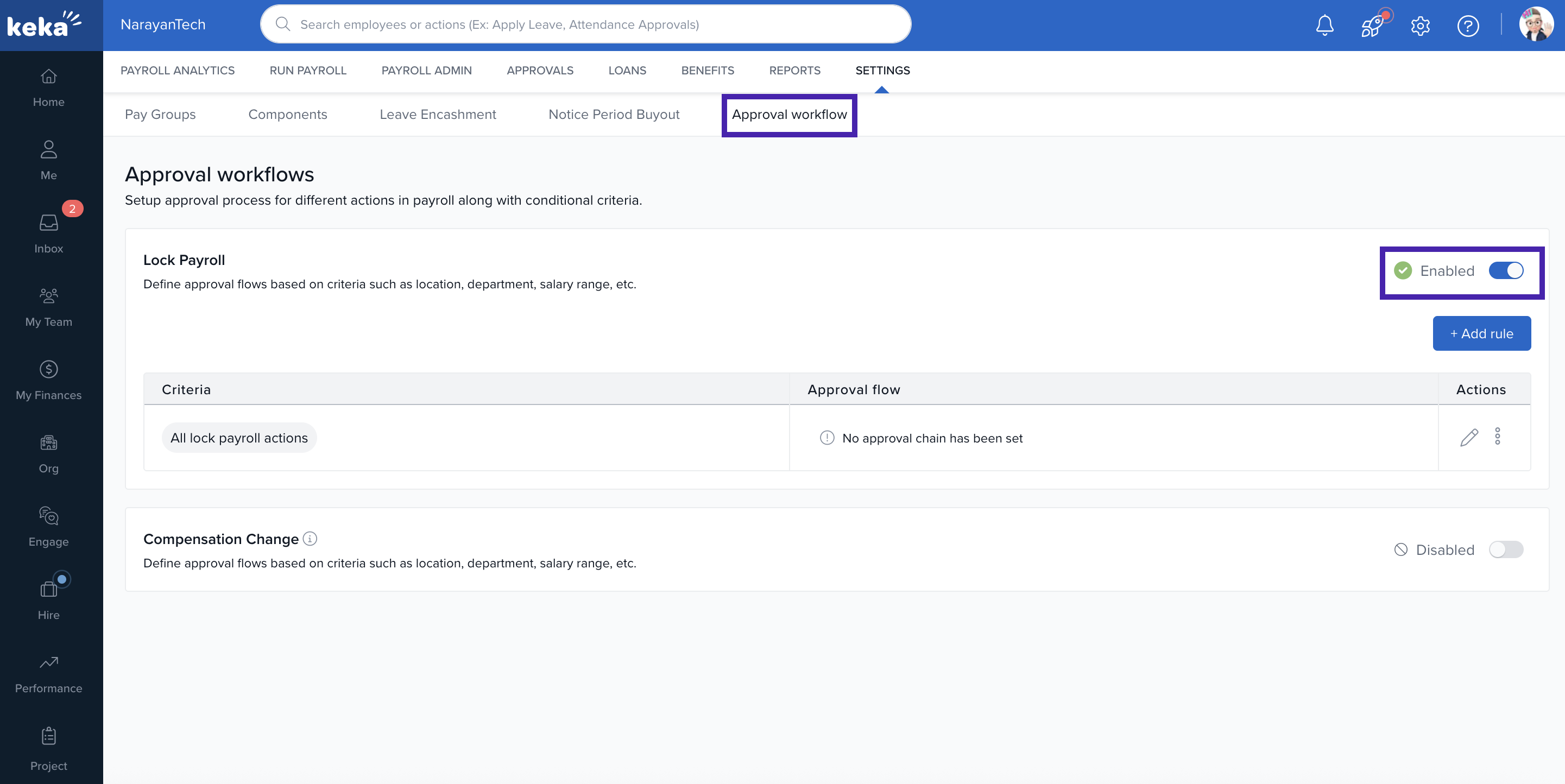
Click + Add Rule to open the configuration panel and define the criteria for when approval is mandatory.
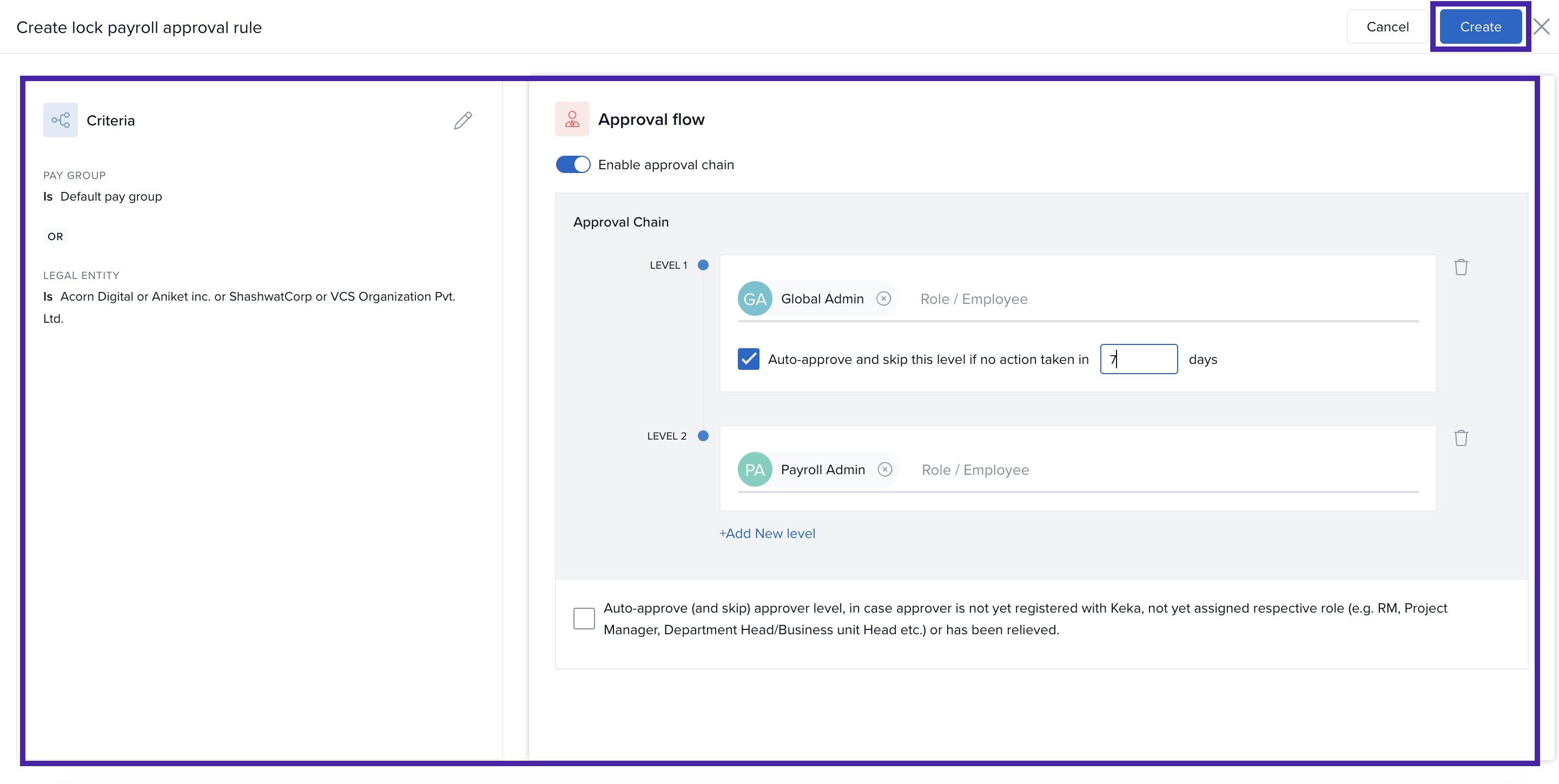
Once you’ve defined the approval criteria, navigate to the Run Payroll section.
Comments
0 comments
Please sign in to leave a comment.