Introduction
Recruiters can now request adhoc feedback from members of the hiring team at any time—not just after interviews. This feature helps collect a clear Go/No-Go decision directly in the system, replacing scattered feedback shared via notes or email.
Adhoc feedback requests are managed through the Feedback tab in a candidate's profile and create an inbox task for each selected team member, similar to interview feedback tasks.
Go to the Candidate’s Feedback Tab
Navigate to the Candidates section.
Open the profile of the candidate you want feedback on.
Go to the Feedback tab.
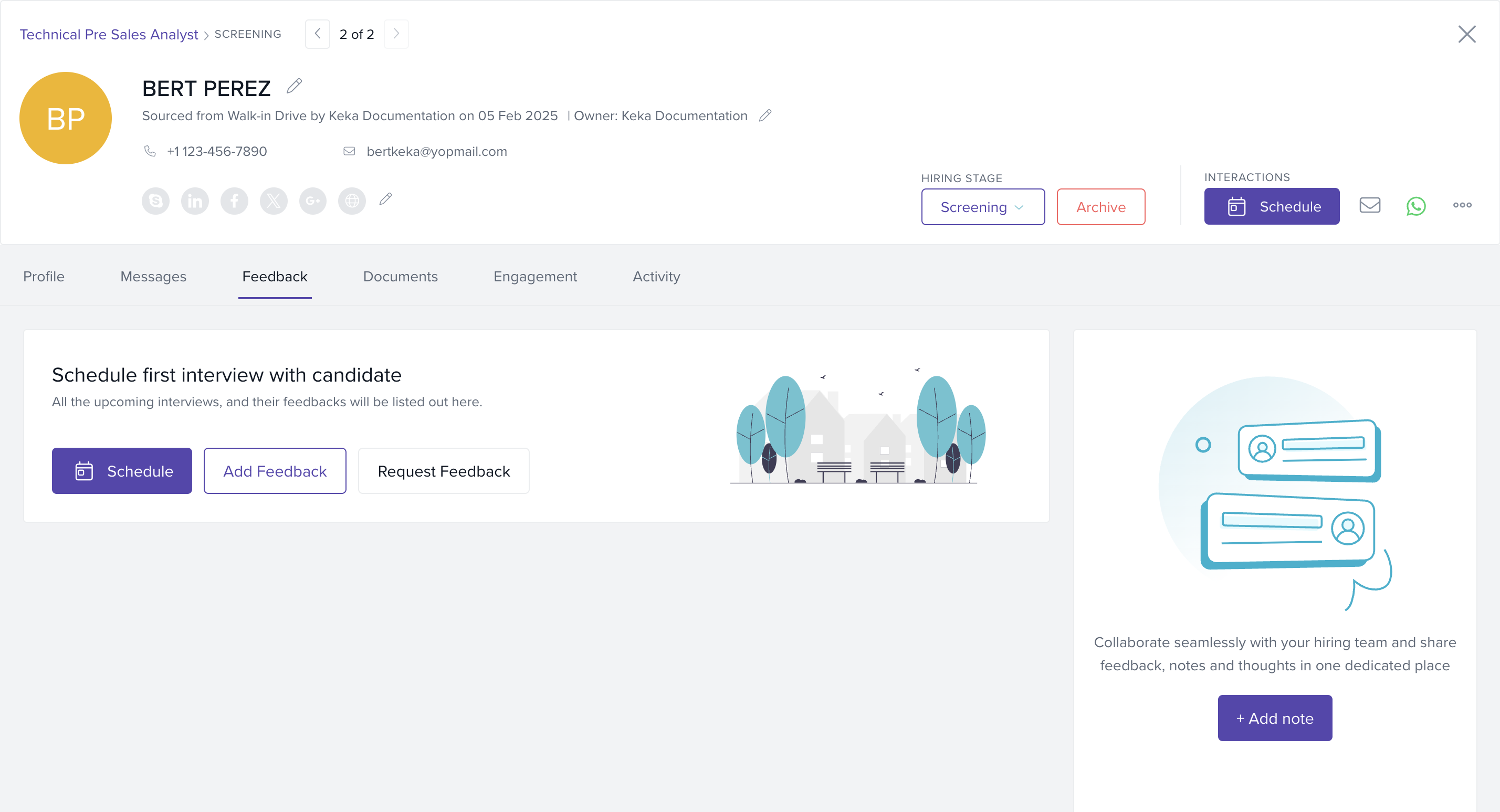
Click Request Feedback
Click the Request Feedback button to start an adhoc request.
Select Assignees and Stage
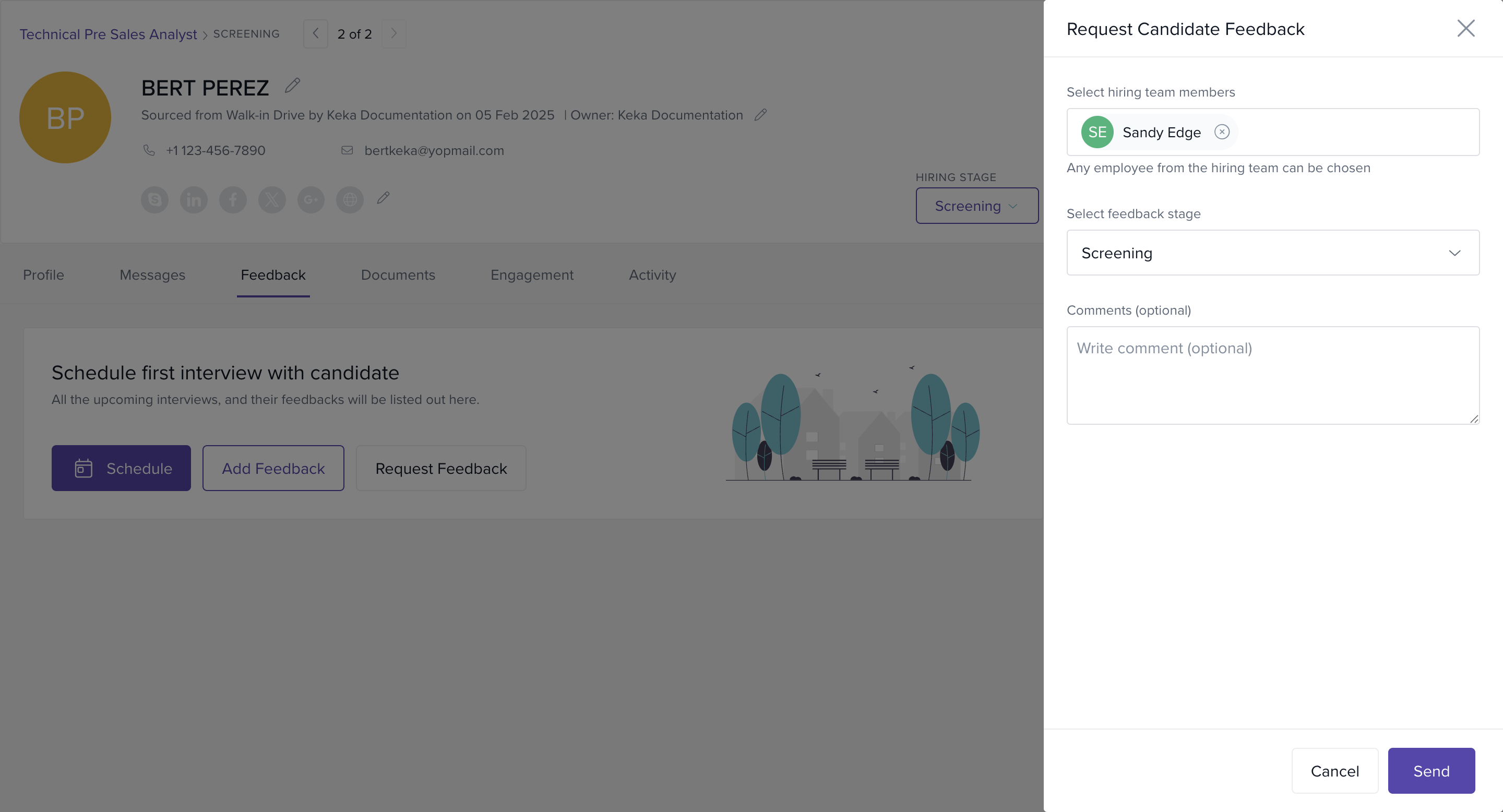
Choose one or more team members from the Hiring Team.
Select the stage for which feedback is requested.
Default stage is set to Overall, but you can change this.
Send the Feedback Request
Once selected, trigger the request.
Each selected team member will receive an inbox task prompting them to provide feedback—just like with interview feedback.
Options & Variants
Multiple Recipients: You can request feedback from one or several hiring team members at once.
Flexible Timing: Feedback requests can be made at any point during the hiring process—not tied to an interview.
Stage Selection: You can associate the feedback request with any stage or keep it at the default “Overall” stage.
Notes, Tips, and Warnings
Note: Adhoc feedback requests are separate from scheduled interview feedback and will appear as standalone inbox tasks for the recipients.
Tip: Use this feature to gather a final decision from the hiring team when interviews are complete but no consensus has been recorded yet.
Examples & Use Cases
A recruiter has completed all interviews for a candidate but hasn’t received a final decision. They use the adhoc request to prompt the Hiring Manager for a Go/No-Go call.
Next Steps
Use adhoc feedback to close the loop on candidates where interview feedback is incomplete.
For structured feedback during interviews, continue using the interview scheduling flow.
We trust this article provides the guidance you need.
Comments
0 comments
Please sign in to leave a comment.