Introduction
With the Errors and Guided Fixes feature, Keka clearly shows users what went wrong, why it occurred, and how to resolve it. Instead of generic error messages, you now see structured details and recommended fixes at the exact step where the error is encountered.
This enhancement improves onboarding and payroll accuracy by reducing guesswork, saving time, and ensuring data sanity across bulk imports, payroll runs, and compliance filings.
Errors in Import Reports
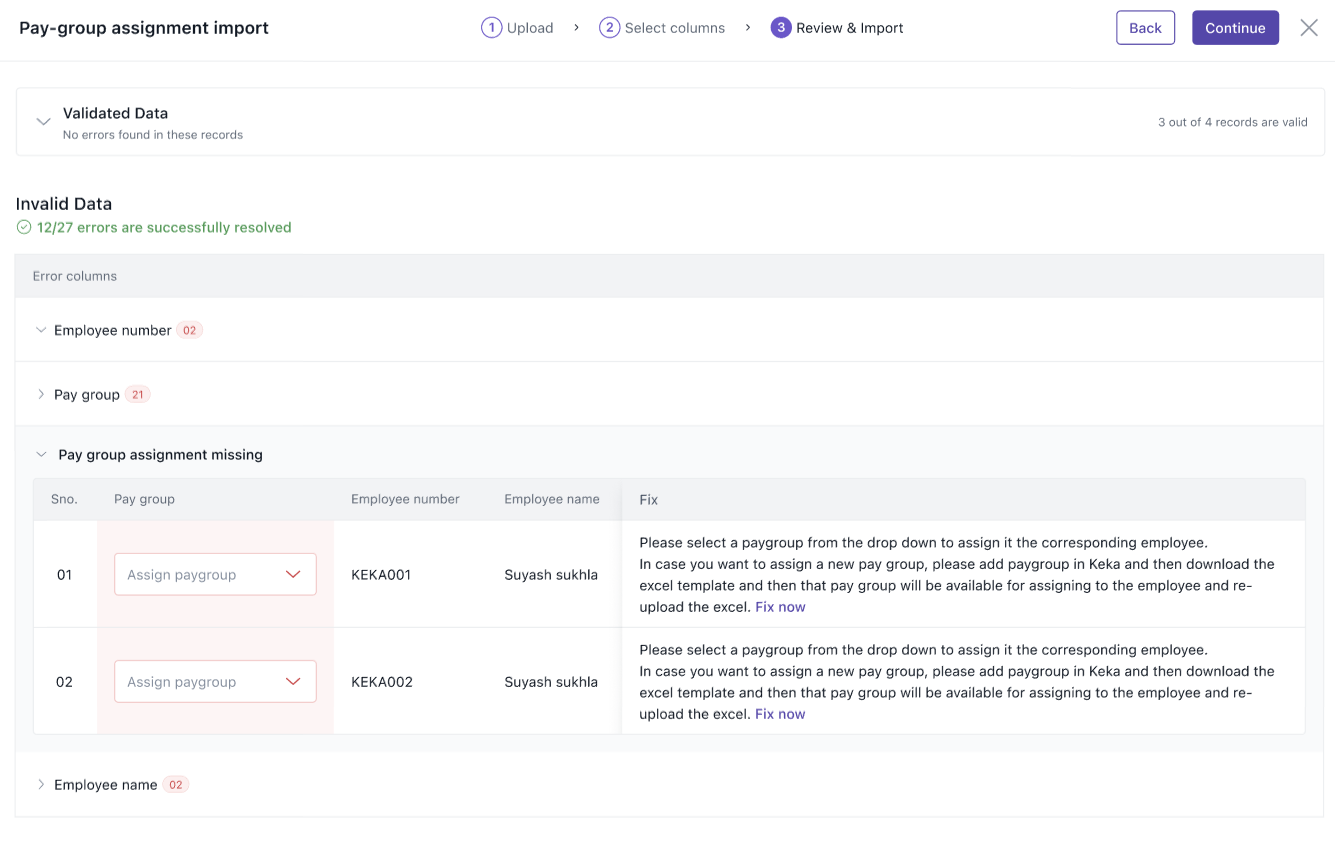
When you upload data using any of the 5 import templates, errors are highlighted in the Review and Import step.
-
Error Columns as Accordions – Each column with issues is shown as a collapsible section (e.g., Employee Number, PAN Number).
-
Grouped by Error Type – Within each column, errors are grouped (e.g., Duplicate Employee Number, Invalid PAN).
-
Row-Level Details – Each error type expands further to show which rows are affected, with the Fix column giving corrective actions.
-
Sync vs Async Imports
-
Sync Reports (1, 3, 4, 5): Support inline edits where applicable.
-
Async Report (2): Same layout, but without inline edit. You can download error reports and re-upload after fixes.
-
-
Sticky Fix Column – If the table scrolls horizontally, the Fix column stays visible to the right.
Run Payroll Errors and Fixes
Errors during payroll are now surfaced earlier and with actionable fixes.
-
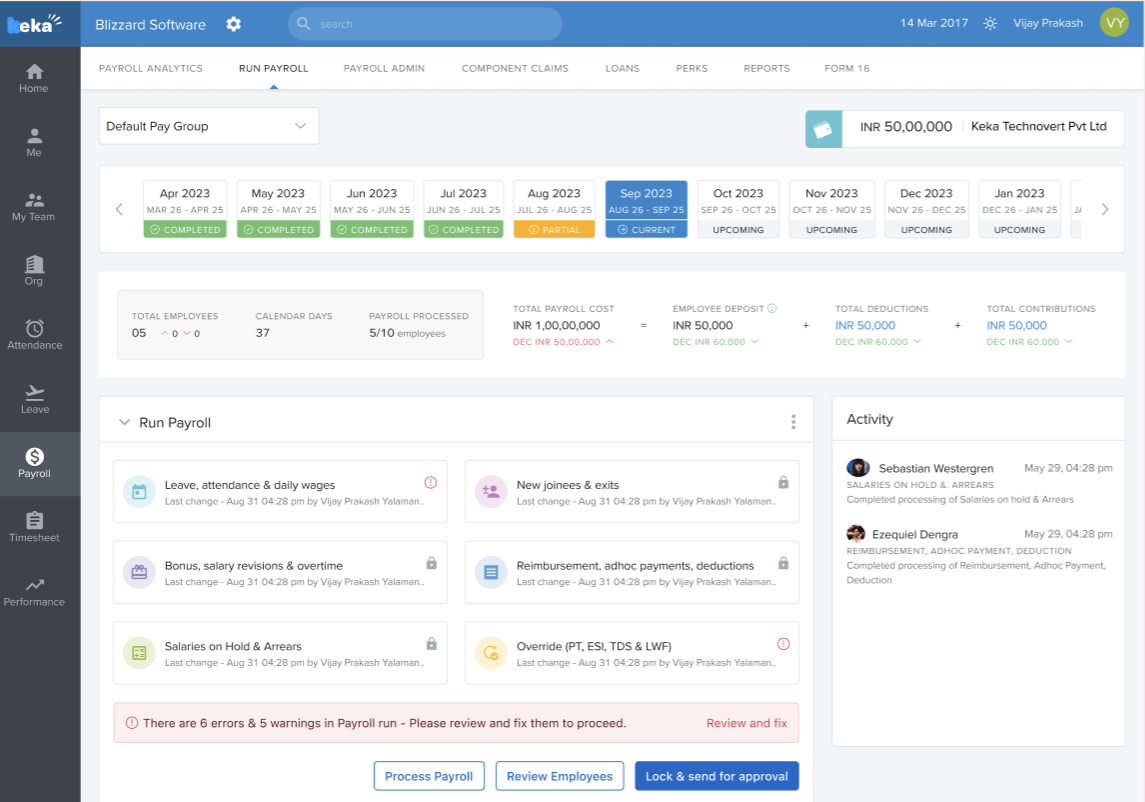
Dashboard Banner – A banner shows summary counts of errors and warnings:
“There were 6 errors & 5 warnings in Payroll. Please review and fix them to proceed with locking payroll.”
-
Review & Fix CTA – Opens a full-screen modal.
-
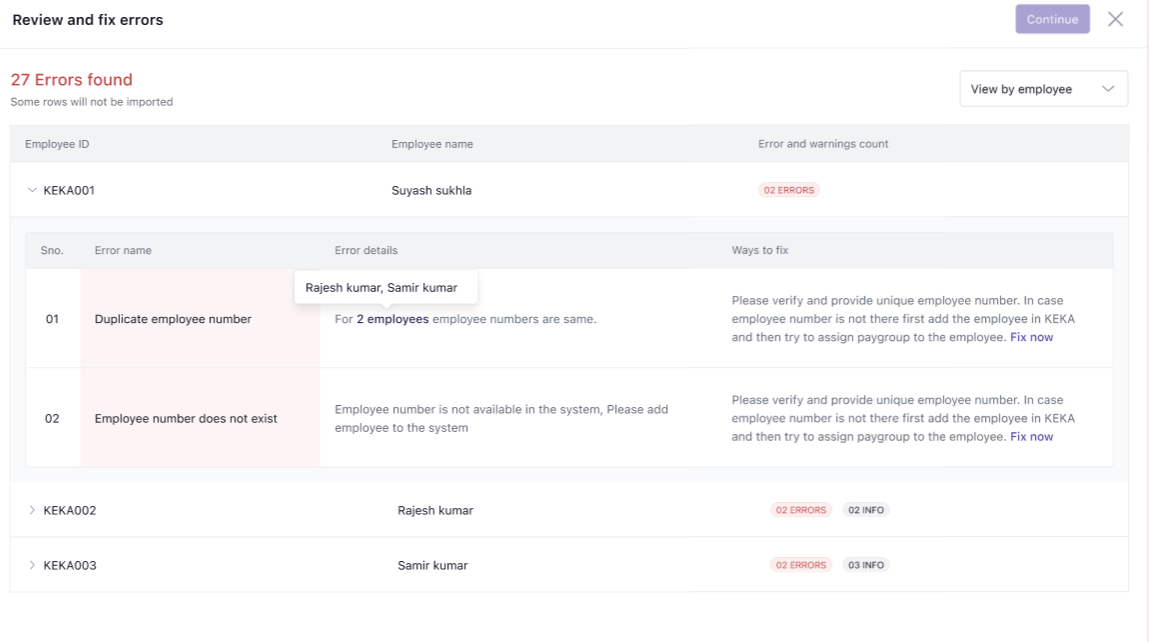
Columns Displayed:
-
Error Name – Short identifier of the issue.
-
Error Details – Description and context.
-
Ways to Fix – One or more recommended solutions.
-
-
Views Available:
-
By Employee (default): Errors grouped by employee.
-
By Error: Errors grouped by error type.
-
Certain fixes provide direct links, for example, navigating to the employee’s profile or payroll settings.
Errors in Form 24Q
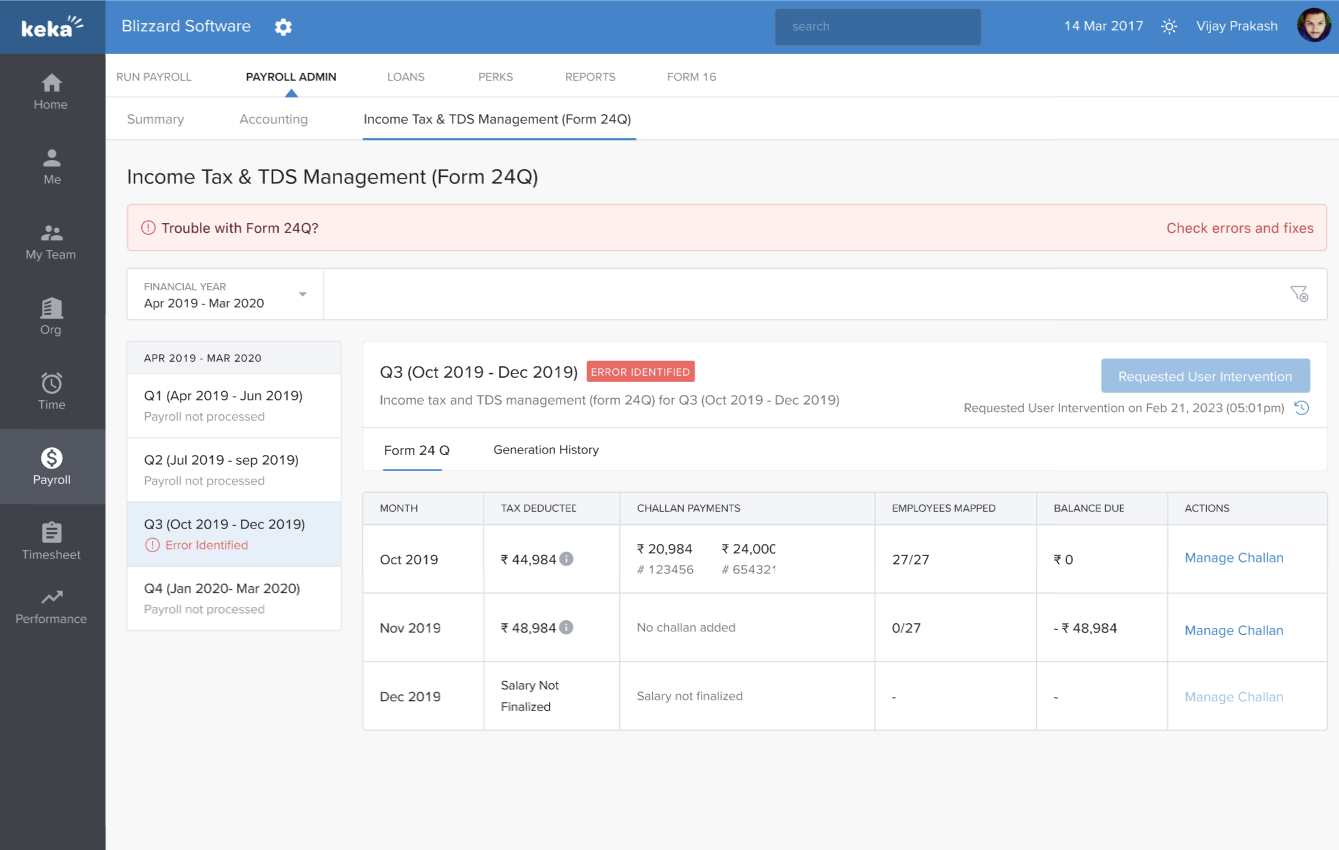
Form 24Q error grids now include a Fixes column in addition to error details.
-
The old eye icon (View Errors) is replaced with a banner prompting users to check and resolve issues directly.
-
Each fix guides you to correct employee data, tax identifiers, or salary component setup.
Unprocessed Employees Fixes
In the Unprocessed Employees tab:
-
A Fix Now banner highlights pending issues.
-
Clicking it opens the same Run Payroll full-screen modal with grouped errors and fixes.
-
Filters for Month and Status help narrow down employees needing corrections.
Comments
0 comments
Please sign in to leave a comment.