Introduction
Payroll status controls whether an employee is included in payroll processing and assigned to a pay group.
With the latest enhancement, enabling or disabling payroll will also create or end the employee’s pay group assignment. This ensures payroll groups stay consistent and accurate.
When to Disable vs. When Not To
Avoid disabling payroll in these cases:
You don’t want to see the employee in payroll this month.
Errors occurred for one employee, but payroll should close for others.
Salary isn’t being paid to the employee for one month.
The employee has exited the organization.
In these situations, put the employee’s salary on hold or resolve the errors instead of disabling payroll.
Correct scenarios to disable payroll:
The employee is a director and payroll isn’t processed in Keka.
The employee is on overseas assignment or is a contractor whose salary is managed externally.
Important: Disabling payroll is meant for long-term or permanent exclusions, not temporary cases.
Versioning Behavior
Payroll status now supports versions.
If payroll is disabled for 6 months and later re-enabled, rollbacks and re-finalizations for those 6 months won’t include the employee.
Applies even to partially rolled-back months.
Access Payroll Status
Go to Payroll from the left menu.
Select Payroll Admin.
Under Operations, click Payroll Status.
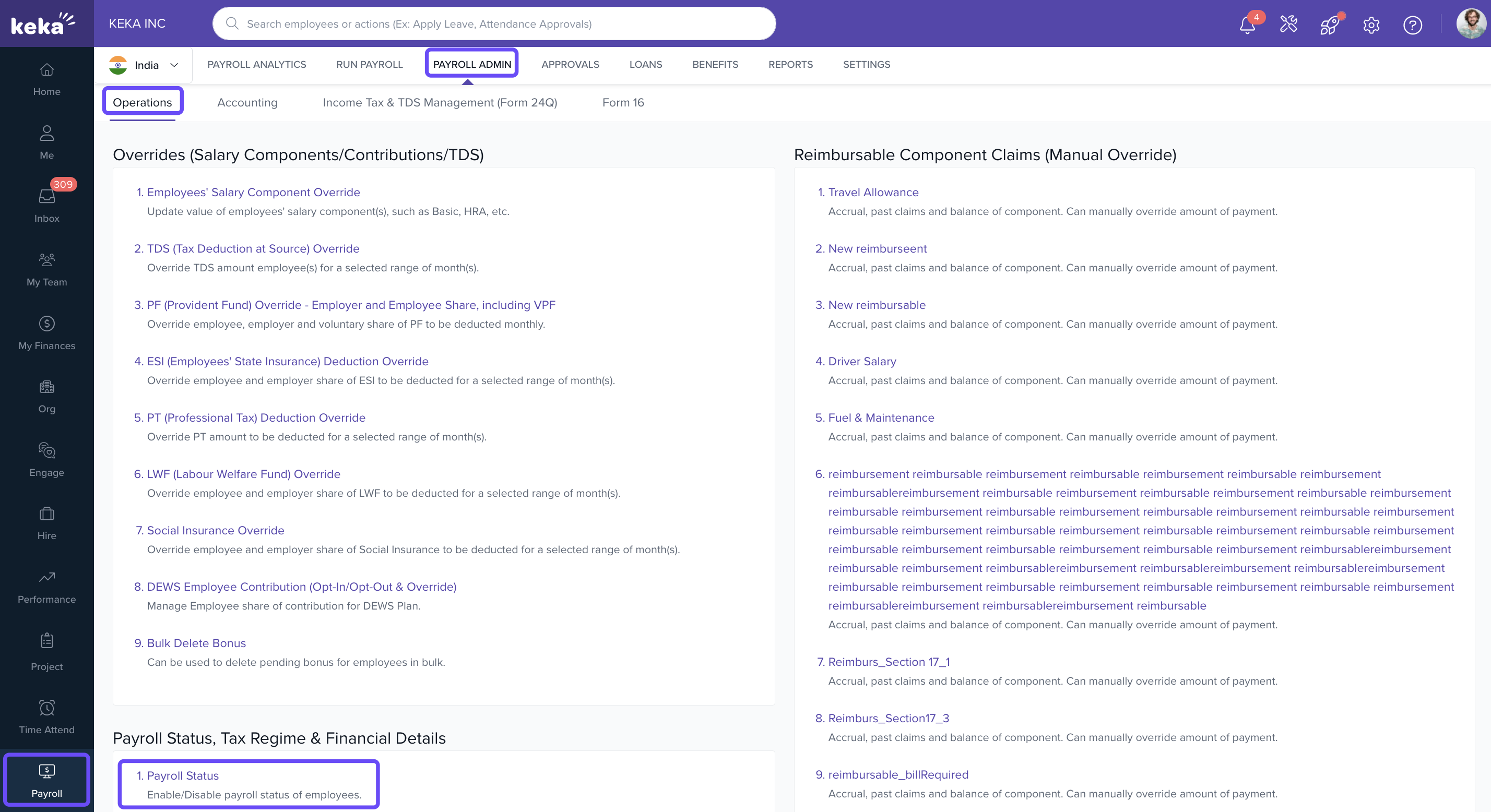
Here, you’ll see all employees registered in Keka. Use filters or search to find specific employees.
Disable Payroll
Find the employee and toggle Payroll Status from Enabled → Disabled.
A pop-up explains the implications.
Tick the checkbox to acknowledge and click Confirm.
You’ll see a success message: “Payroll status Disabled.”
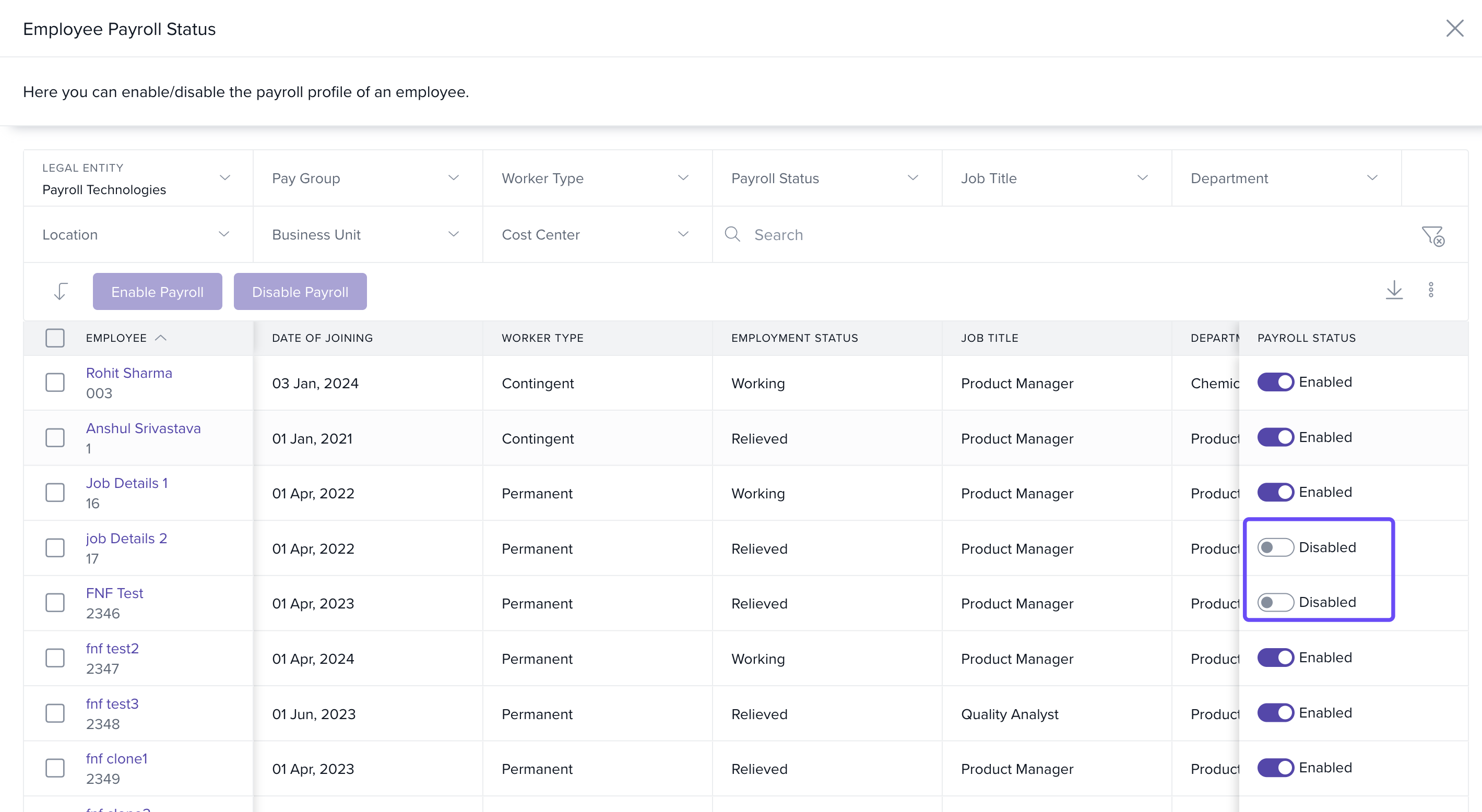
Important: If the employee has pending dues/payables, you cannot disable payroll until they are cleared. Either mark them as Paid or Void.
Enable Payroll
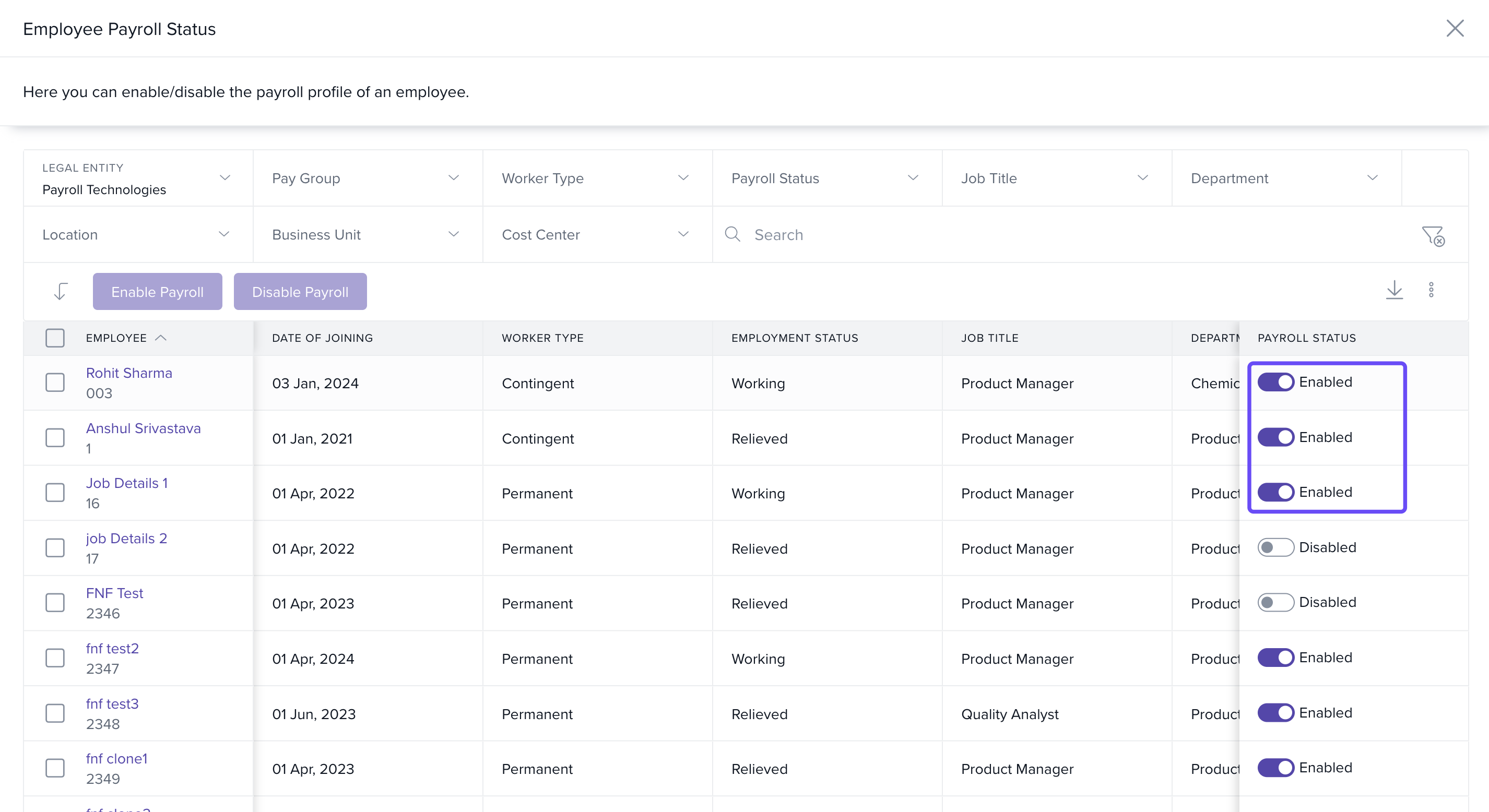
Find the employee and toggle Payroll Status from Disabled → Enabled.
A pop-up shows the Pay Group and Effective Month.
Click Yes, Enable payroll.
You’ll see a success message: “Payroll status Enabled.”
Comments
0 comments
Please sign in to leave a comment.