Introduction
If your employees are paid based on actual hours worked—such as part-time staff, freelancers, or retail employees—you can enable Hourly Remuneration in Keka.
This feature removes manual calculations and ensures payroll accuracy for variable-hour employees.
Enable Hourly Remuneration in Pay Group Settings
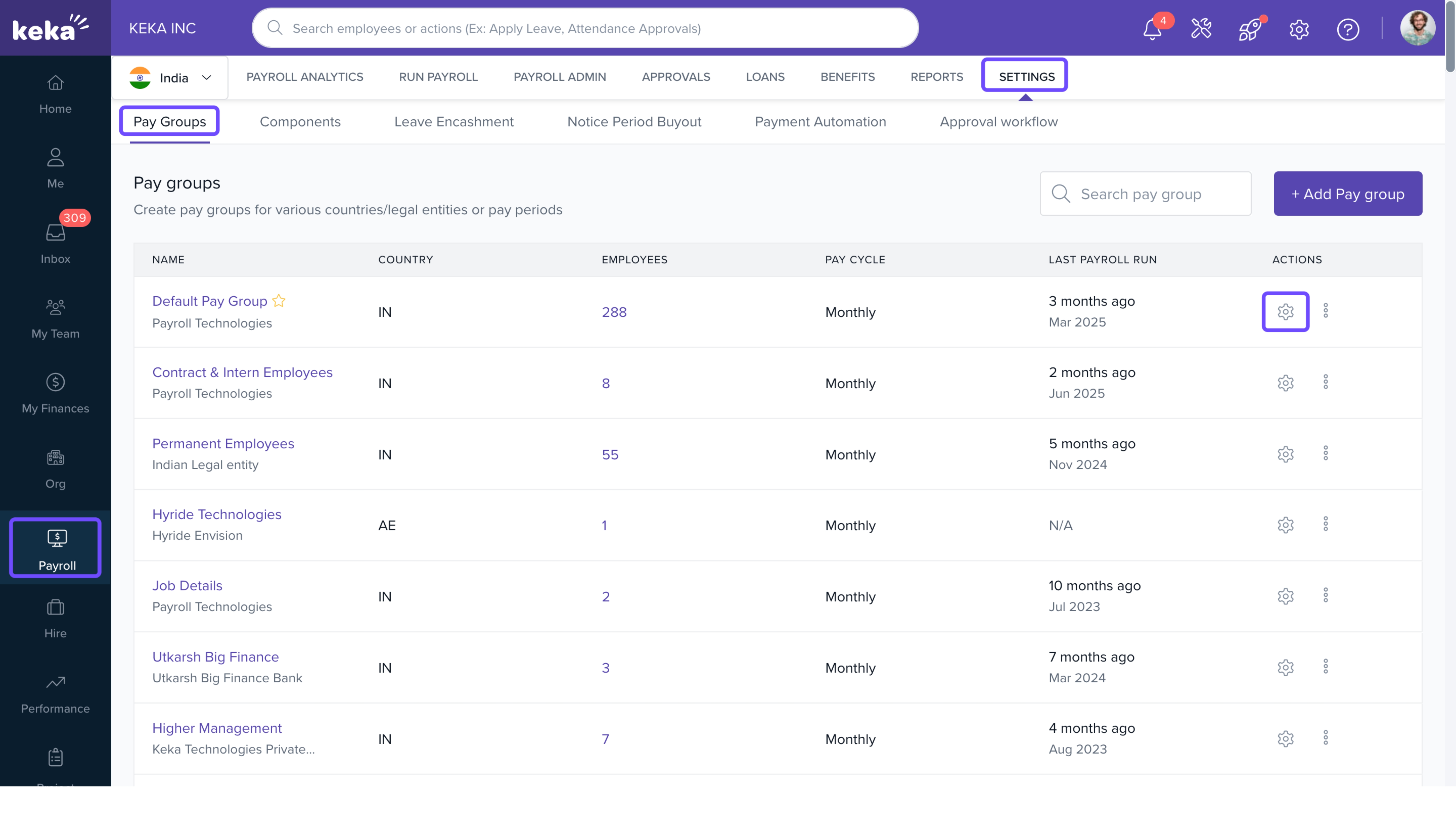
Go to Payroll from the left menu.
Select the Settings tab.
Open the Pay Group tab and choose the pay group you want to configure.
Click the gear icon to edit settings.
Configure Pay Schedule
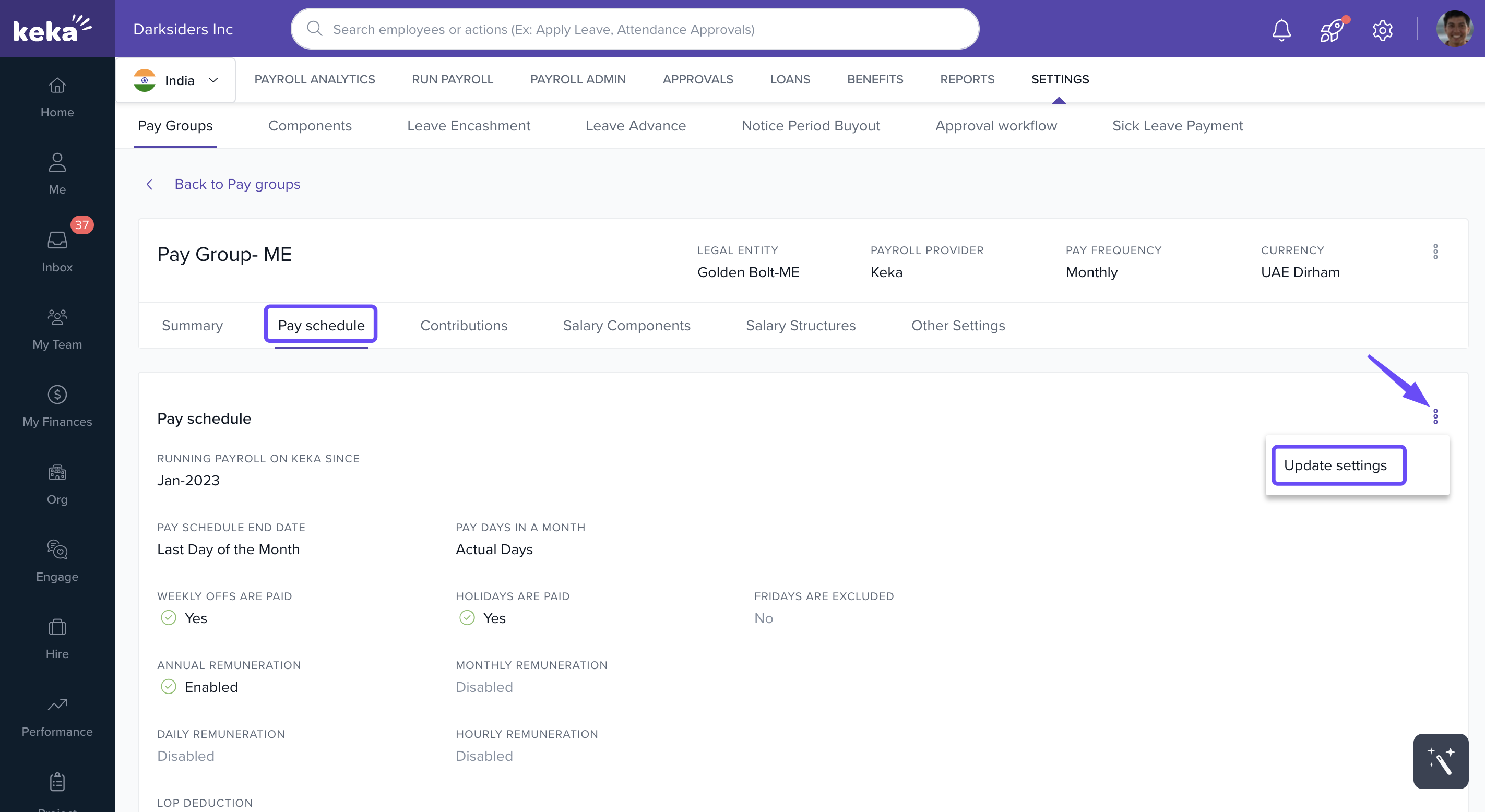
Navigate to the Pay Schedule tab.
Click the three dots and select Update Settings.
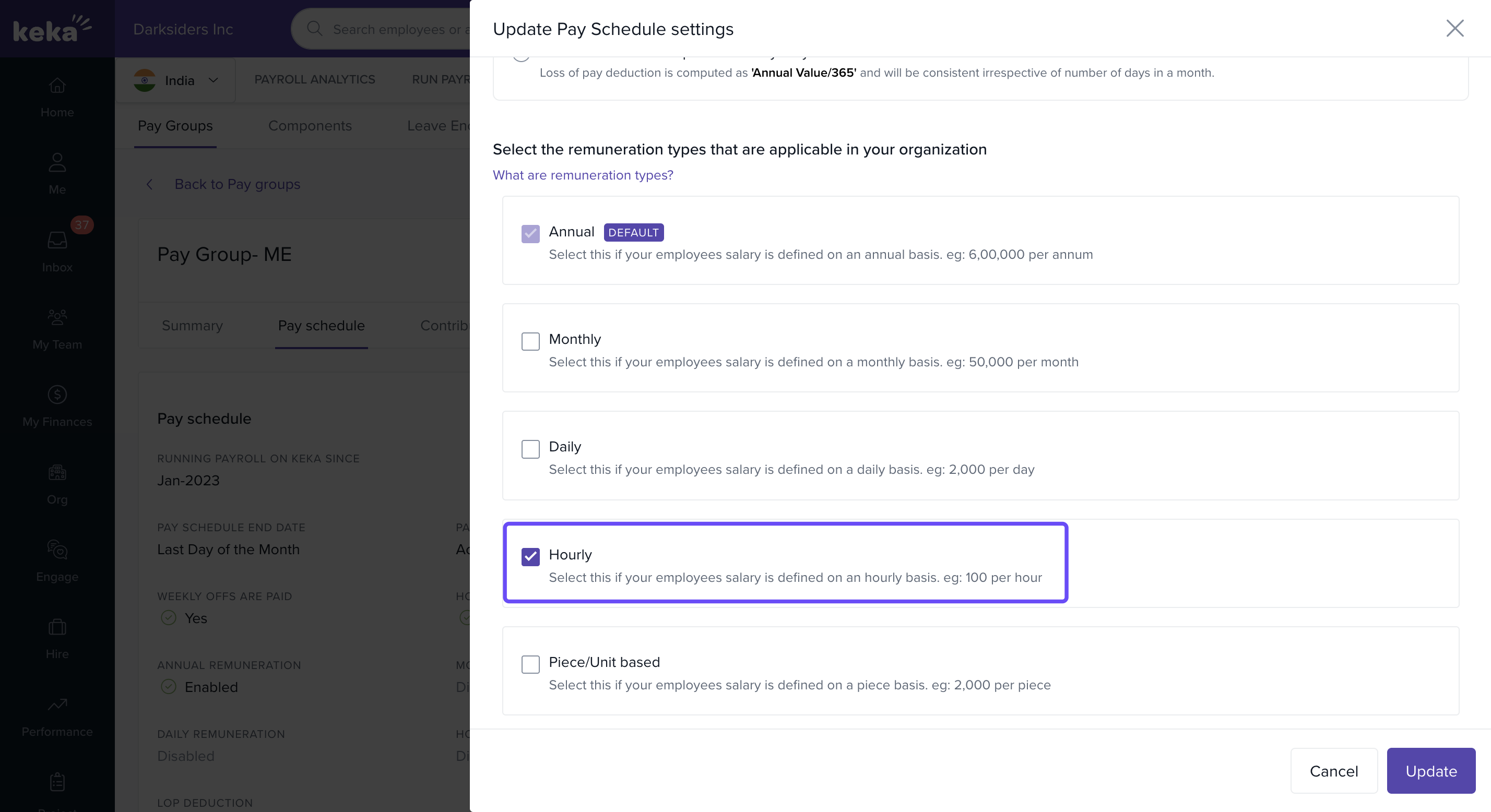
Under Select remuneration types, check Hourly Remuneration.
Create Hourly Salary Structure
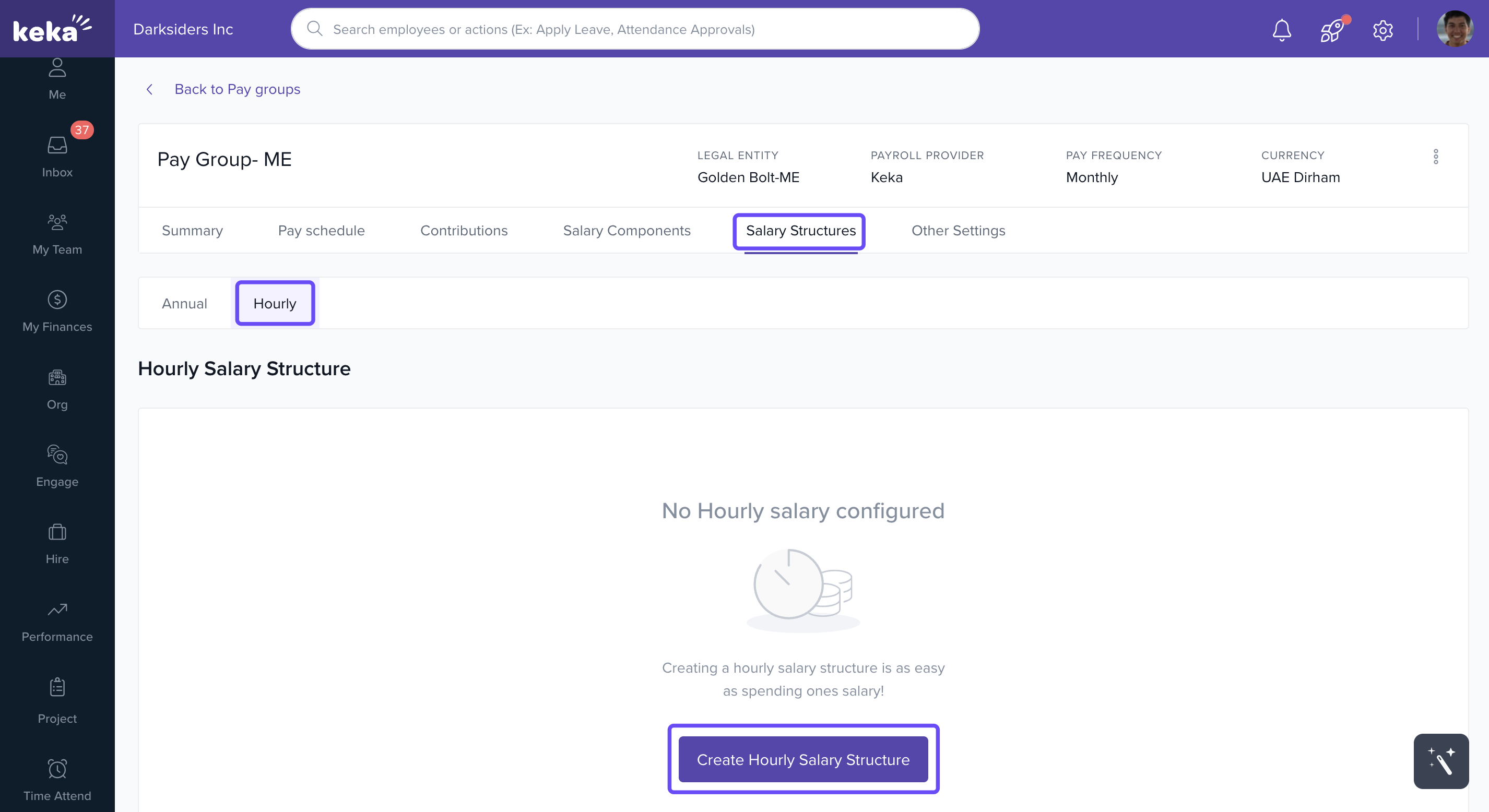
Go to the Salary Structure tab.
Click Create Hourly Salary Structure.
Enter a Name and Description for the structure.
Click +Add Component to add salary components.
-
To edit formulas, click the Edit icon:
The Update Calculation – Basic window opens.
Choose components from the list to insert them into the formula.
Click Update to save.
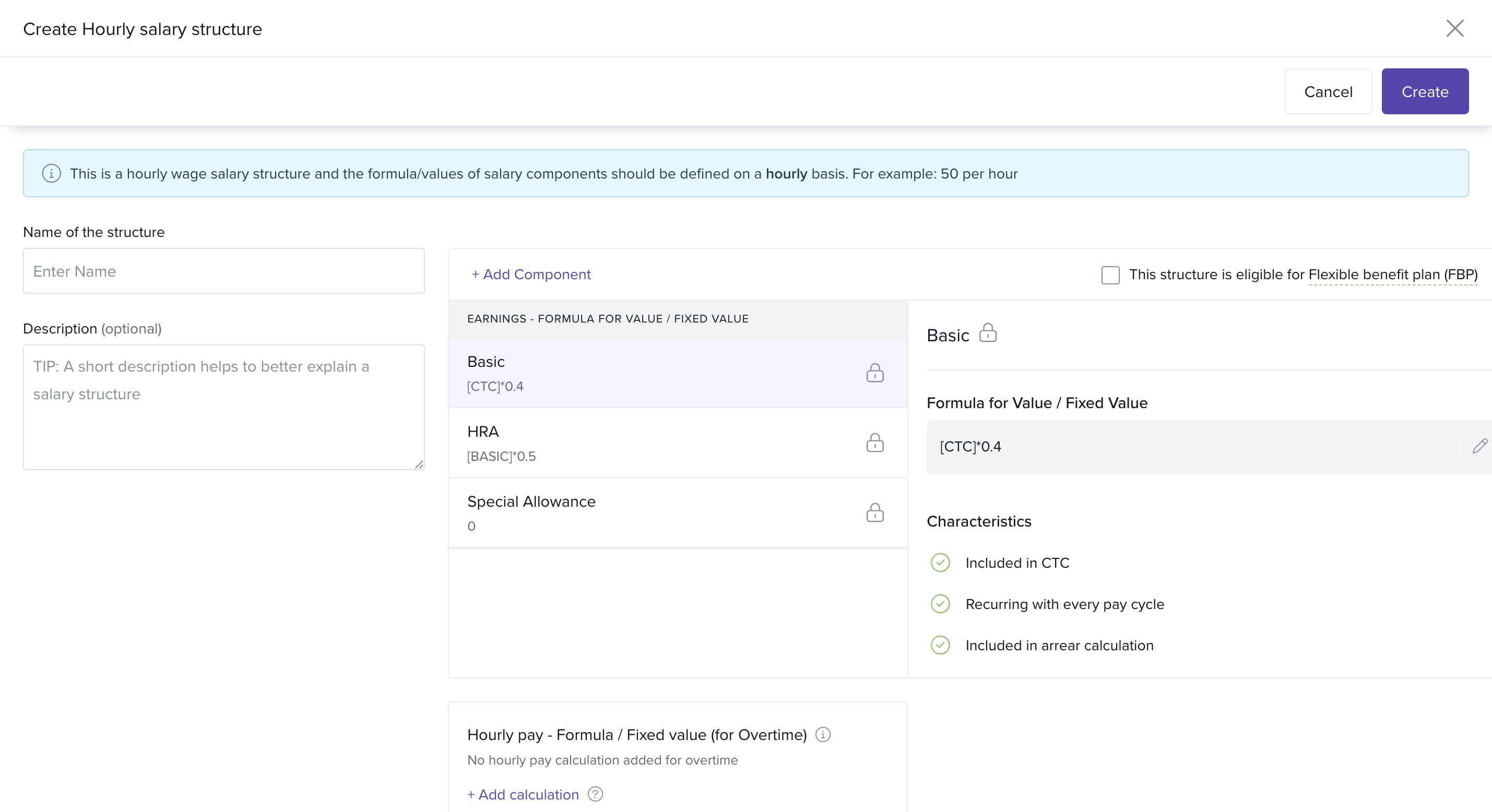
Formula Guidelines:
Use JavaScript notation:
*for multiplication,/for division.Enclose salary components in square brackets:
[CTC].Use parentheses for arithmetic operations outside components.
Follow the BODMAS rule (Brackets, Orders, Division, Multiplication, Addition, Subtraction).
If you enter an absolute value, it must represent the annual value of the component.
Assign Hourly Remuneration to Employees
When adding a new employee:
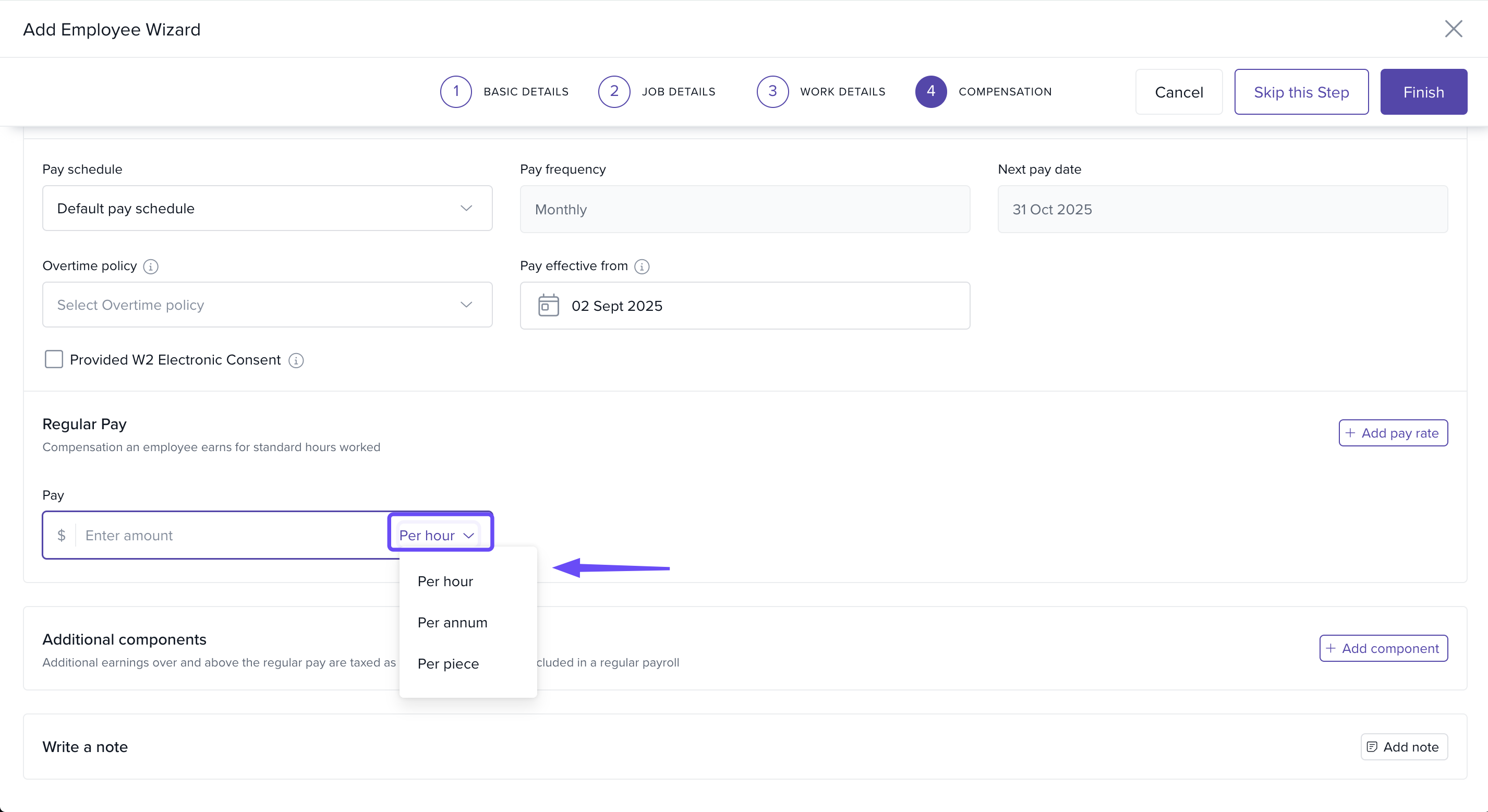
Go to the Compensation section.
Select Per Hour as the remuneration type.
Comments
0 comments
Please sign in to leave a comment.