Managing leave validity is now smarter and more flexible in Keka. With the enhanced Leave Expiry Settings, admins can now align leave expiration with organizational timelines by setting expiry to the end of the month, quarter, or year—instead of relying only on fixed day counts.
What’s new?
Previously, leave expiry could only be set to a specific number of days post-credit, which posed challenges for organizations with mid-month joiners or variable month lengths. This update introduces three new options:
-
End of Month – Leave expires at the end of the credited month
-
End of Quarter – Leave expires at the end of the calendar quarter
-
End of Year – Leave expires at the end of the credited year
These options help align leave policies with payroll cycles, reduce manual monitoring, and simplify accrual management.
How to configure leave expiry
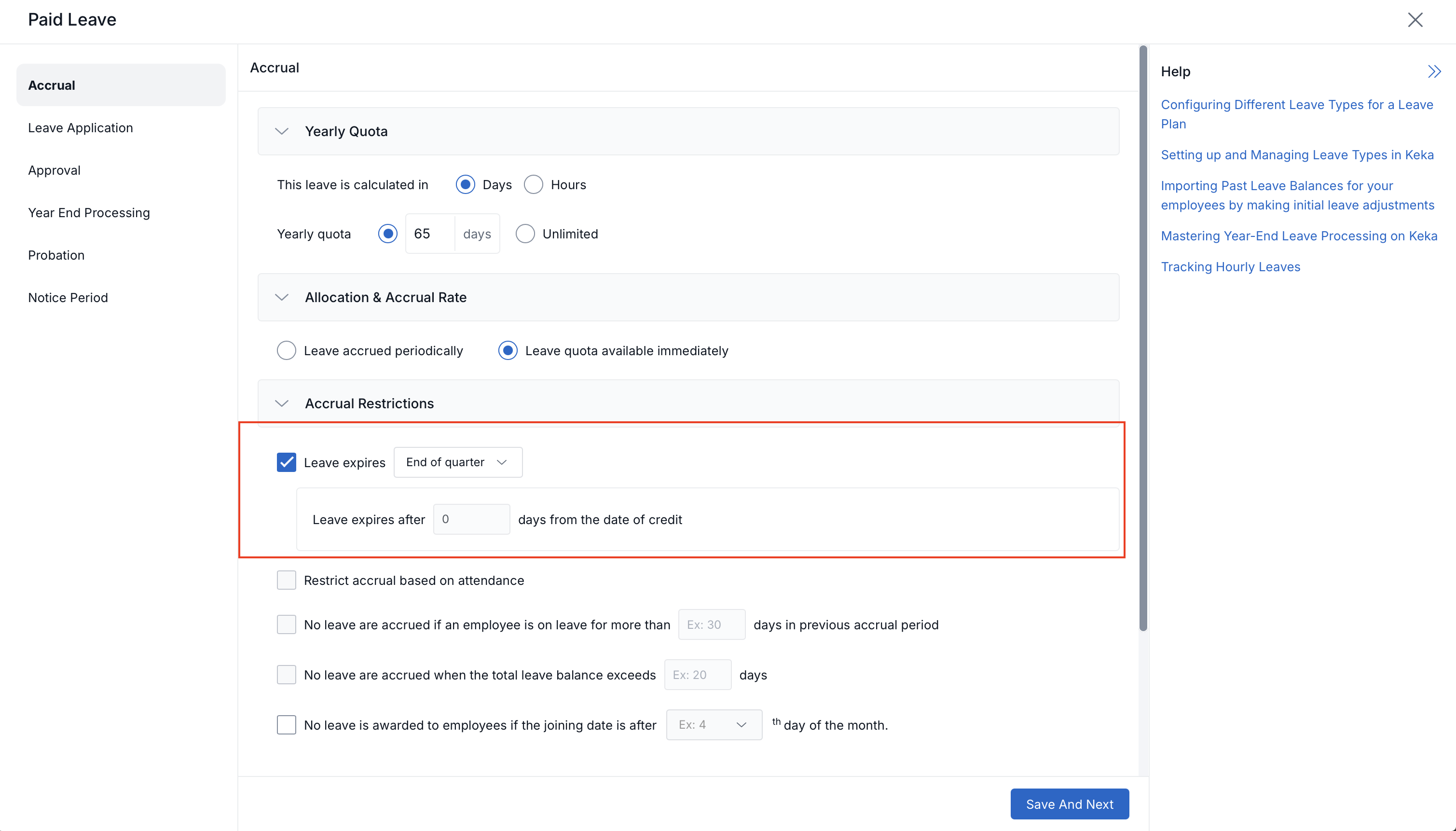
Navigate to Time & Attendance >> Leave >> Leave Plans. Click on the Accrual tab and go to Accrual Restrictions. Under the Leave Expiry dropdown, select from:
-
-
Fixed number of days
-
End of Month
-
End of Quarter
-
End of Year
Save the settings to apply the selected leave expiry logic
-
This ensures leave balances are cleared or used in line with organization policies and reduces exceptions during audits or payroll processing.
Who can use it?
Available to all organizations using the Leave Management feature within the Time & Attendance module
Related documentation
For more information on this topic, please click on the box below.

Please let us know if you find this article helpful.
Comments
0 comments
Please sign in to leave a comment.