Keka now allows employees to apply for leave in the next calendar year, provided they have eligible carry-forward balances. This enhancement helps employees plan their time off well in advance and reduces year-end processing for HR teams.
What’s new?
Previously, employees had to wait for the new calendar year to apply for leaves—even if they had a valid carry-forward balance. With this update, they can now:
-
Apply leave for the upcoming year using current leave balances
-
Plan holidays or personal time in advance
-
Follow automated rules for carry-forward limits
This proactive system prevents last-minute leave spikes and simplifies holiday management for HR.
How to enable this setting
Admins can turn on this option under leave plan settings:
Go to Time Attend >> Leave >> Leave Plans >> Year End Processing. Enable the checkbox “Employees can apply leave for next calendar year” under Carry forward settings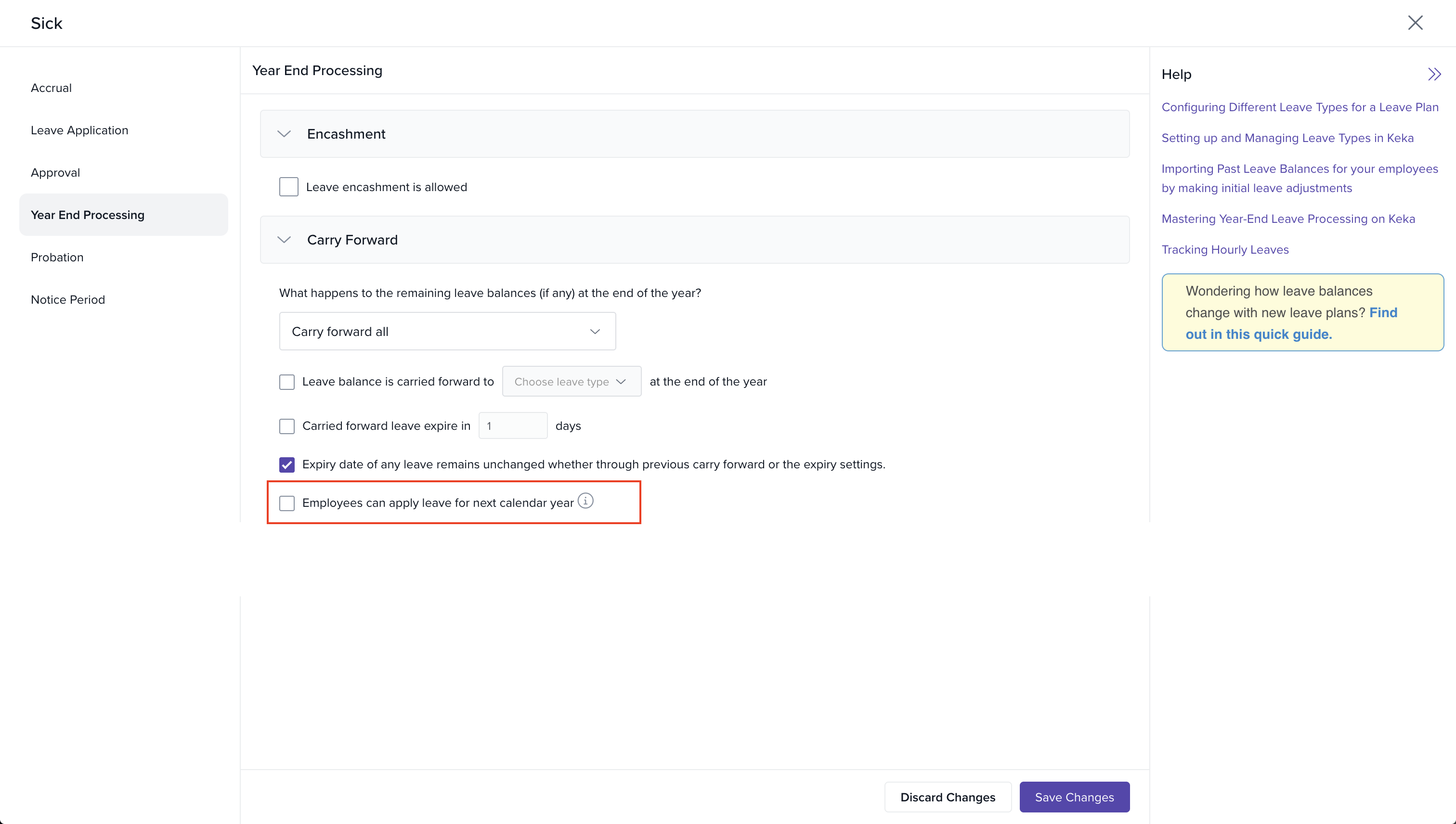
Important notes:
-
This setting applies only to leave types with carry-forward enabled
-
It is not available for leave types that reset or allow full encashment at year-end
-
Leave applied for the next year will be adjusted against carry-forward limits automatically
Who can use it?
Available to all customers using Time & Attendance module with leave management enabled.
Related documentation
Discover the helpful guides below for step-by-step assistance with the setup process:
To know more about how to allow employees to apply leave for next calendar year, click on:

To know more about how to apply leave for the next calendar year, click on:
Please let us know if you find this article helpful.
Comments
0 comments
Please sign in to leave a comment.