Introduction
In Keka, you can include bonuses as part of an employee’s annual salary, whether you’re updating one employee or many at once. Bonuses may be tied to performance, retention, festivals, or can be a part of promised compensation (like joining or annual bonuses).
When an employee’s salary is revised, Keka can automatically calculate the bonus portion based on your organization’s policy.
Example:
If a new hire is offered a CTC of ₹20,00,000 and your company follows a 90/10 split (90% fixed salary, 10% bonus), the system will automatically allocate:
Fixed Salary: ₹18,00,000
Bonus: ₹2,00,000
This helps you manage compensation transparently and efficiently.
Add Bonus Individually
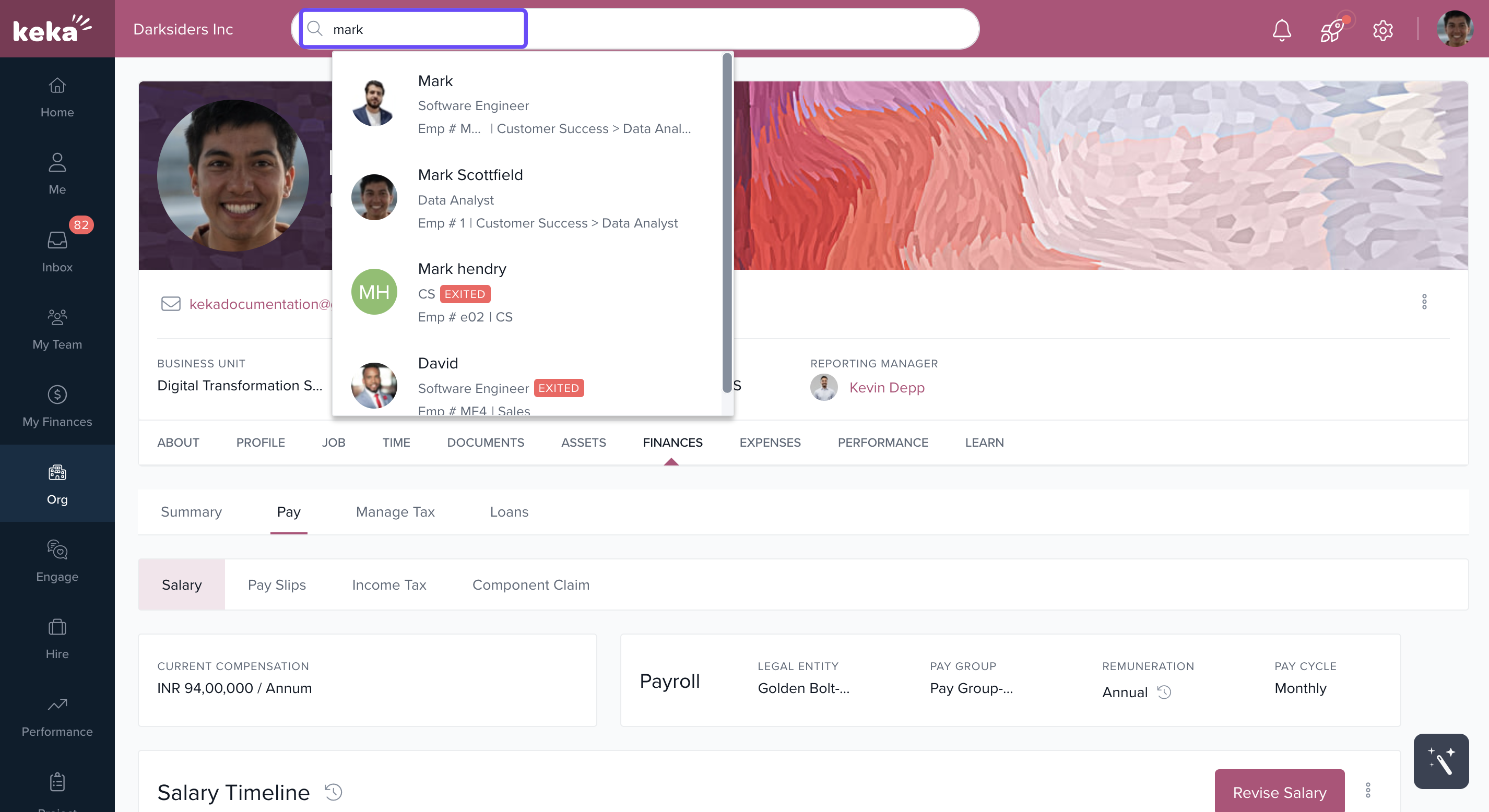
Use the Global Search Bar to find and open the employee’s profile.
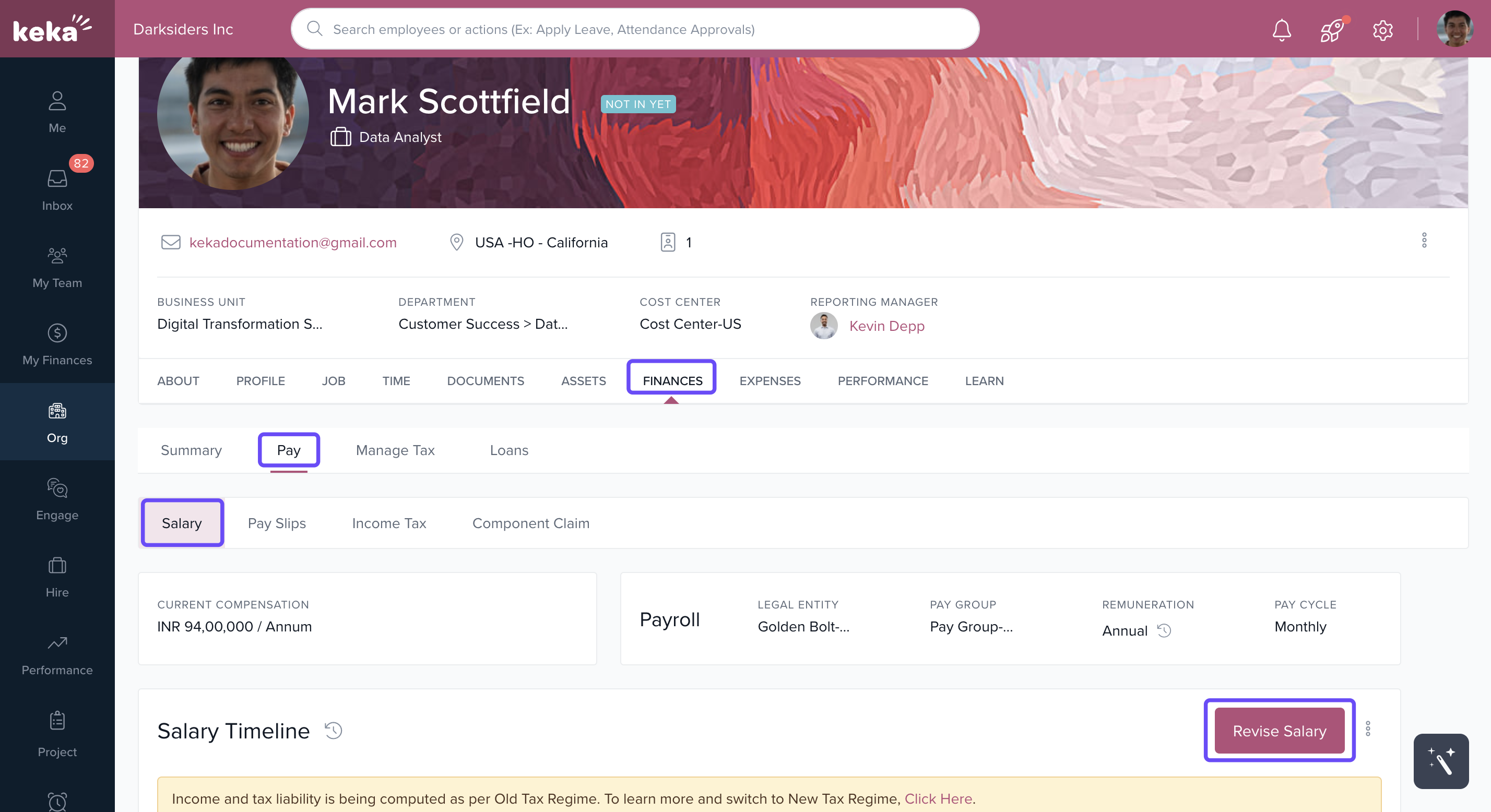
Go to Finances > Pay.
Click Revise Salary.
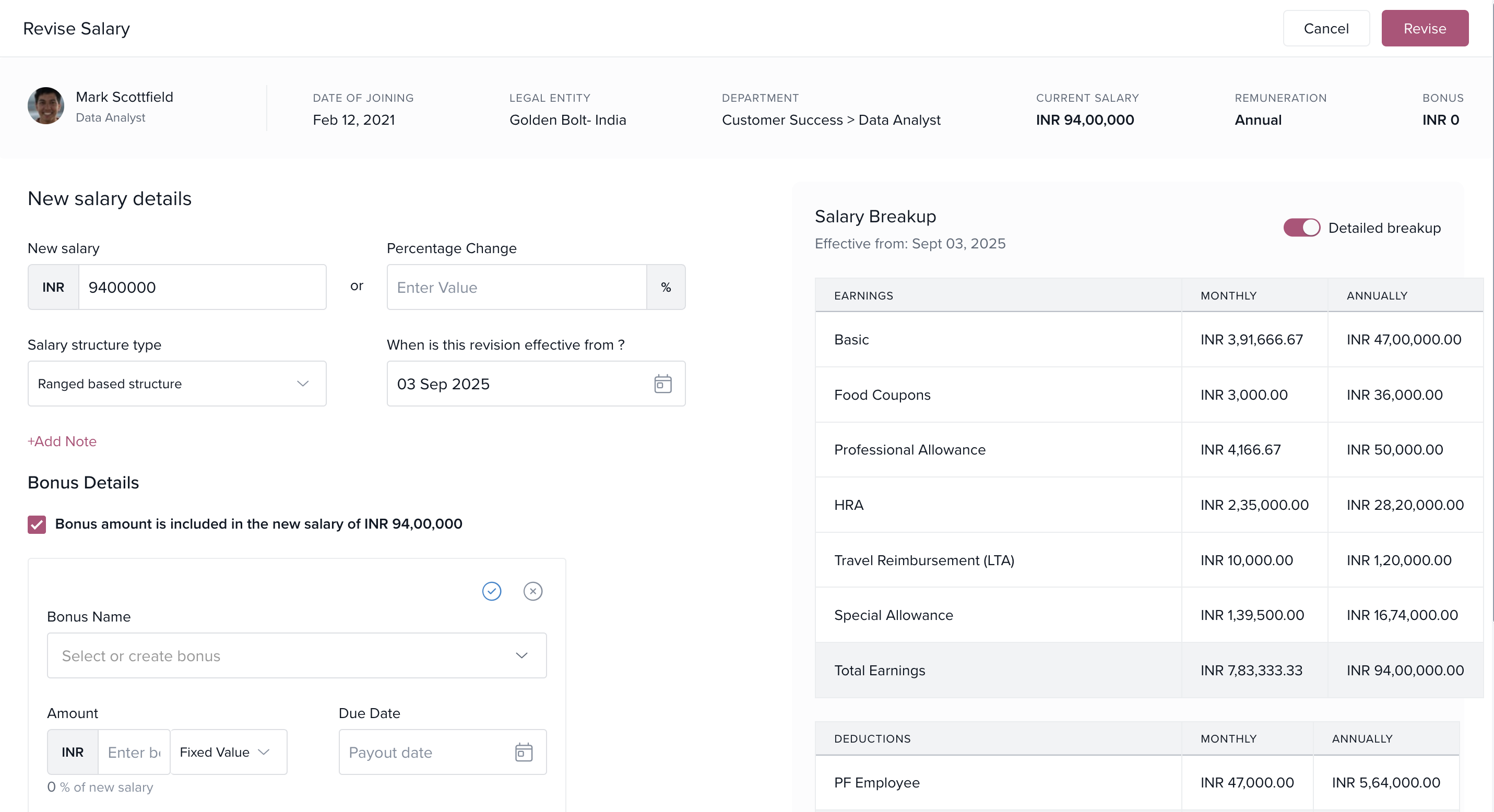
Select the checkbox Bonus amount is included in the new salary.
-
Click Add Bonus:
Choose an existing bonus component or create a new one.
Specify the bonus as a Fixed Value or Percentage of Salary.
Set a Due Date and add a note if needed.
Toggle the Detailed Breakup if you want to view the revised structure.
Click Revise to save the changes.
Add Bonuses While Bulk Importing Salaries
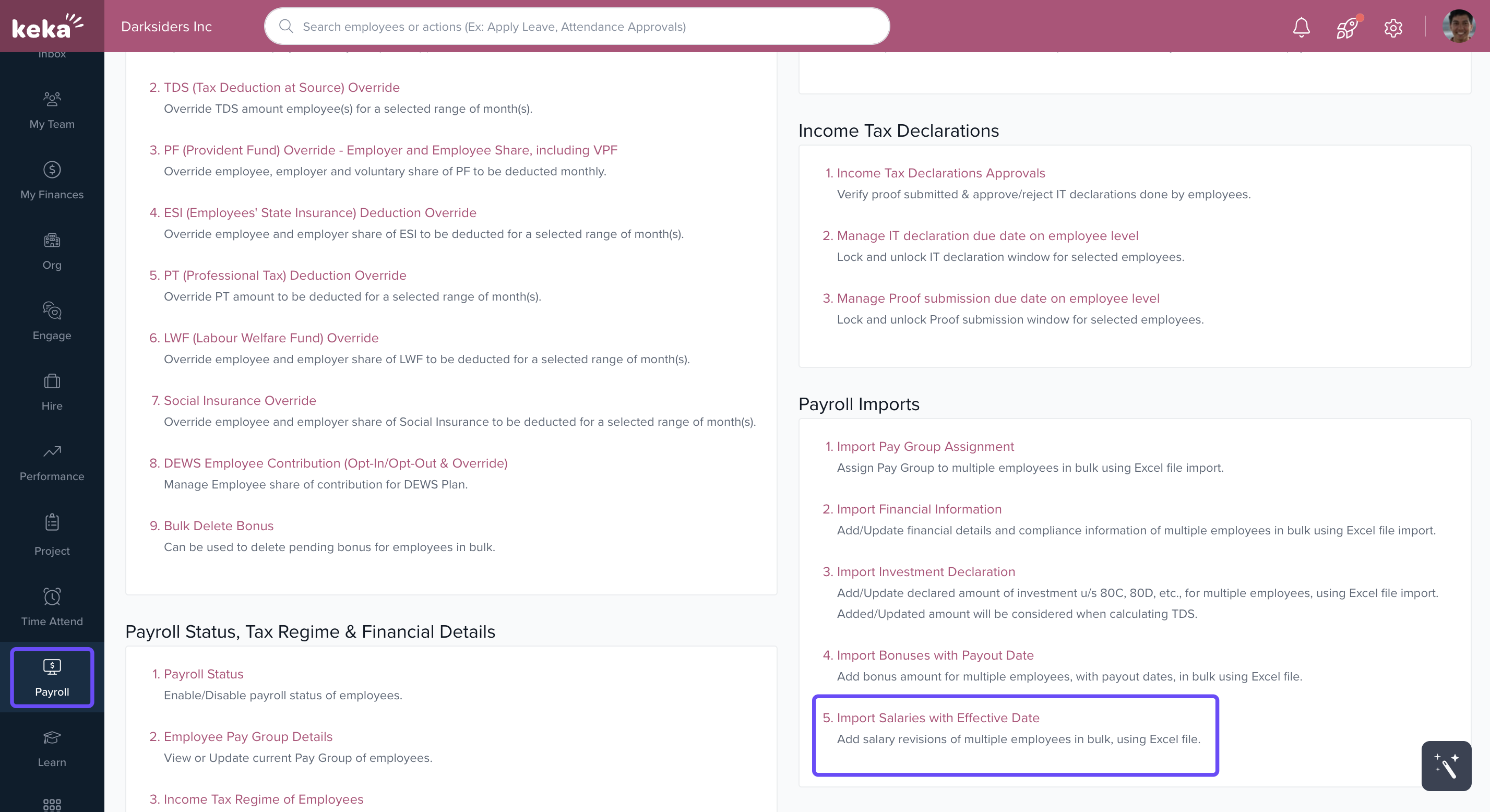
Go to Payroll > Payroll Admin.
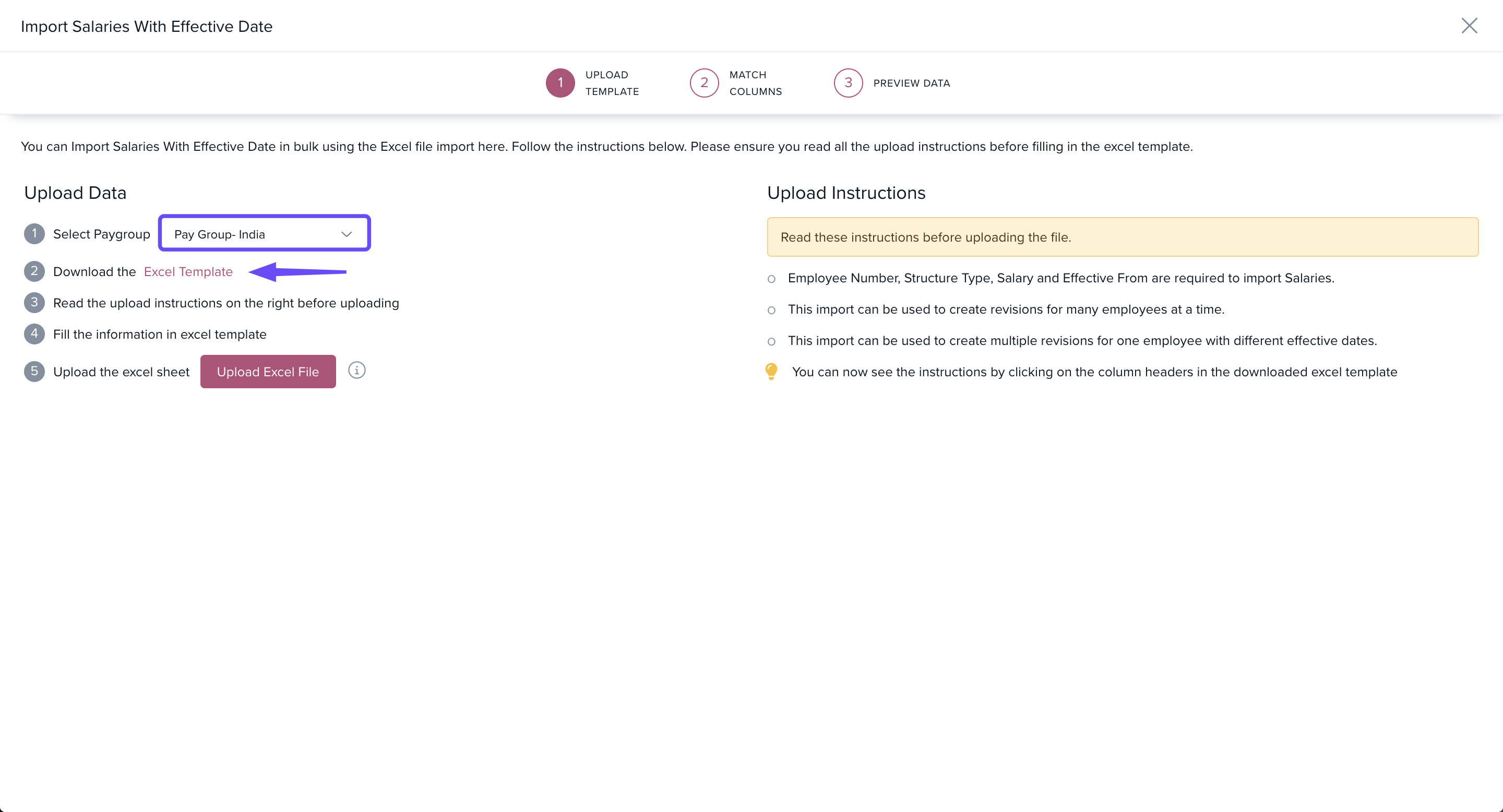
Under the Operations tab, click Import Salaries with Effective Date.
Select the relevant Pay Group.
Click Excel Template to download the import template.
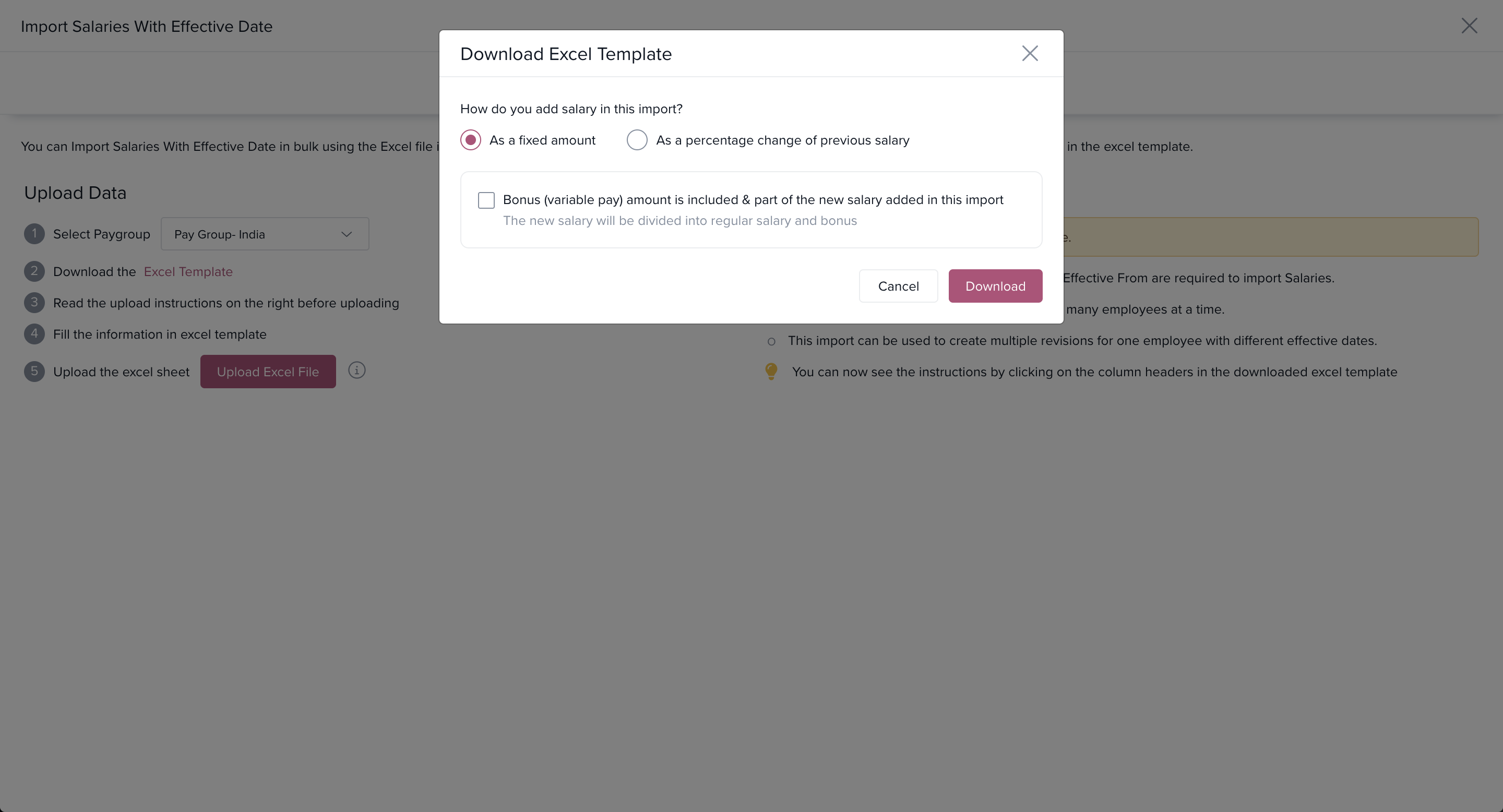
In the download window:
-
Choose how to input salary:
As a fixed amount
As a percentage change from the previous salary
Check the option Bonus amount is included & part of the new salary added in this import.
-
Choose to provide bonus as:
Fixed Amount
Percentage of Salary
Click Download to generate the template.
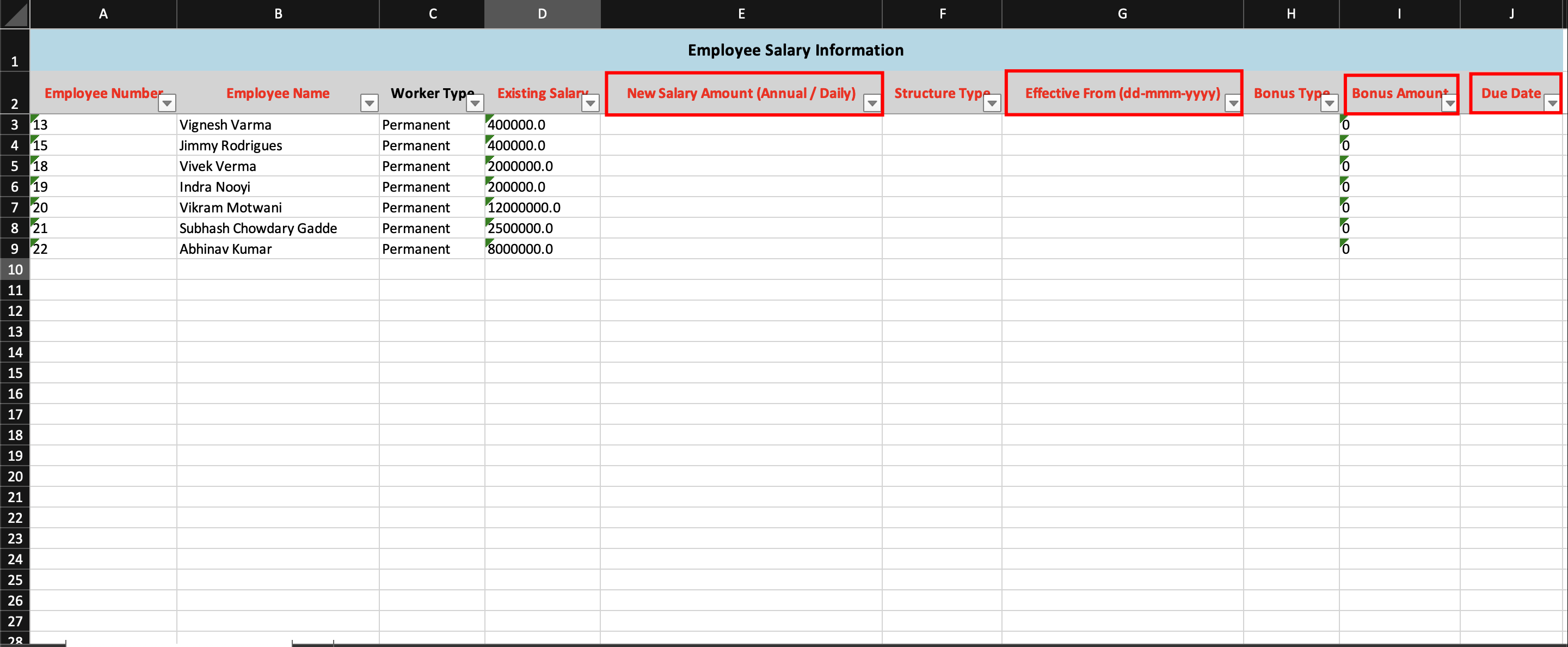
In the Excel template:
In the New Salary Amount column, enter the updated CTC including bonus.
In the Bonus Amount column, input the fixed amount or percentage.
Set a Due Date for the bonus payout.
Once your data is ready, upload the Excel file. The revised salaries and bonuses will reflect on the Keka platform.
Need help setting up bonuses in salary structures? Reach out to our Product Experts—we’re happy to help!
Comments
0 comments
Please sign in to leave a comment.