Introduction
Leave encashment lets employees convert their unused paid leave into monetary compensation. In Keka, you can define multiple leave encashment policies, assign them to employees, and set how the encashment value is calculated—either as a fixed amount or using salary components.
This guide explains how to create, edit, and manage these policies.
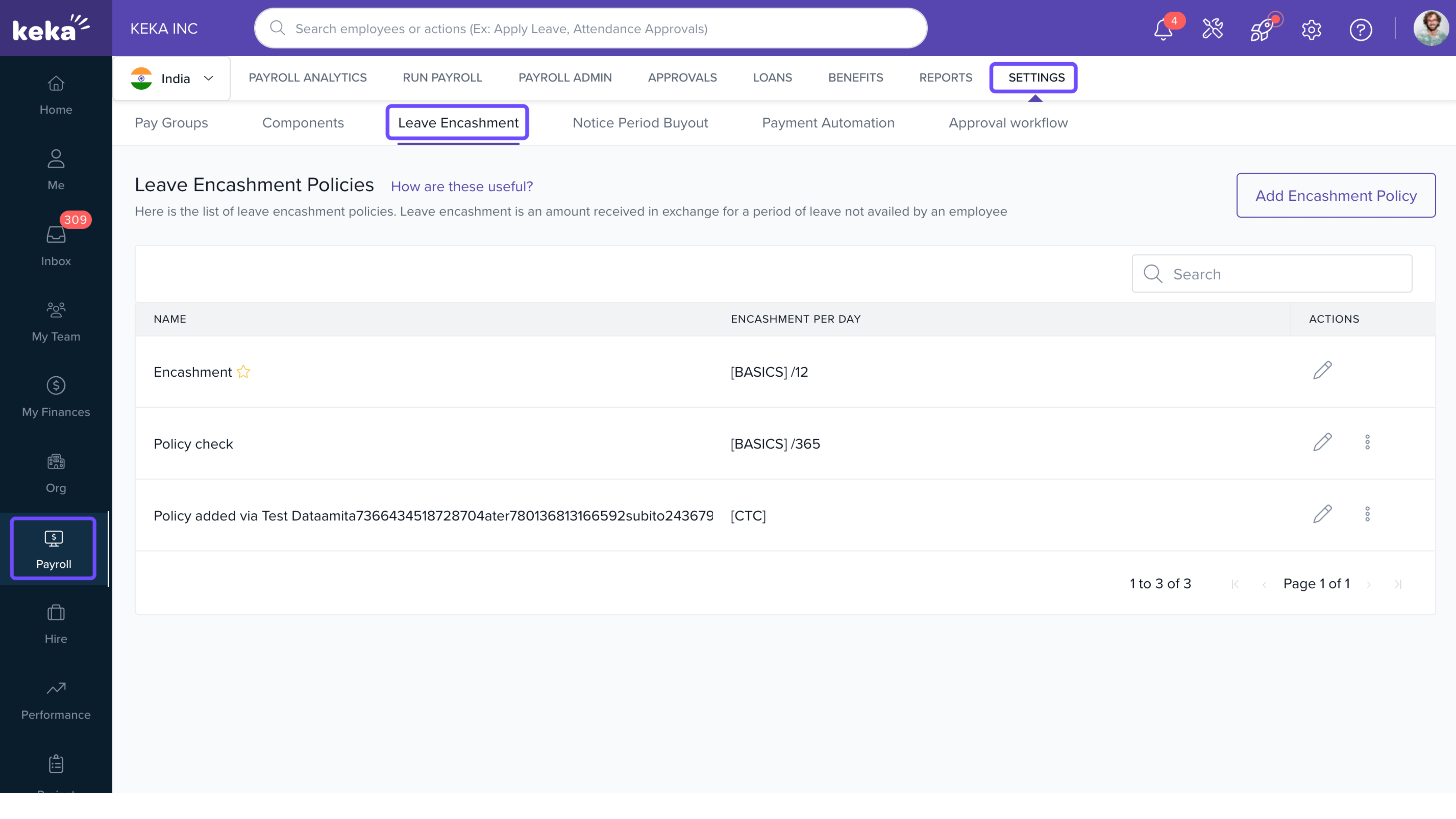
Access Leave Encashment Settings
Click Payroll from the left menu.
Select the Settings tab.
Click the Leave Encashment tab.
Add a New Encashment Policy
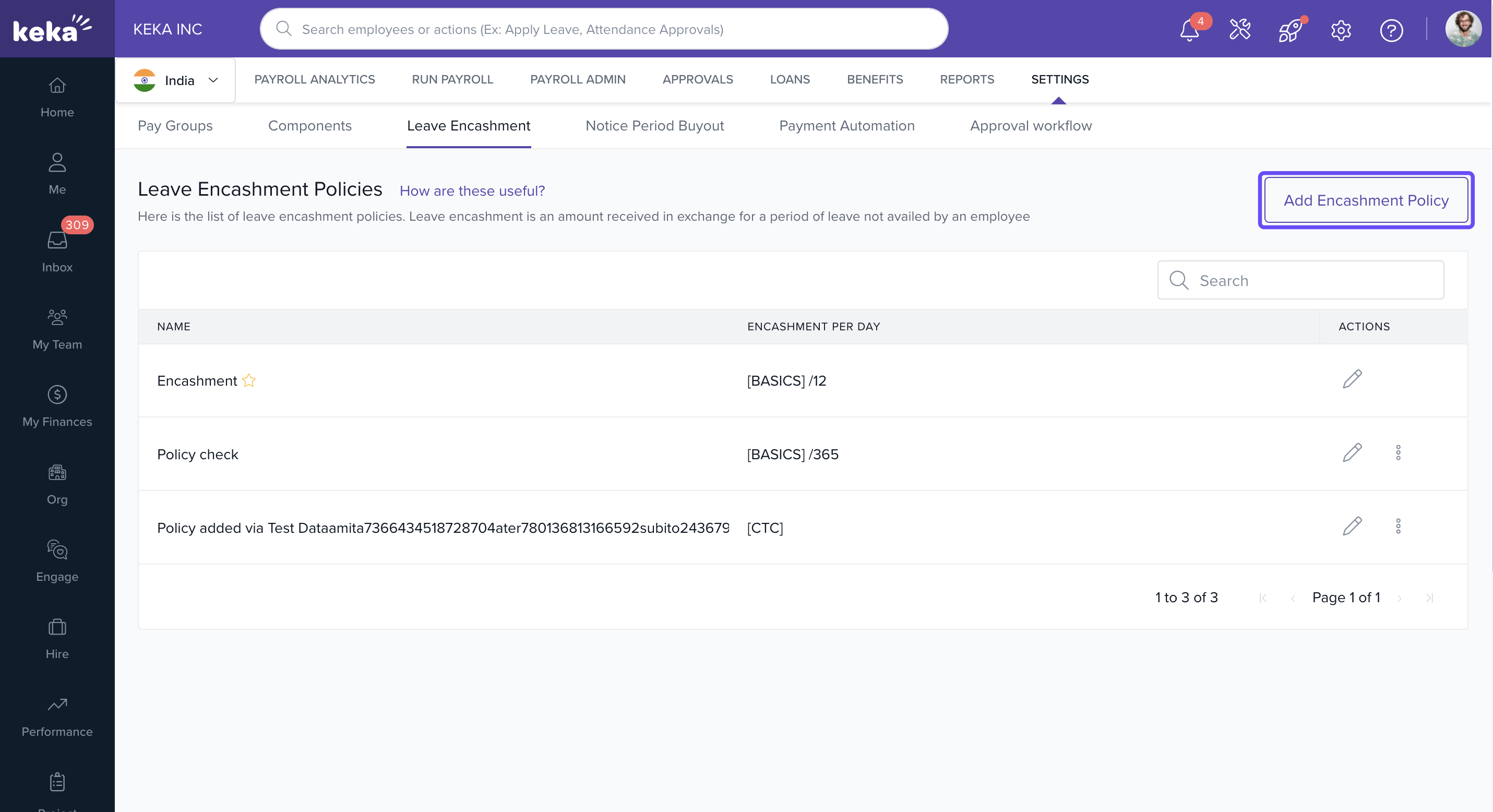
On the Leave Encashment Policies page, click Add Encashment Policy.
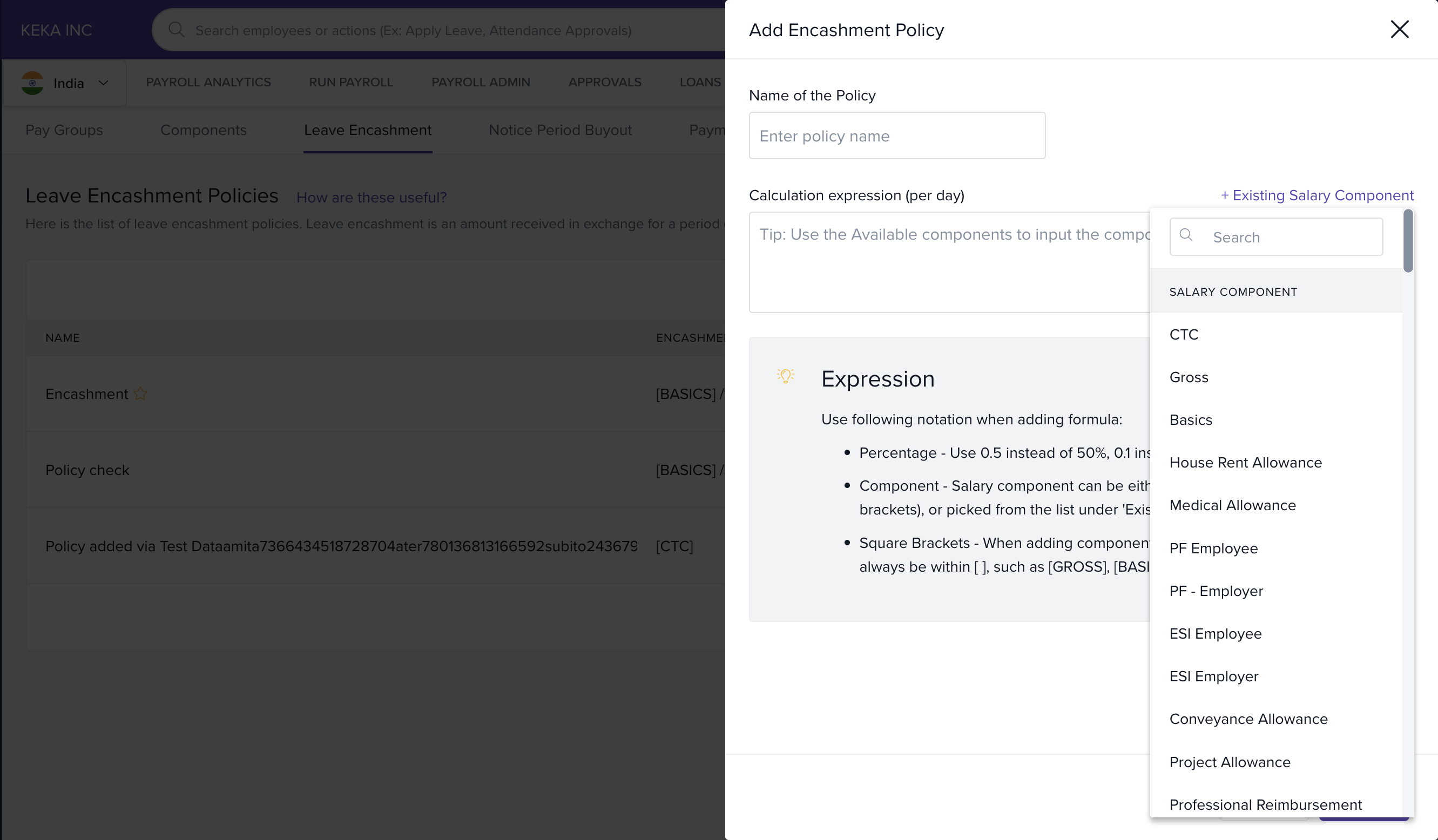
Enter a Policy Name.
-
Define the Formula used to calculate the amount for each leave encashed.
You can enter a fixed value, or
Use salary components from your pay structure by clicking + Existing Salary Component and choosing from the enabled list.
Click Save.
The new policy will now appear in the list of encashment policies.
Managing Existing Policies
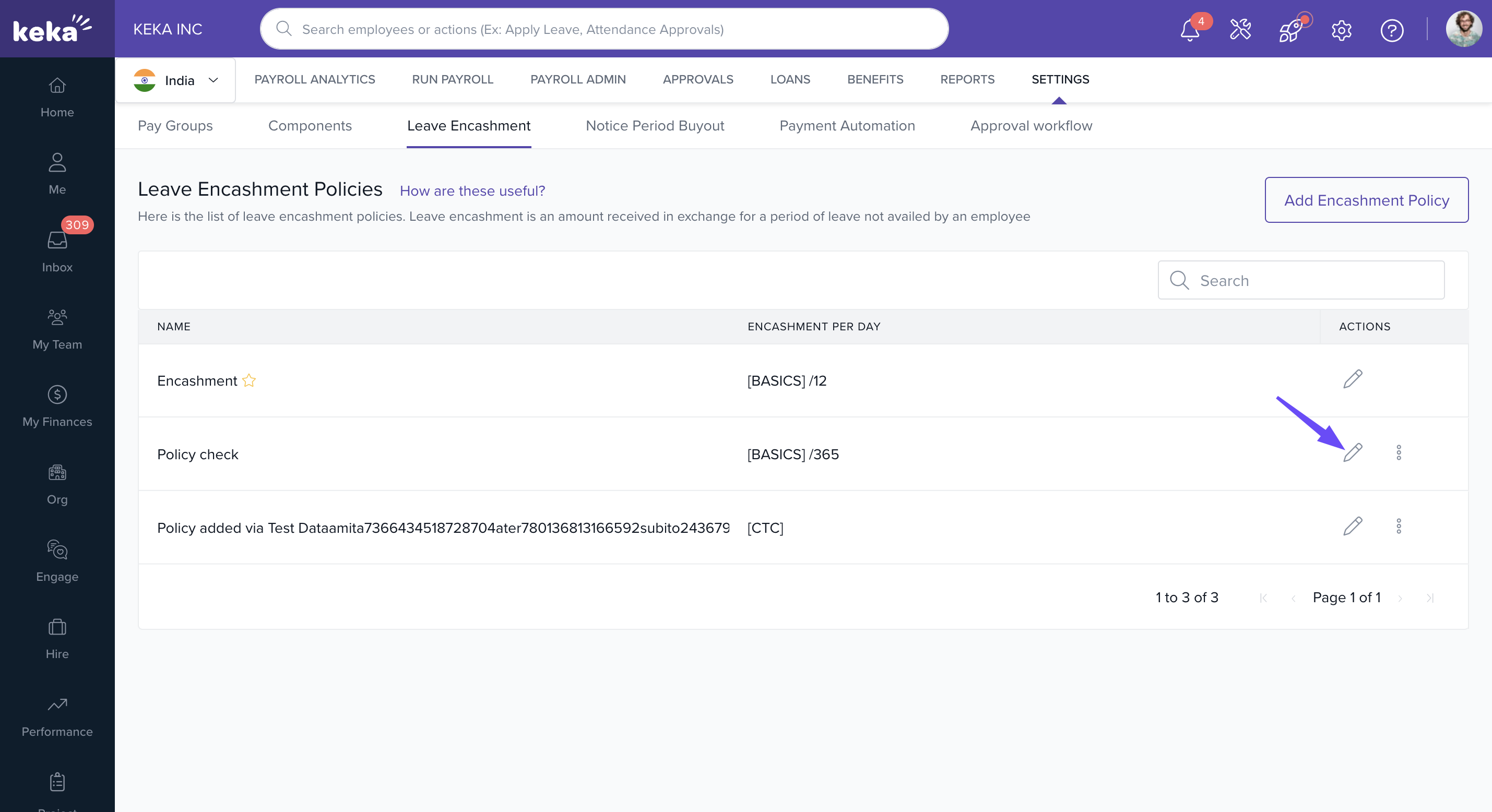
Edit a Policy
On the Leave Encashment Policies page, click the Edit icon next to the policy.
Make changes to the Policy Name or Formula.
Click Save.
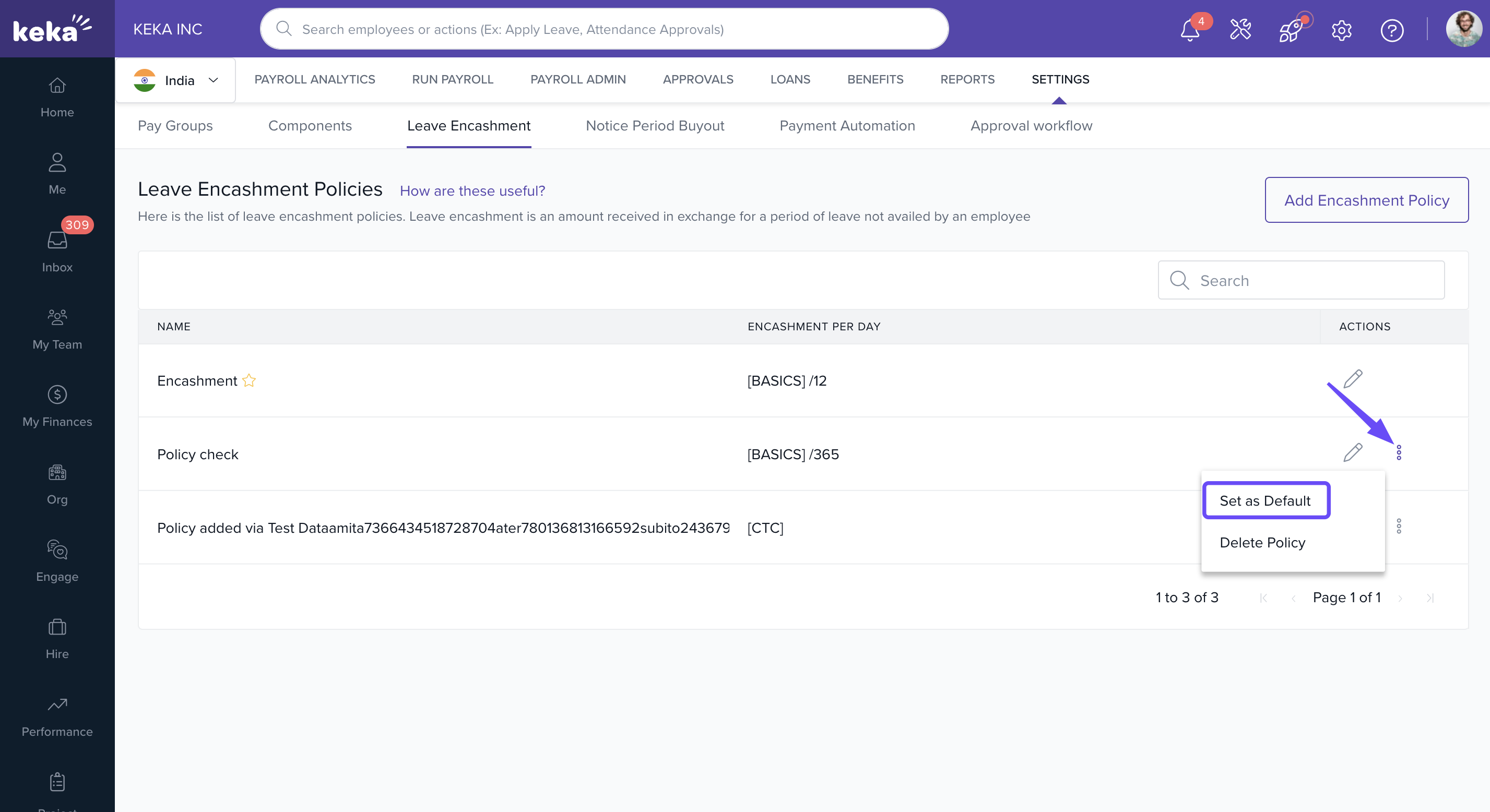
Set a Policy as Default
Click the three dots next to a policy.
Select Set as Default from the dropdown menu.
Delete a Policy
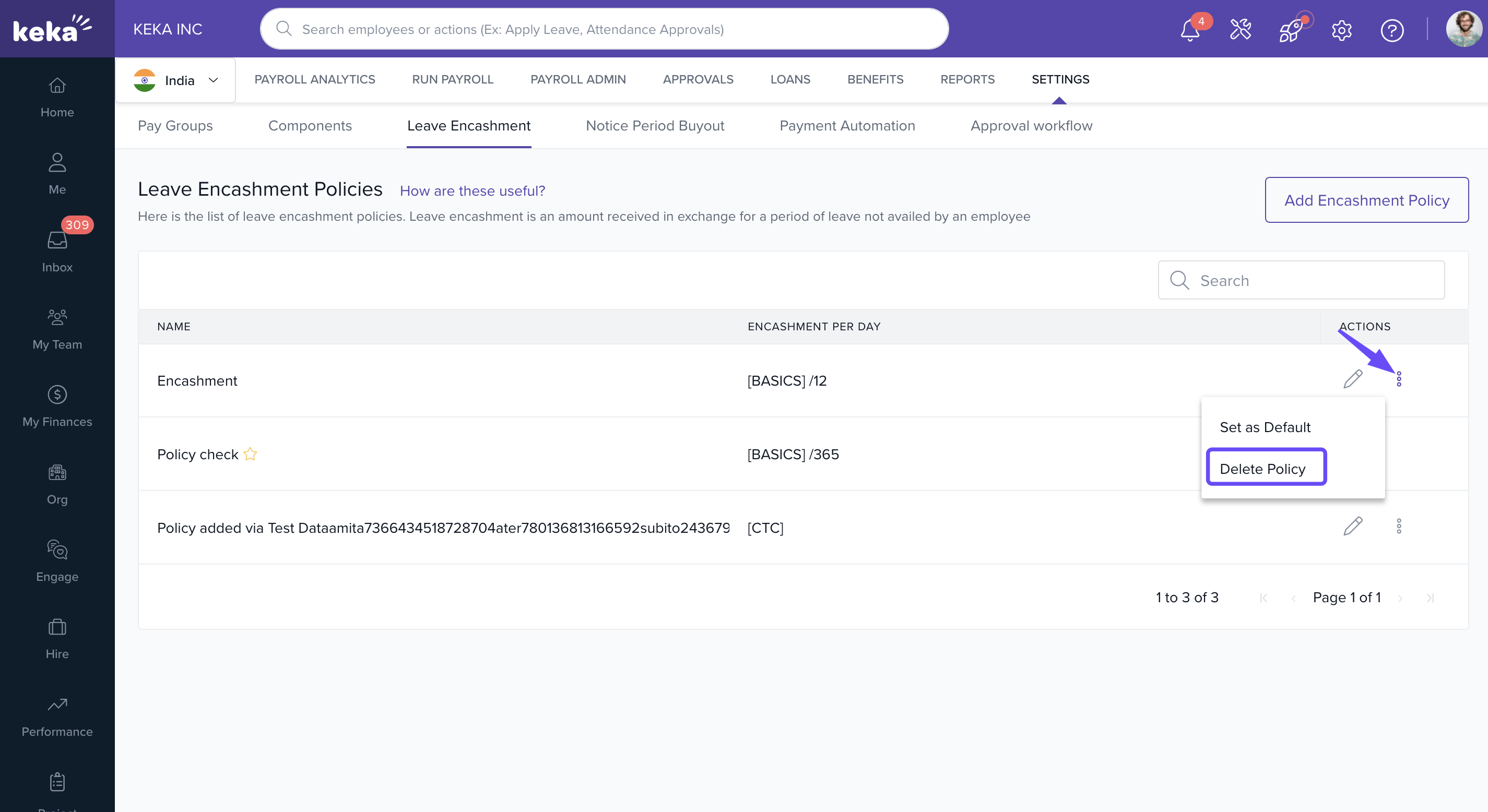
Click the three dots next to the policy.
Select Delete Policy.
-
Confirm by clicking Delete in the confirmation window.
Need help defining formulas or using salary components? Reach out to our product experts—we're here to help.
Comments
0 comments
Please sign in to leave a comment.