Introduction
ABRY (Aatmanirbhar Bharat Rozgar Yojana) is a government initiative under the EPF & MP Act, 1952, aimed at encouraging employers to create new jobs and support employees with wages under ₹15,000, as well as re-employing workers impacted by the COVID-19 pandemic. This benefit provides partial or full coverage of Provident Fund (PF) contributions for eligible employees.
The ABRY scheme was open for employee registration from October 2020 to March 2022. Once registered, the benefit is applicable for 2 years from the registration date.
Keka has implemented functionality to automate the processing and filing of PF for employees covered under the ABRY scheme.
Eligibility Criteria
- For companies with fewer than 1,000 employees, both the employee and employer PF contributions are paid by the government.
- For companies with 1,000+ employees, only the employee's share is covered by the government.
- Employees eligible for ABRY must have a monthly EPF wage of less than ₹15,000. If their wage exceeds ₹15,000 during the scheme period, they will no longer be eligible.
Enable ABRY Scheme for Your Organization
Navigate to Payroll Settings
- Go to the Payroll section.
- Click on Settings.
- Under Pay Groups, click on the Configure icon next to the desired pay group.
Update PF Settings
- Click on the Contributions tab.
- Click on the 3-dot icon and select Update PF Settings.
- Check the box to enable ABRY scheme eligibility for your organization.
- Select whether both employee and employer shares are covered or just the employee share.
Enabling ABRY for Individual Employees
- Navigate to the respective employee profile.
- Click on the Finances tab and under Summary.
- Click on Edit next to Statutory Information.
- In the overlay window, check the box stating This employee is eligible for ABRY compliance.
- Click Update to save changes.
- After saving, a badge indicating Eligible for ABRY will appear under Statutory Information.
- The Additional Benefits from ABRY scheme section will now appear in the employee’s salary breakup.
Post Payroll Action: PF Summary
Access PF Summary
- Go to Payroll > Run Payroll.
- Select the month for which payroll has just been processed.
- Scroll to the Provident Fund section.
View Employee Breakdown
- Under My Finances > My Pay> Salary you will see how many employees are covered under the ABRY scheme.
- Click View Breakup for details on the total amount remitted by the government and the organization.
Review Total Cost
The total cost will reflect only the PF to be remitted by the organization. The government contribution under ABRY will not be included in the total cost.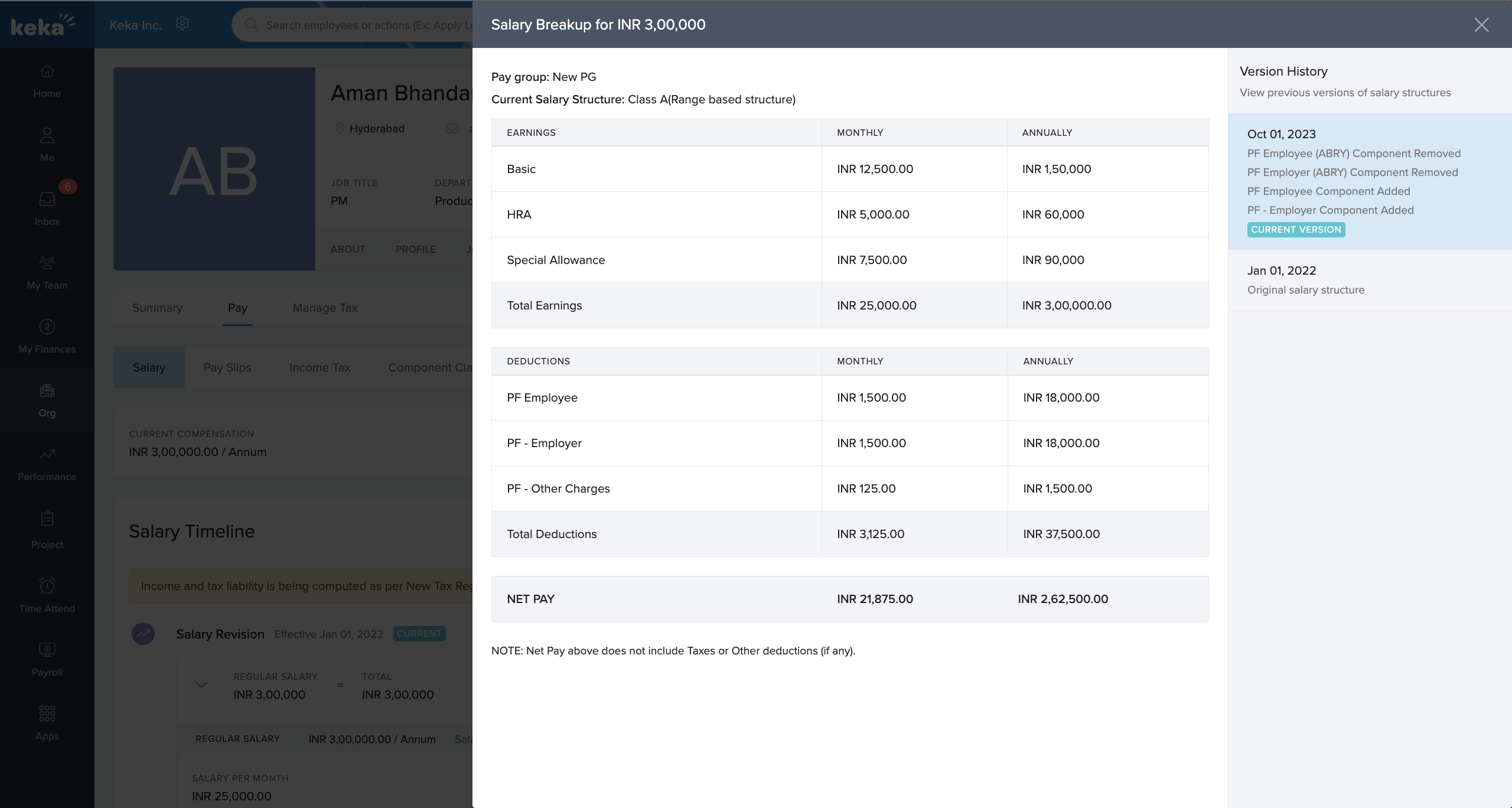
This guide explains how to enable the ABRY scheme in Keka for your organization and employees. If you have further questions or need assistance, feel free to reach out to our product experts!
Comments
0 comments
Please sign in to leave a comment.