Keka now offers a centralized way to generate, access, and manage tax documents for both employees and contractors in the US. This new feature ensures easier compliance, reduced manual effort, and improved access to important forms like W-2, W-2c, 1099-NEC, and W-9.
Key Feature Highlights
This feature introduces a dedicated Tax Documents section under the Taxes tab, making it easier for - Admins who can efficiently manage and distribute all required tax documents across the workforce from a centralized location. At the same time, employees and contractors can securely access and download their respective tax forms—such as W-2, W-2c, 1099-NEC, and W-9—directly from their profiles, ensuring timely and convenient access during tax season.
Compliance & Operational Impact
Tax documents play a key role in staying compliant with federal and state laws.
-
Employees need a W-2 form each year to file their taxes. If there’s an error in the original form, a corrected W-2c must be provided.
-
Contractors must receive a 1099-NEC if they’ve been paid $600 or more in a year. A valid W-9 is also needed to collect their correct tax details.
-
State-specific tax forms may also be required depending on where the employee works.
Accessing Tax Documents
1. Employee/ Contractors -
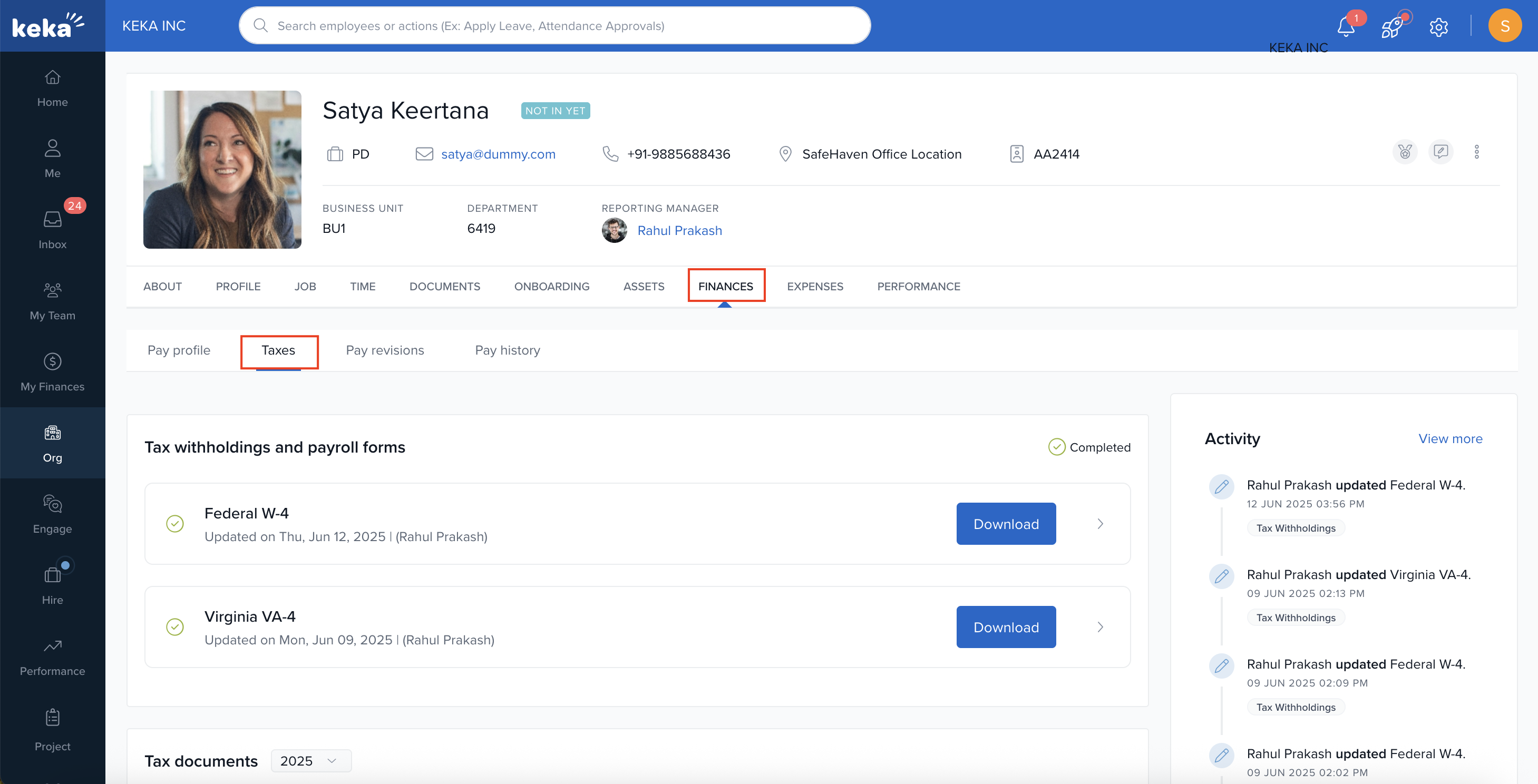
Navigate to the employee’s profile, open the Finances section, and then click on the Taxes tab to proceed.
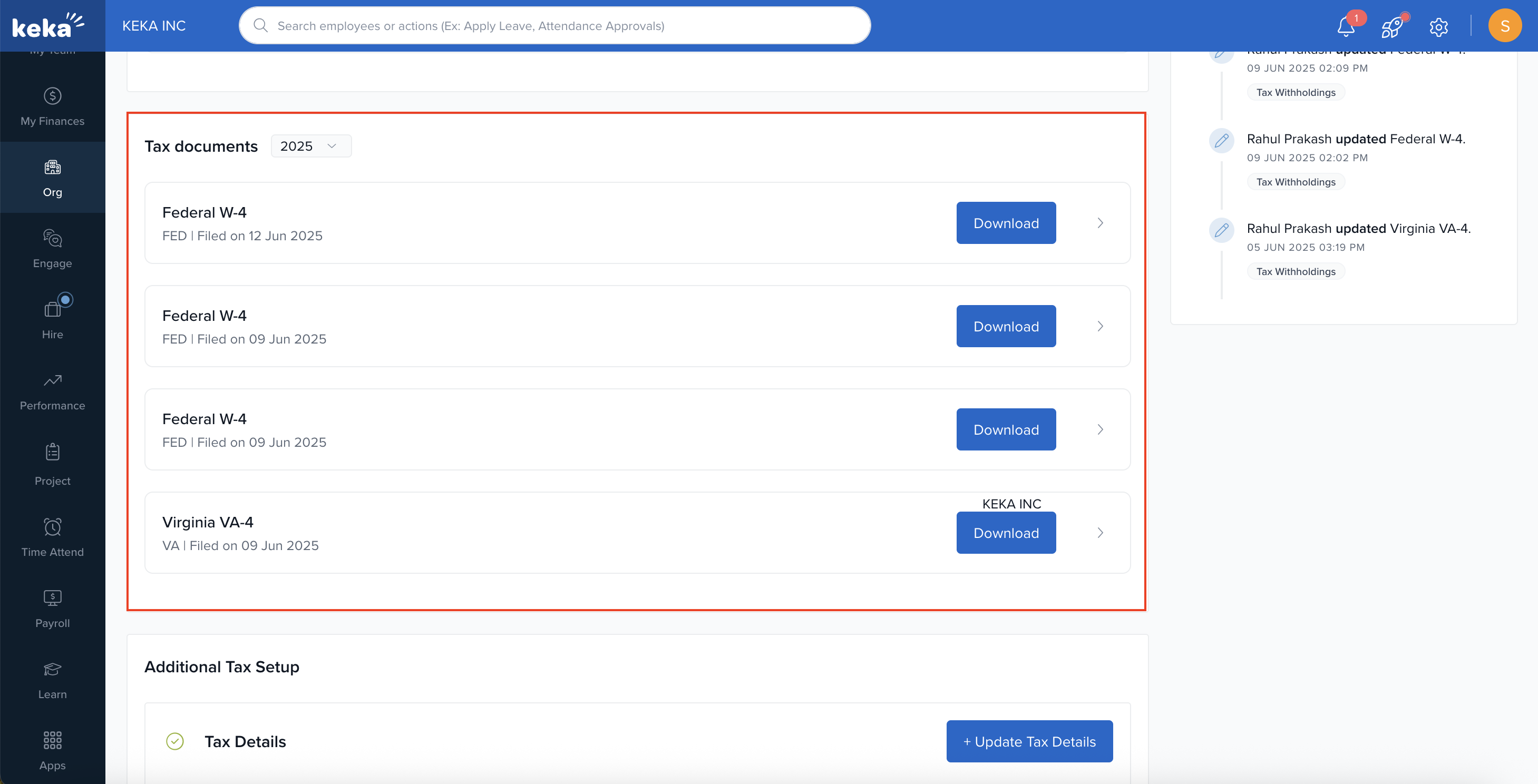
Scroll down to the Tax Documents section, where you can view and download all available tax forms.
This update takes the hassle out of tax season by providing timely access to essential tax documents.
Click here to learn how admins can access employee and contractor tax documents.
Hope this article was helpful!
Comments
0 comments
Please sign in to leave a comment.