In industries like healthcare, manufacturing, and construction, employees are often compensated based on the number of units completed or visits conducted, rather than the number of hours worked. This is known as piece rate compensation. For example, a nurse who performs home visits may be paid per visit instead of receiving a fixed monthly salary. Keka now enables organizations to configure per-unit pay for such employees and contractors, and supports accurate payroll and overtime (OT) calculations using the regular rate of pay (RROP).
How to configure piece rate compensation
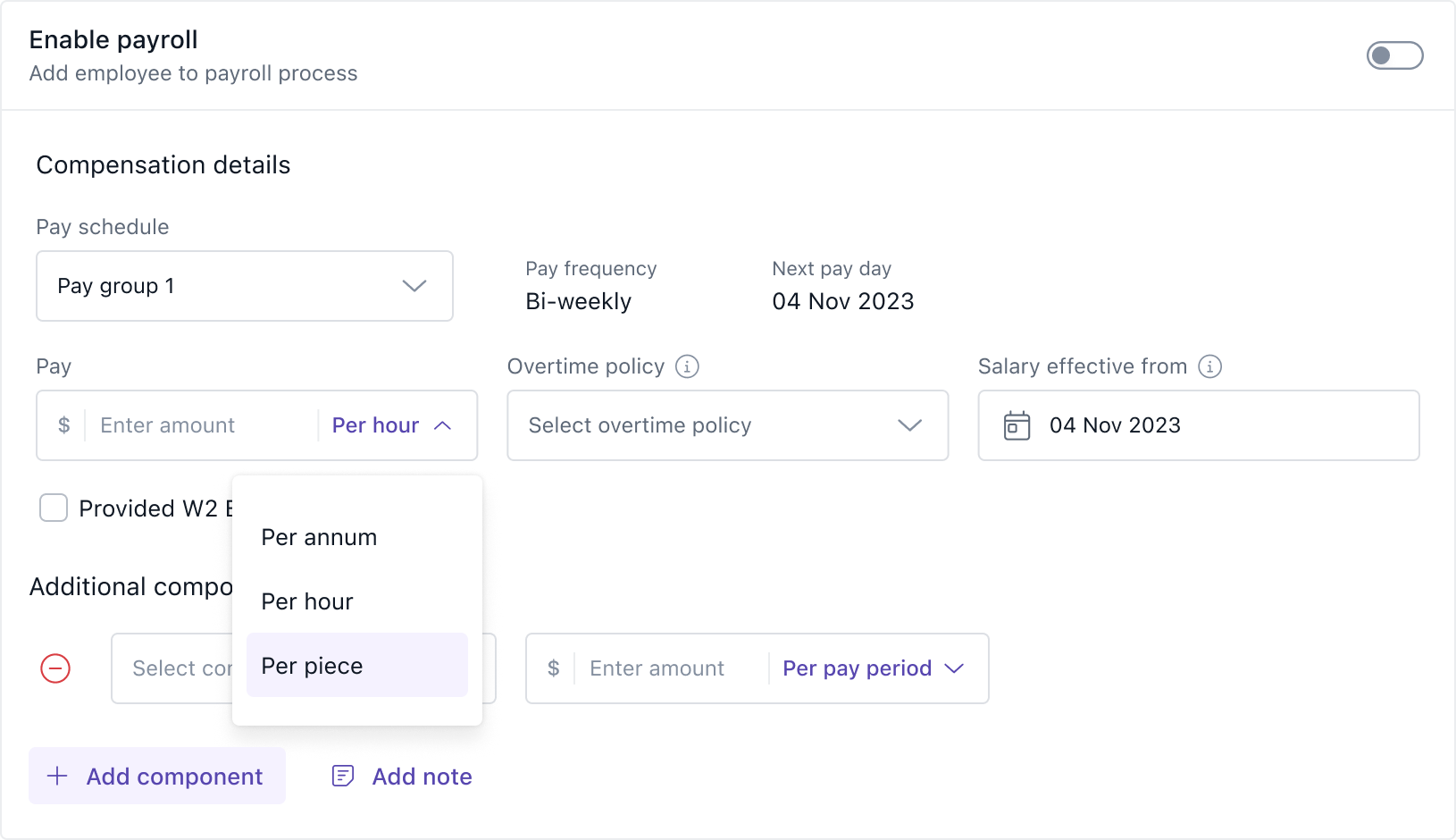
To define a piece rate during compensation setup or revision, go to the Payroll menu and click on Settings. Choose the relevant Pay group and click on the Edit icon. In the Compensation Structure, click Add Component and select Piece as the component type. Enter the per unit rate for the job or task (e.g., $30 per visit or ₹50 per garment). This configuration is available for both employees and contractors. Once defined, the compensation appears under the Regular Pay section in the employee’s pay summary and pay revisions.
How to input units and hours before payroll
Before processing payroll, the number of units completed and the total hours worked must be provided. This can be done either through the UI or by importing a template.
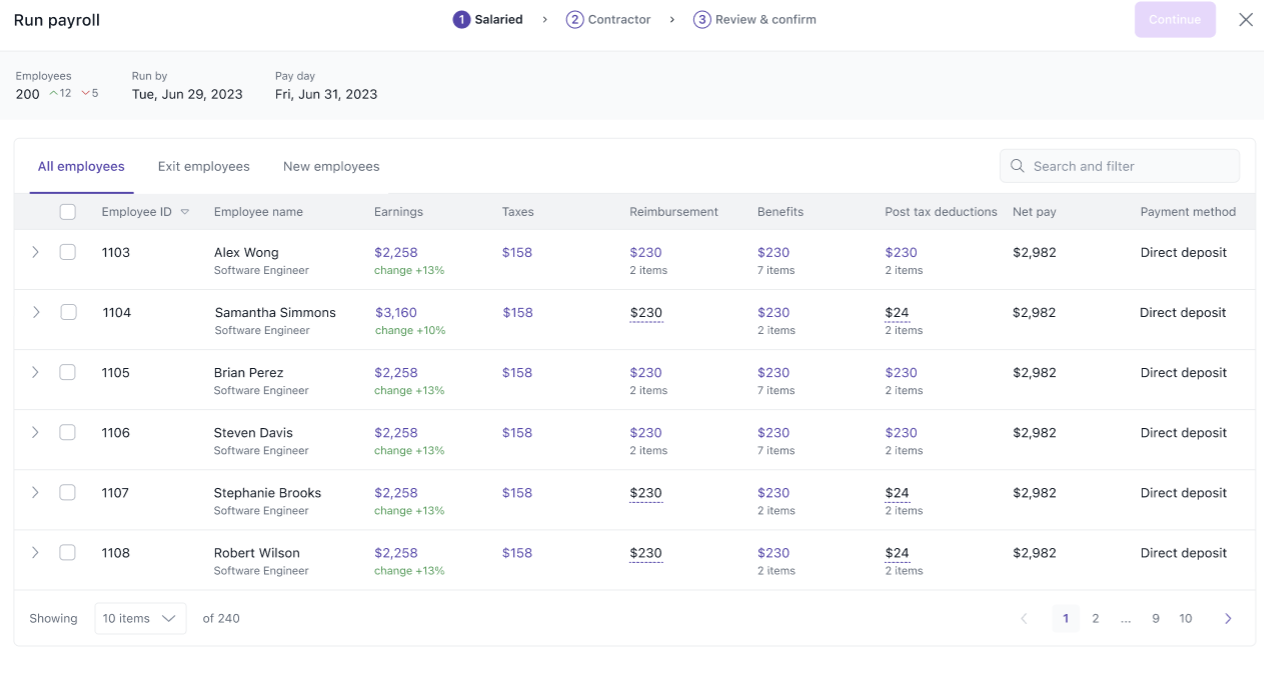
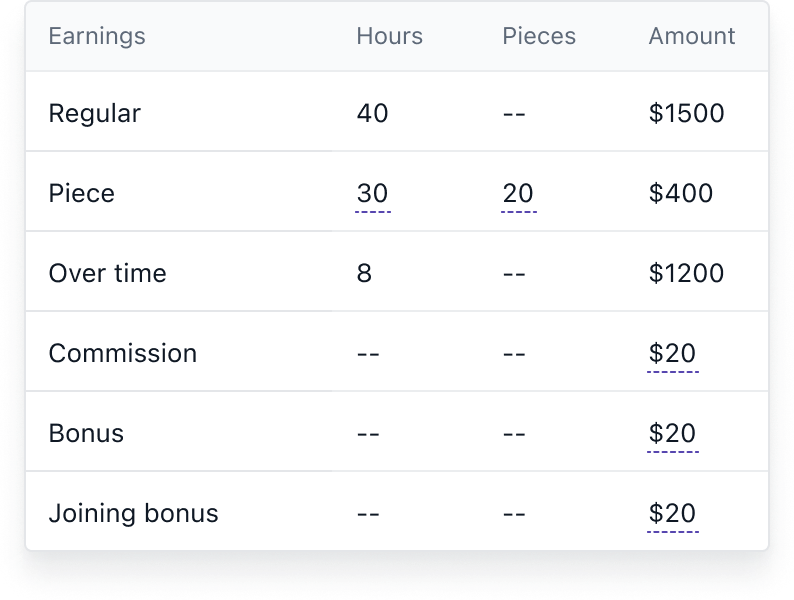
To enter data manually, go to Payroll >> Run Payroll and open the Needs Attention tab. Locate the employee and add the number of units and hours. If multiple entries are required, use the import option. Download the Import payroll inputs template, where eligible employees and their components are pre-filled. Enter the piece units and hours, then upload the file to apply the data. The values entered here override system-captured values for payroll but do not update the attendance module.
How payroll is calculated for piece-based employees
Keka calculates gross pay based on the formula:
Gross Pay = Units × Per Unit Rate
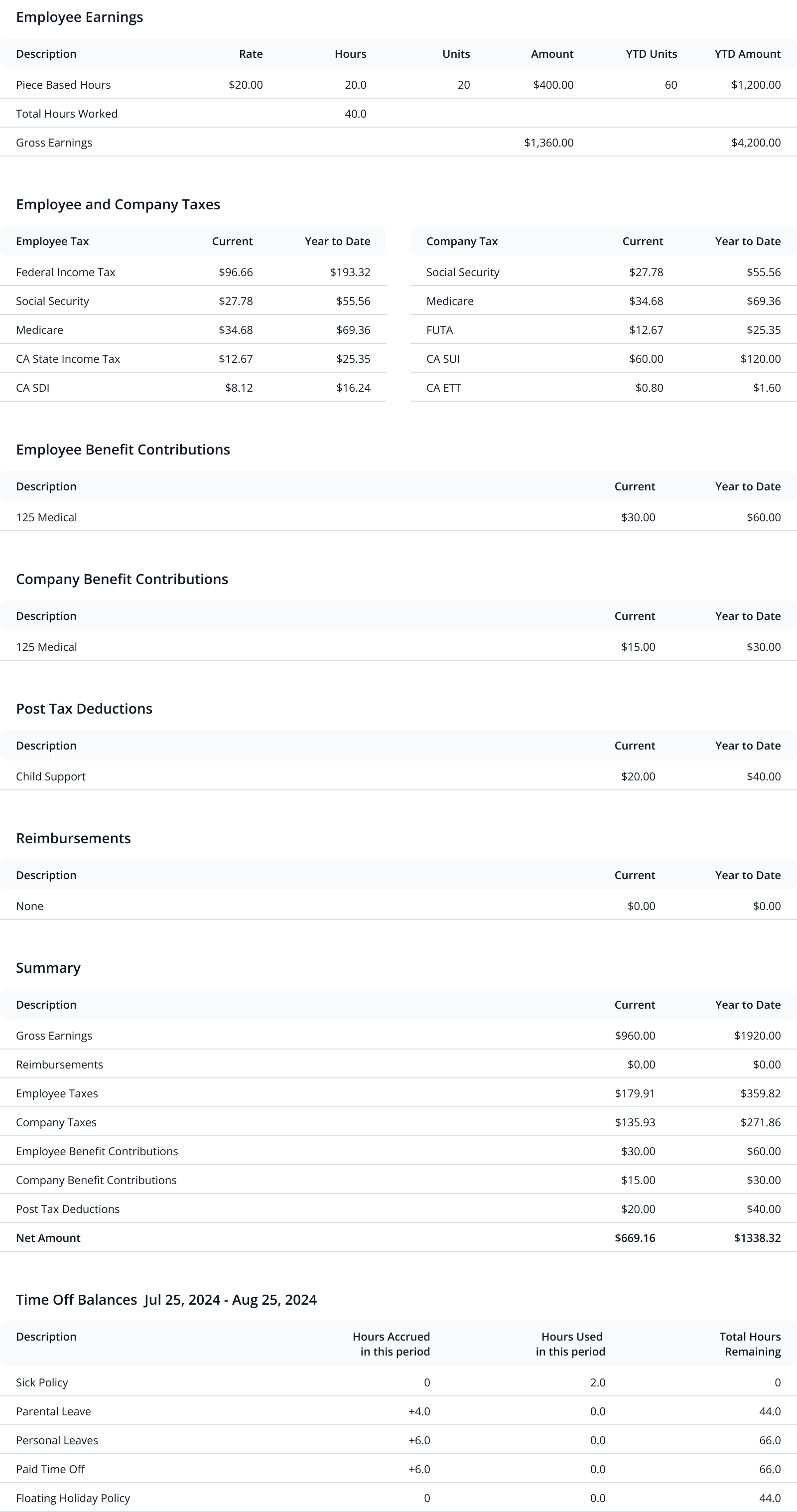
For example, if an employee completes 2500 units at $0.60 per unit, the gross pay will be $1,500. This amount is shown under the regular earning component during payroll run and in the pay stub.
How overtime is calculated using regular rate of pay
Employees compensated on a piece rate are typically classified as non-exempt under US labor laws and are eligible for overtime. Keka calculates overtime based on the regular rate of pay (RROP), which accounts for the total compensation earned divided by total hours worked (including overtime hours).
RROP formula:
RROP = (Total Compensation – Exclusions) ÷ Total Hours WorkedExclusions include rest and recovery time, reimbursements, discretionary bonuses, and paid leave encashments.
Overtime formula:
OT = (OT Factor – 1) × RROP × OT Hours
If an employee earns $1,500 through piece work and works 50 hours, the RROP is $30. If 10 of those hours are overtime, the OT pay is calculated as $30 × 0.5 × 10 = $150. The total pay will be $1,650. Keka applies this calculation automatically when an OT policy is assigned and overtime hours are captured from the workforce or attendance module.
Employee view and pay stub details
Employees can view their piece rate under Profile >> Compensation. In the pay stub, the following details are shown:
-
Total piece units completed
-
Per unit rate
-
Total hours worked
-
Overtime hours (if applicable)
-
Total pay earned from piece-based compensation
This ensures transparency and helps employees understand how their earnings were calculated.
Reports with piece rate details
When payroll is processed for employees with piece-based earnings, the following fields are added to payroll reports such as Payroll Summary and Payroll Journal:
-
Piece Amount
-
Piece Hours
-
Piece Units
These fields appear only if piece compensation was applied in the selected pay cycle.
Supported validations during payroll
While processing payroll, Keka validates the presence of mandatory data:
-
Piece-based employees must have both units and hours entered.
-
Piece units cannot be entered for salaried or hourly employees.
-
Hours are mandatory for overtime calculation.
-
If any value is overridden during payroll, it is used only for payroll processing and does not sync back to the attendance module.
Examples of calculations
Example 1:
An employee in Oklahoma completes 2500 units at $0.60 per unit and works 50 hours.
Gross = 2500 × 0.60 = $1500
RROP = 1500 ÷ 50 = $30/hour
OT = $30 × 0.5 × 10 = $150
Total Pay = $1650
Example 2:
An employee completes 2500 units and also works 10 hours as a foreman at $7.25/hour. Total hours worked = 51.
Piece Pay = $1500
Foreman Pay = 10 × $7.25 = $72.50
Total = $1572.50
RROP = $1572.50 ÷ 51 = $30.83
OT = $30.83 × 0.5 × 11 = $169.62
Total Pay = $1742.12
Future scope
In upcoming phases, Keka will enable users to manually add overtime components and other earnings directly during payroll run, even if the employee is not assigned an OT policy. Additionally, a piece adjustment component will be introduced to ensure minimum wage compliance for piece workers whose earnings fall below the legal minimum.
Keka also plans to support other enhancements like adding non-productive time and rest and recovery periods separately, ensuring compliance with state and federal regulations. These values will be excluded from gross and RROP calculations, as required.
Comments
0 comments
Please sign in to leave a comment.