Reimbursable components in your salary structure offer tax-saving benefits and cover specific expenses like fuel, internet, or mobile bills. To receive these benefits, you need to submit valid proof of expenses within the defined timelines. This section explains the step-by-step process to claim reimbursable components in Keka, ensuring you maximize your eligible reimbursements with ease.
Steps to Claim Reimbursable Components
Go to My Finances in Keka.
Select the Reimbursements tab.
Open the Component Claim section.
Choose the component you want to claim (e.g., Fuel, Internet, Mobile).
Click Add Claim.
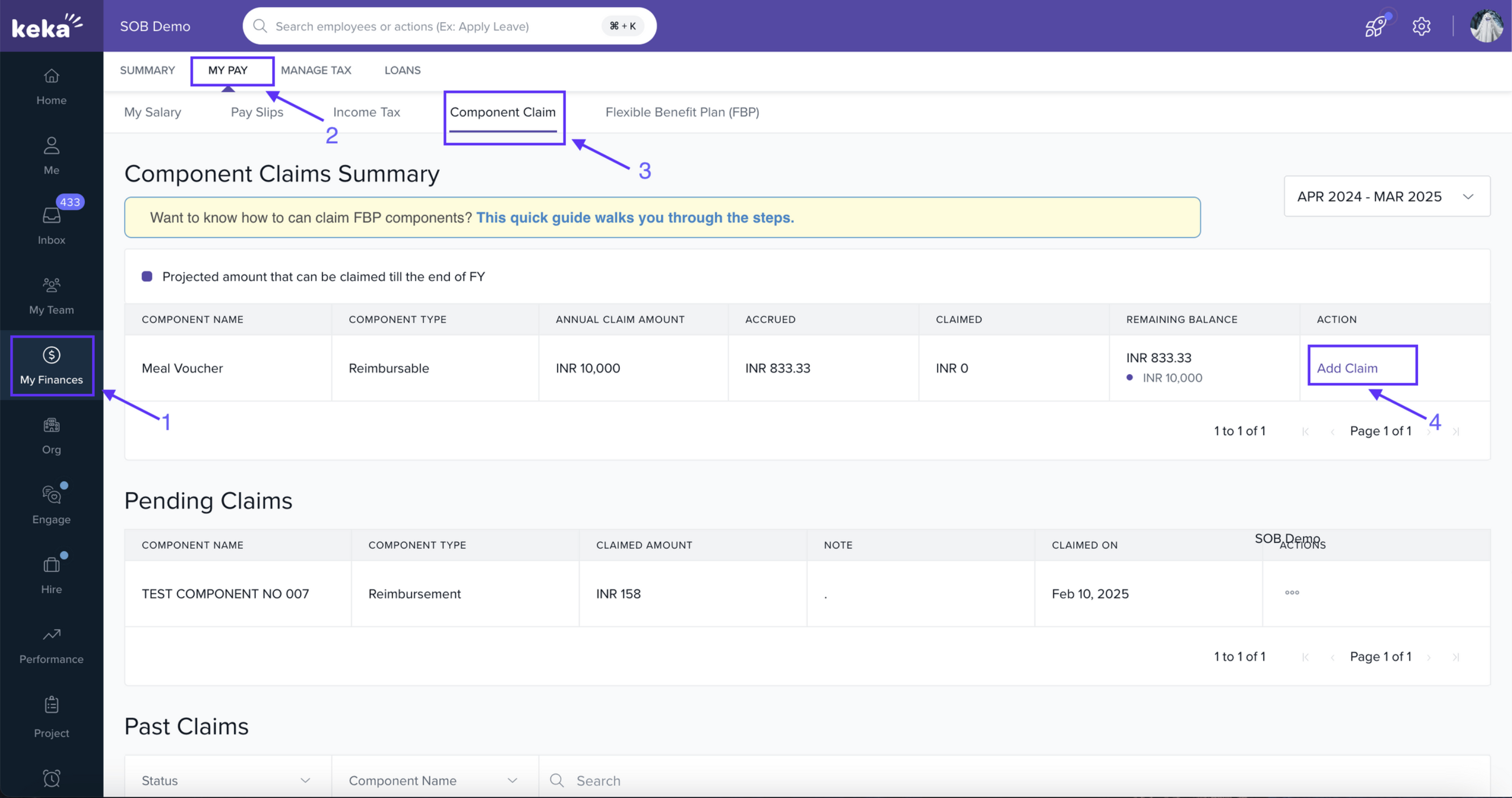
To submit a claim, upload valid proof of expense such as bills, receipts, or invoices, enter the claim amount along with any necessary remarks, and submit it for approval.
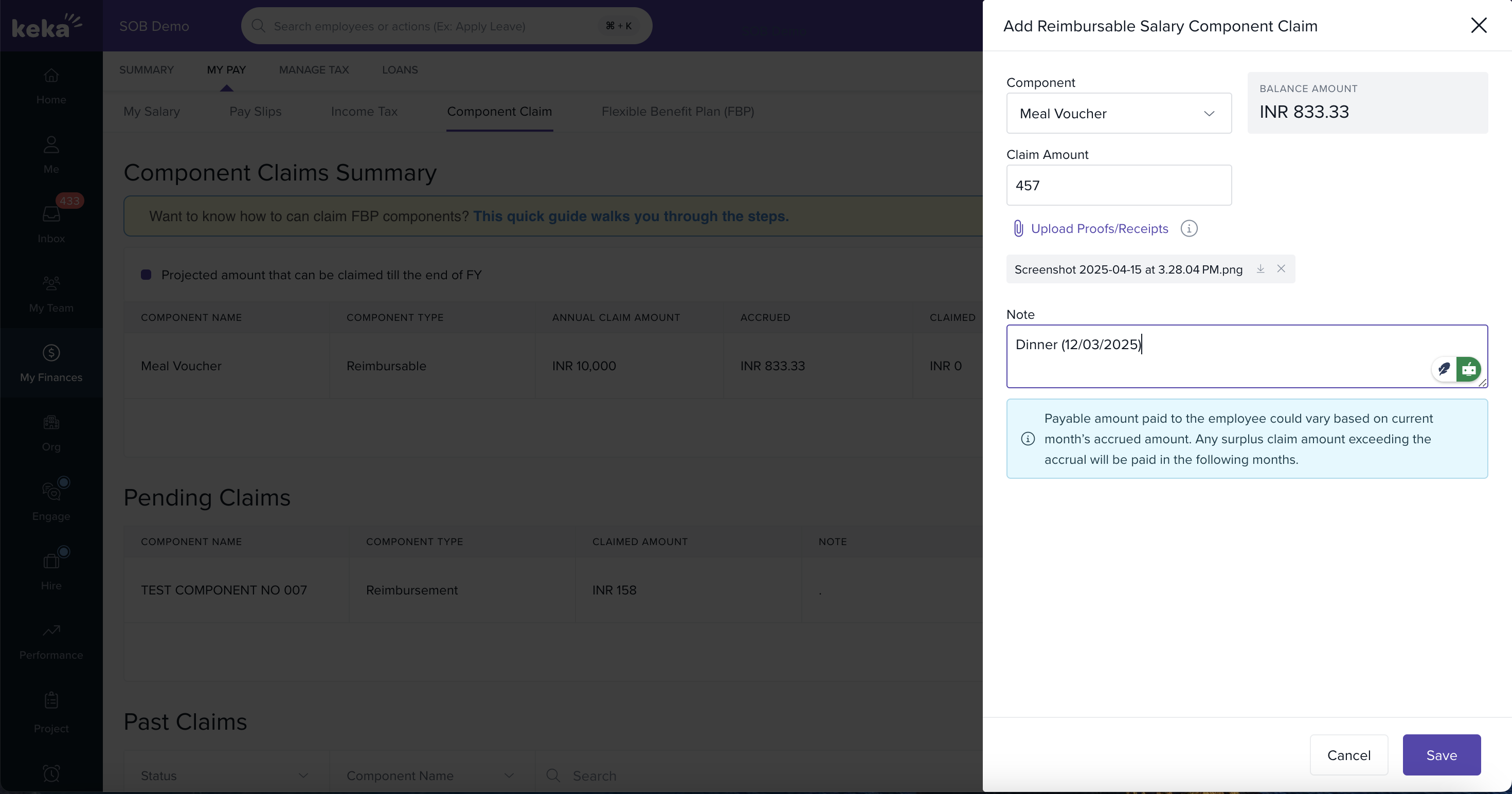
And that’s how you can easily claim a reimbursable component in Keka and make the most of your eligible benefits.
Comments
0 comments
Please sign in to leave a comment.