Introduction
Keka lets you securely view and track all your payroll and financial details — like your salary, bank information, statutory contributions, and payslip history. This article explains how to access and use those features from your employee account.
TABLE OF CONTENTS
How to Access Financial Information
-
Log into Keka.
-
Navigate to My Finances (or My Pay / My Finances).
-
You’ll land on the Summary page, where several cards show key details.
-
Payment Information — your mode of payment (bank transfer, cash, cheque) plus, if applicable, your bank name, account number, IFSC, and name on account.
-
Identity Information — documents like PAN or other identity proofs your organization requires.
-
Statutory Information — contributions or registration details for PF, ESI, Professional Tax, etc.
-
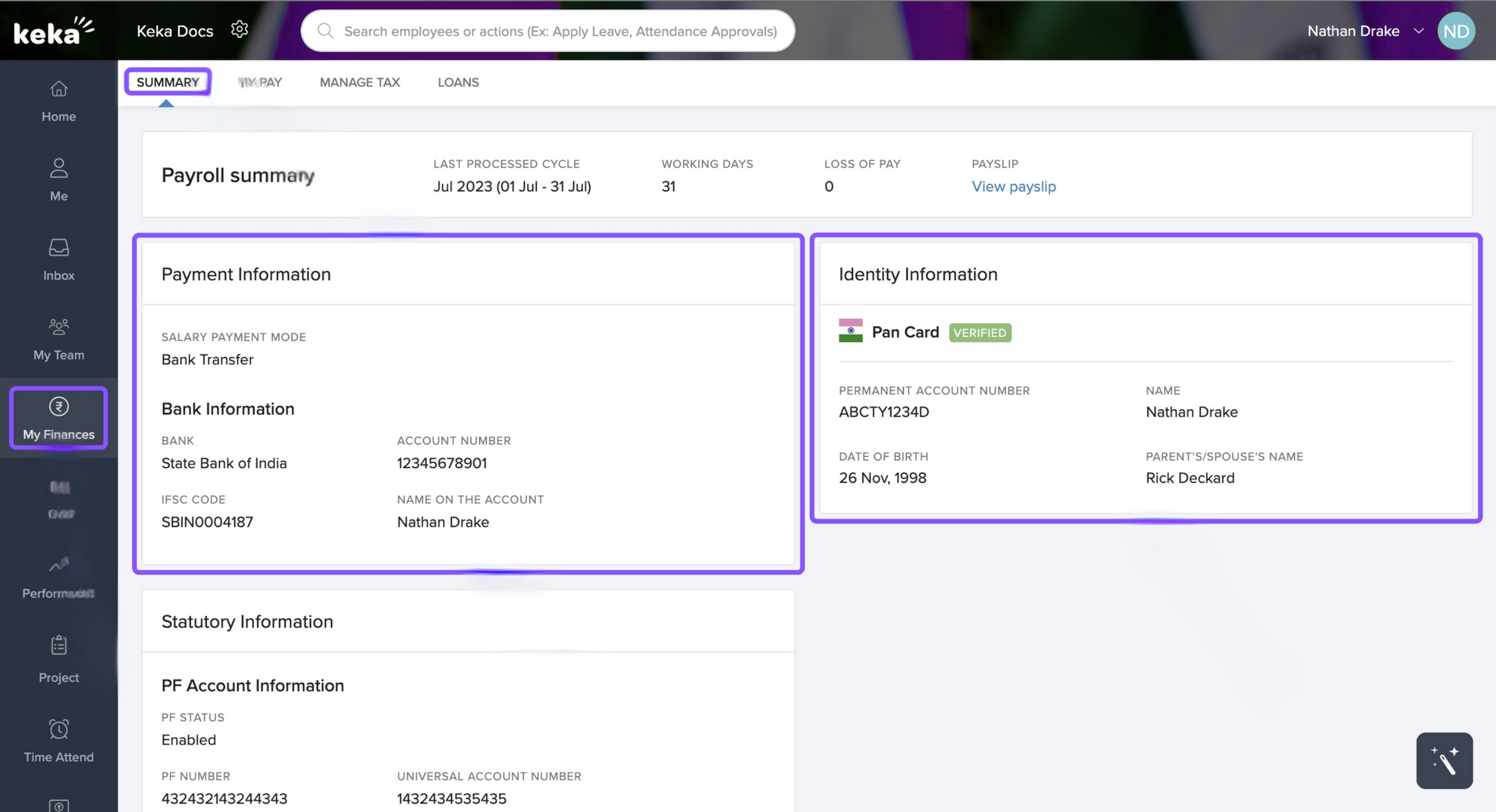
The third card contains Statutory Information relating to PF, ESI, PT, and LWF details as can be seen in the screenshot below.
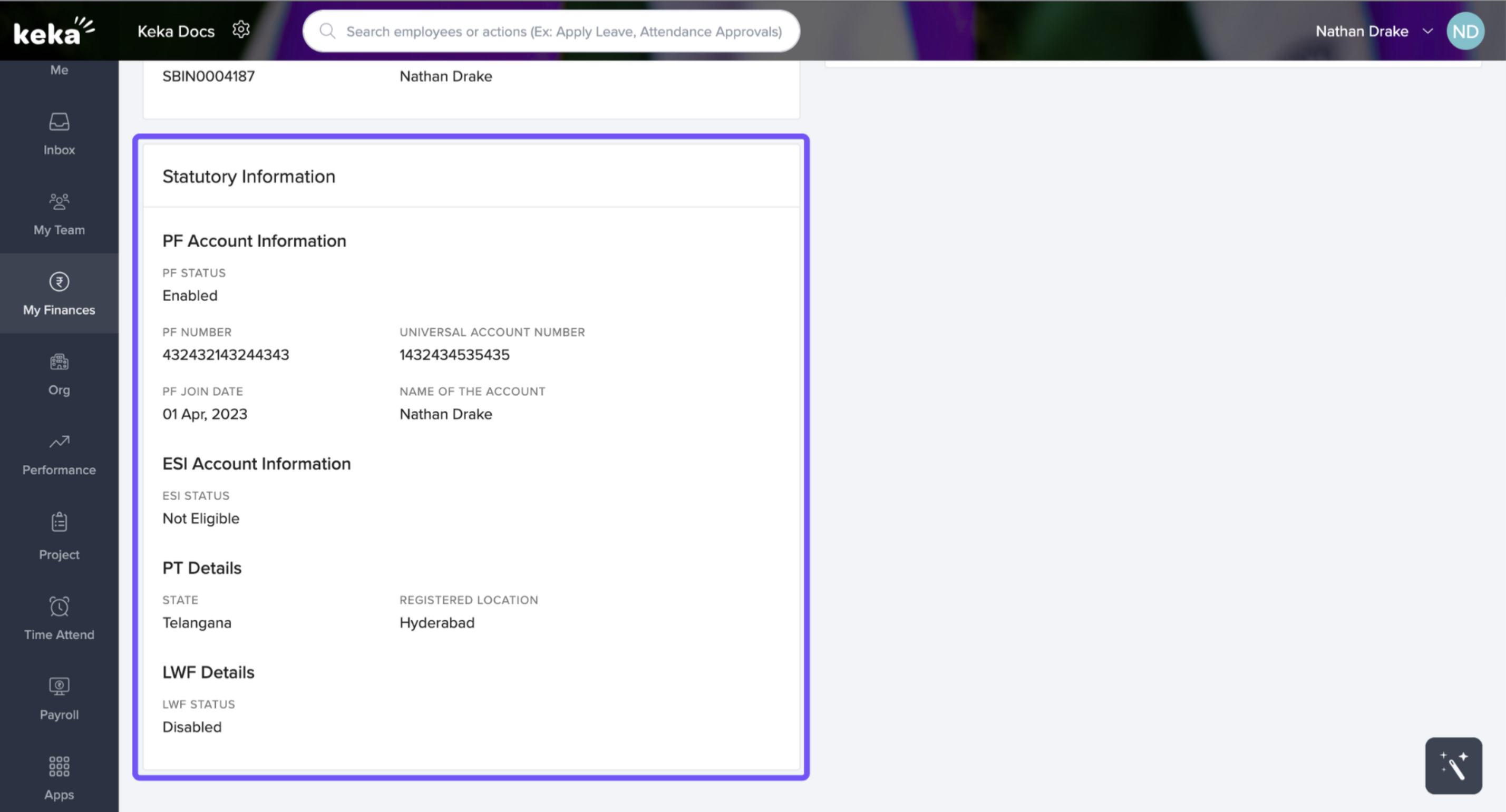
My Pay
My Salary
-
In the My Pay section, go to My Salary.
-
At the top, you’ll see your current compensation including any bonuses.
-
Click the arrow / expand icon next to your salary to view details like effective date, monthly breakdown, etc.
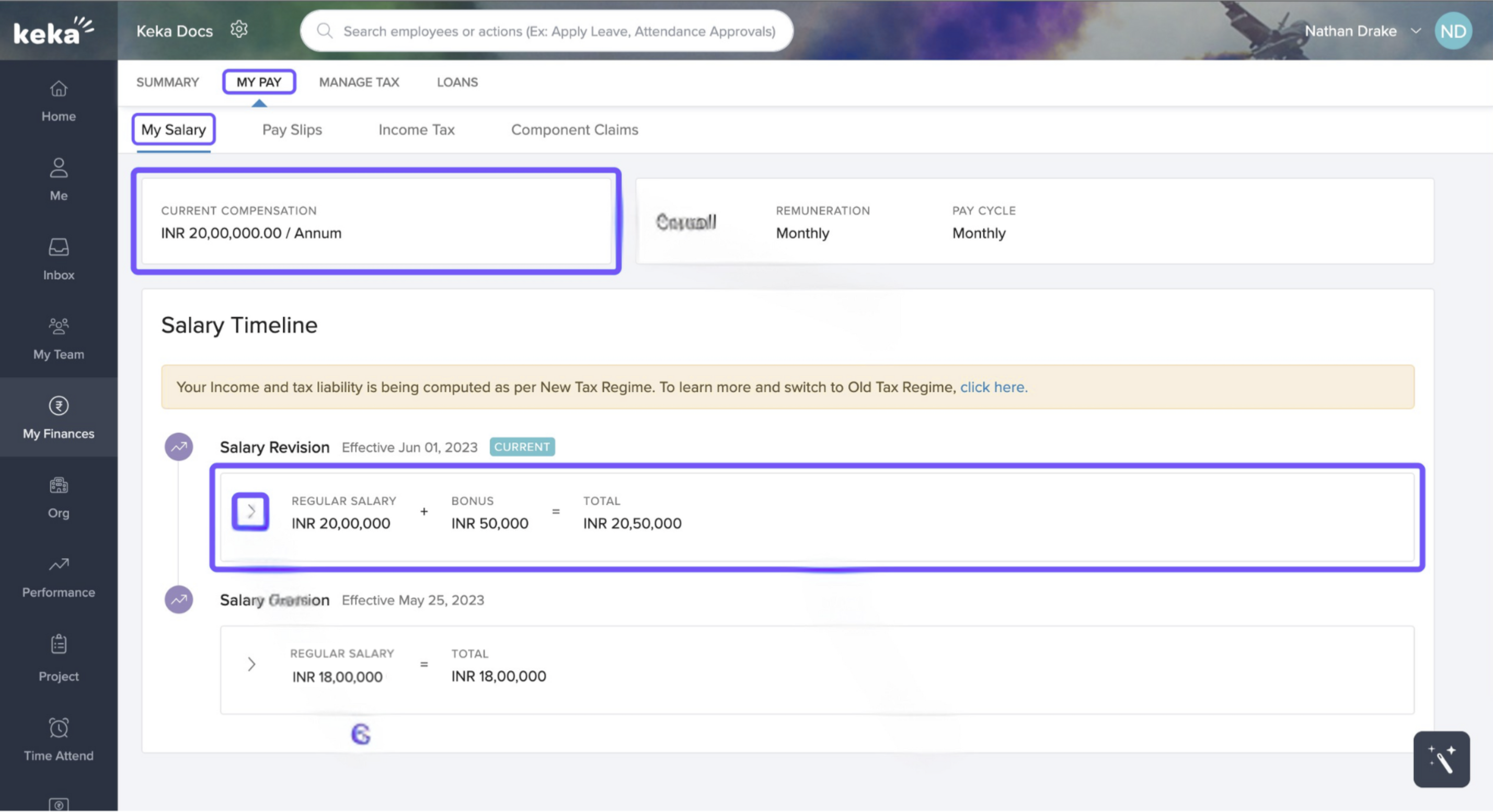
-
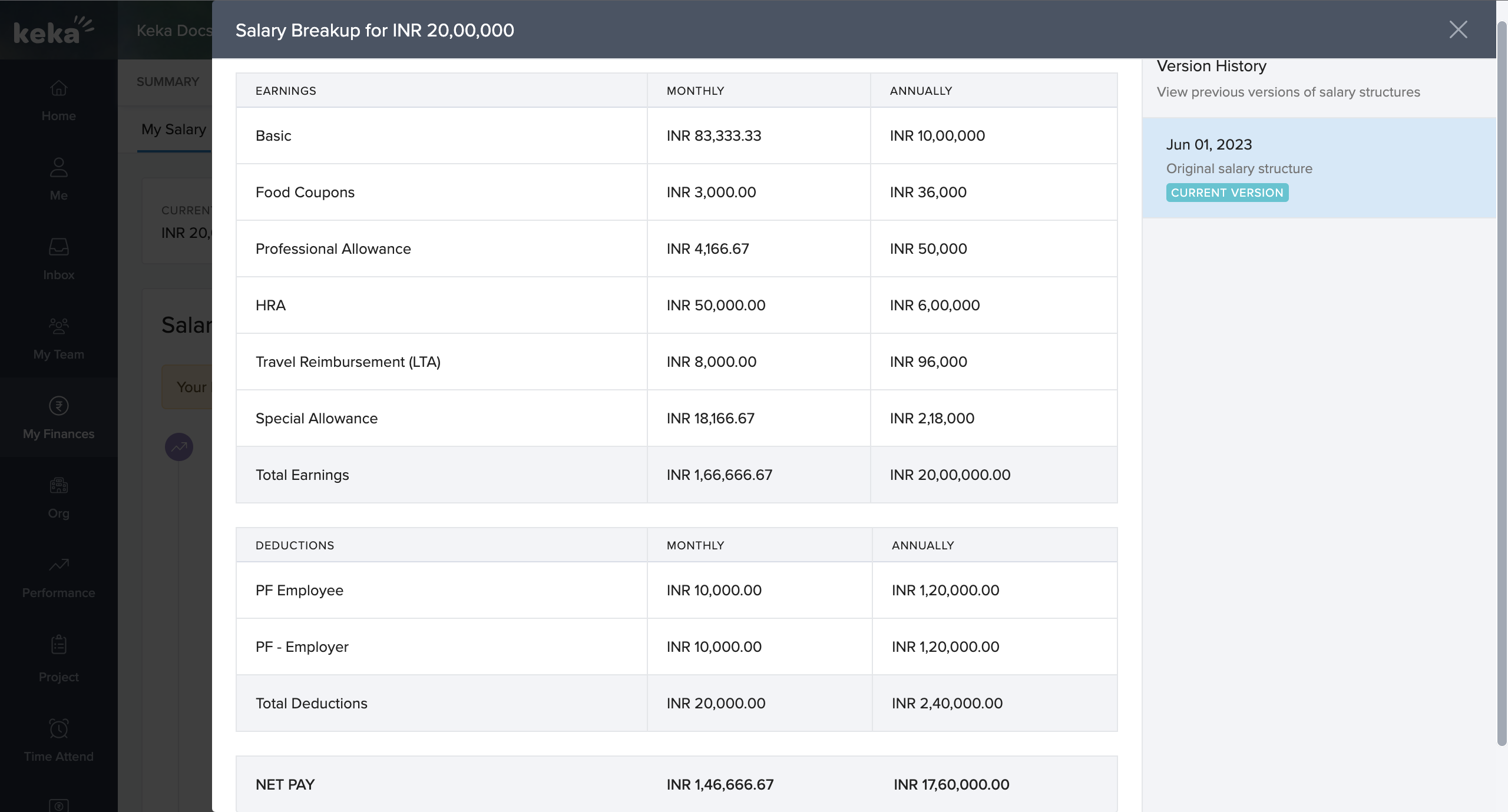
To see how your salary is composed (basic, allowances, deductions), click Salary Breakup. An overlay or modal will display the full breakdown
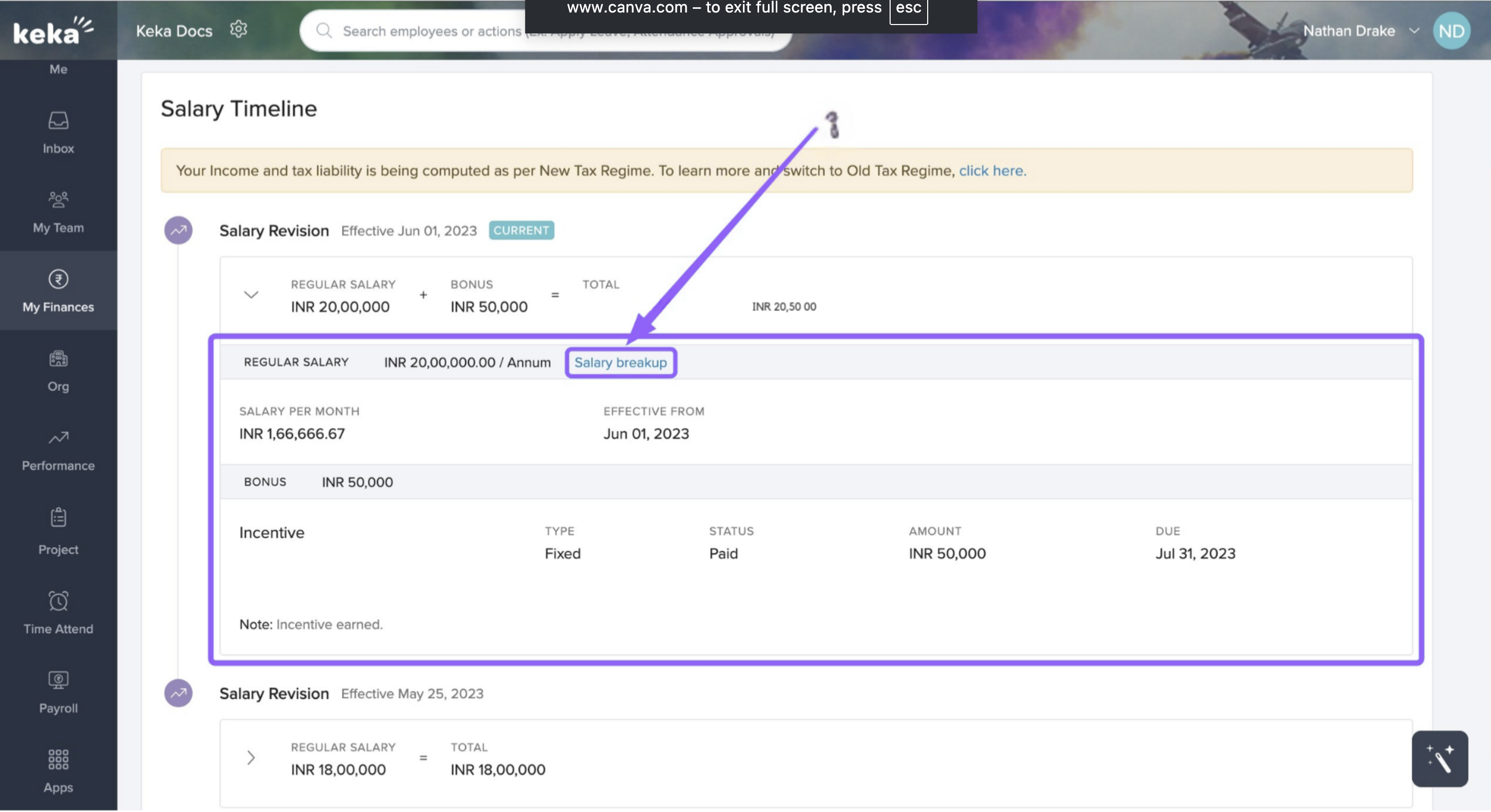
An overlay screen will appear where the complete salary breakup will be visible to you as shown in the image below.
Pay Slips
-
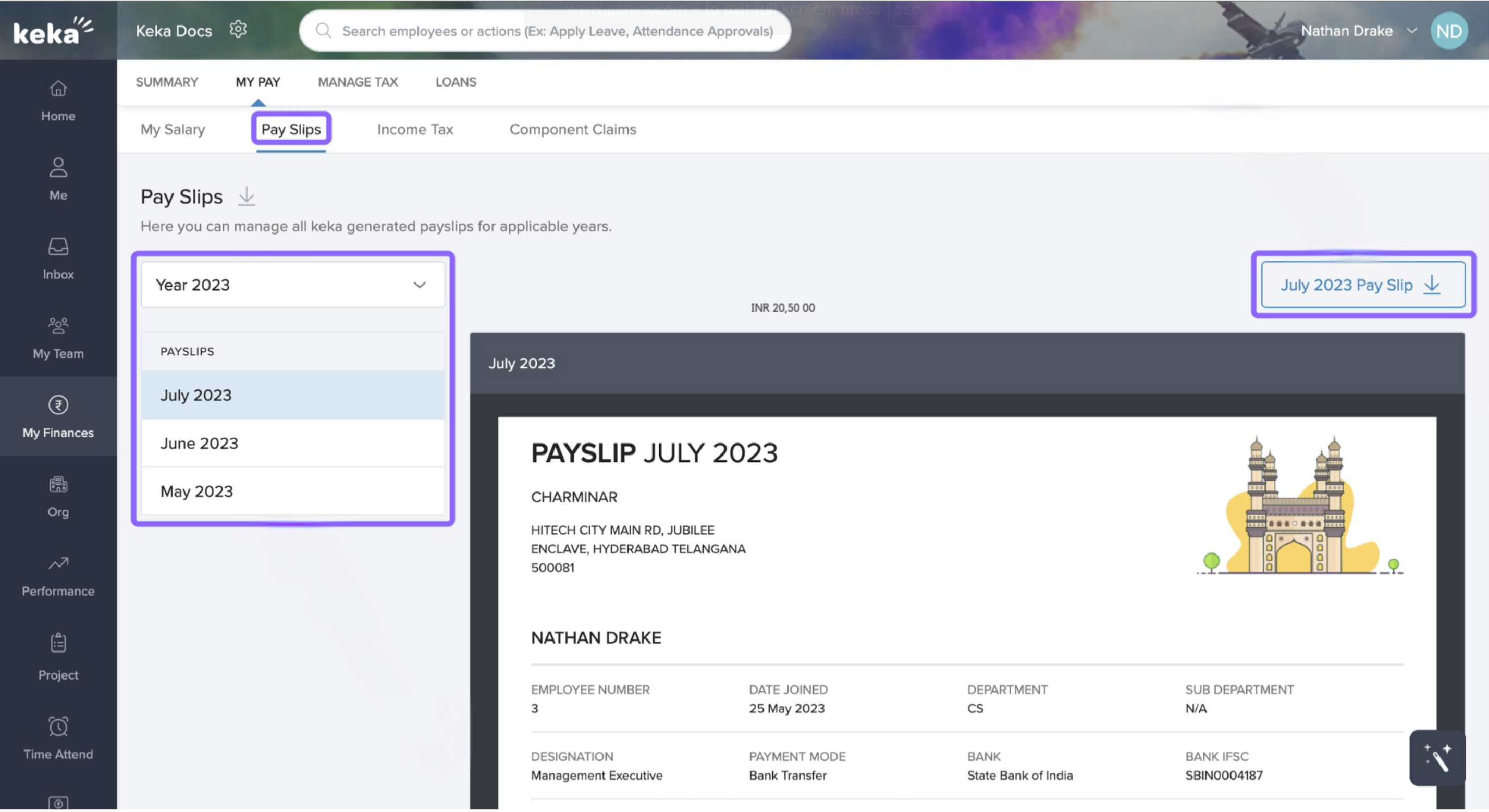
Click Pay Slips under My Pay.
-
On the left, use the year drop-down to select the salary year.
-
Then select the specific month you want to view.
-
To save a copy, click the download icon (usually on the right side).
To know about how to manage your taxes click here.
We hope you now have a better understanding of the My Pay section.
Comments
0 comments
Please sign in to leave a comment.