Reimbursement is an essential part of employee expense management. Keka HR allows organizations to automate distance calculation to ensure accurate fuel reimbursements based on predefined rules. This guide provides step-by-step instructions on how to raise an expense claim for fuel reimbursement in Keka.
You will be submitting your claim in one of the 3 methods available depending on your organization's specific configuration.
Steps to Raise a Fuel Reimbursement Claim
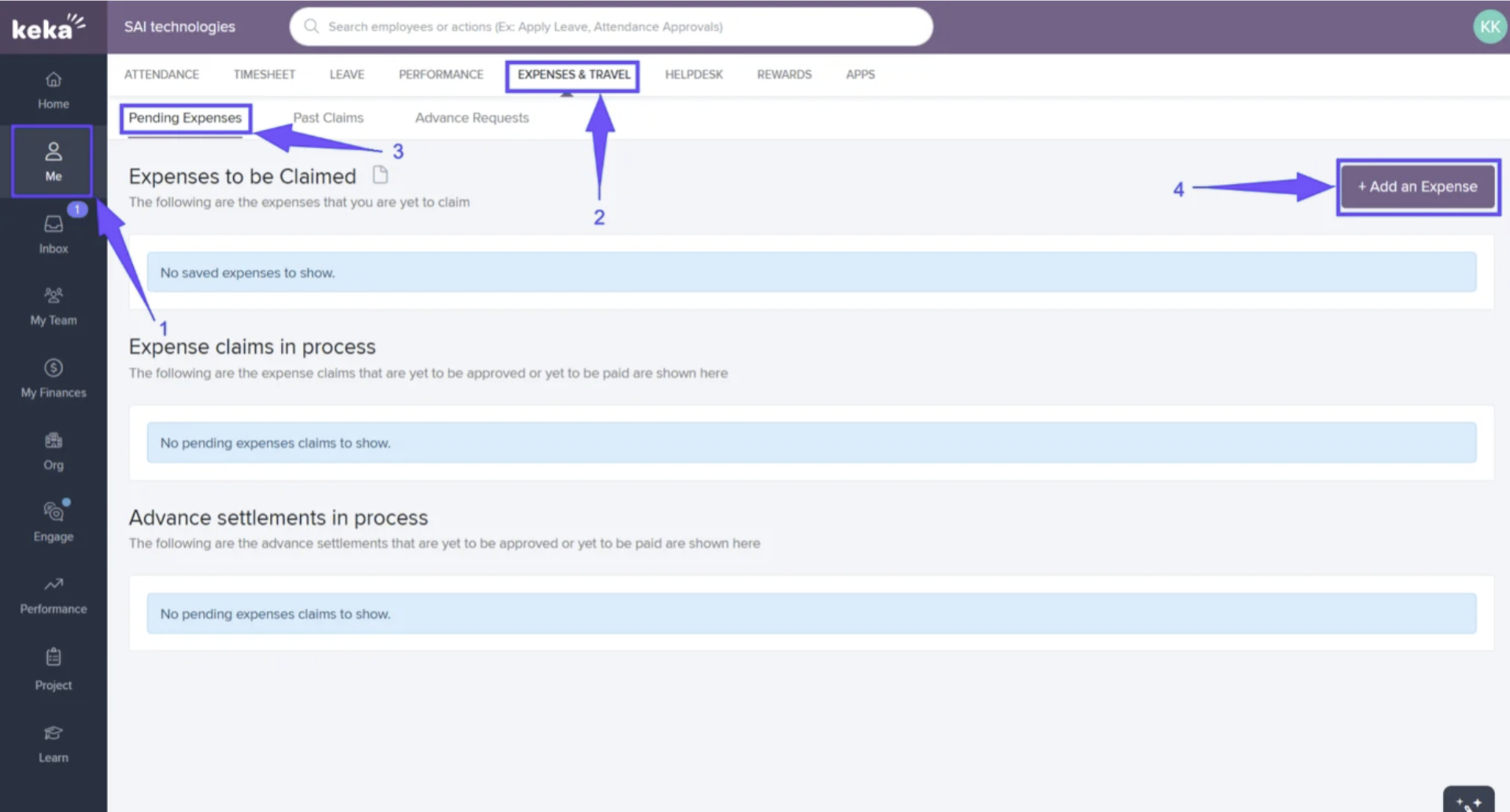
- Go to the Me section in Keka.
- Click Expenses & Travel.
- On the Pending Expenses page, click + Add an Expense.
Method 1: Track Distance Using Odometer Reading
-
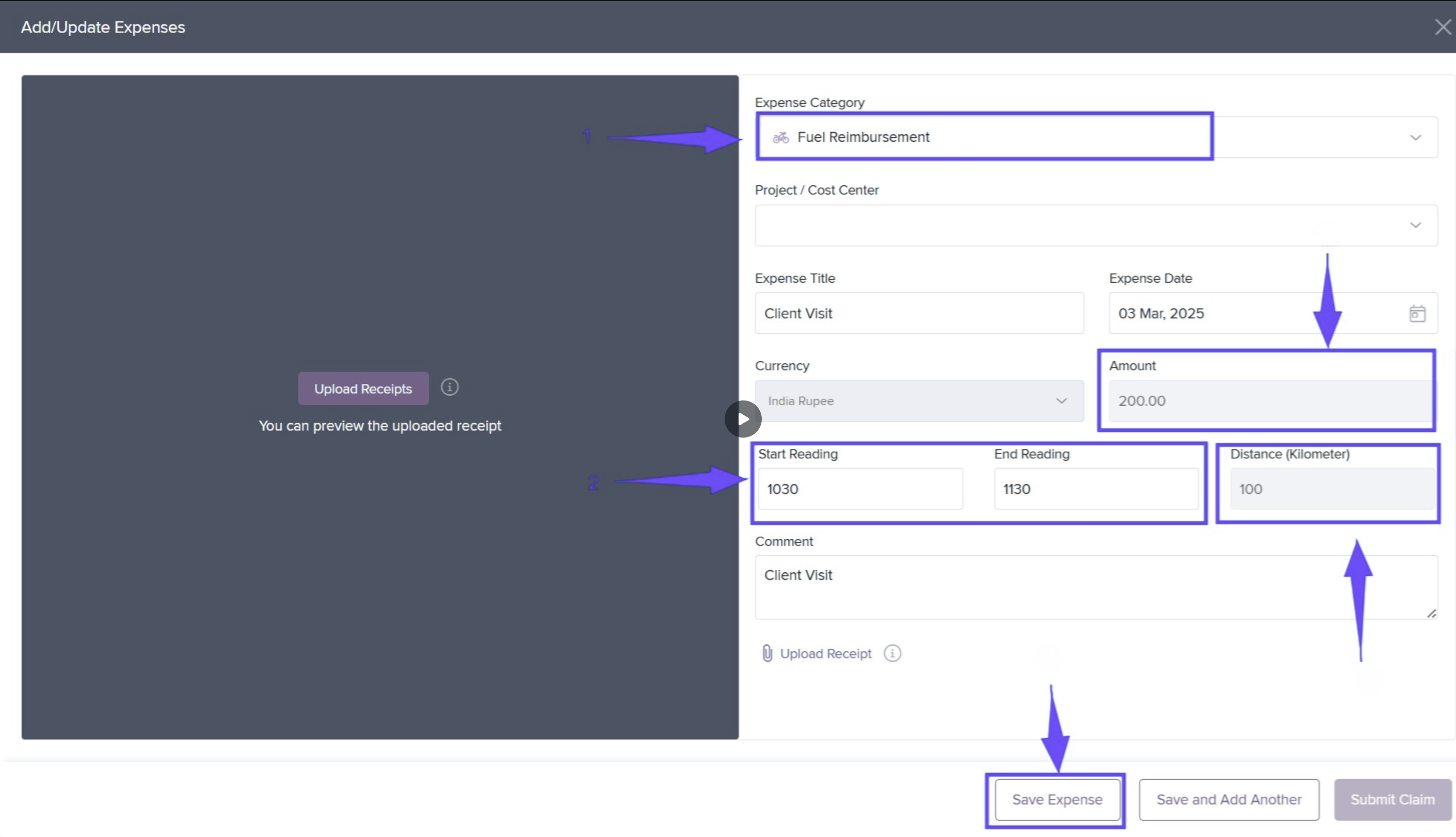
Select the Expense Category and choose the date.
-
Enter your starting and ending odometer readings.
-
The system will calculate both the distance traveled and the reimbursement amount automatically.
-
Click Save Expense.
-
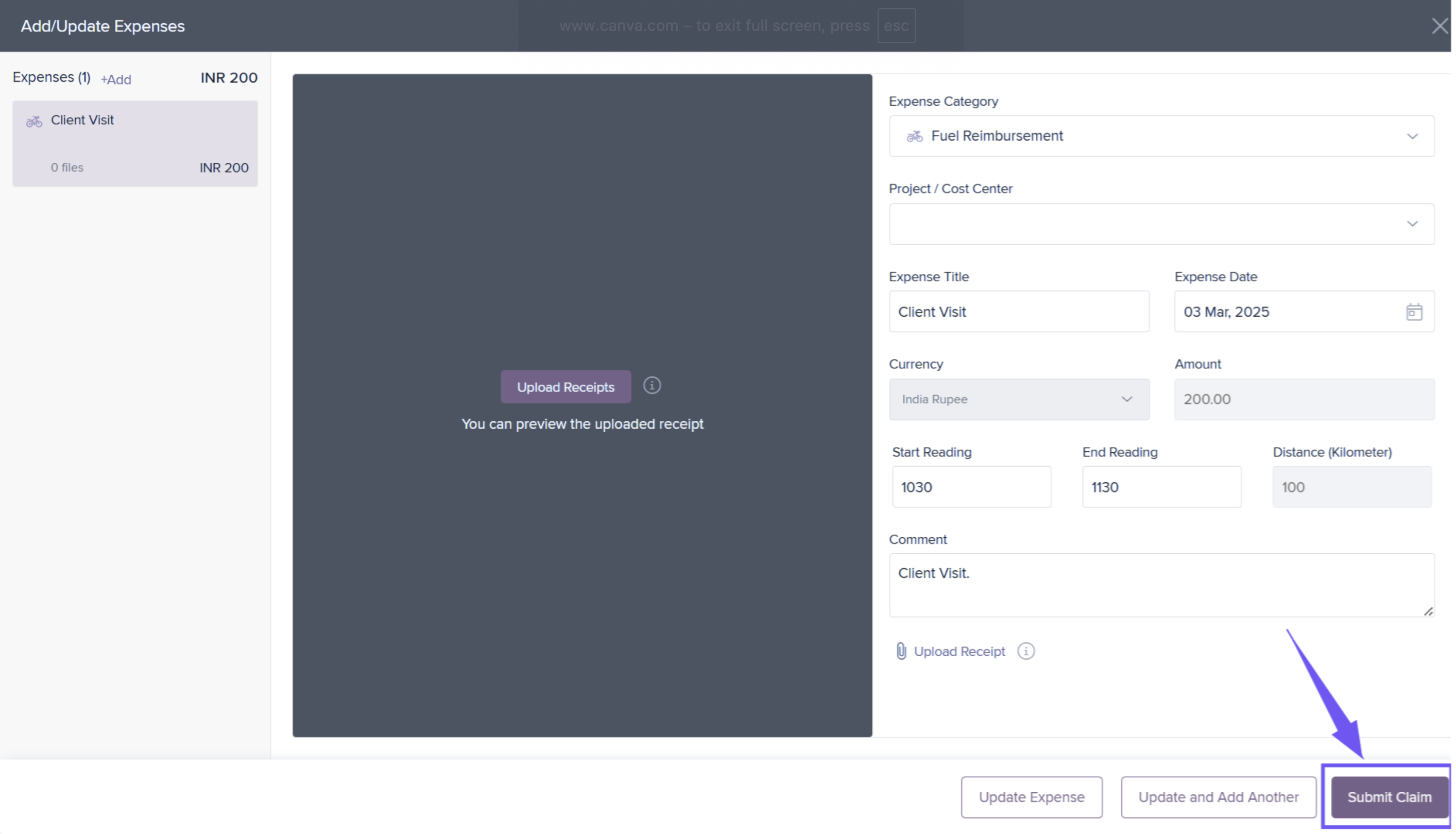
After saving, click Submit Claim.
Method 2: Manually Add Distance Traveled
-
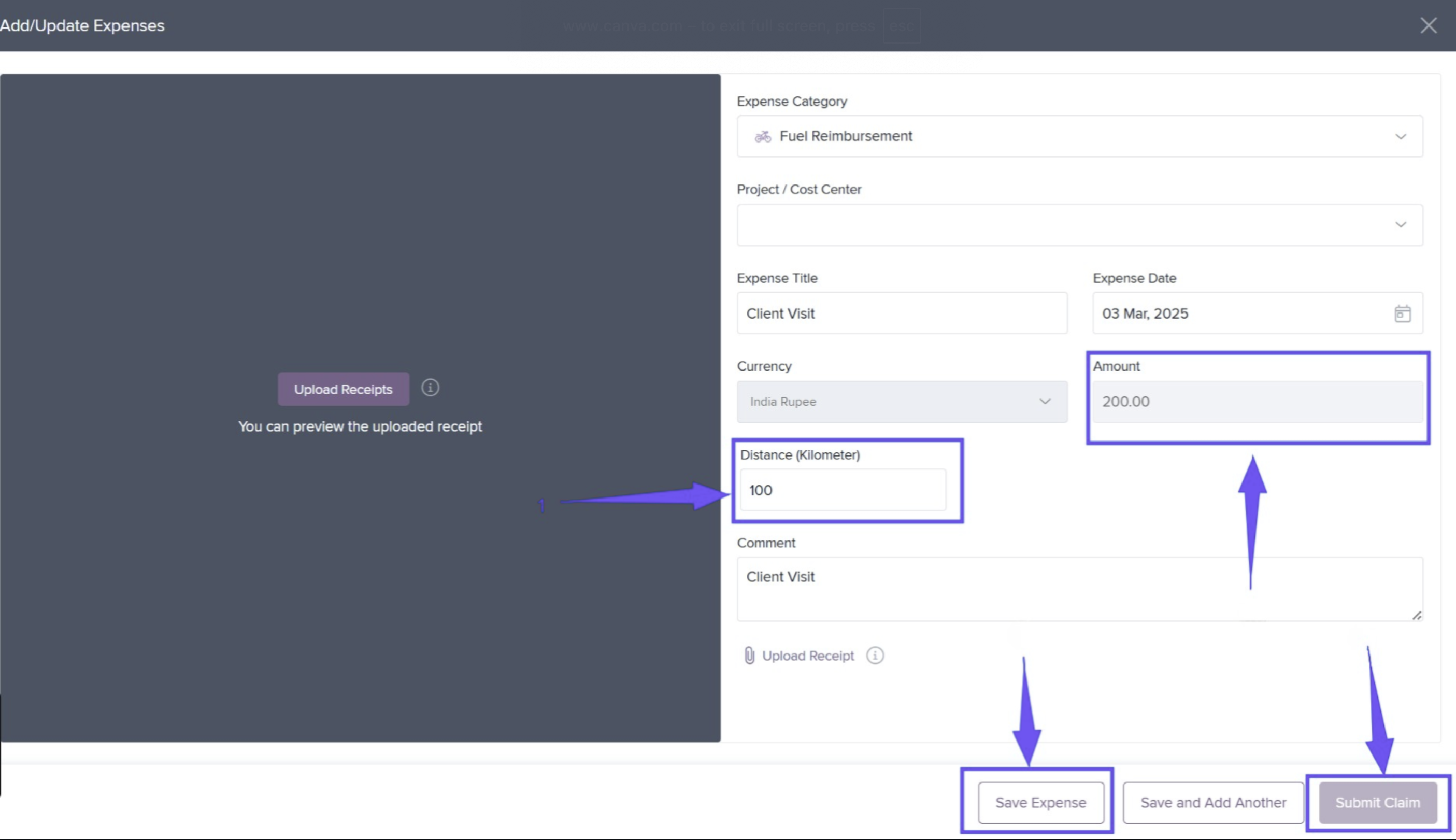
Select the Expense Category and date.
-
Enter the total distance traveled in the allowed unit (e.g., kilometers).
-
The system will calculate the reimbursement amount automatically.
-
Click Save Expense.
-
Then click Submit Claim.
Method 3: Auto-Calculate Distance Using Clock-In / Clock-Out
-
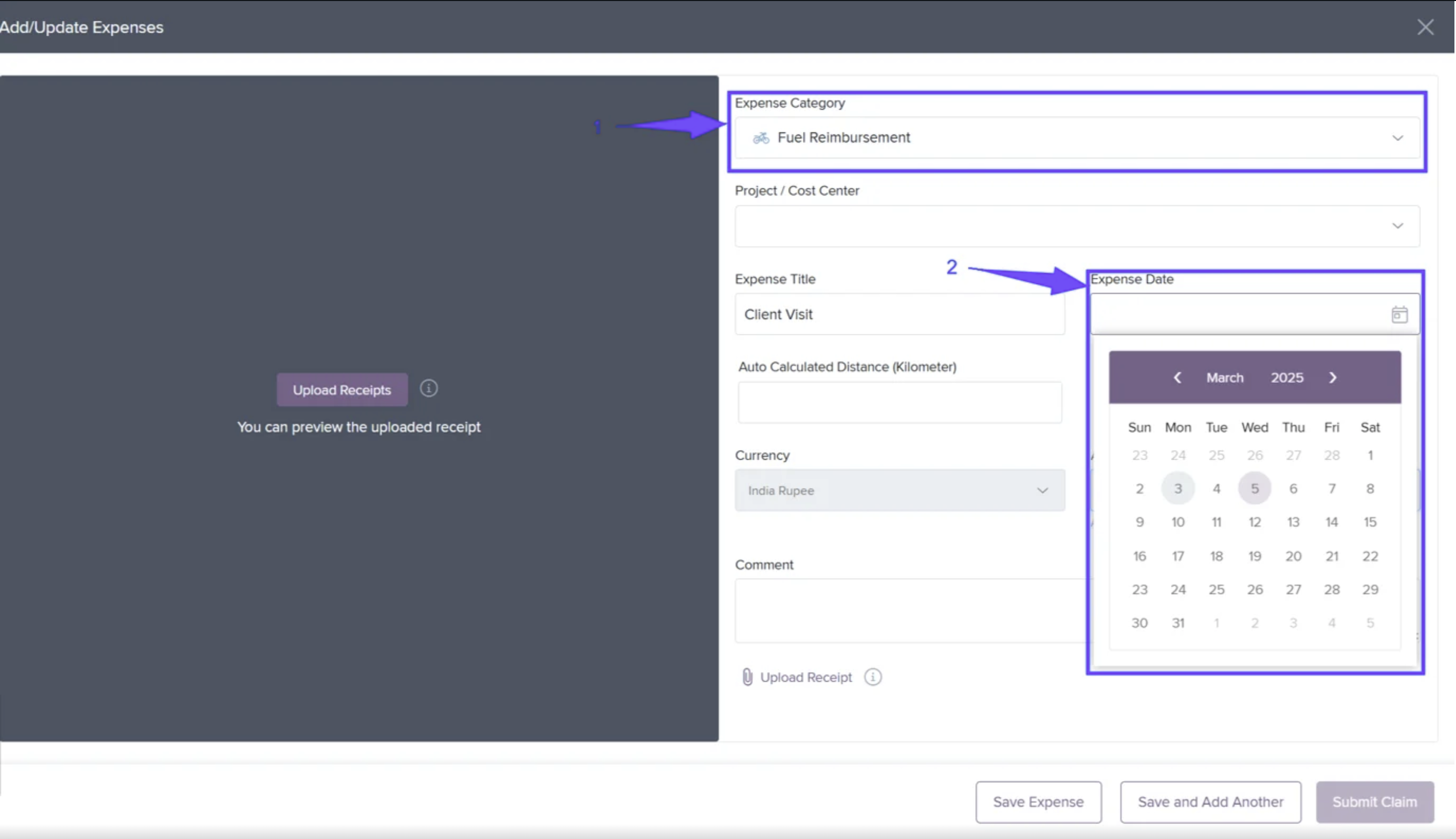
Select the Expense Category and choose the Expense Date.
-
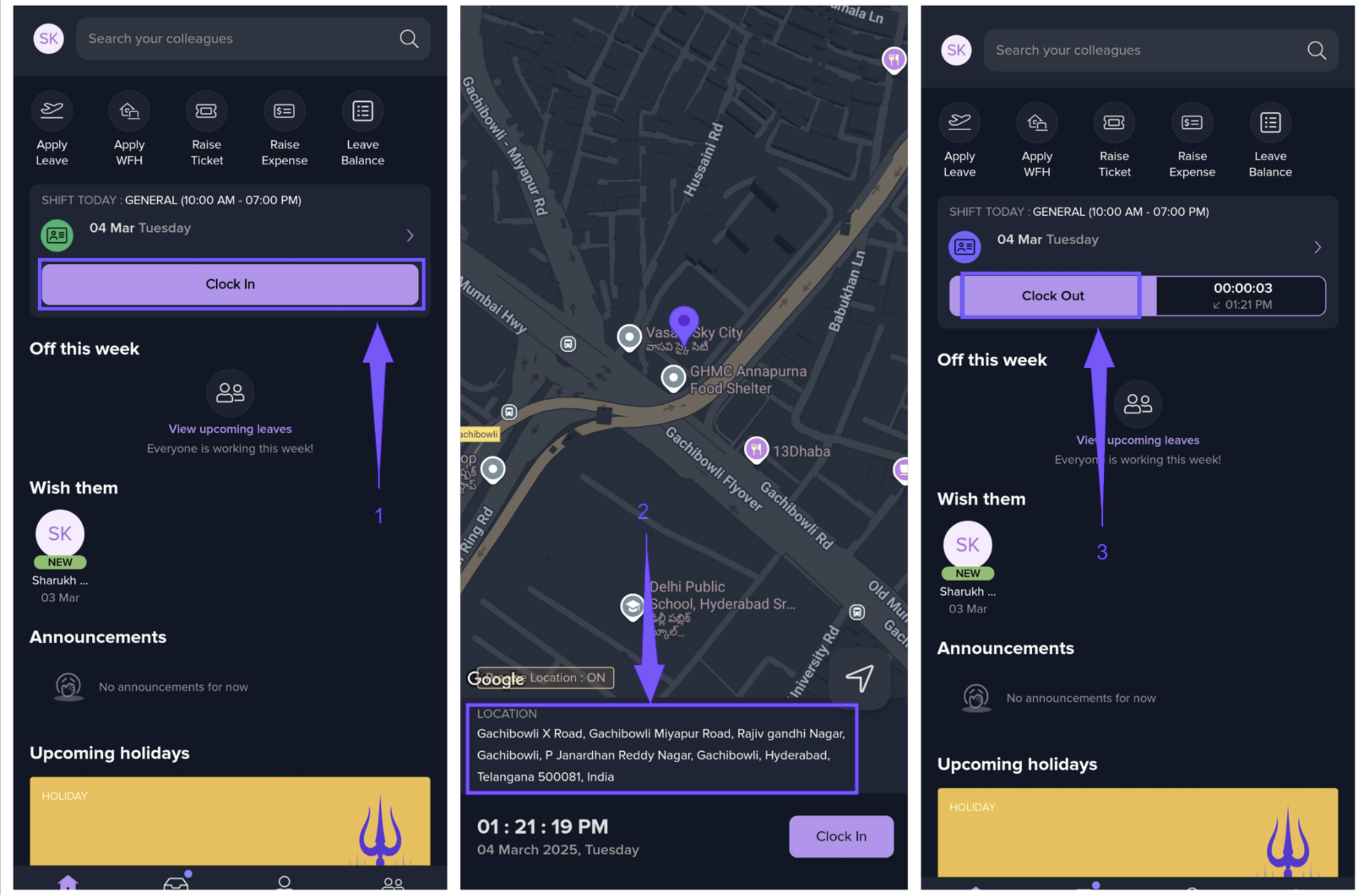
Keka records your clock-in and clock-out locations from your mobile device.
-
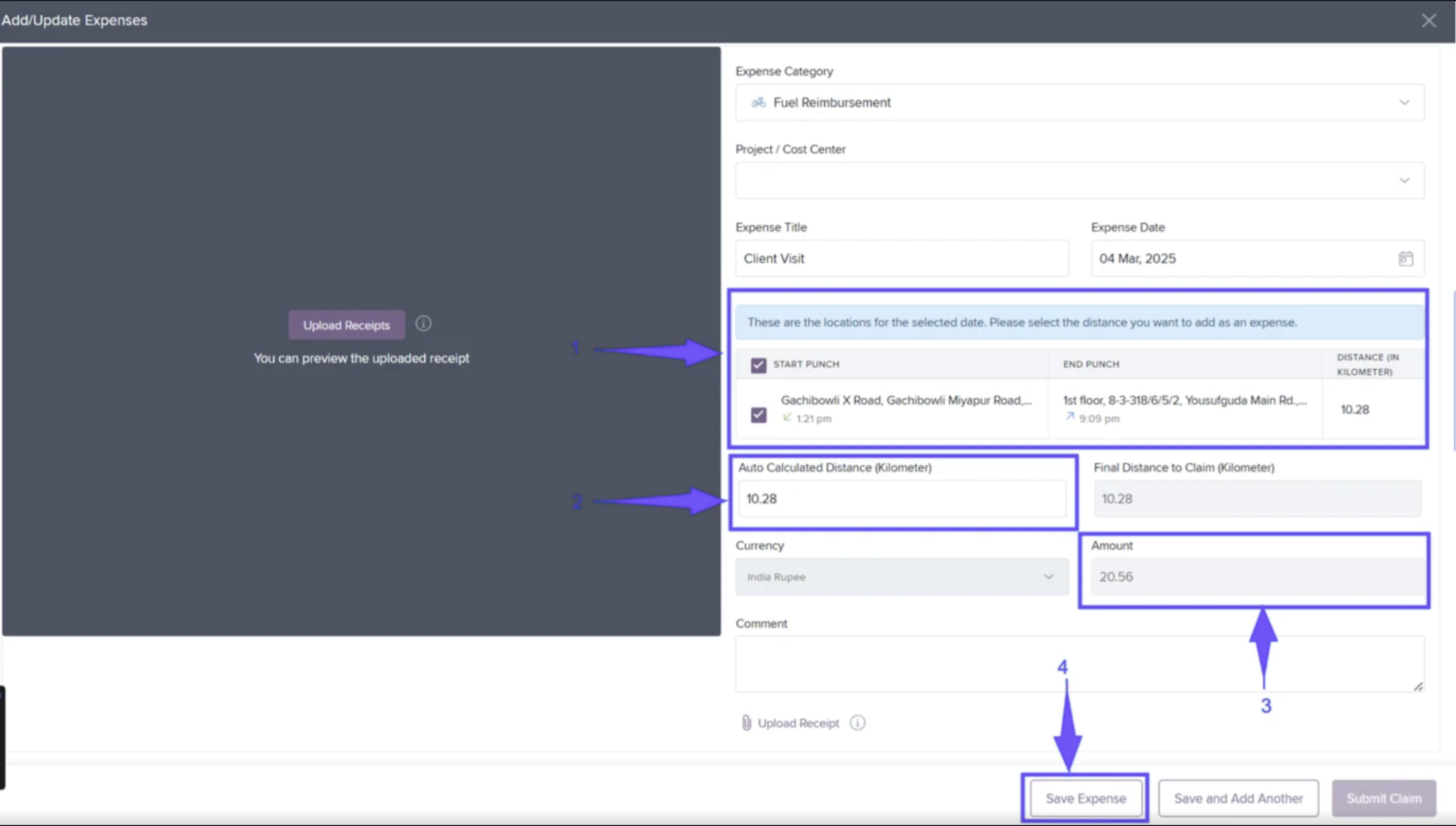
All recorded trips will appear with distance and reimbursement details.
-
Select the specific distance records you want to include in your claim.
-
The system calculates the total distance and amount.
-
Click Save Expense.
-
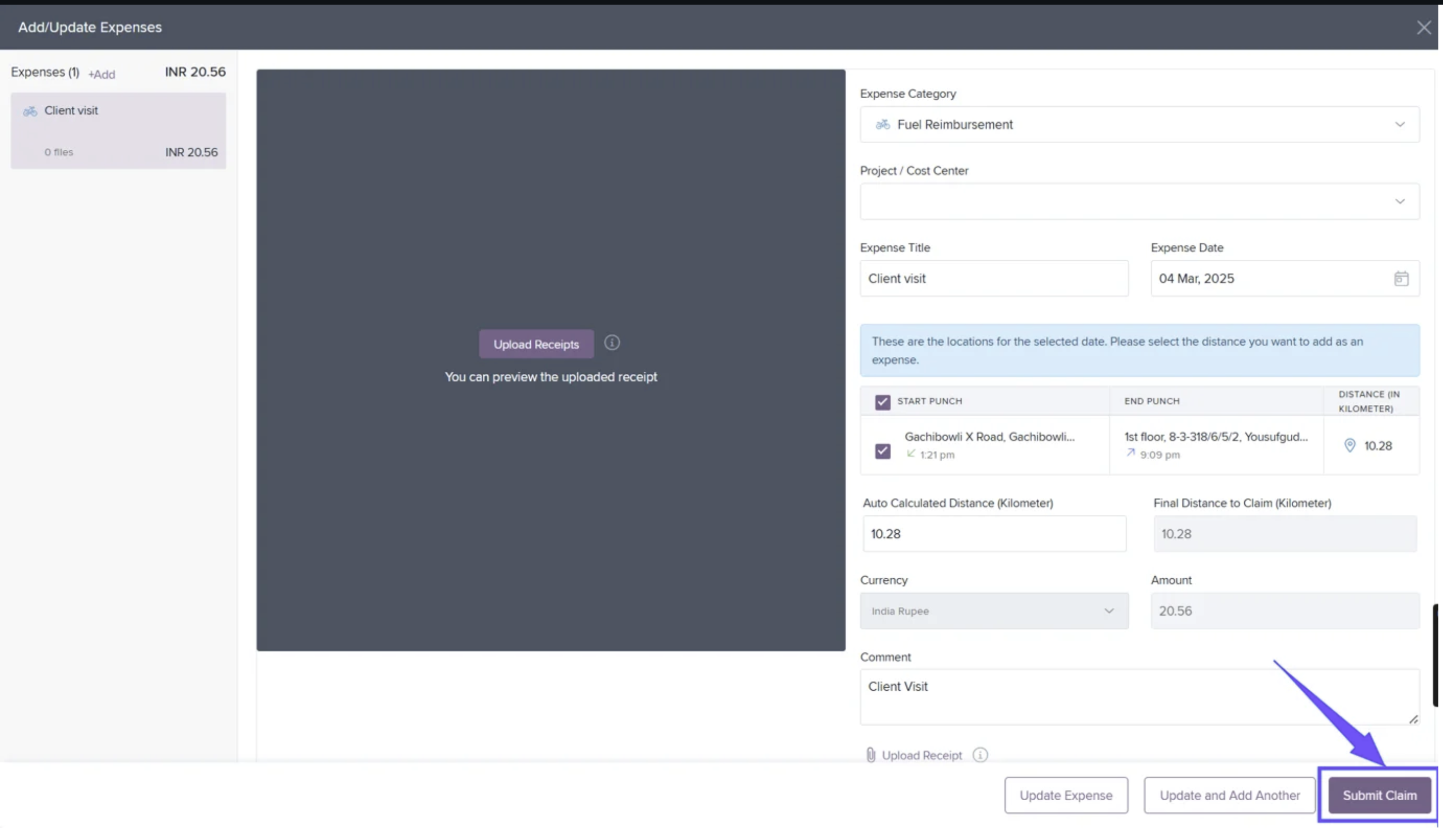
Finally, click Submit Claim.
Comments
0 comments
Please sign in to leave a comment.